Customers and billing, the fiber network, and secure access to every router and OLT.
Three apps that work as one, built for how ISPs in Bangladesh really operate.
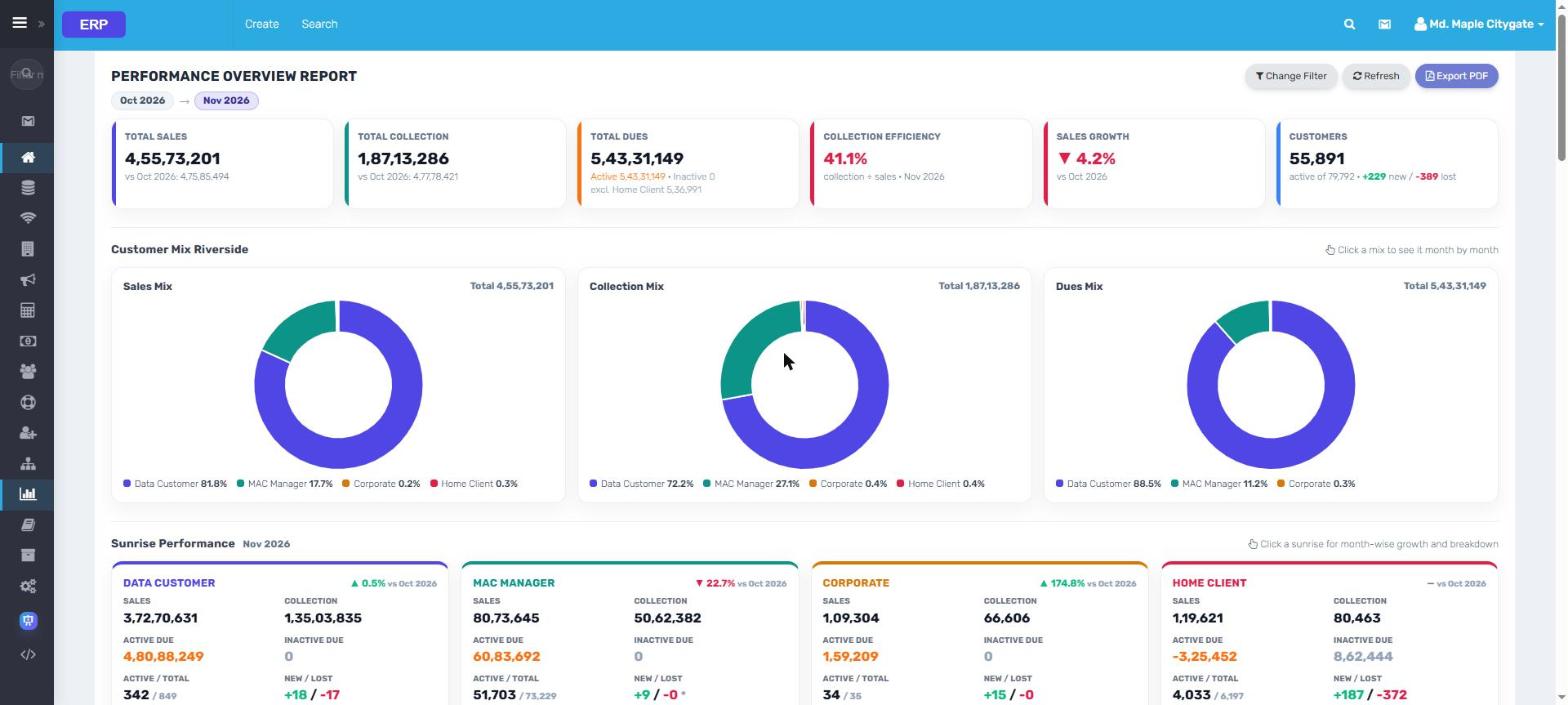
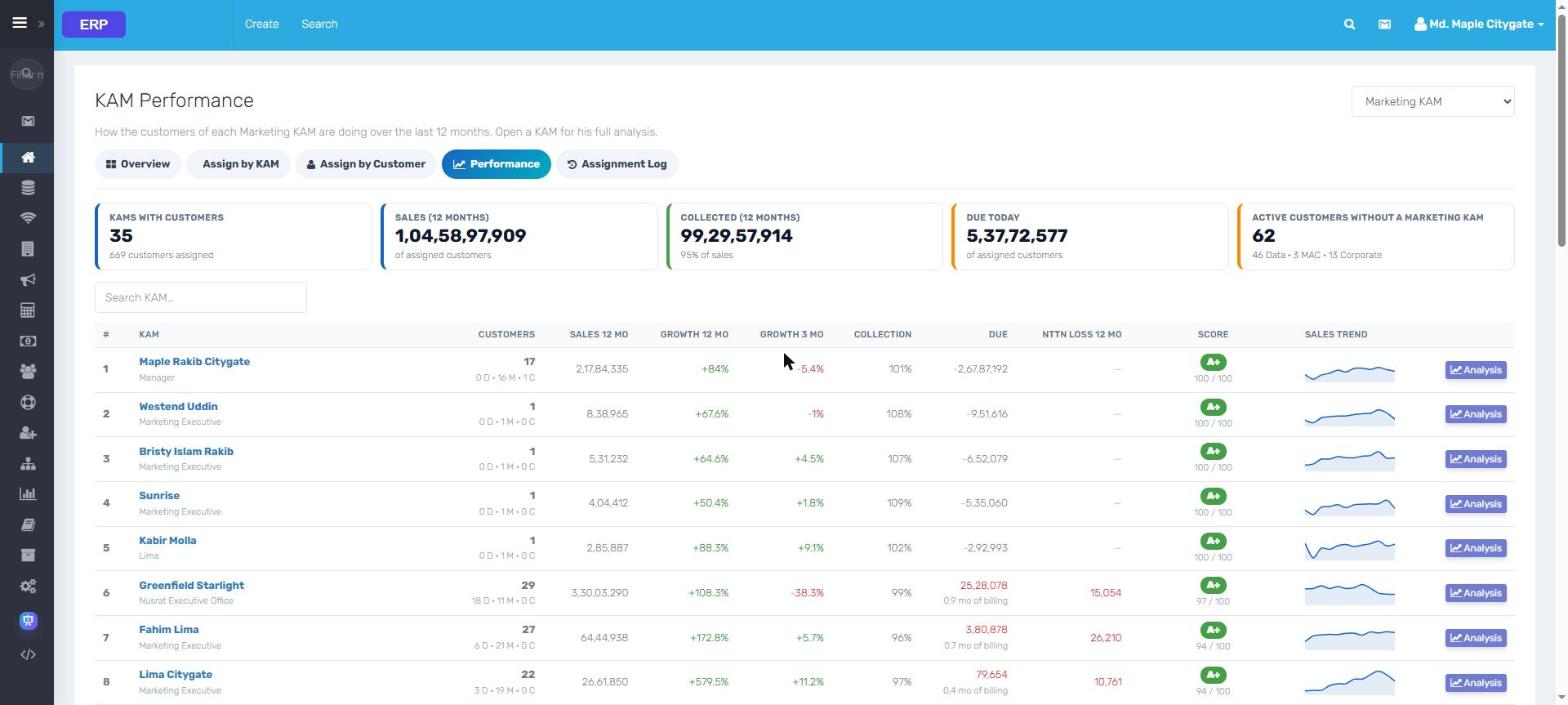
Ten dashboards. One switcher. Everyone lands on theirs.
Finance, Managers, corporate, support, the fiber network, the server and the sales team each
get a live dashboard. Click any one to open it full size, then use the arrows to walk through all ten.
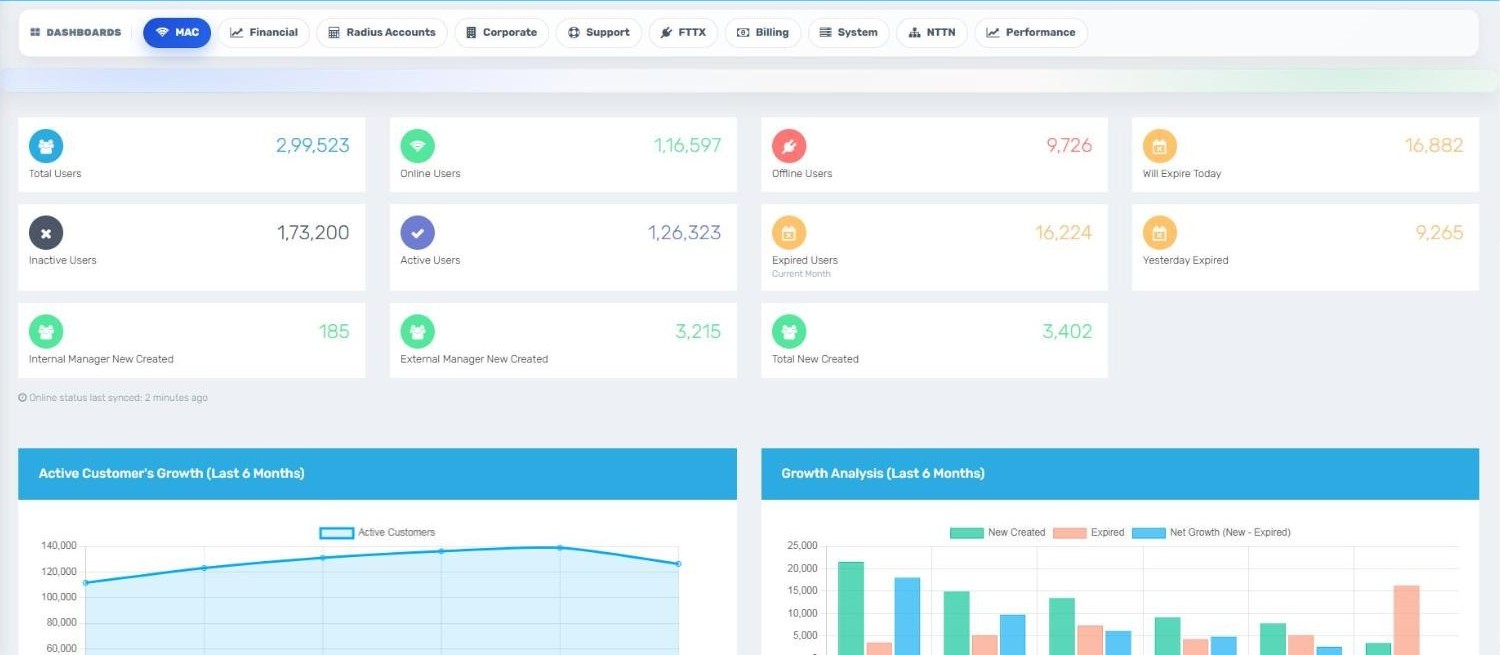
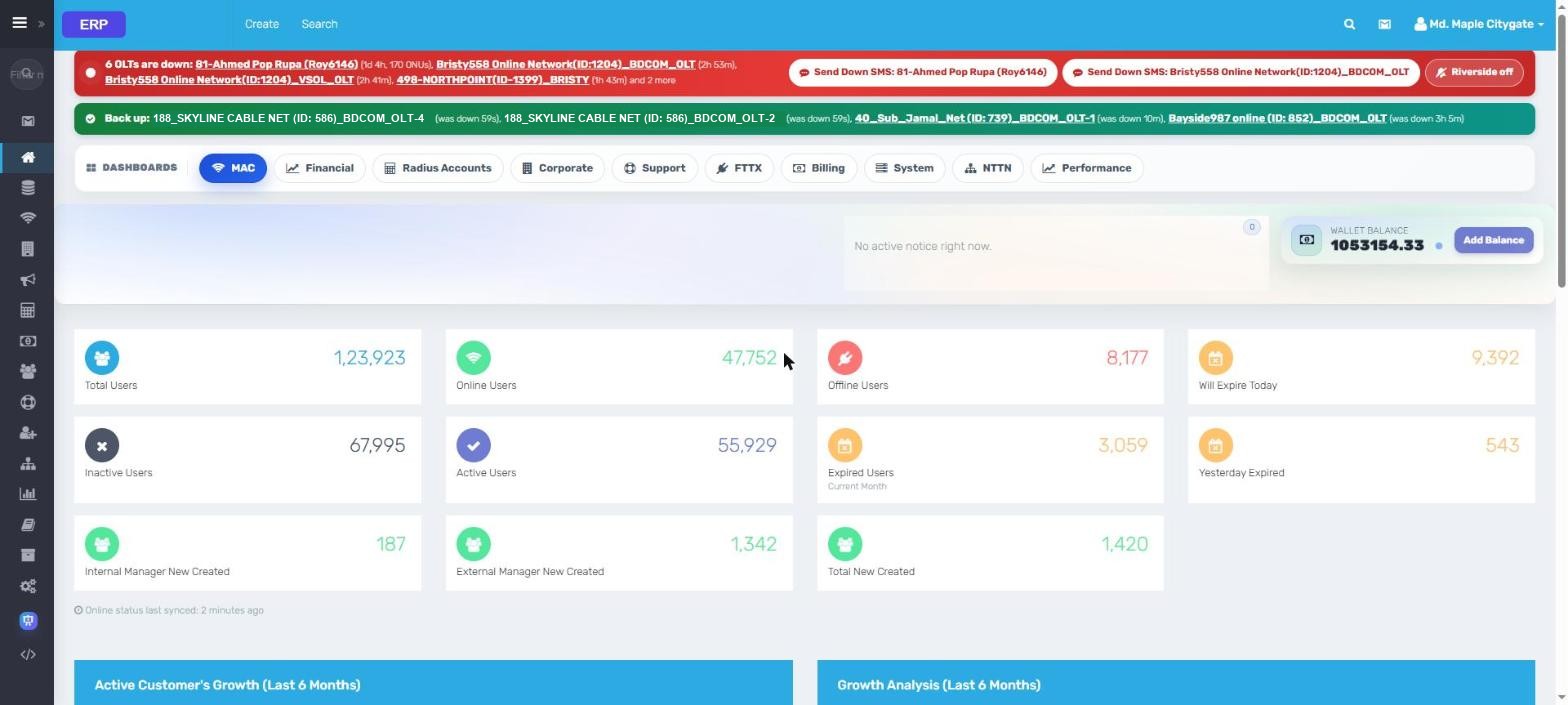
1MACUsers online, offline and expiring, wallet, OLT alarms
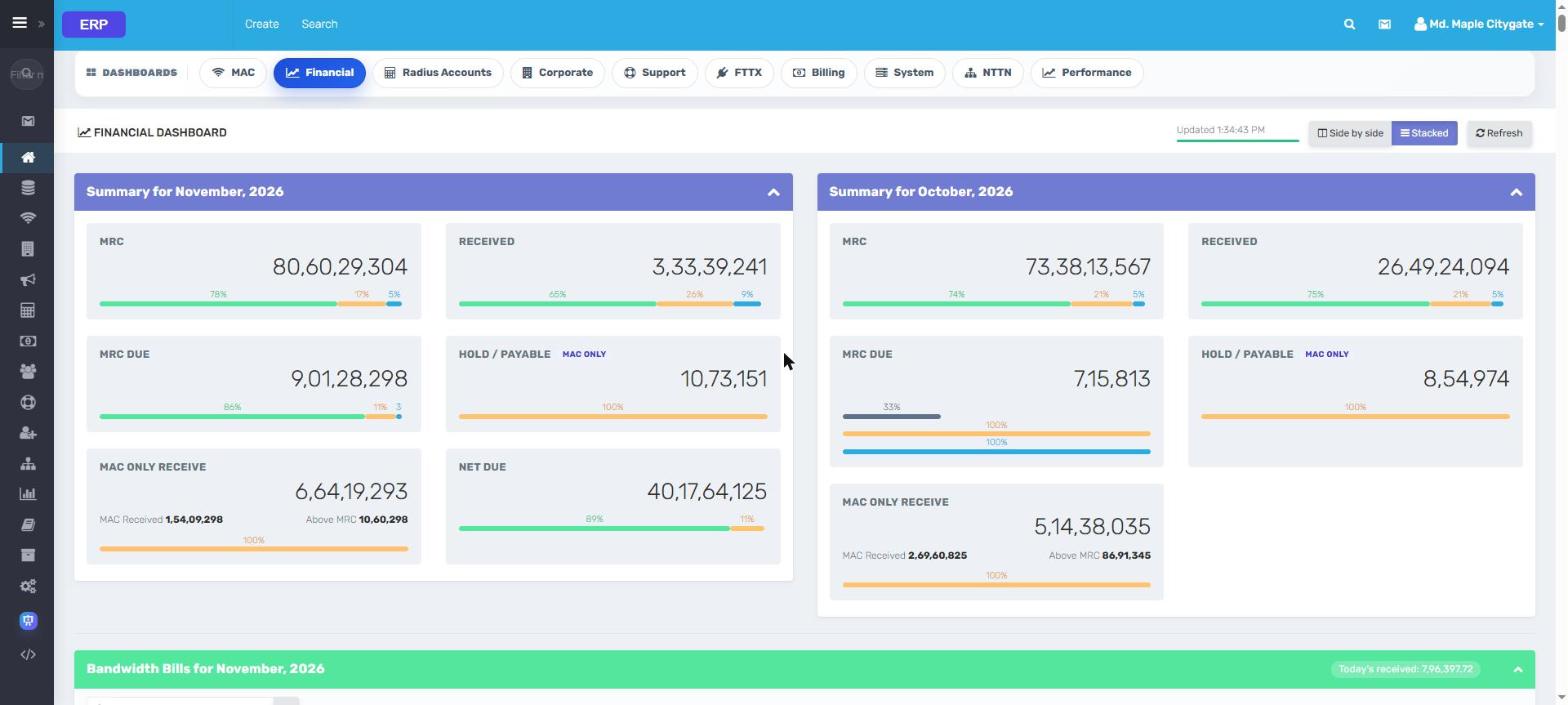
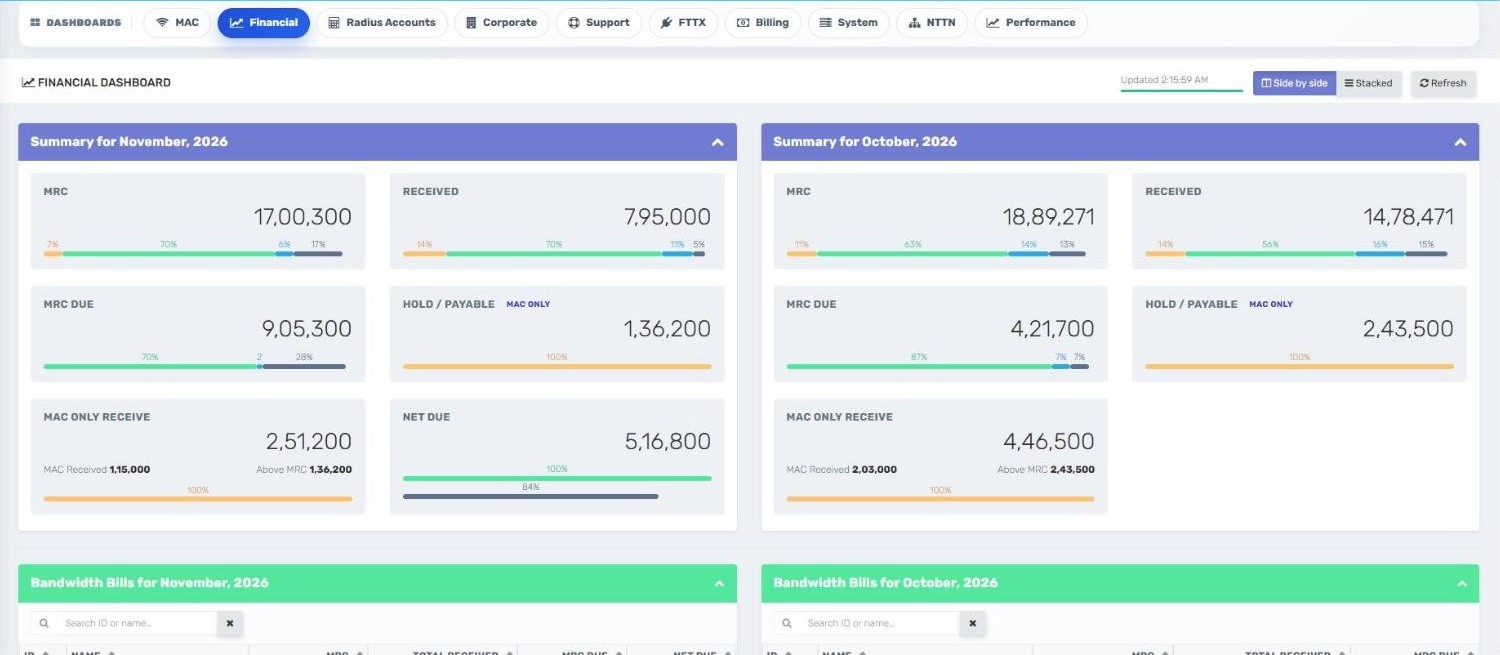
2FinancialMRC, received, dues and hold, this month vs last
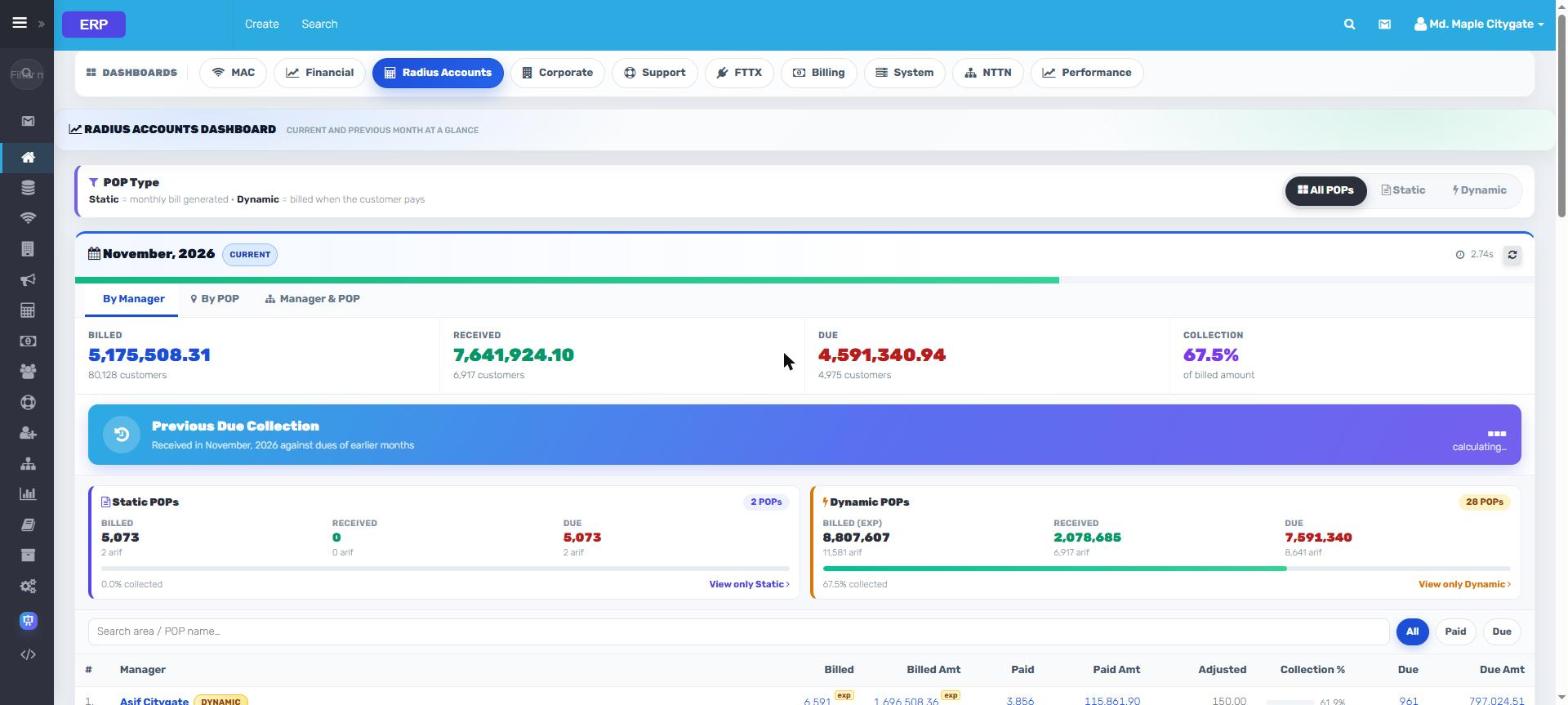
3Radius AccountsBilled, received and collection % by Manager and POP
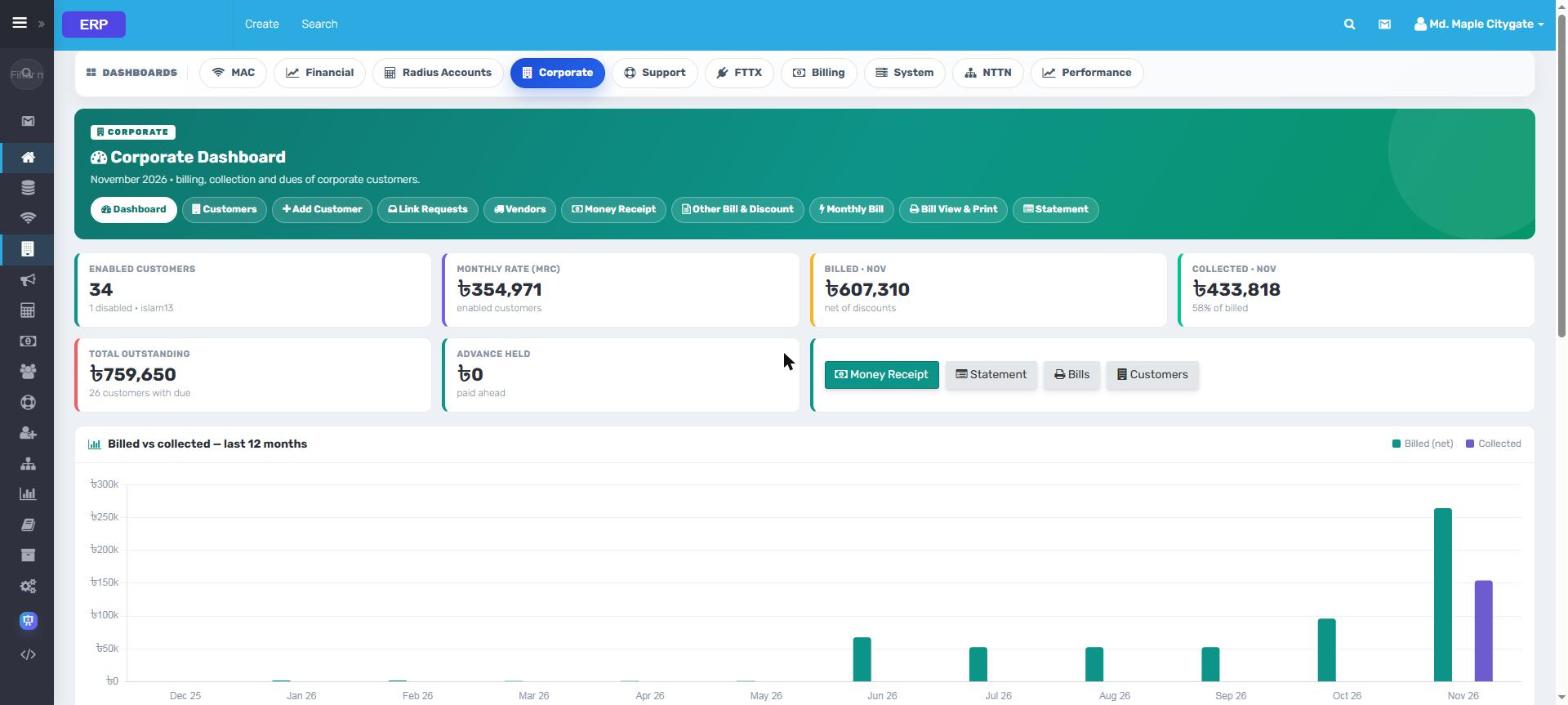
4CorporateCorporate MRC, bills and collection with a 12-month trend
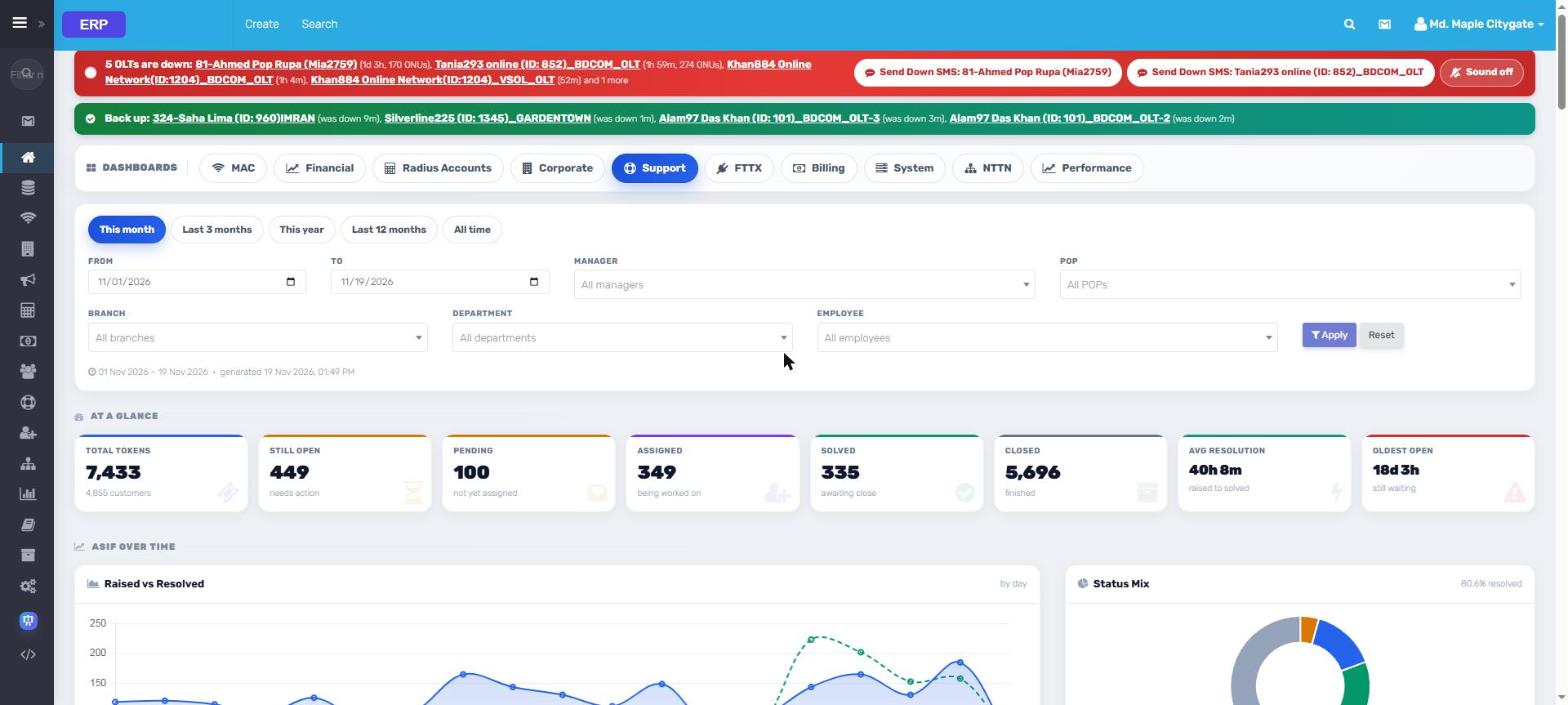
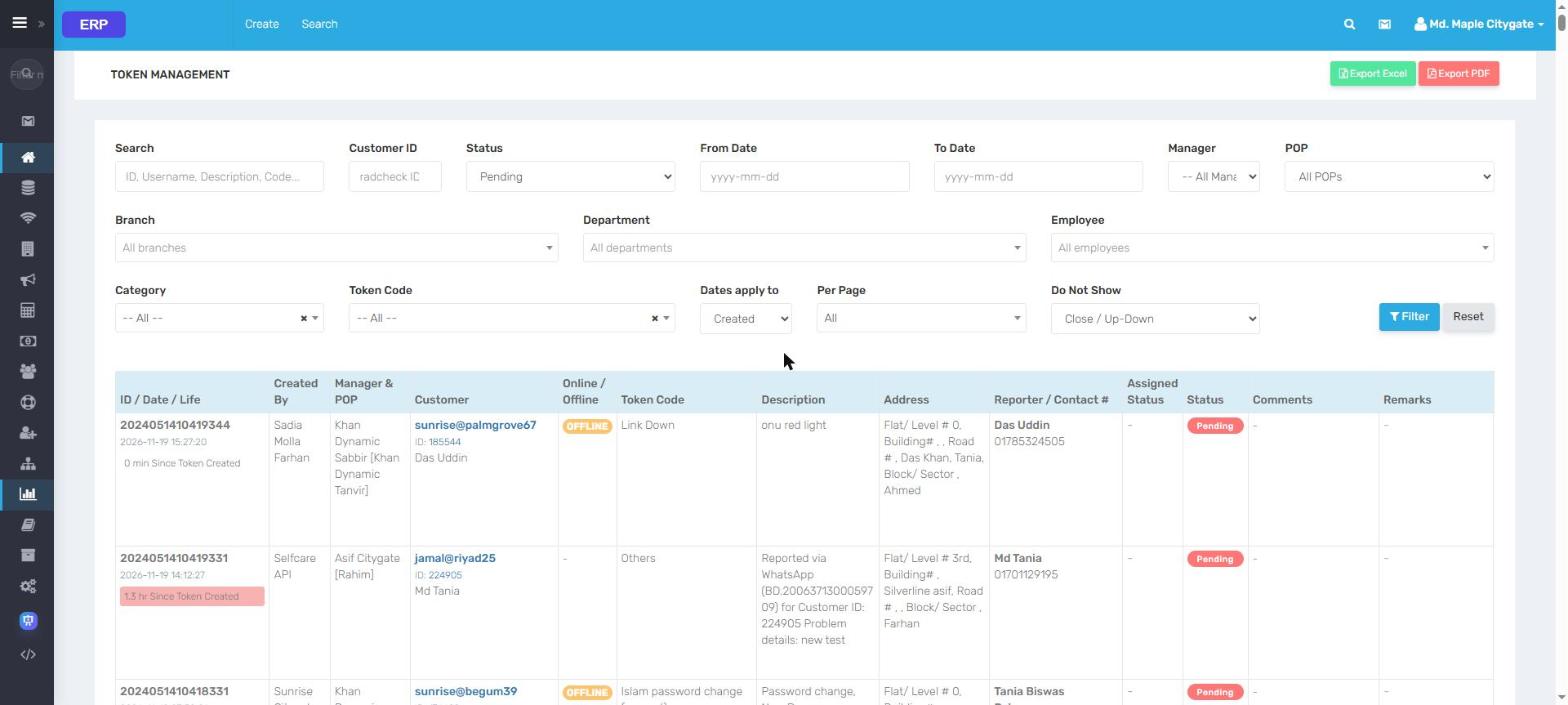
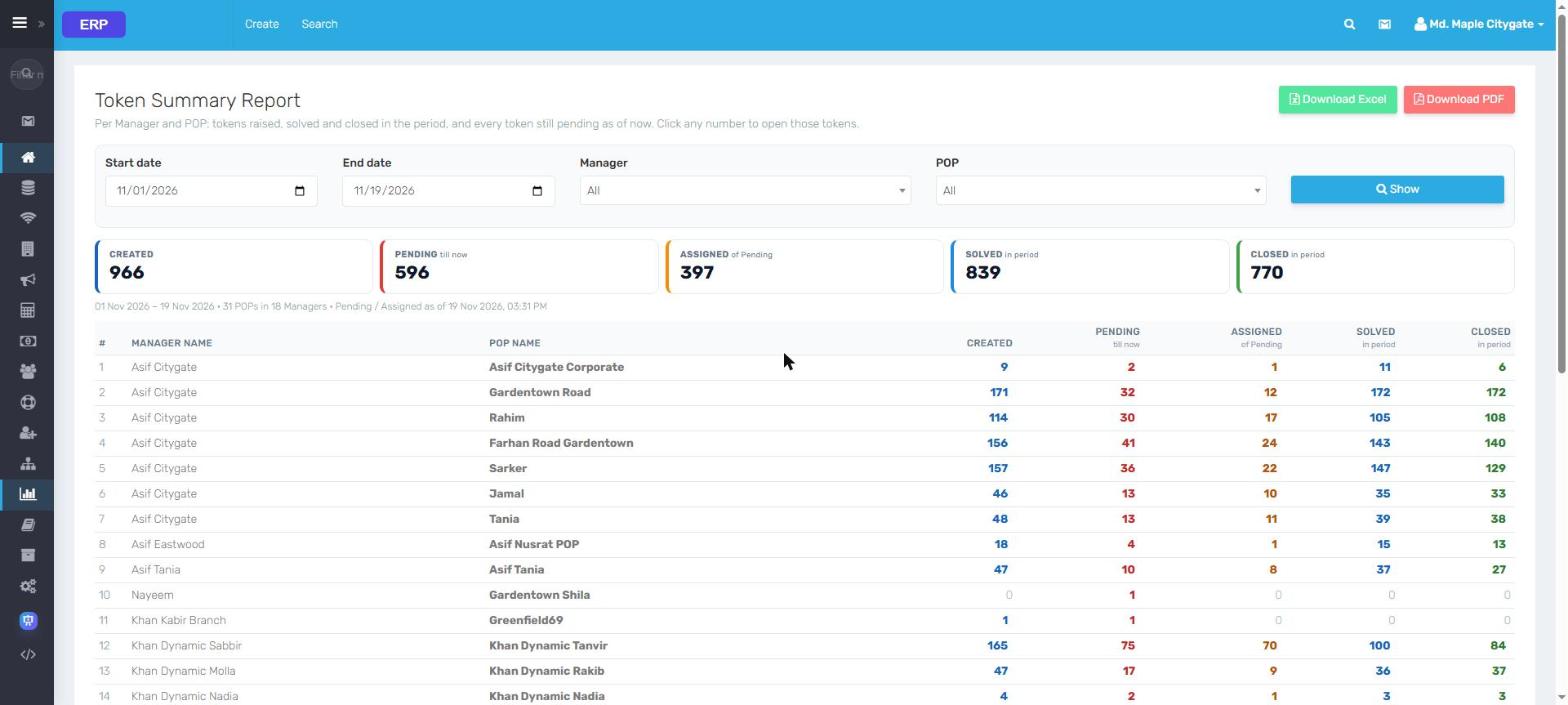
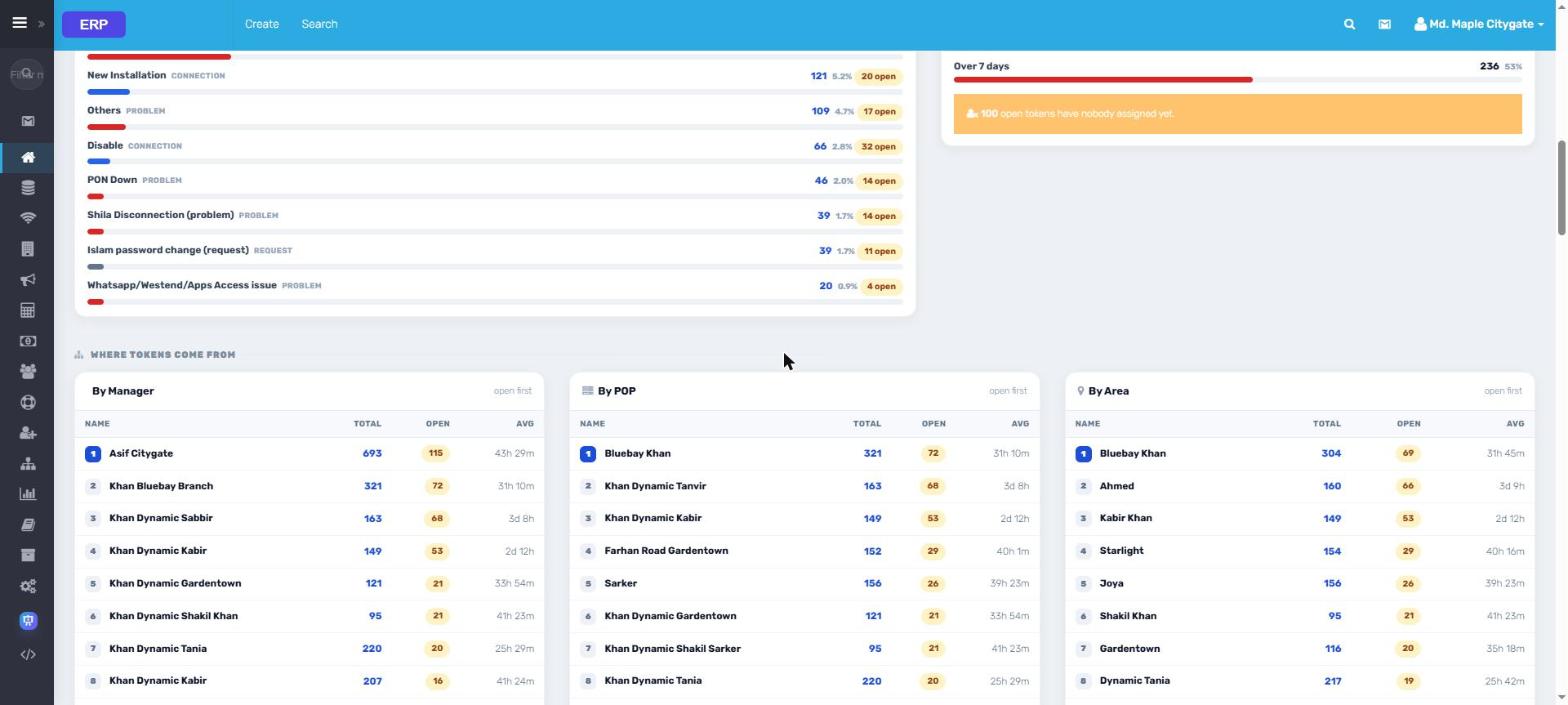
5SupportTokens raised vs solved, ageing, by Manager, POP and area
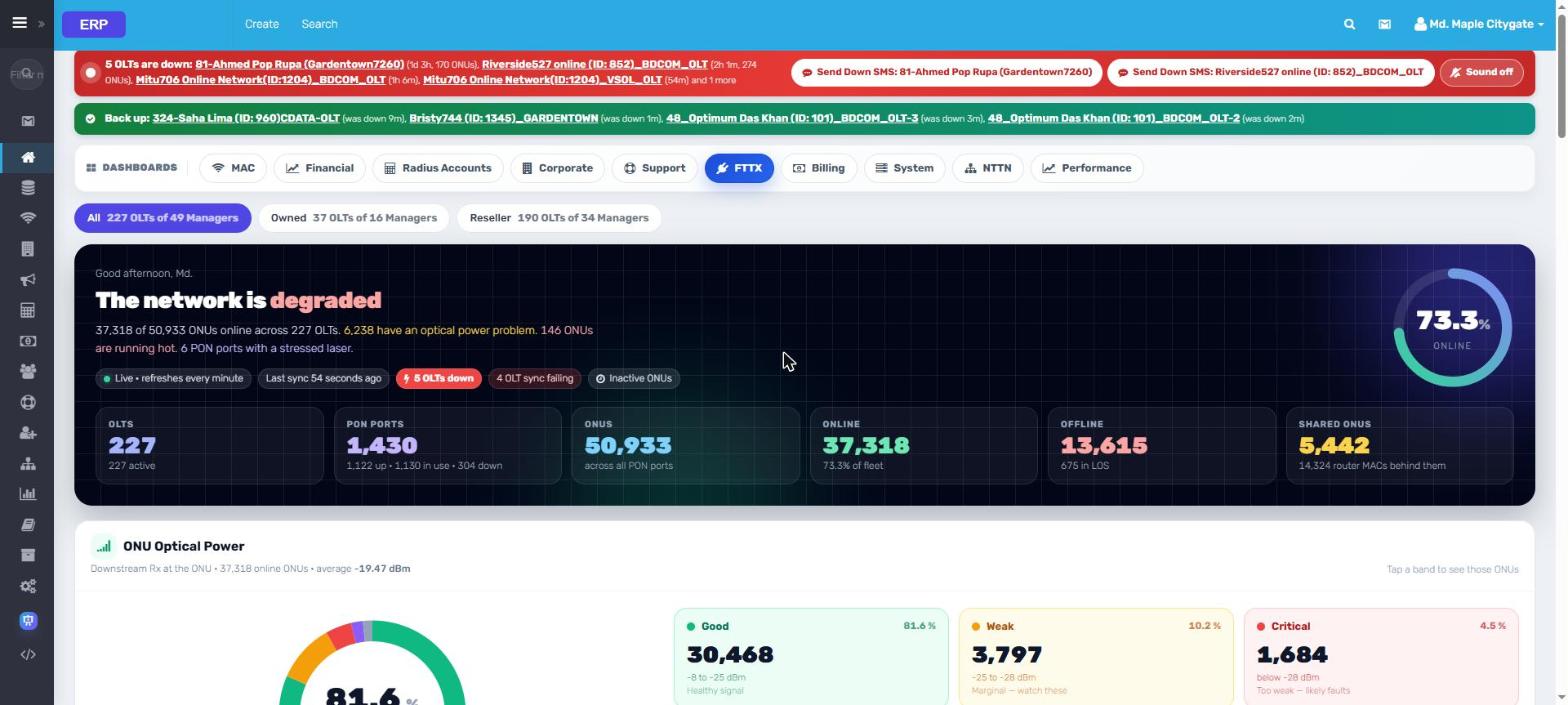
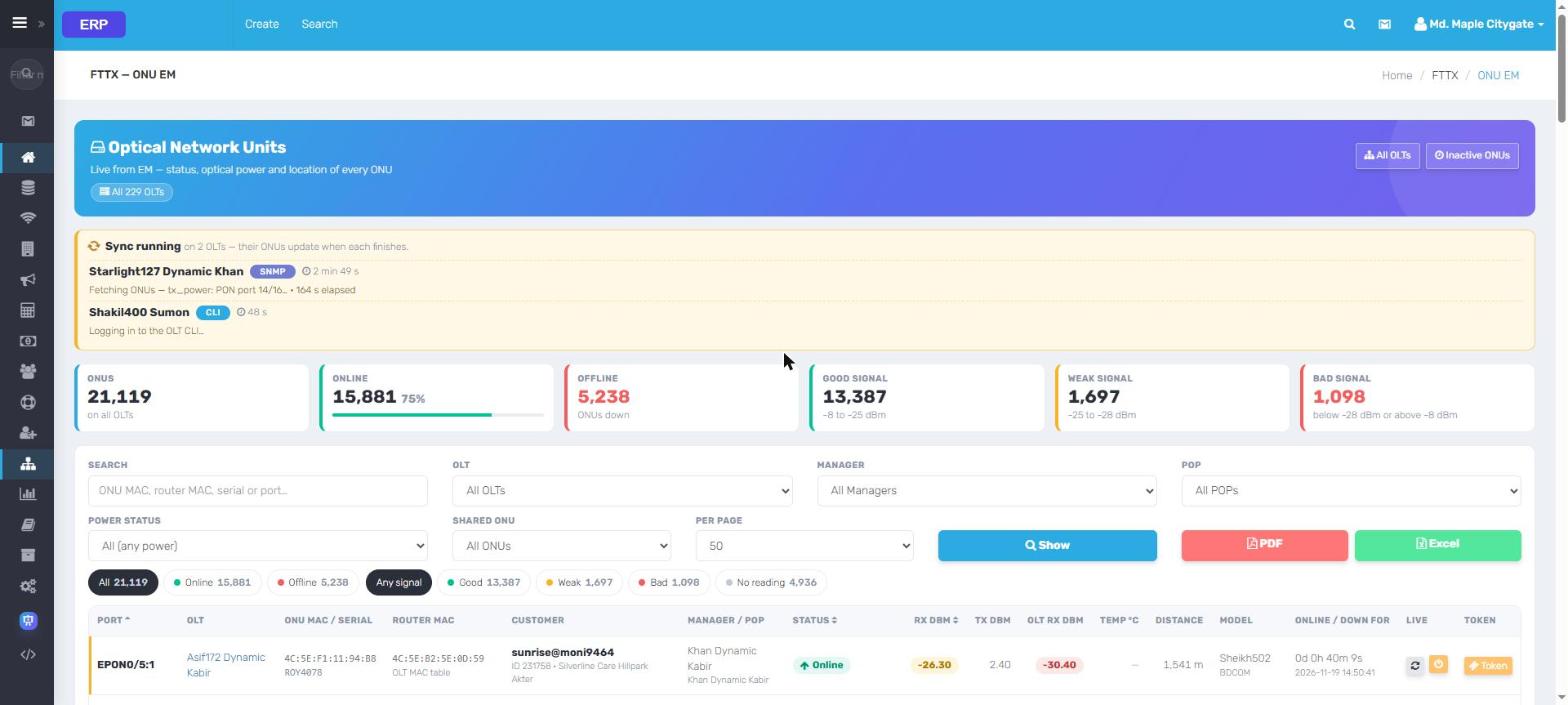
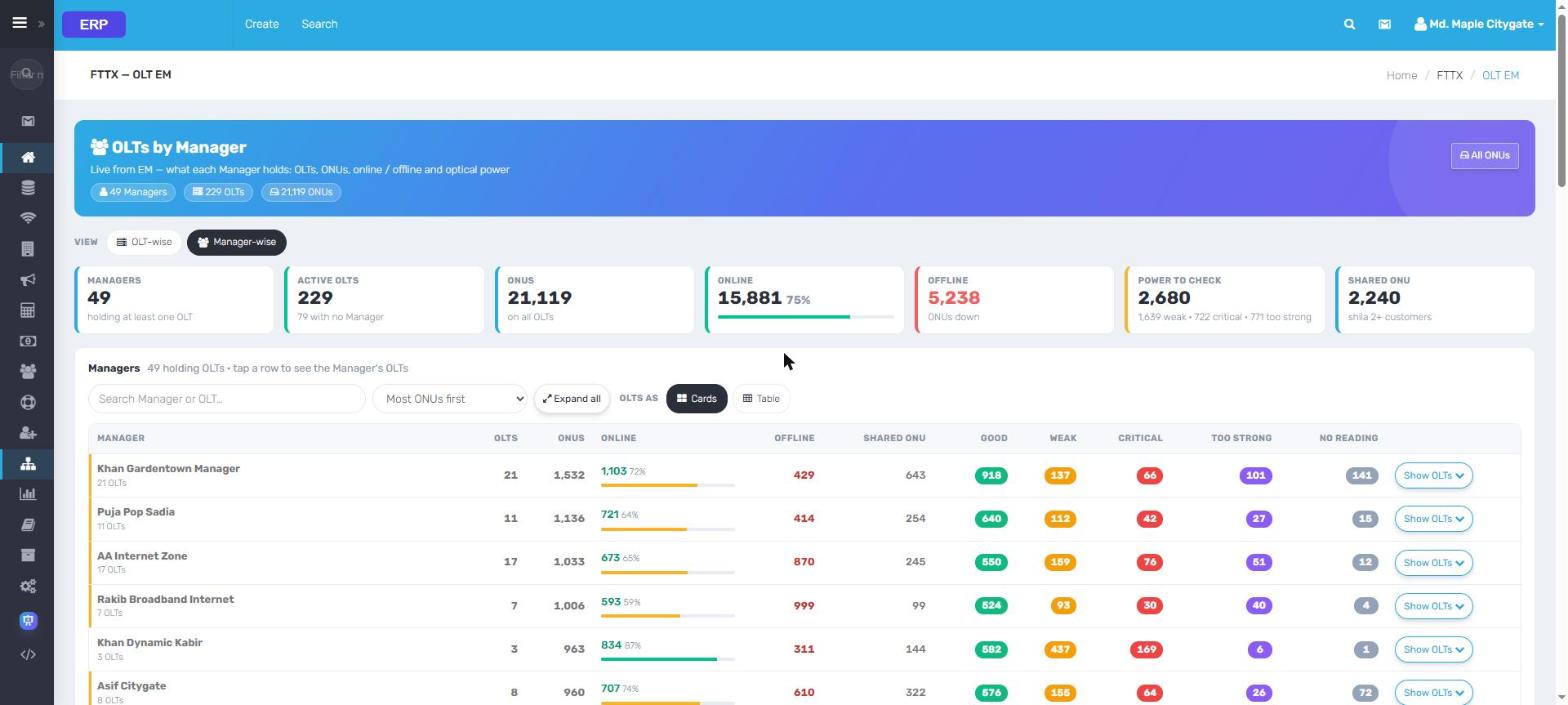
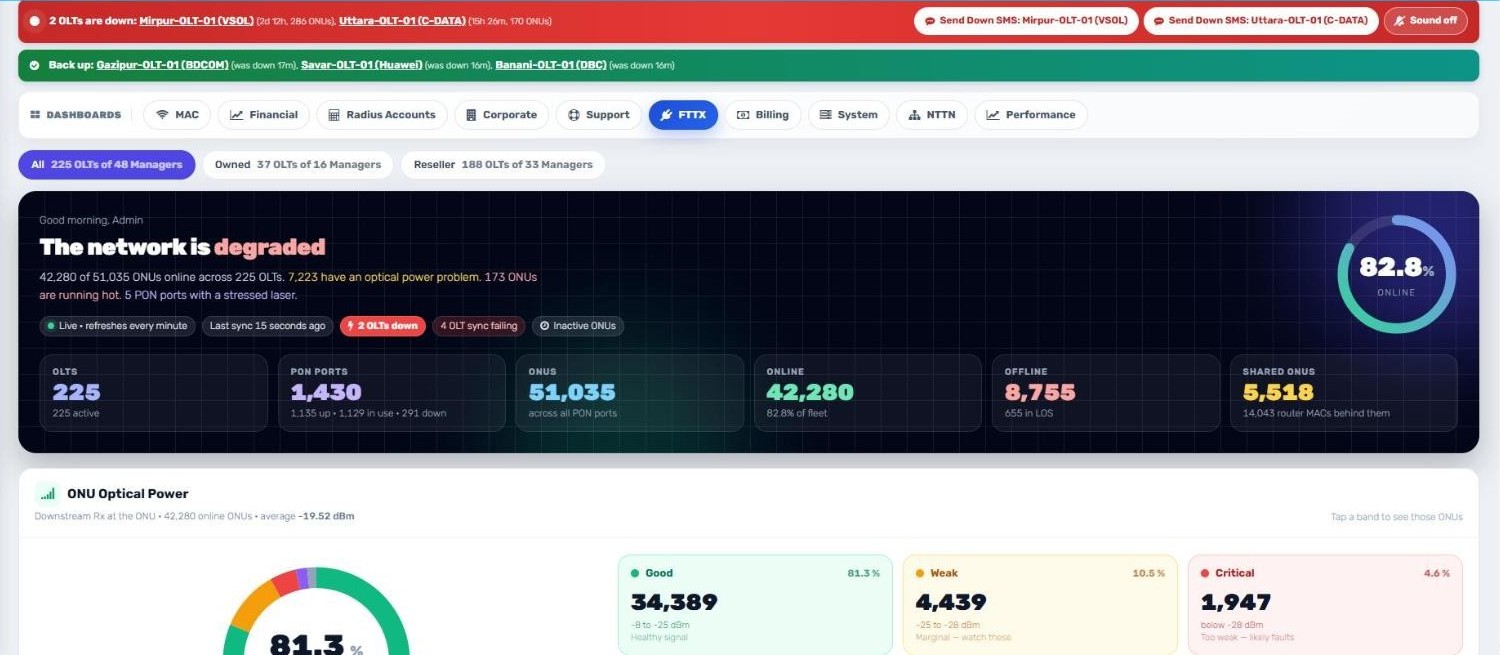
6FTTXOLTs, PON ports, ONUs online and optical power, live
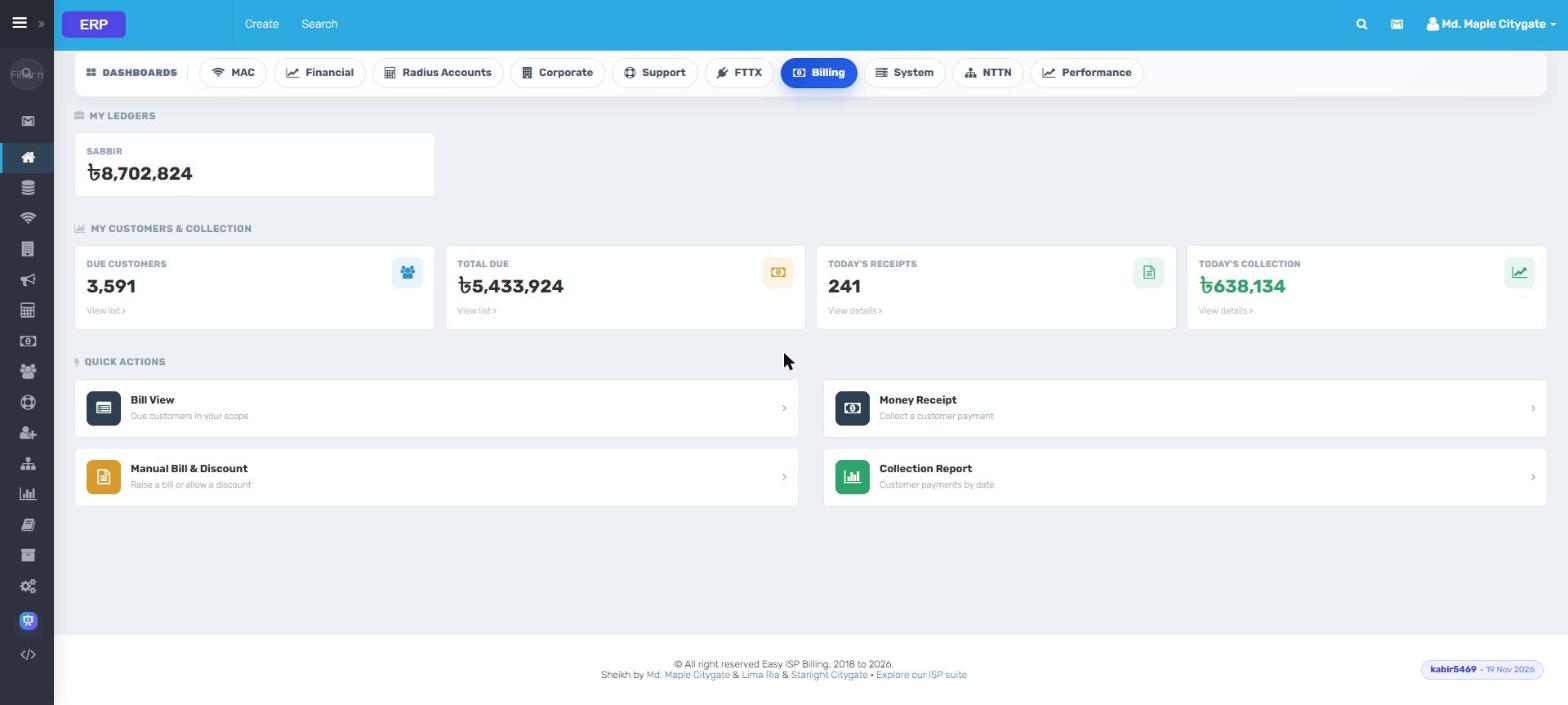
7BillingA collector's ledger, due customers and today's receipts
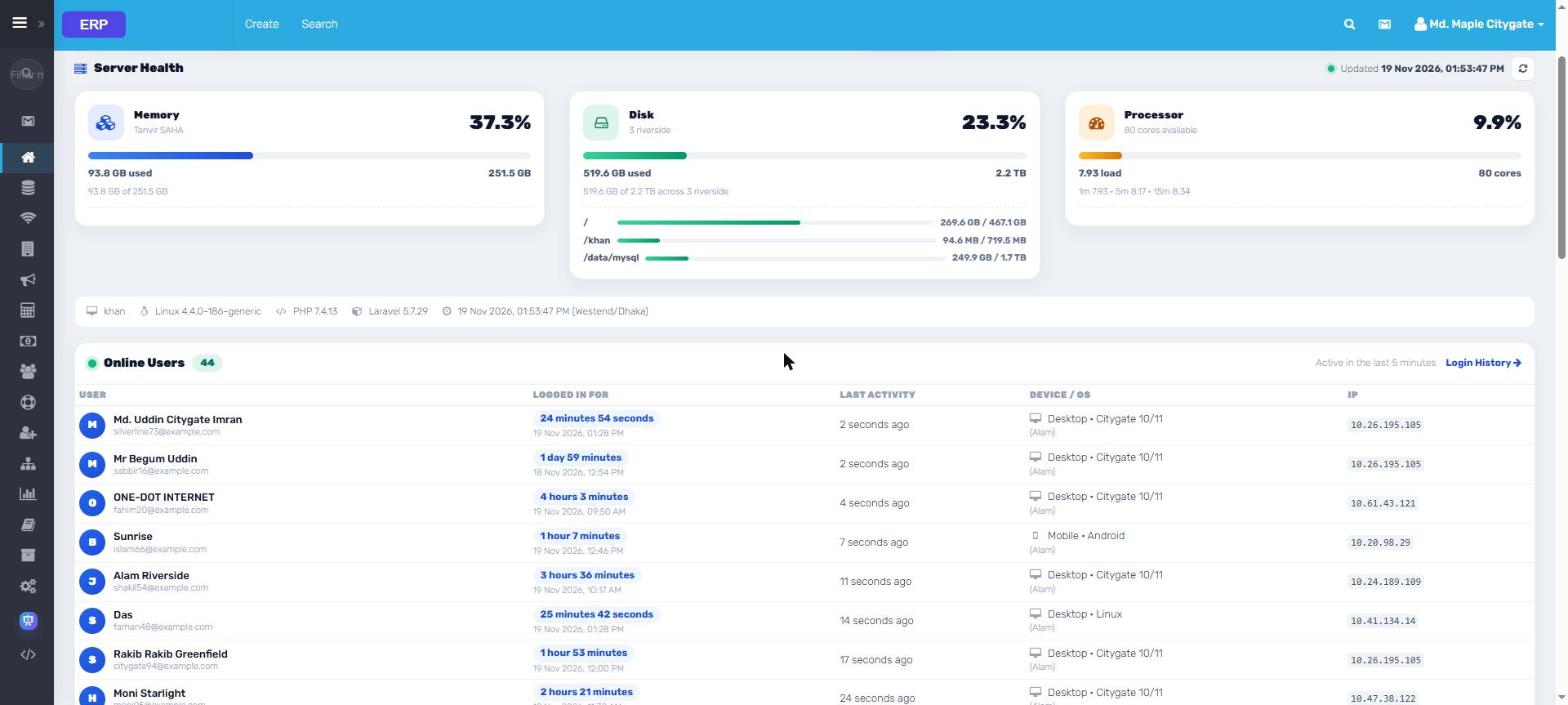
8SystemServer health and who is signed in right now
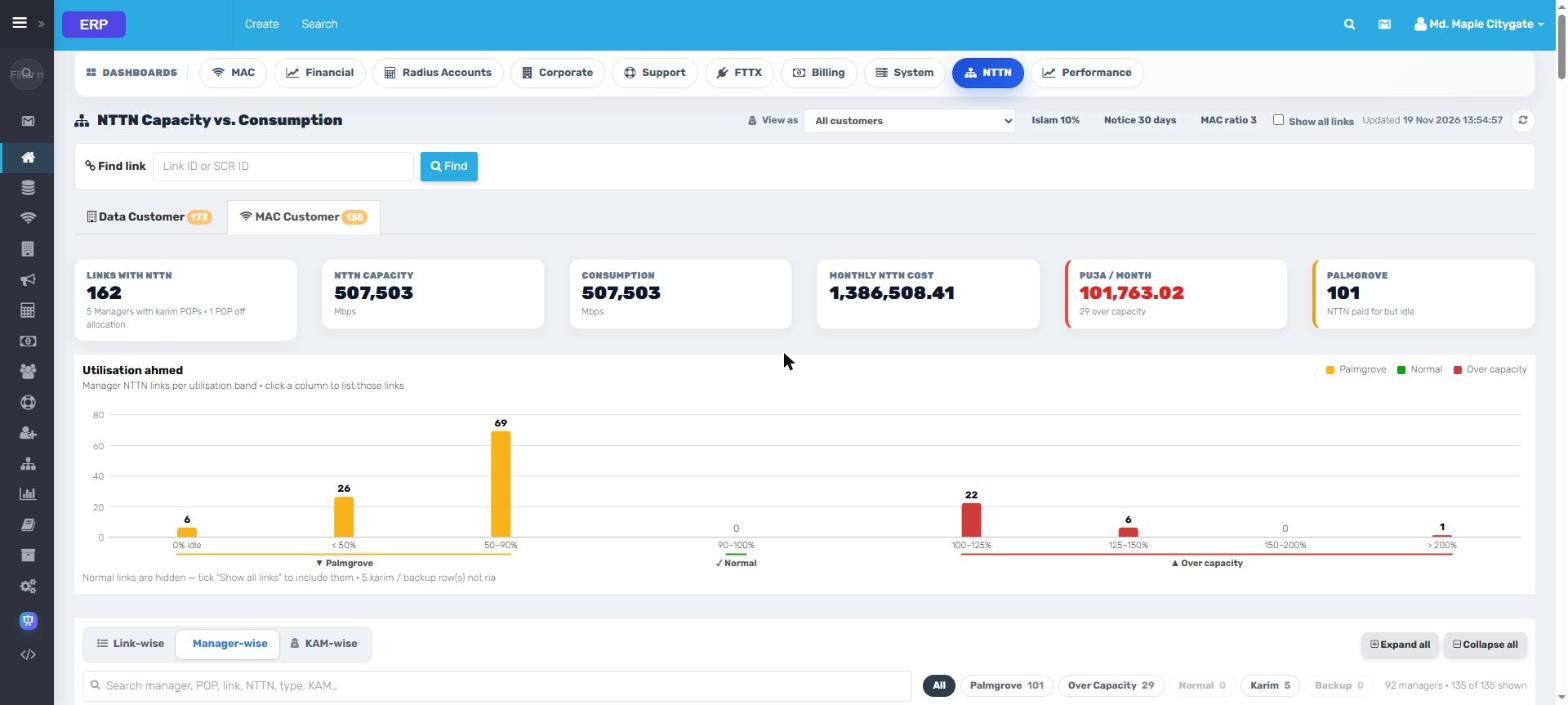
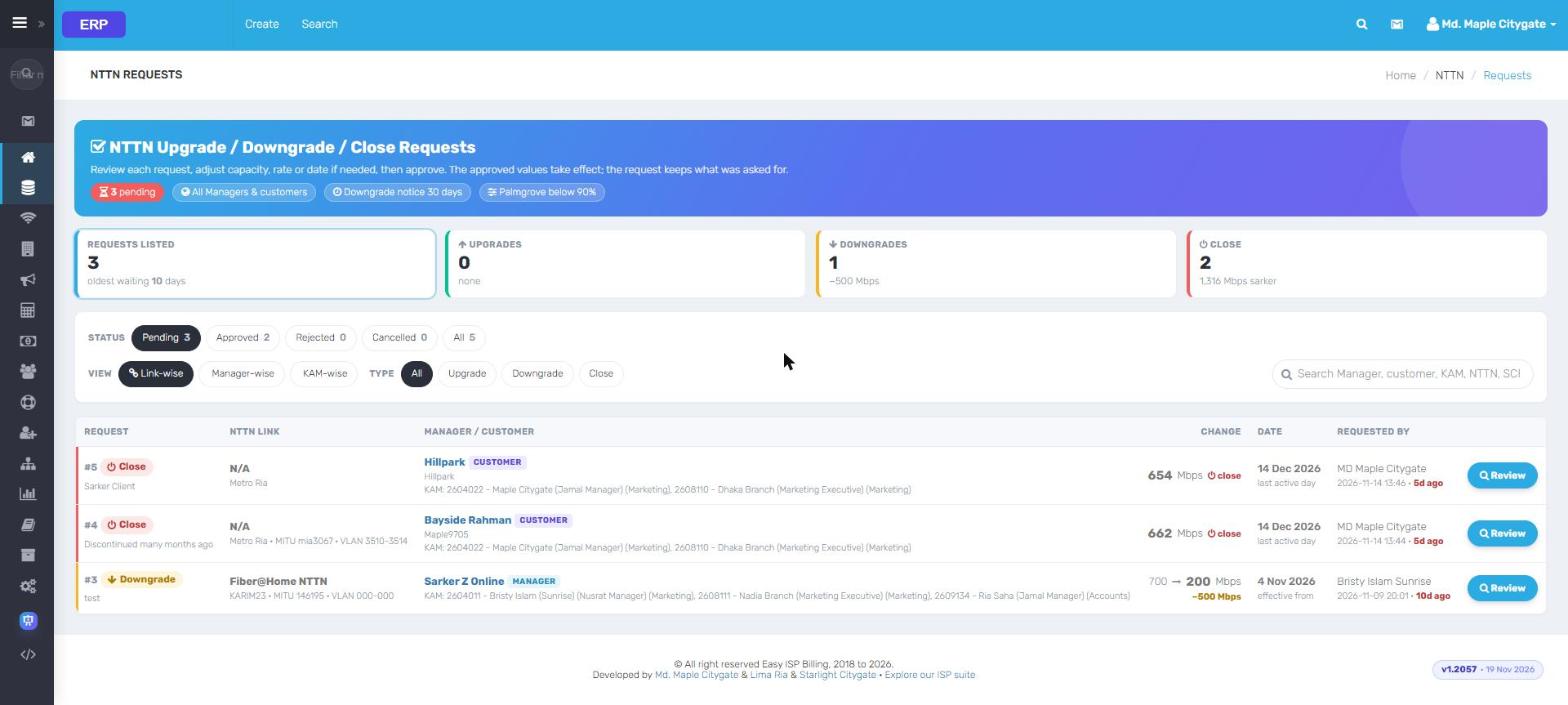
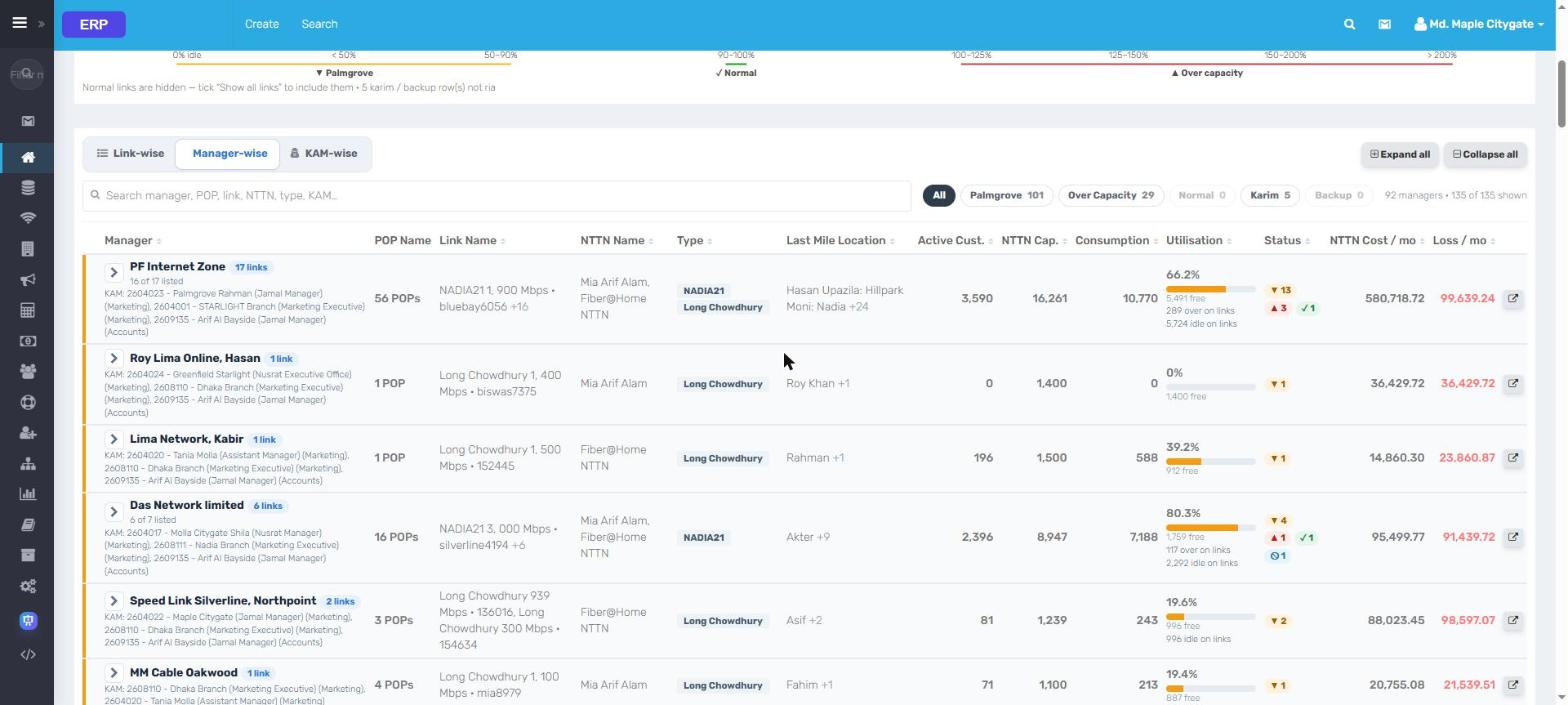
9NTTNCapacity vs consumption, idle and over-capacity links
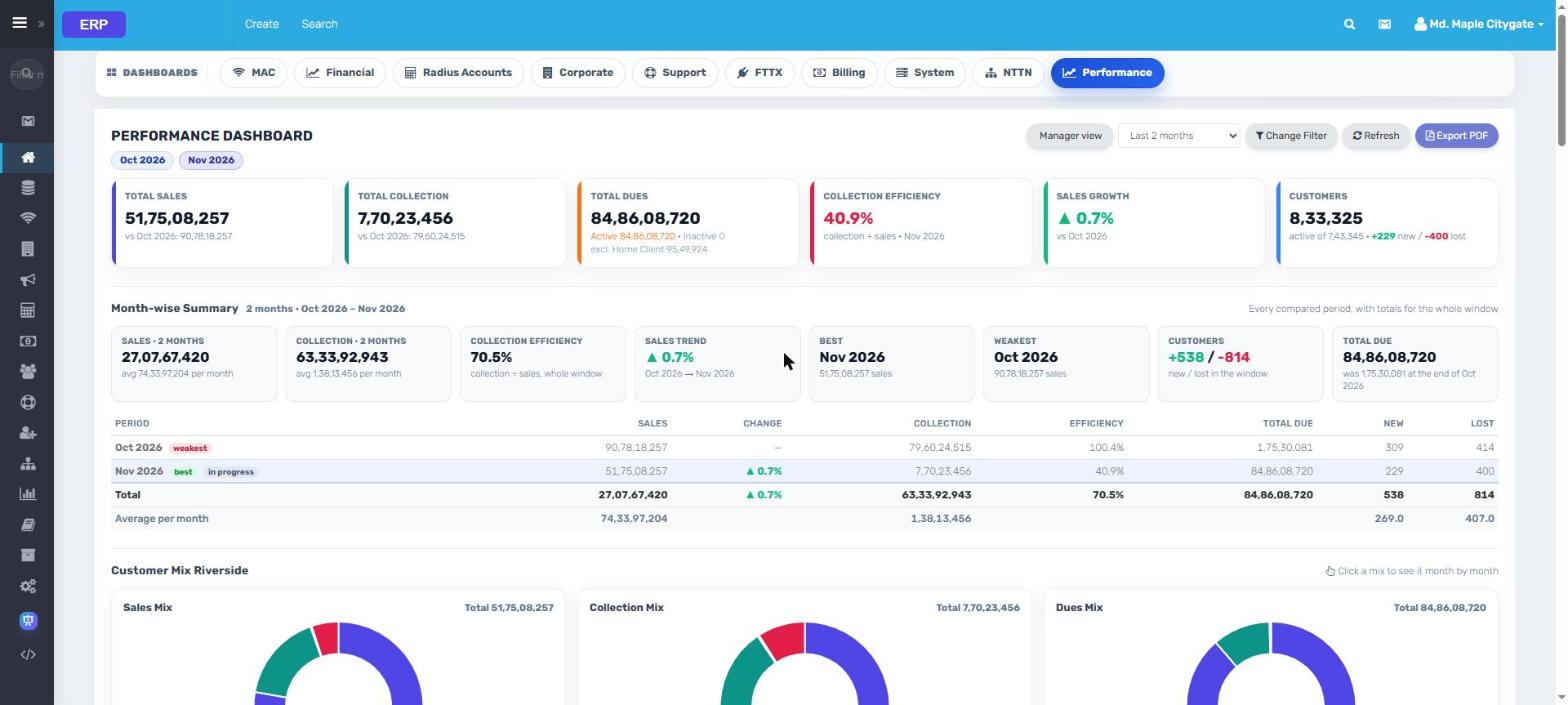
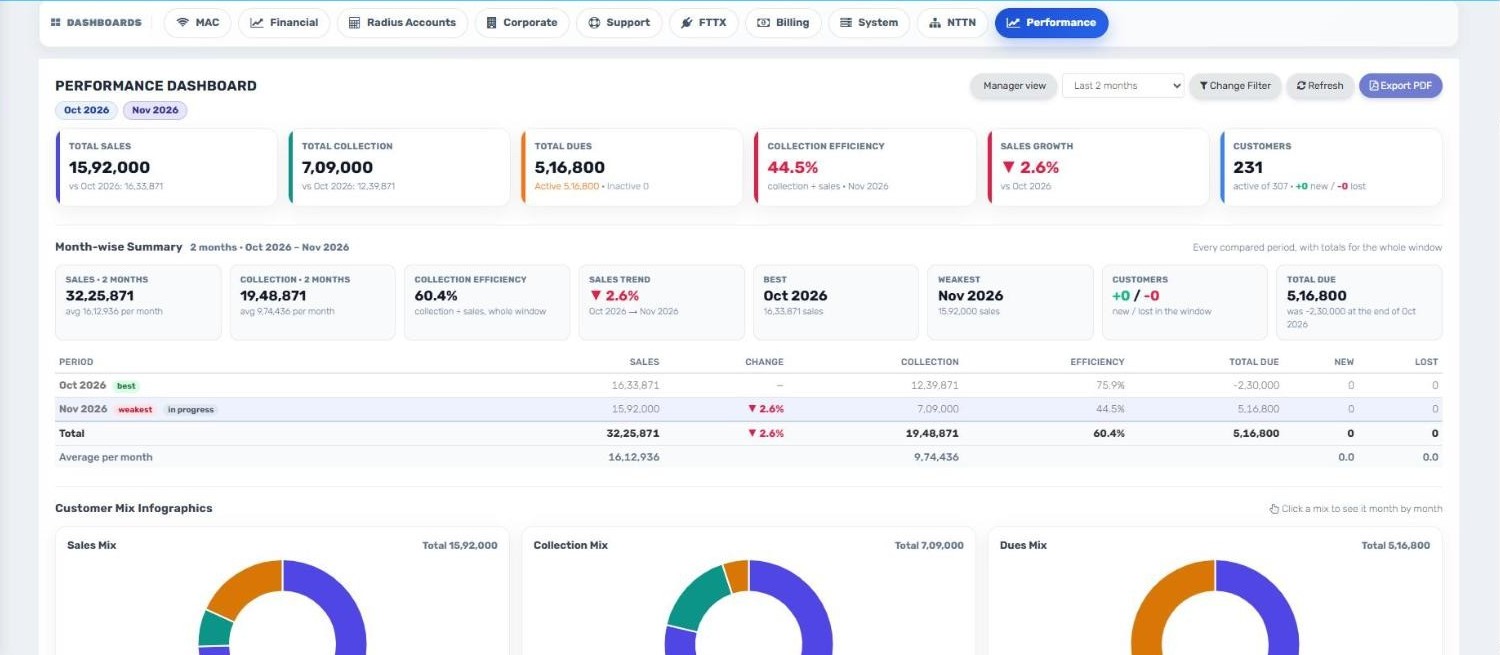
10PerformanceSales, collection, efficiency and growth by month
Live data from an ISP running ERP. Every name, contact, address and IP is replaced; amounts
are scaled.
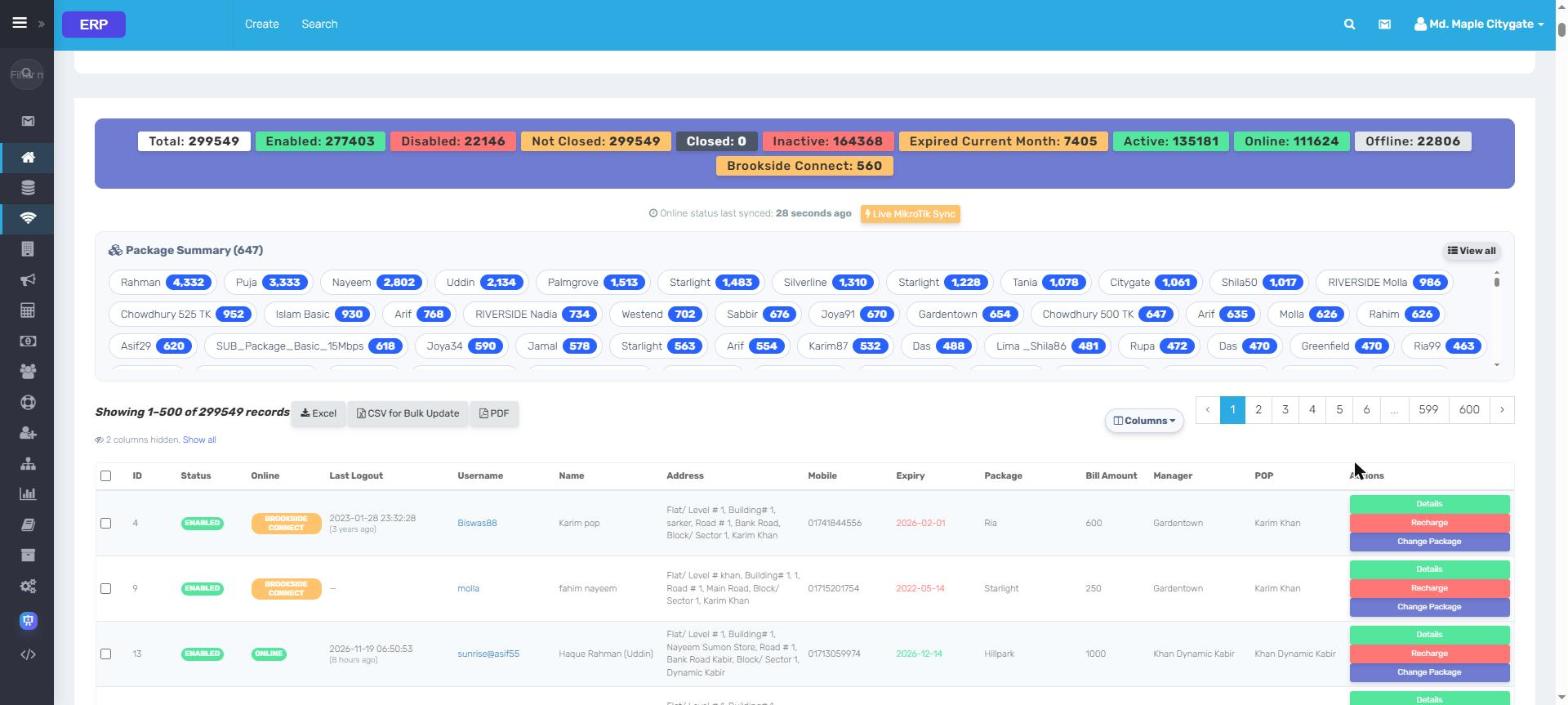
ERP Customers & RADIUS
Add a customer once. The network follows.
Creating, suspending or upgrading a customer updates RADIUS and the MikroTik NAS
automatically: no second screen, no typing errors.
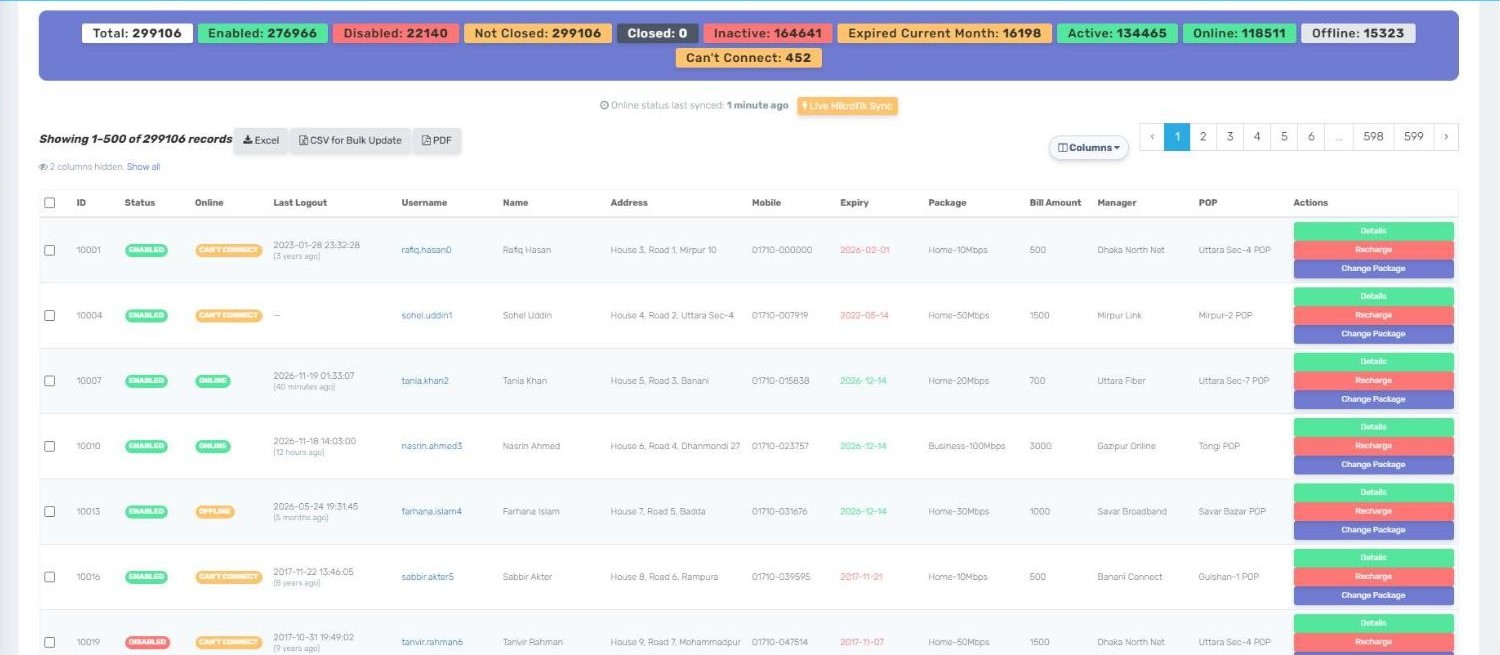
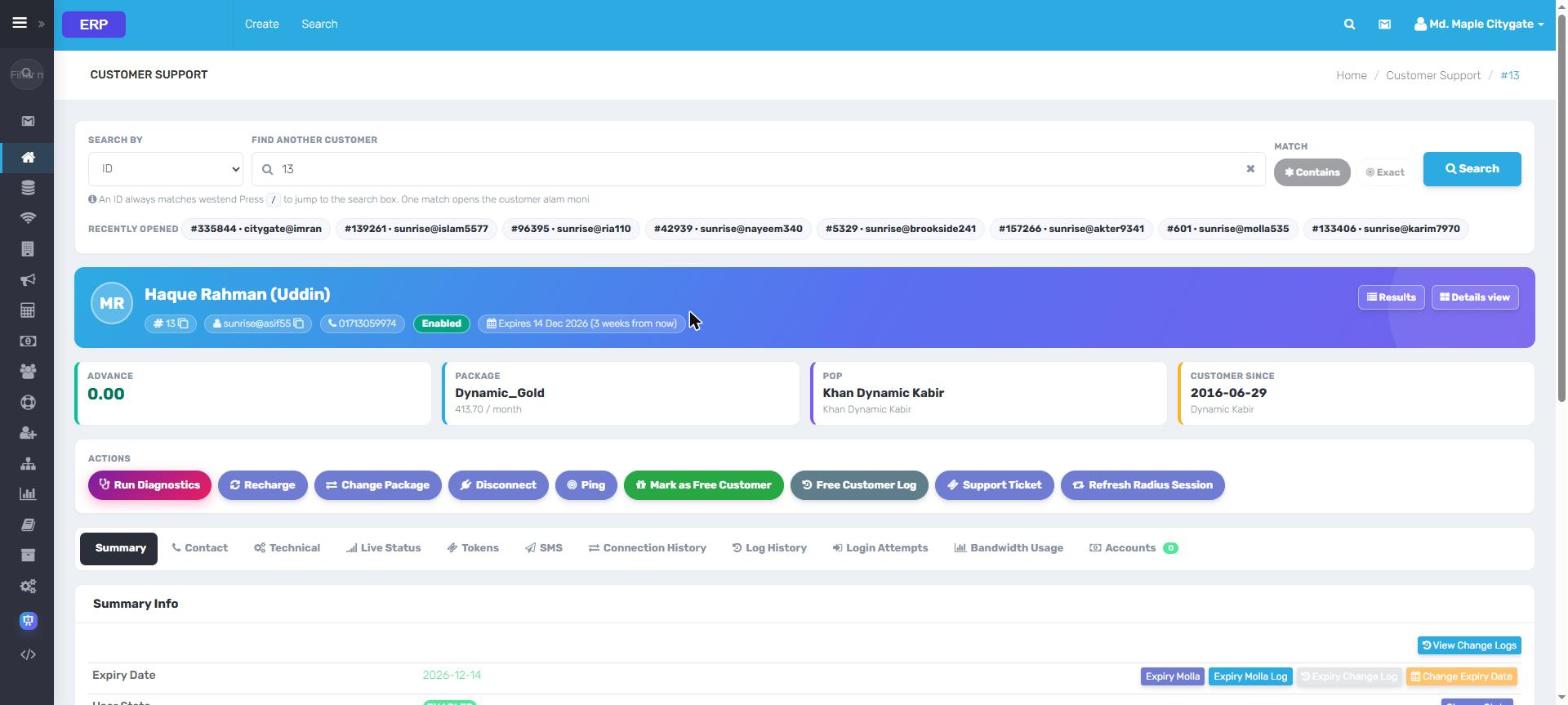
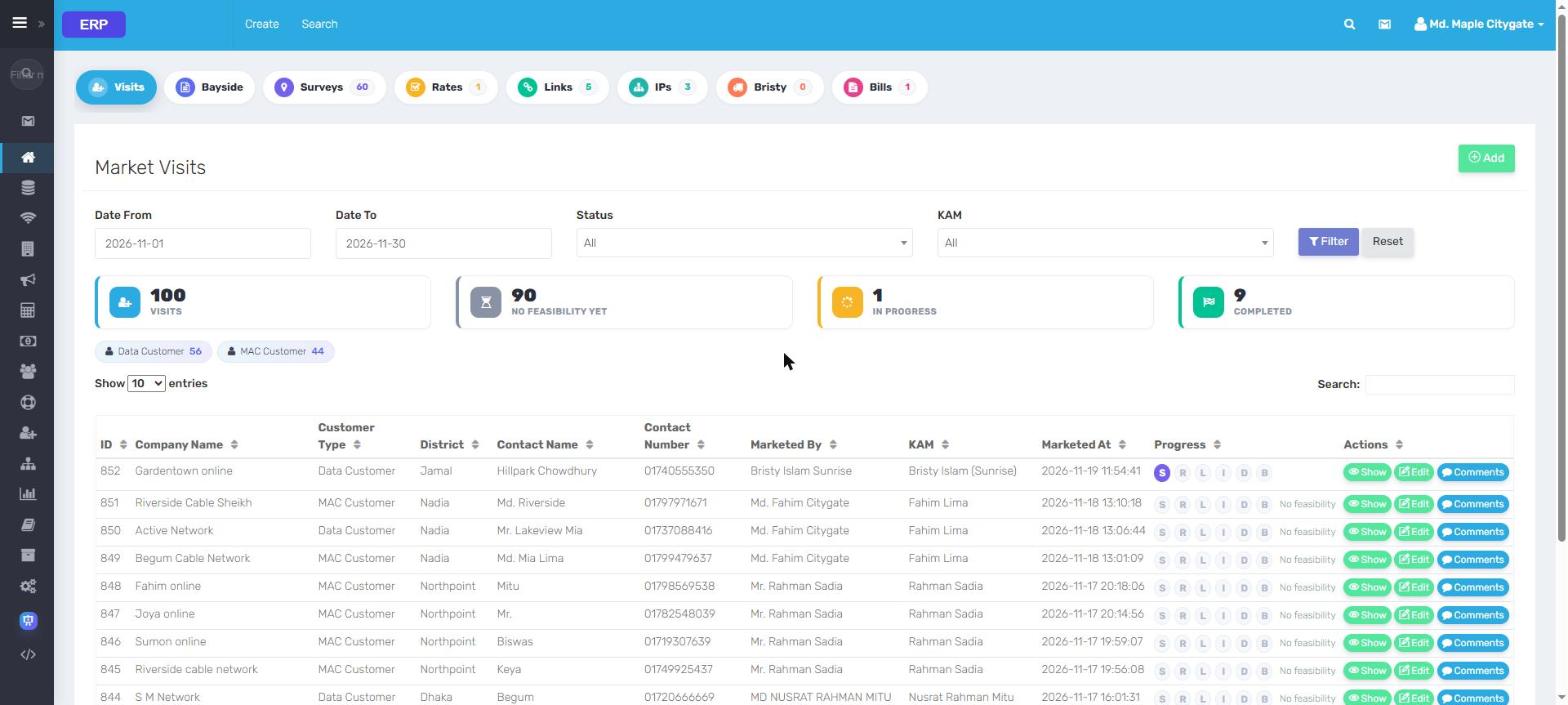
Complete customer profilePackage, POP, area, MAC, contact, documents, marketed-by and full history.
Automatic expiry & disconnectExpired users are cut off and reconnected on payment, with grace rules per POP.
Live online / offline statusEvery NAS polled in parallel; see who is online right now.
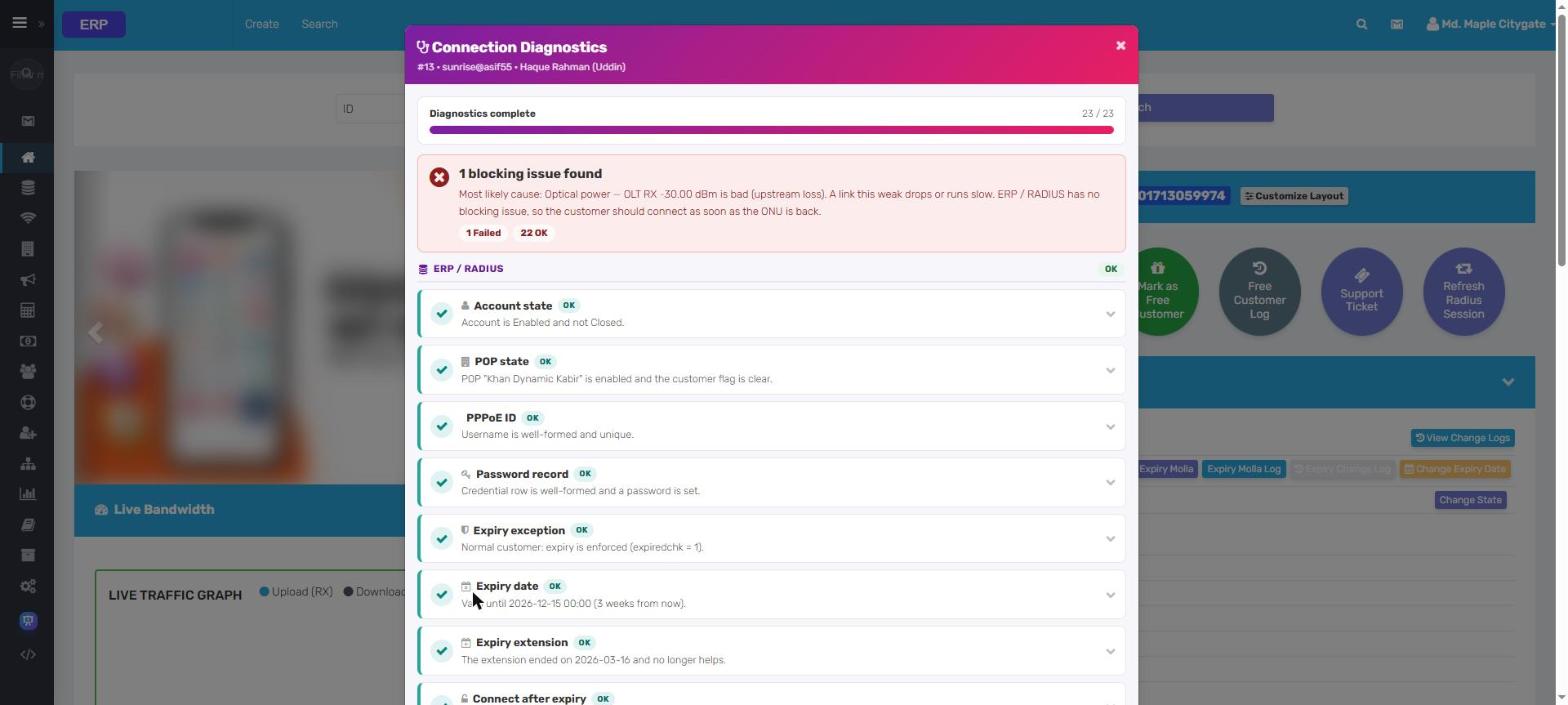
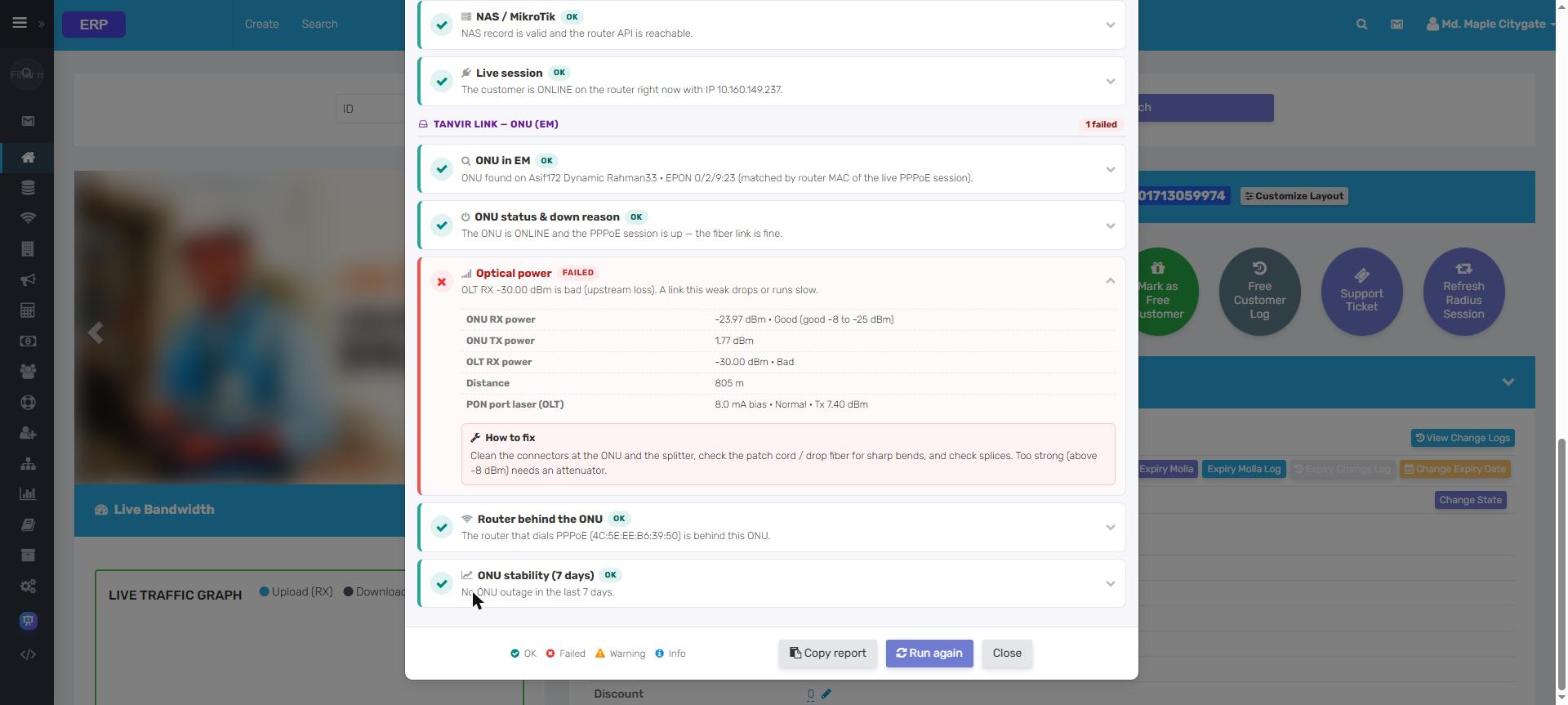
One-click diagnostics18 automatic checks explain why a customer cannot connect, with quick fixes.
Customers
Live data from an ISP running ERP. Every name, contact and address is replaced.
ERP Live network data
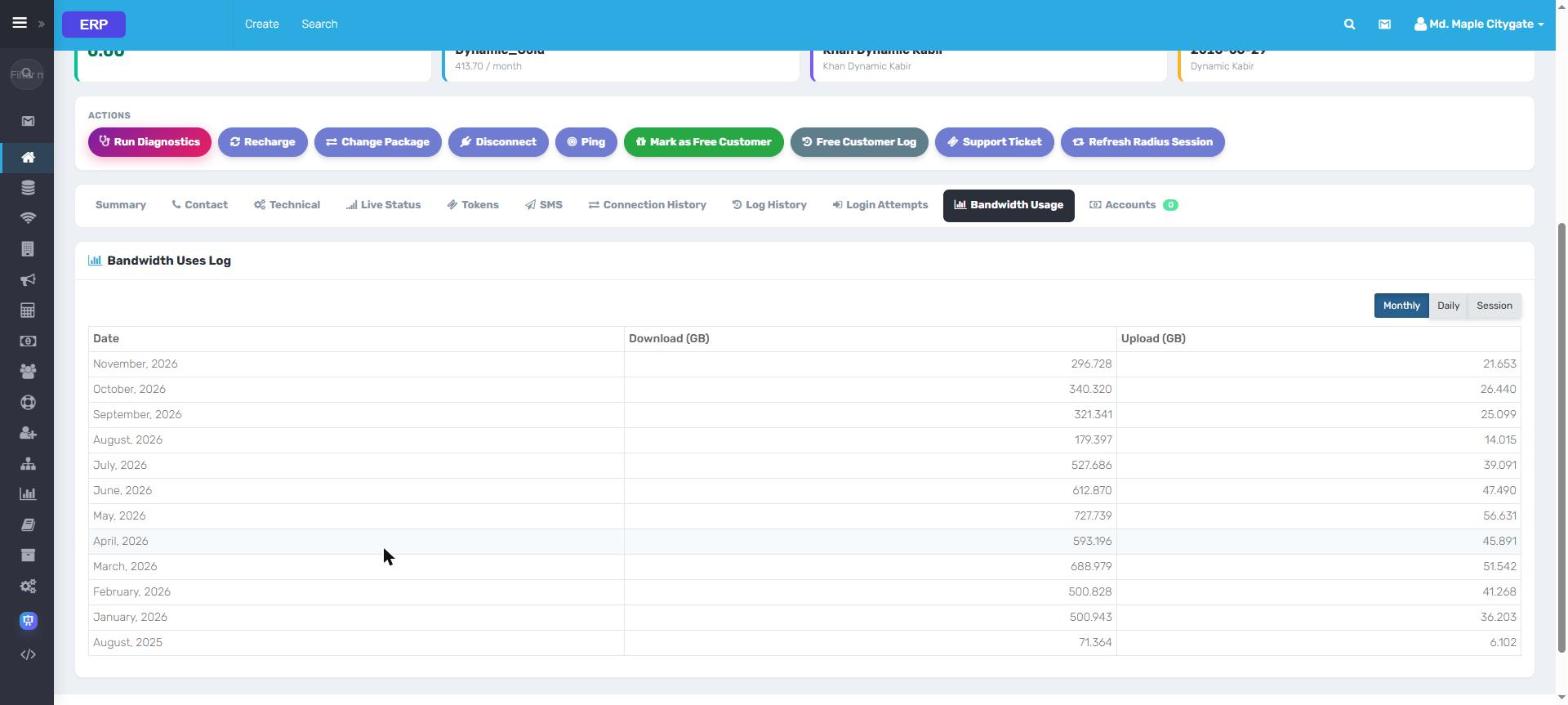
Router and fiber, live, on every customer's page.
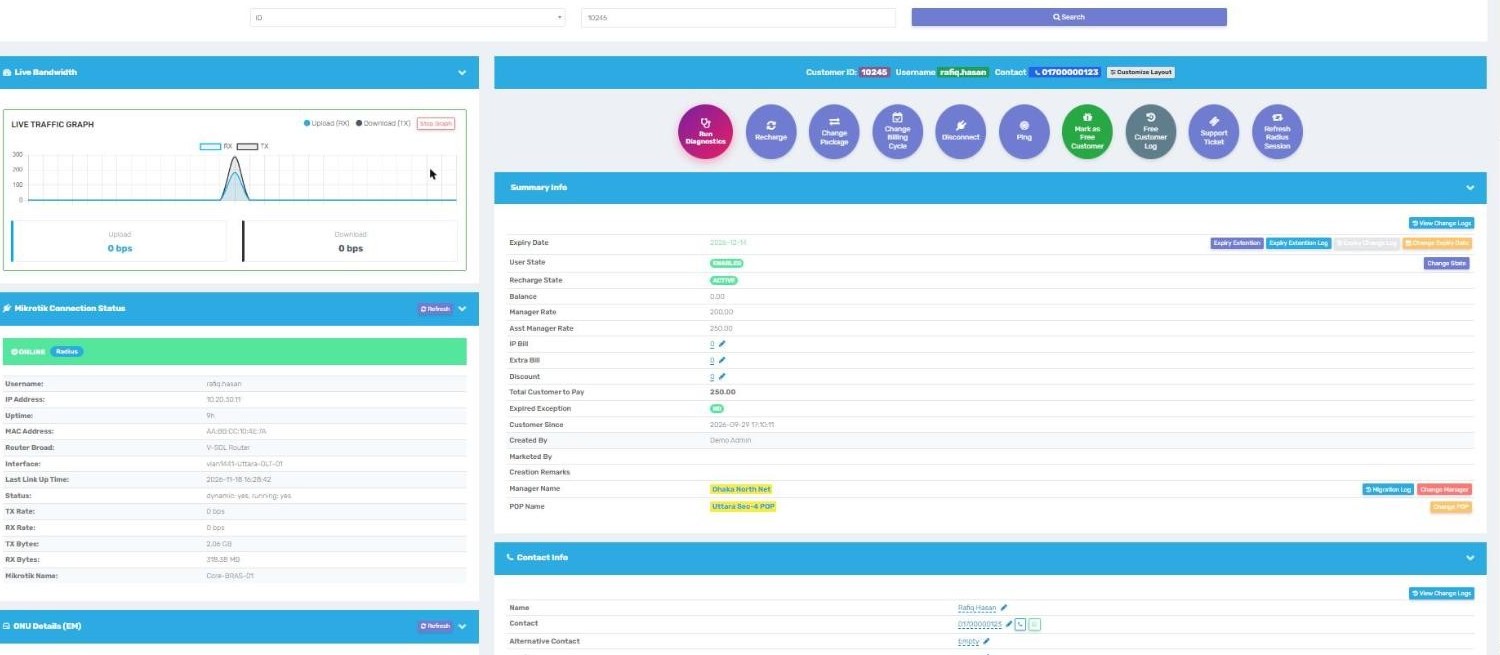
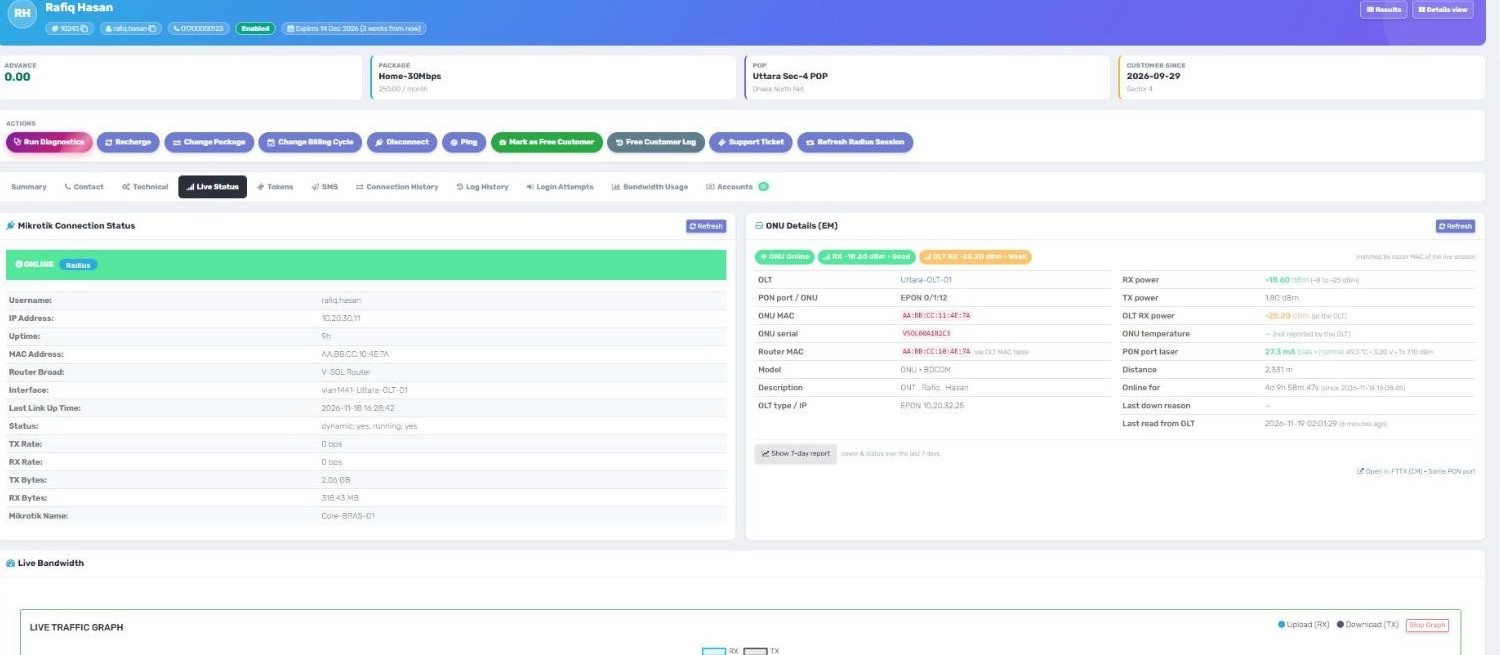
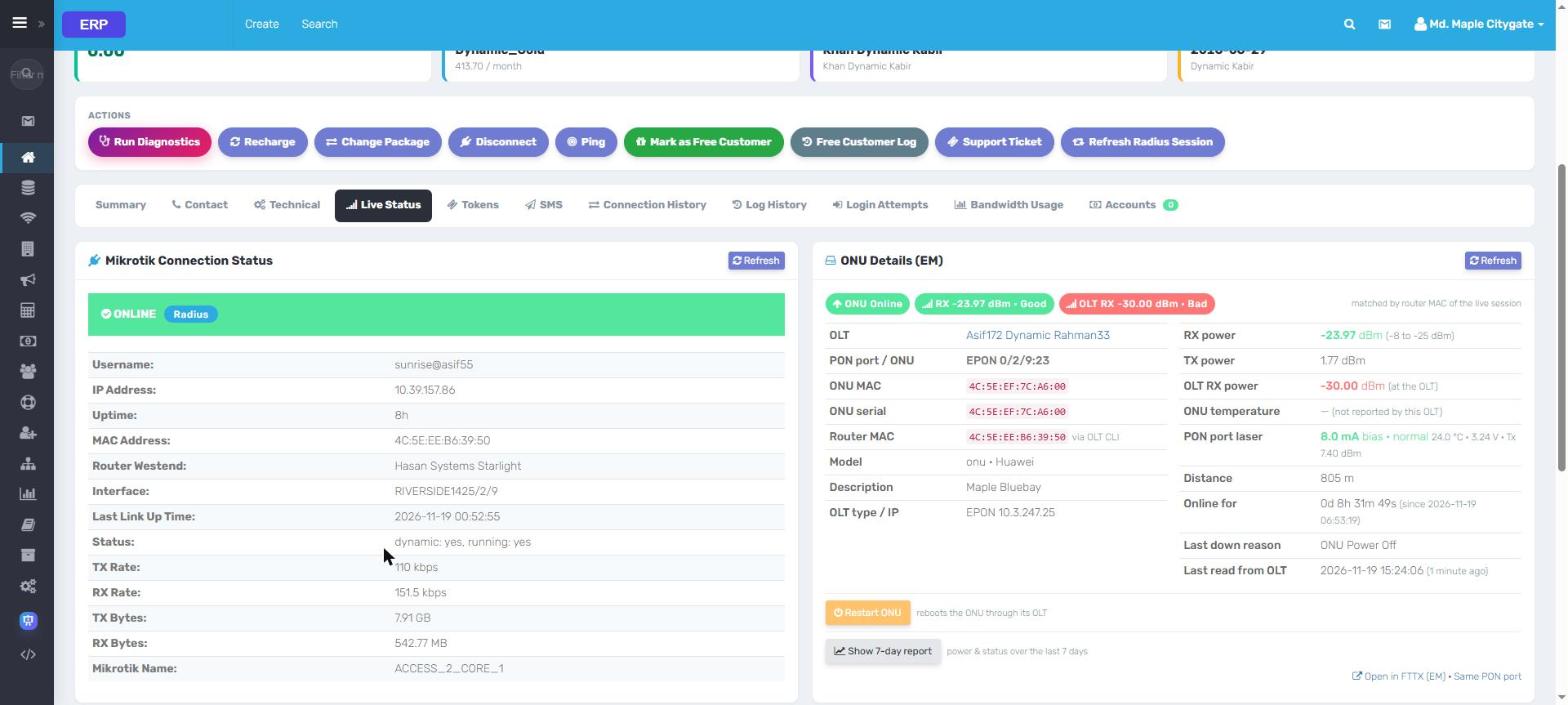
Open a customer and ERP asks the MikroTik and the OLT right then. The agent sees the
session, the traffic and the fiber signal without calling the NOC.
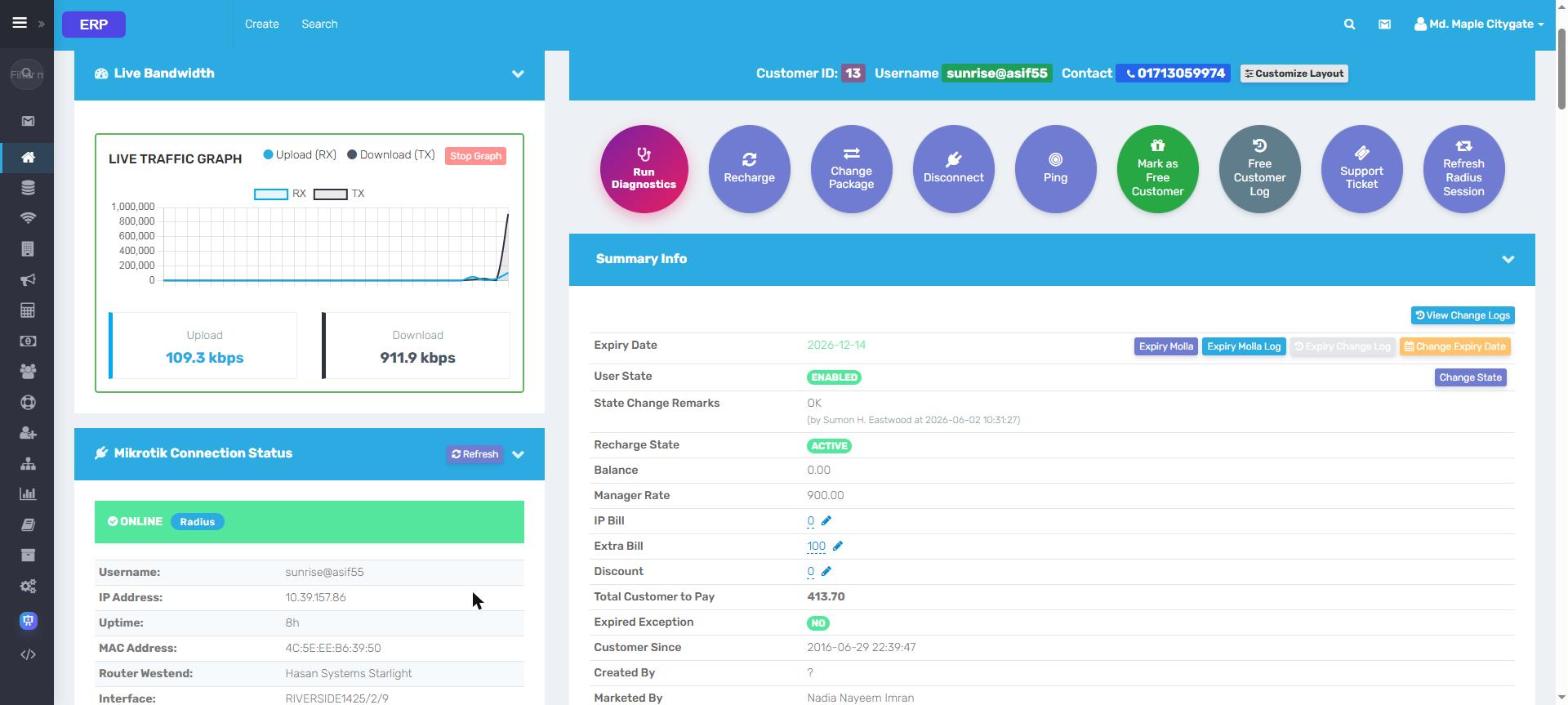
Live traffic graphUpload and download in real time, straight from the MikroTik.
MikroTik sessionOnline / offline, IP, router MAC, uptime, interface and data used.
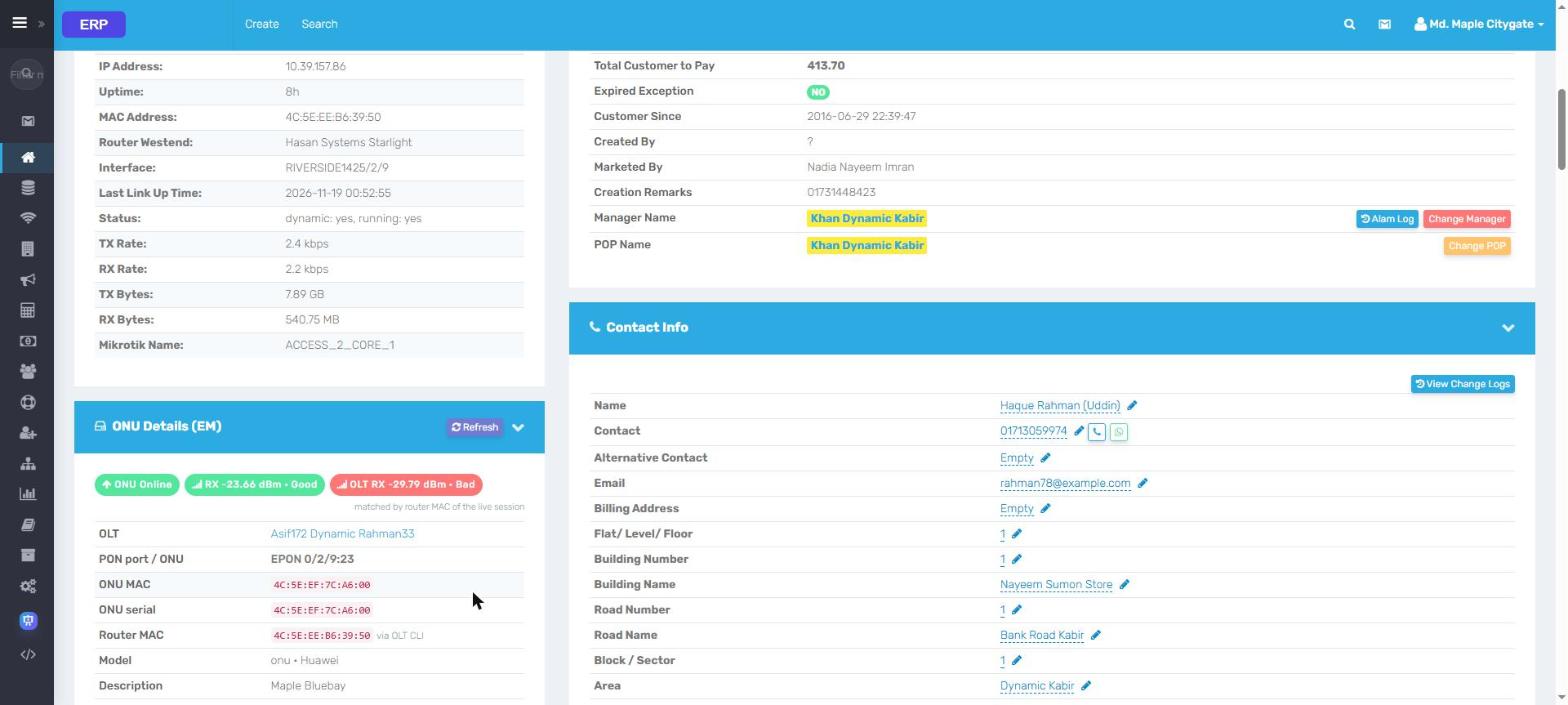
ONU
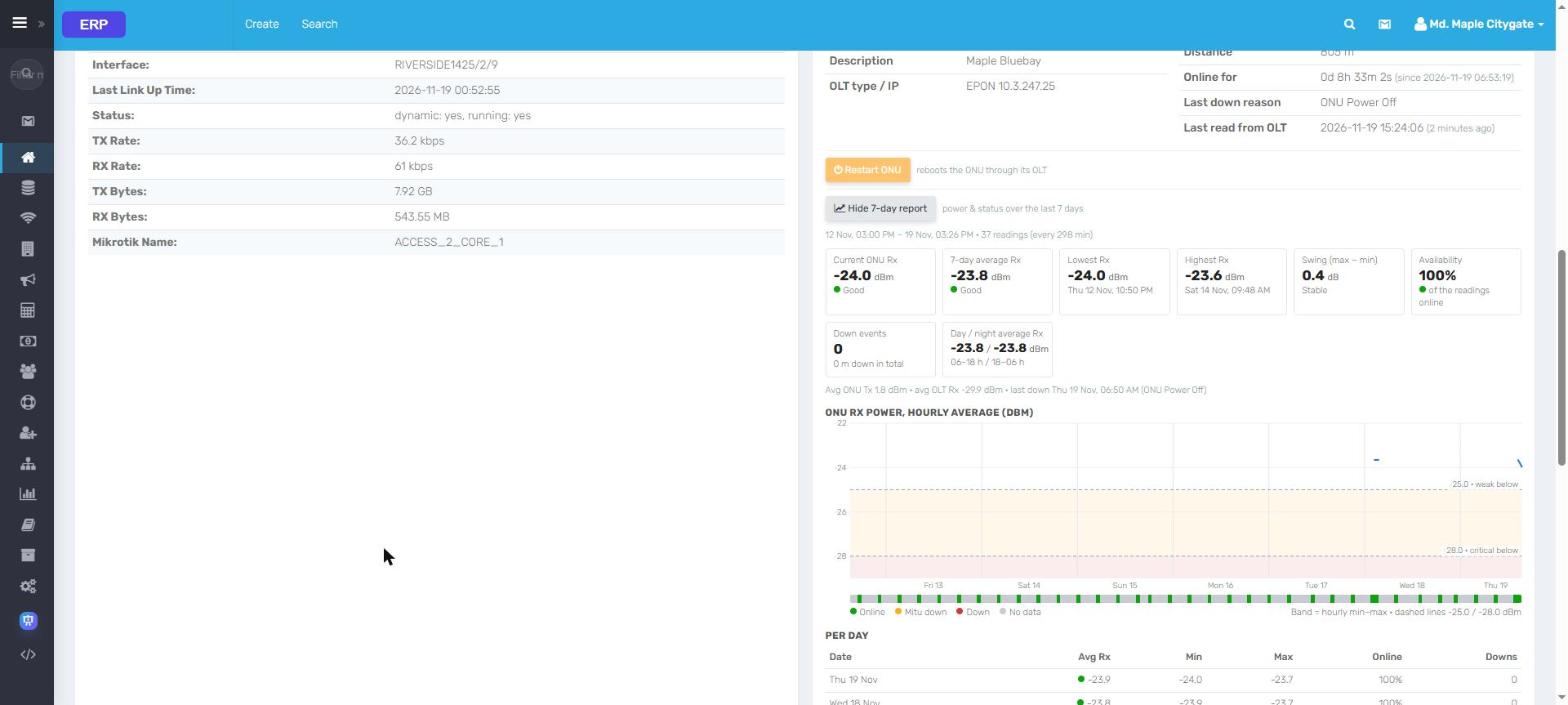
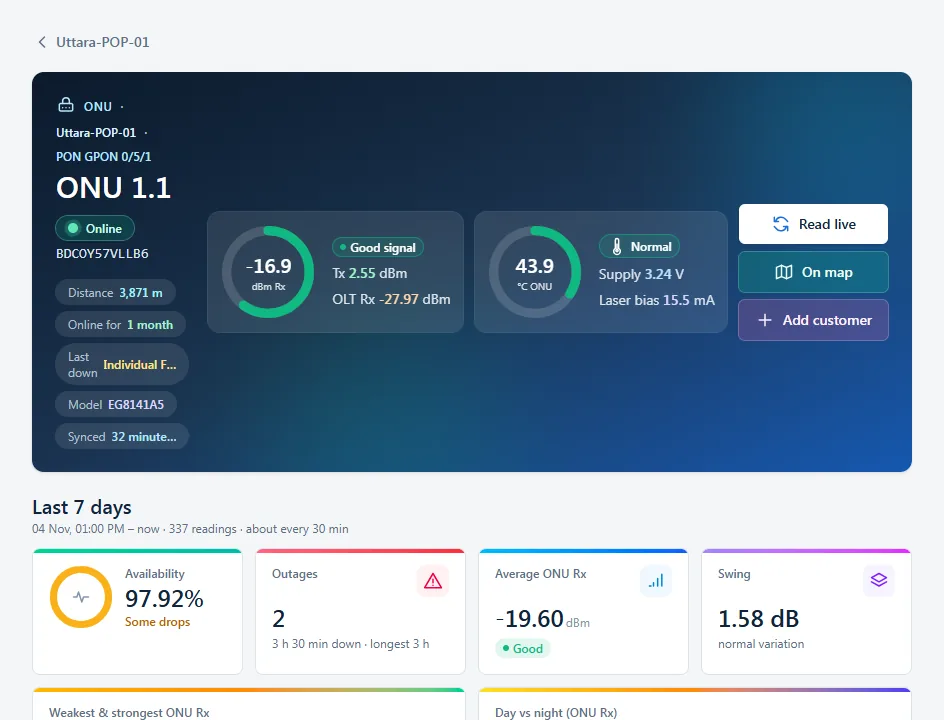
signalRX, TX, OLT RX, temperature, distance and why it last went down.
7-day
reportAvailability, day vs night power, outages and a day-by-day table.
Customer details
ONU · 7 days
Live data from an ISP running ERP. Every name, contact and address is replaced.
ERP Billing & payments
Get paid on time, any way your customers pay.
Recharge one customer or ten thousand. Payments from bKash and online gateways land
automatically and extend the connection on the spot.
bKash, SSLCommerz & PayBill APICustomers pay from their phone; the account is renewed in seconds.
Safe bulk
rechargeBackground batches with progress, duplicate-proof by design.
Bills & money receiptsAuto bills, numbered receipts, reprint any time, search by receipt number.
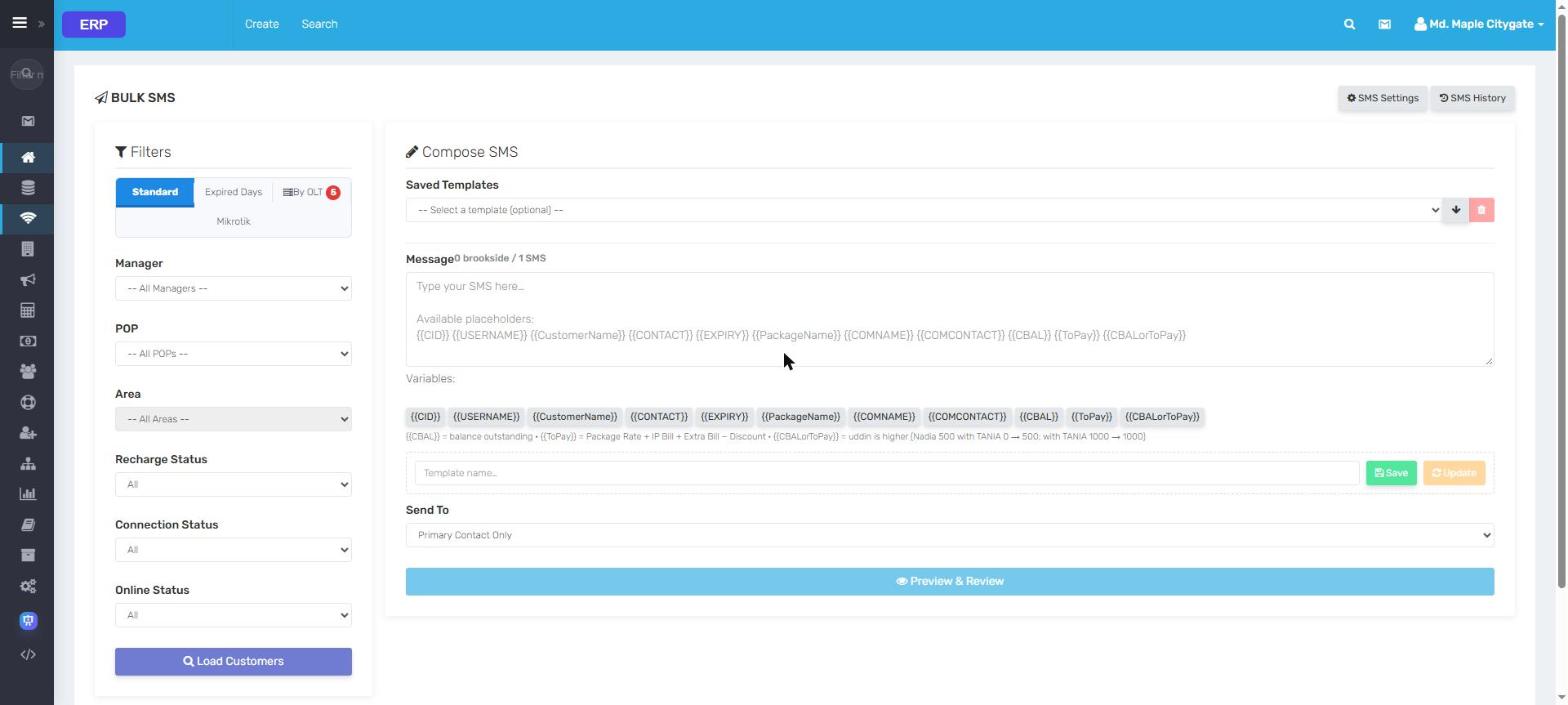
Due follow-upDue reports with saved SMS reminder templates, per customer or in bulk.
Financial dashboard
ERP Managers & POPs
Grow through resellers without losing control.
Company → Manager → Asst. Manager (POP) → customer. Each level sees only
its own customers and money, and the commission is calculated for you.
7 billing modalitiesPrepaid balance, PayBill, self-funded POPs and more: pick how each Manager works.
Per-package percentageCompany share per package, with history; commission exact to the taka.
Commission & disbursementPayable, held and paid amounts with a controlled payout workflow.
A set of books per ManagerLedger, trial balance, profit & loss and balance sheet for every reseller.
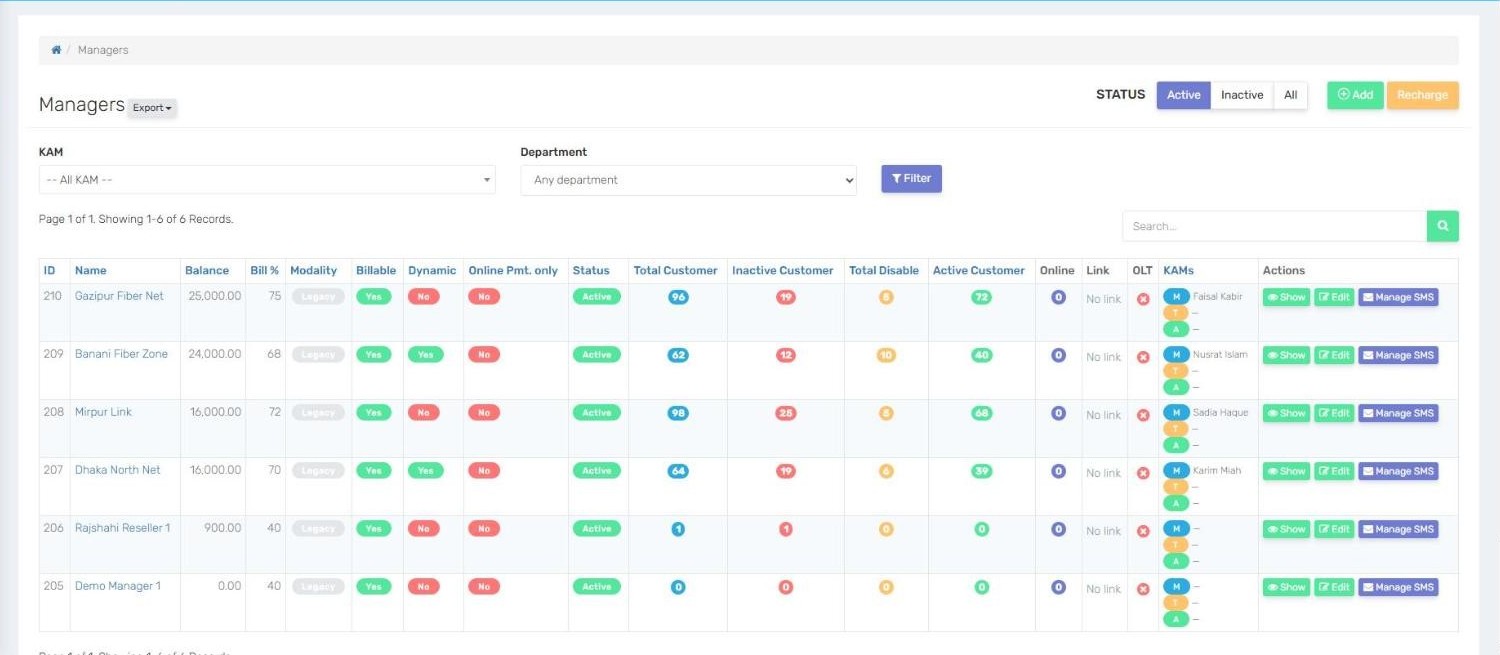
Managers
ERP Accounting
Real double-entry accounts, posted as you work.
Every recharge, payment, bill and payout writes its own journal. Your accountant opens
the balance sheet instead of building it.
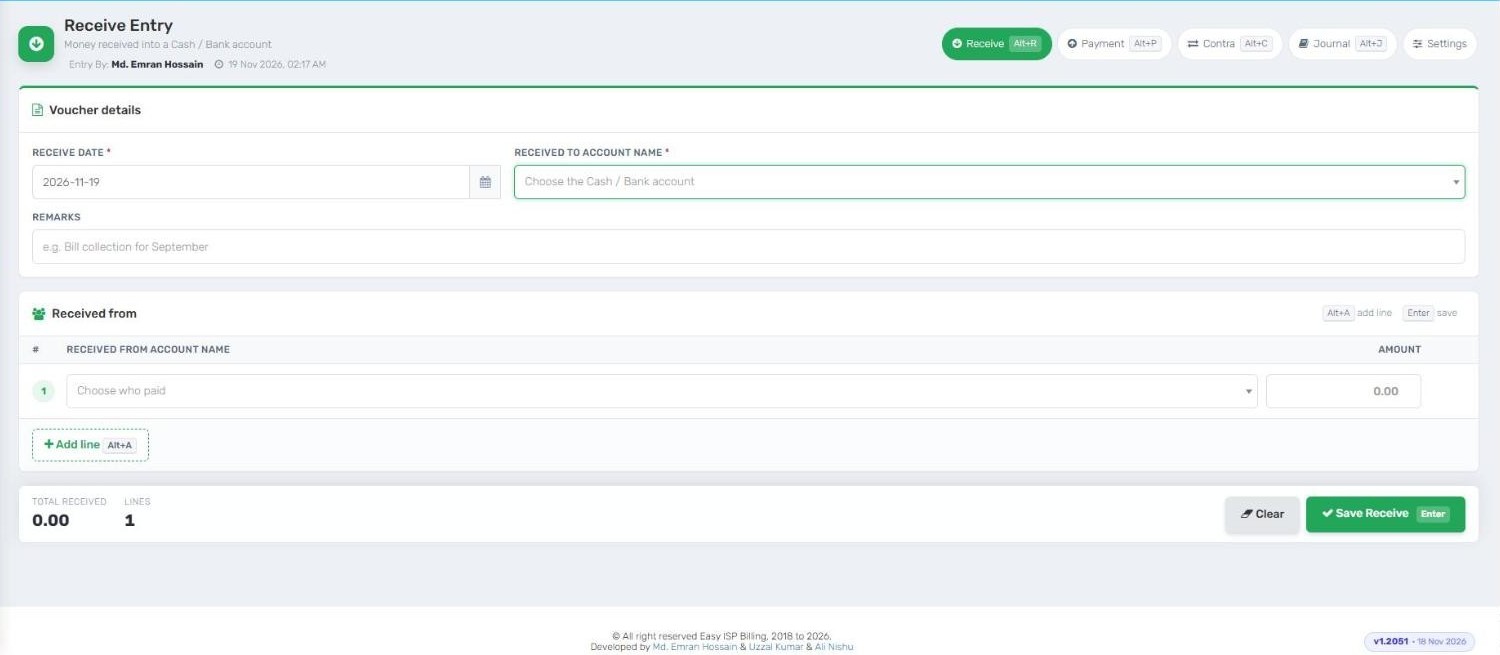
Vouchers in secondsReceive, Payment, Contra and Journal entry with keyboard shortcuts.
Ledgers & trial balanceDrill from any total down to the single entry behind it.
P&L, balance sheet, cash flowCompany-wide and per Manager, for any date range.
Corrections that stay balancedRecharge revert, payment switch and package change post their own reversals.
Voucher entry
ERP Support & messaging
Every complaint tracked. Every customer informed.
One support screen shows the customer, their payments, sessions and ONU signal, so the
agent solves it on the first call.
Support
tokensOpen, assign, solve and close with timings, per Manager and POP.
Customer Support in one screenProfile, billing, sessions, diagnostics and ONU details side by side.
Feasibility, visit, survey, delivery and IP allocation, from first call to live link, with KAM
tracking.
Inventory
Stores, stock in, requisition and delivery, serial-number tracking of every ONU and router.
HR
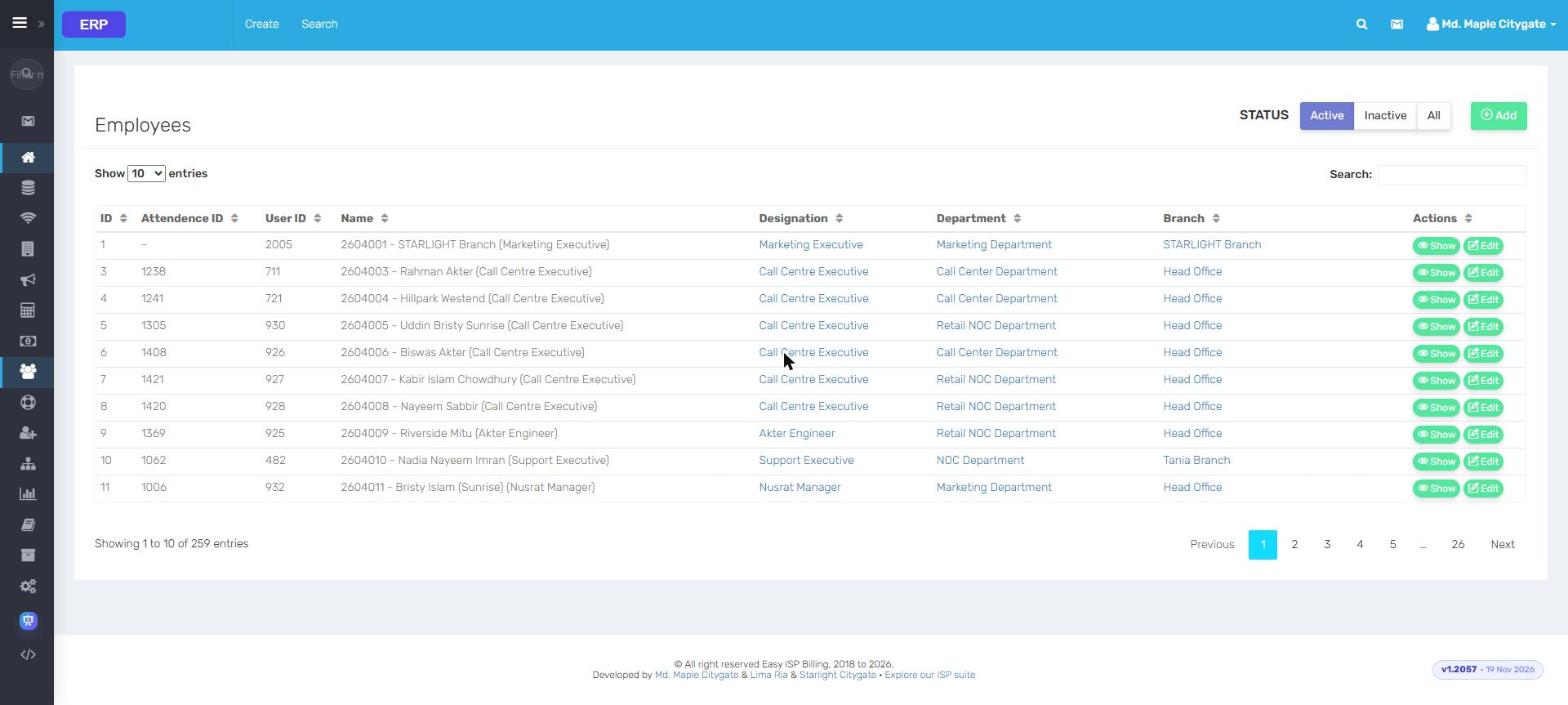
Branches, departments, designations and employees, linked to the users who work in the system.
ERP Radius · MikroTik live API
Every router, asked live. Not a copy from last night.
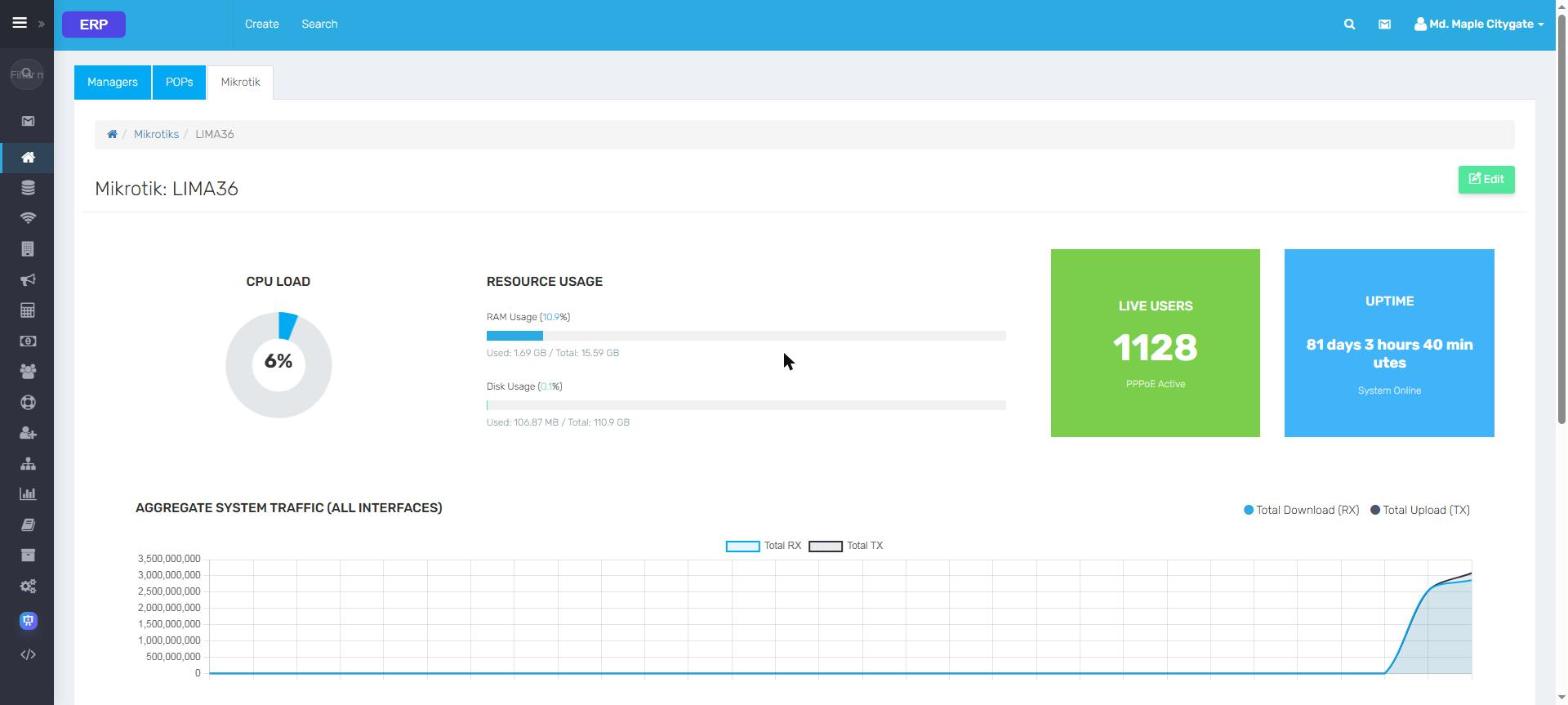
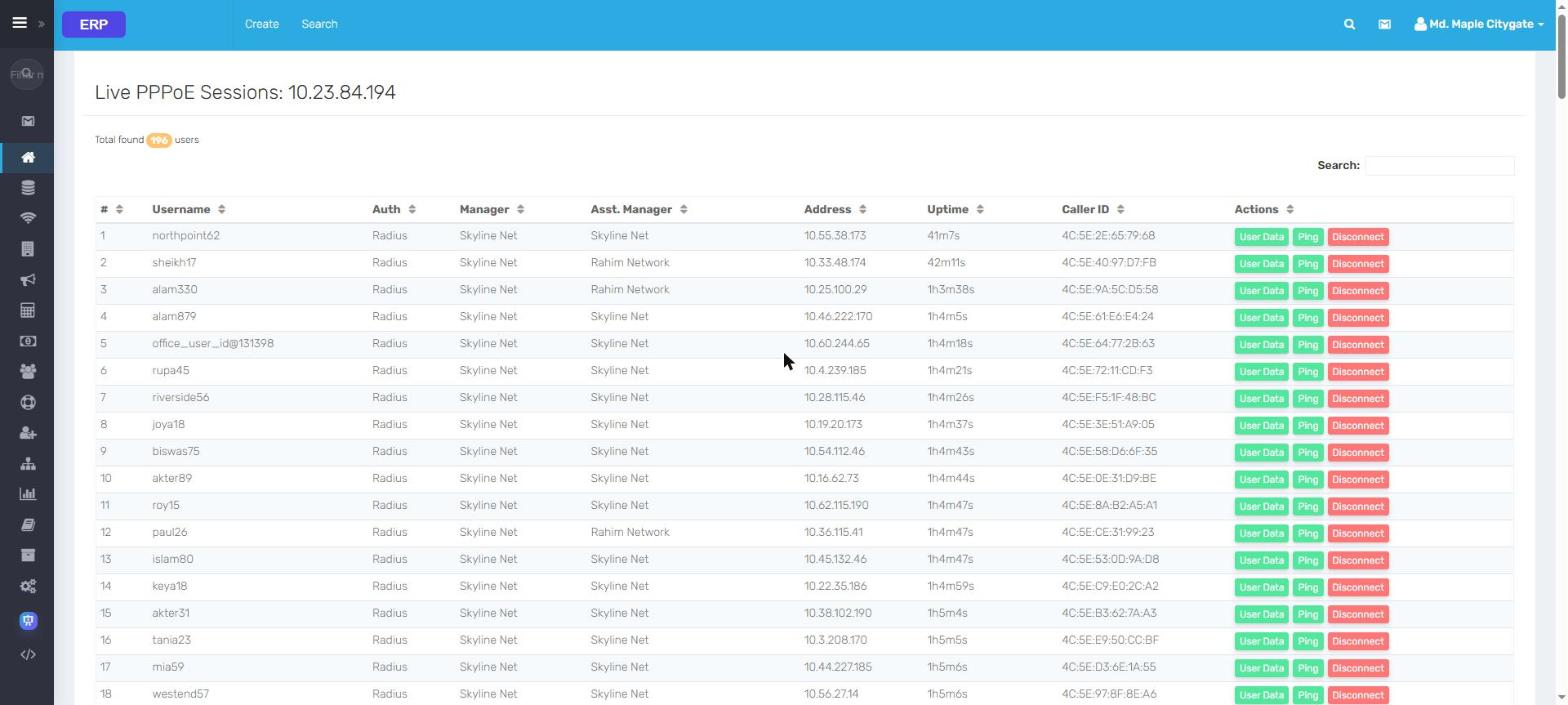
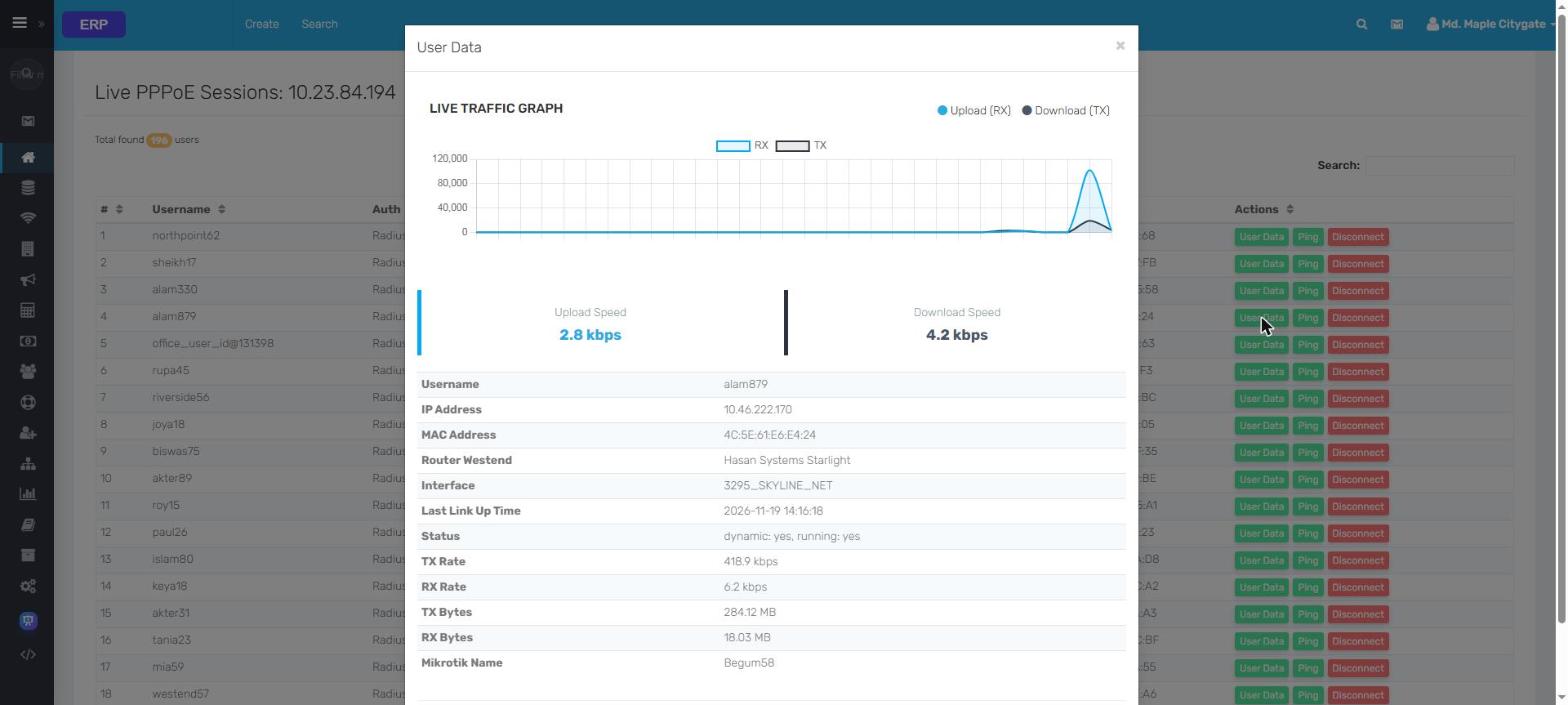
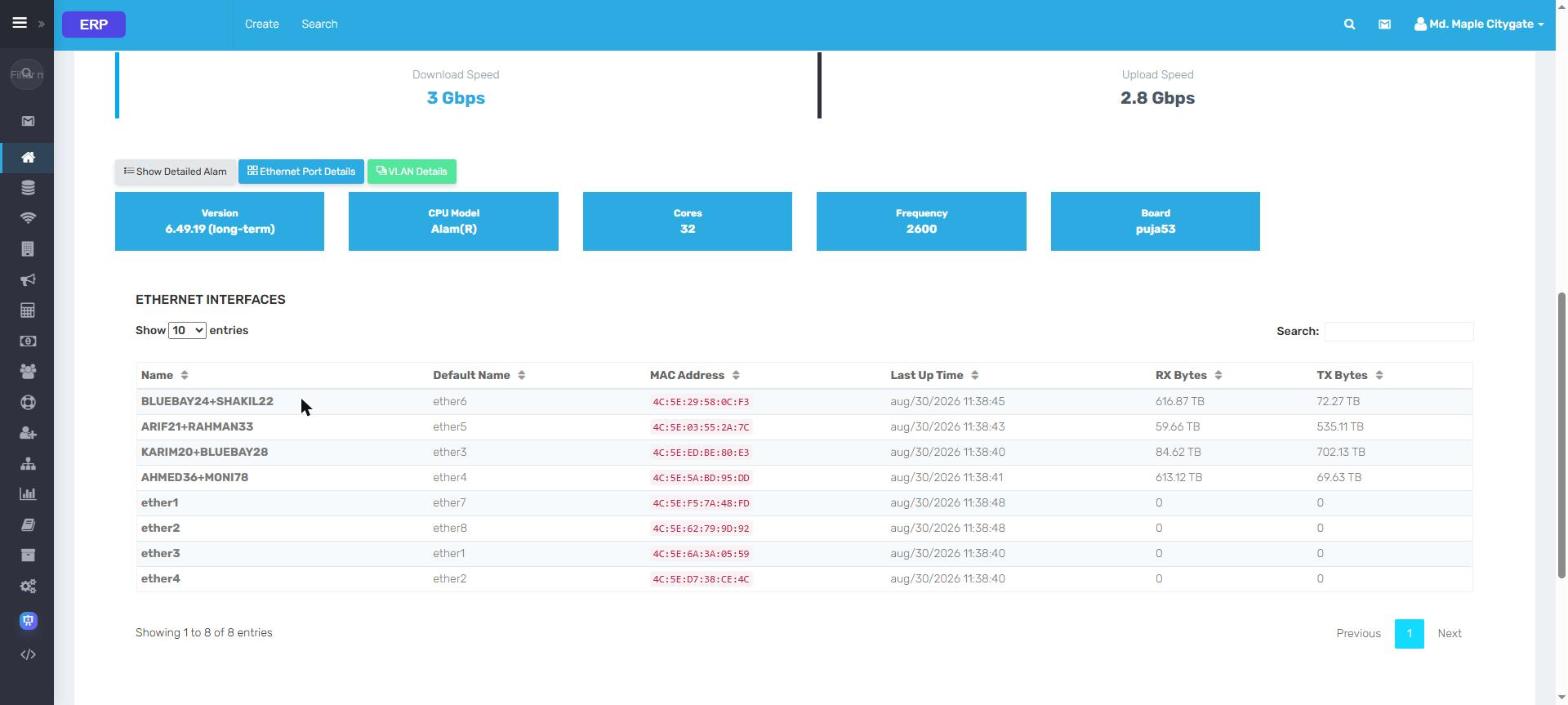
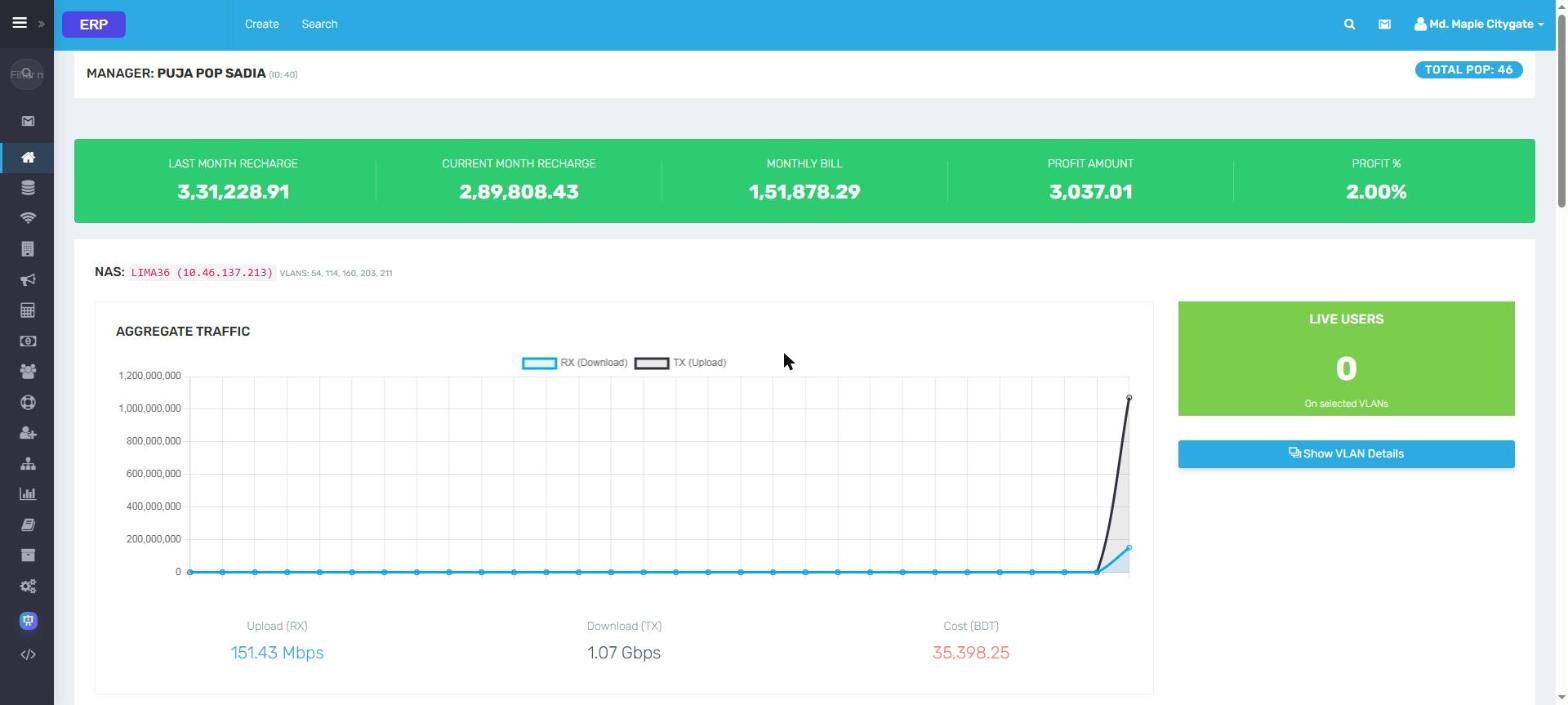
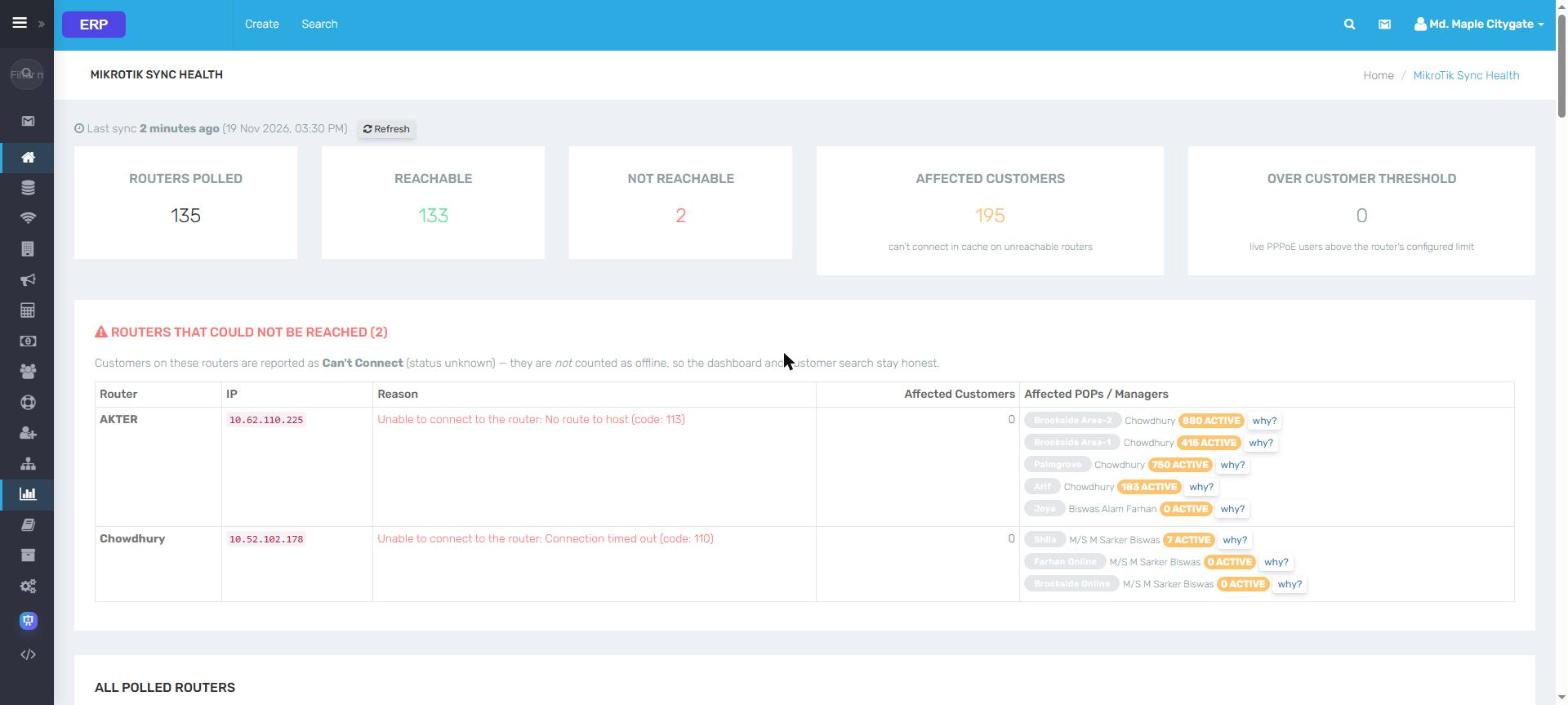
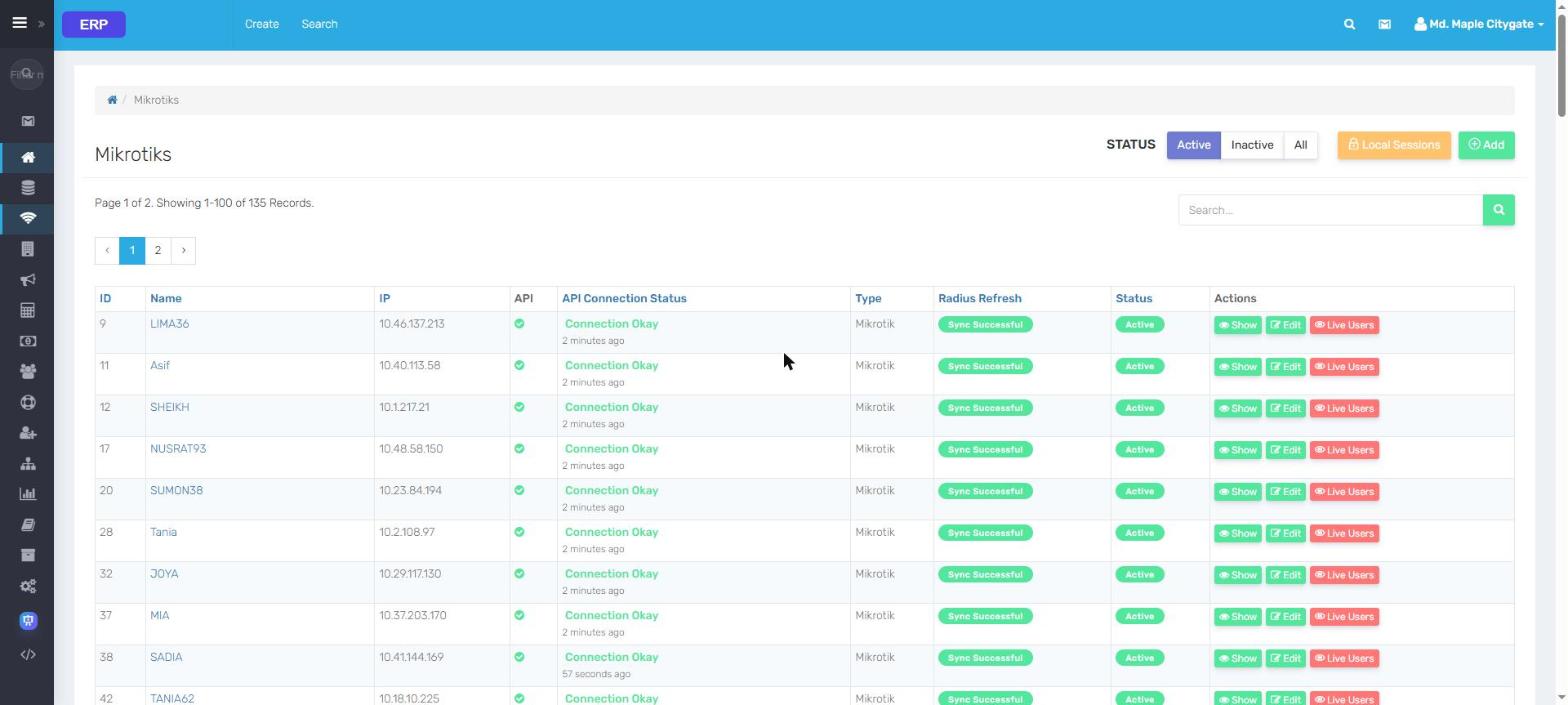
ERP talks to each MikroTik over its API: CPU, RAM, ports, VLANs, every PPPoE session and the traffic of one user, the moment you open the page.
RadiusMikrotikLive UsersLocal PPP SessionsMikroTik Sync Health
MikroTik dashboard
MikroTik dashboardCPU load, RAM and disk, live users, uptime and aggregate traffic of one NAS
Live PPPoE sessionsWho is online on that router now: IP, uptime, caller ID; ping or disconnect
One user, liveLive traffic graph, interface, TX / RX rate and bytes of a single session
Router specs & portsRouterOS version, CPU, cores, board and every ethernet port with its traffic
Manager live dataA reseller's VLANs, live bandwidth, cost and profit, side by side
MikroTik sync healthRouters polled every few minutes; the unreachable ones and who they affect
All routersAPI connection status and RADIUS refresh for every NAS
Live data from an ISP running ERP. Every name, contact, address and IP is replaced;
amounts are scaled. Click a screen to zoom, then use the arrows.
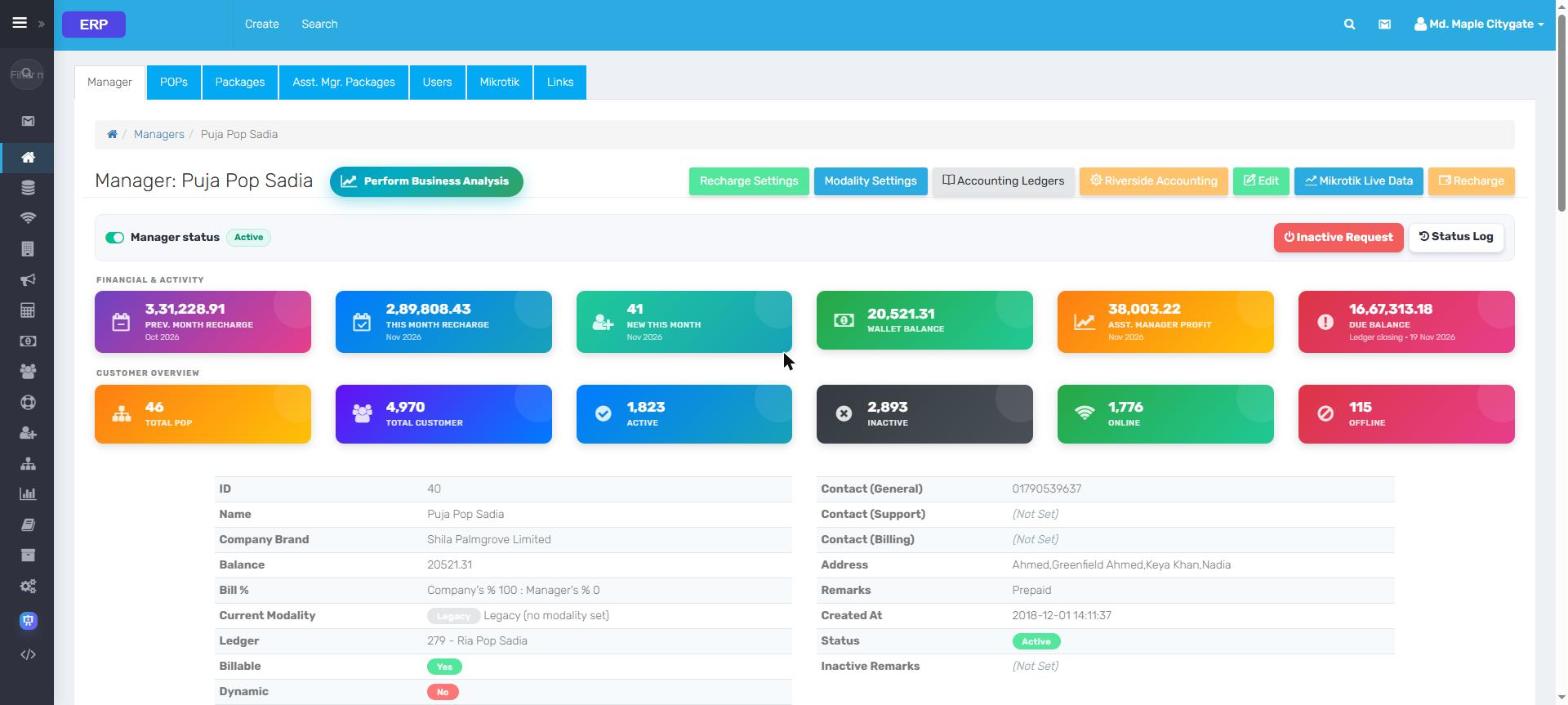
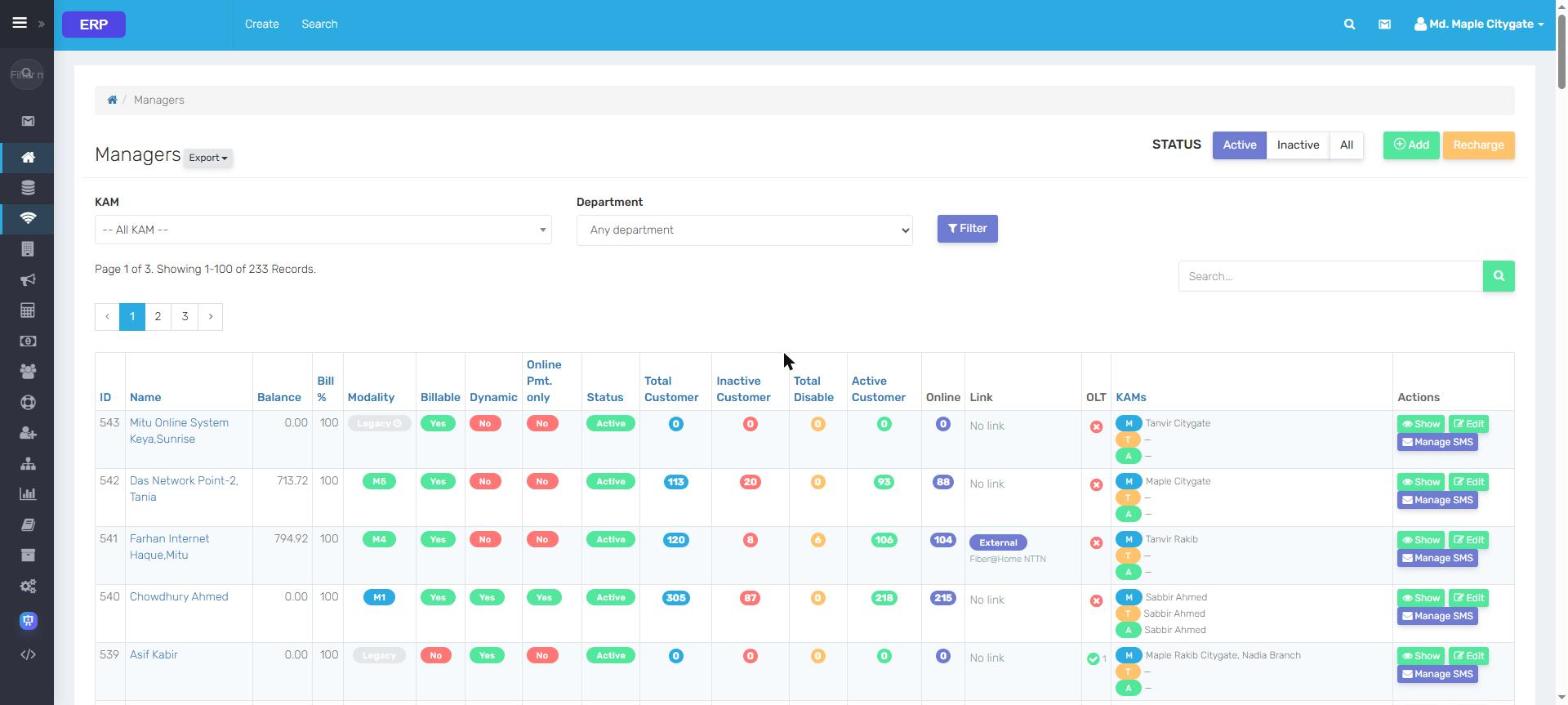
ERP Customer 360°
One customer, every answer, in one screen.
Search by ID, username, mobile, NID, MAC, IP, address or ONU serial. The agent sees billing, the live router session, the fiber signal and a diagnosis without leaving the page.
Manager profileRecharge, wallet, profit, due, POPs, active / online customers at a glance
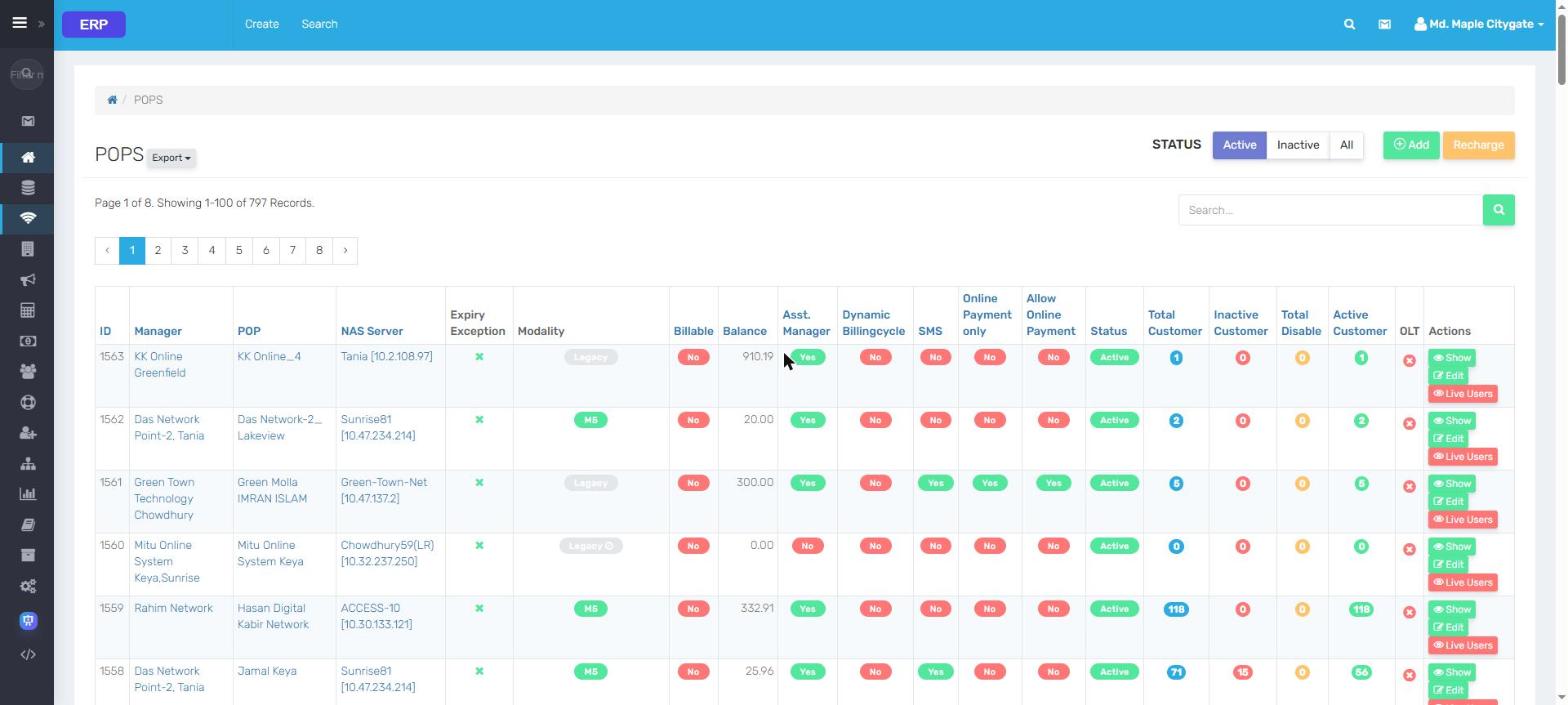
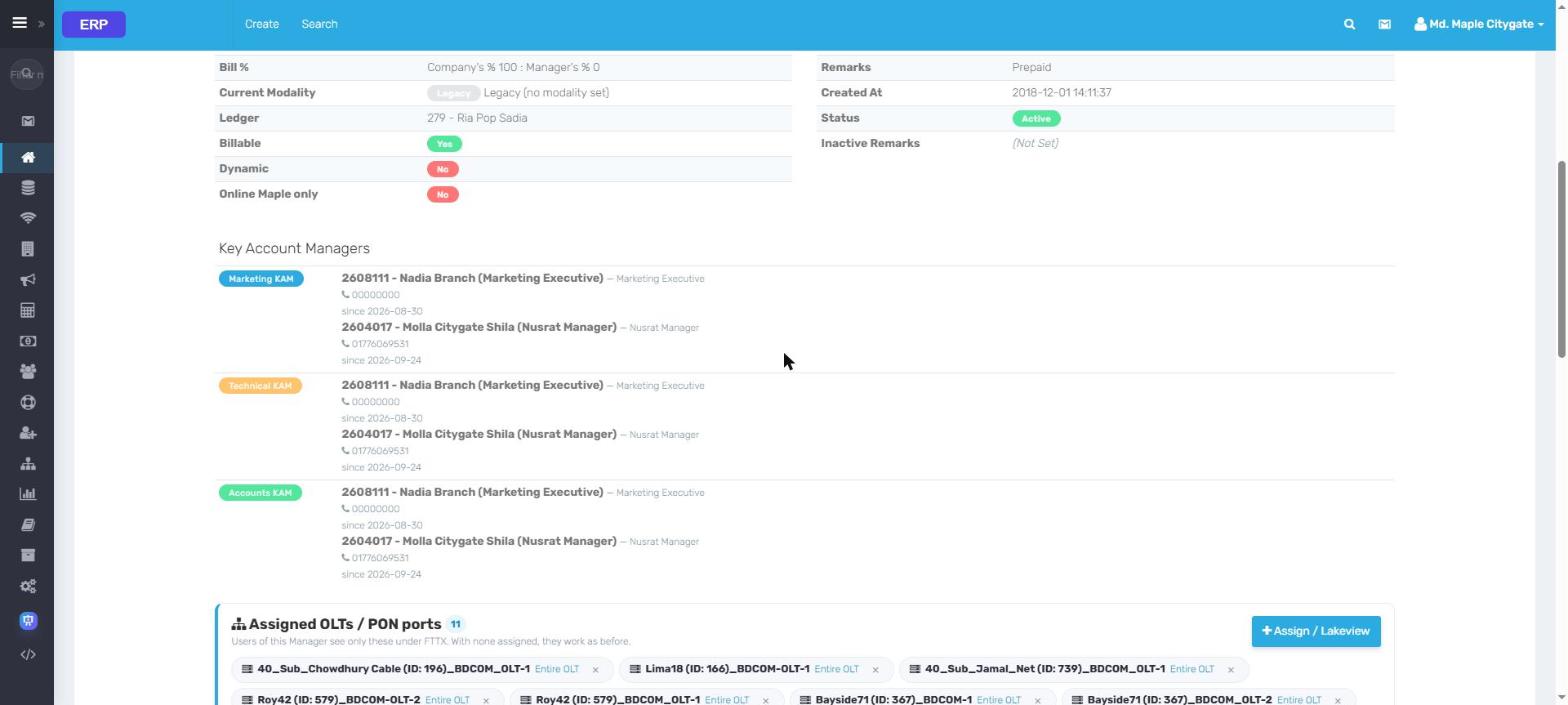
ManagersBalance, bill %, modality, billable / dynamic, customers and KAMs per Manager
POPsNAS, modality, SMS and online-payment switches and live users per POP
KAMs & OLT scopeMarketing / technical / accounts KAM and the OLTs or PON ports a Manager may see
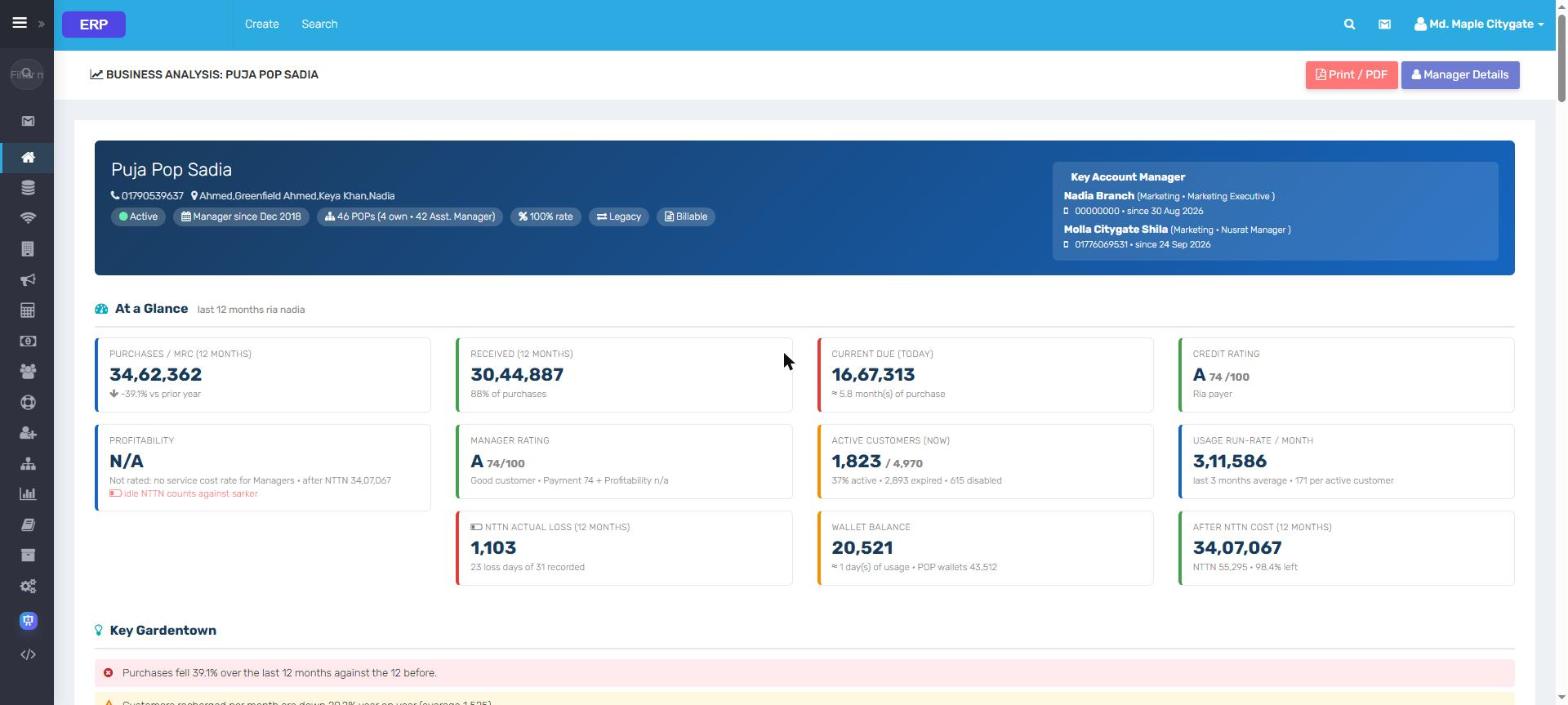
Business analysisCredit rating, profitability, NTTN loss and run-rate for one Manager
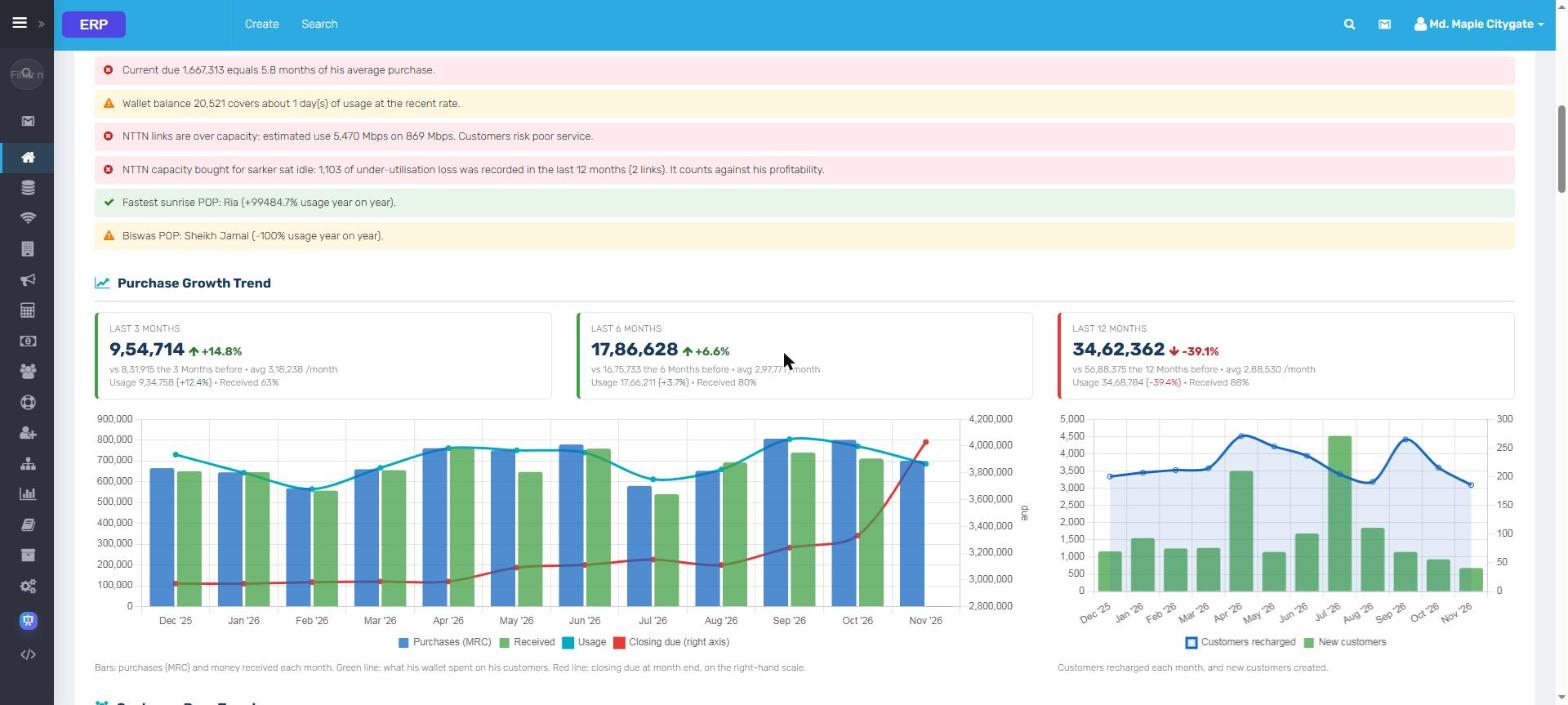
Growth trendPurchases, received, usage and closing due, month by month
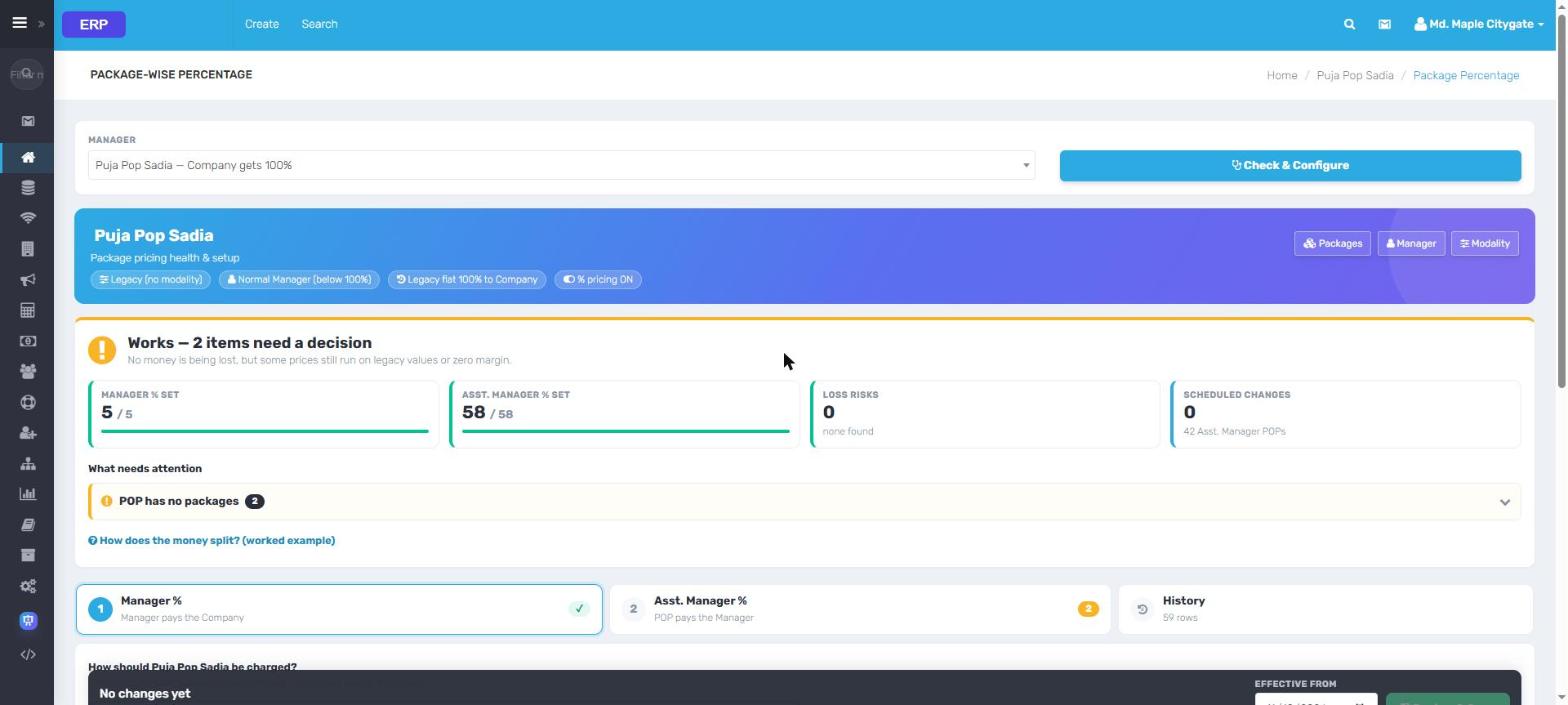
Package-wise %Health check of every package and Asst. Manager split, with what needs a decision
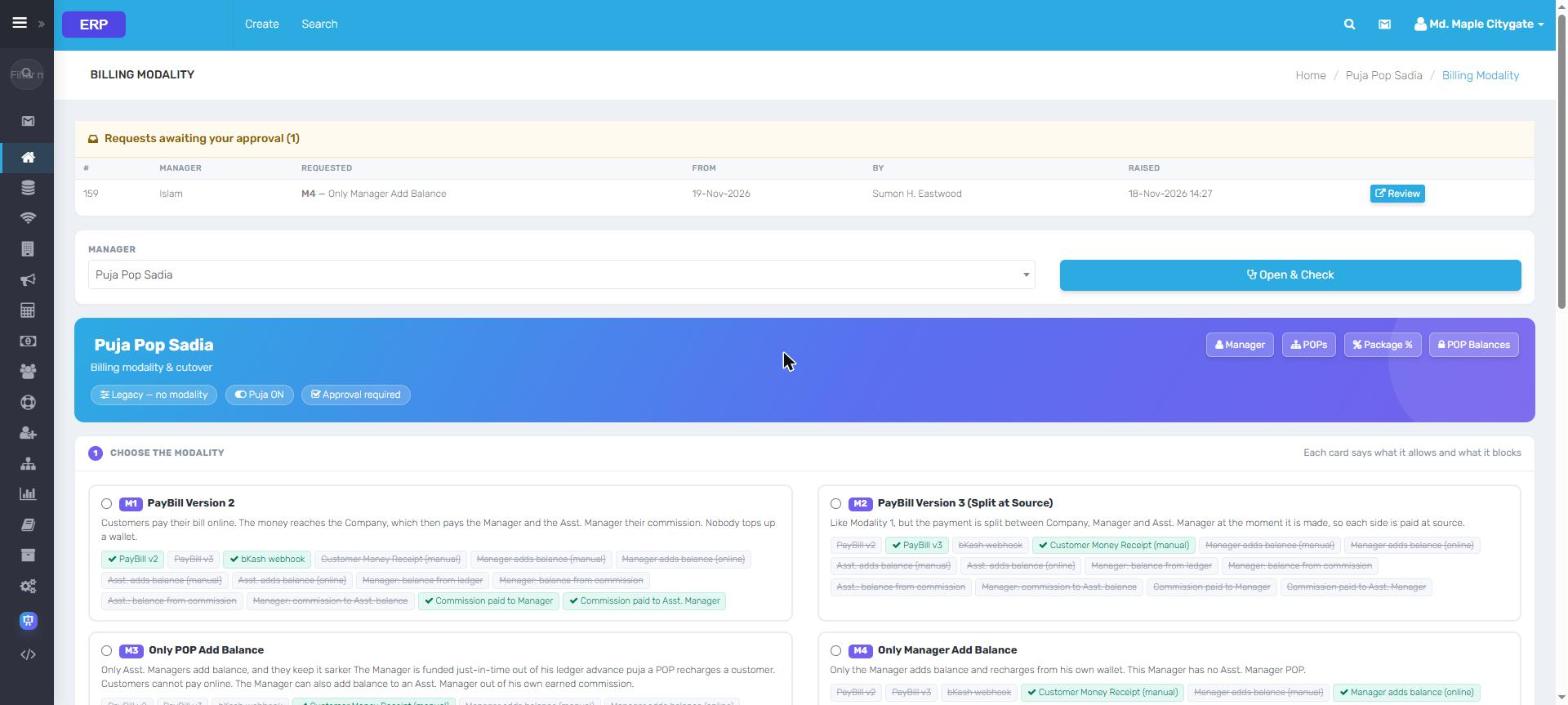
Billing modalitySeven ways a Manager can be billed, each card says what it allows and blocks
Live data from an ISP running ERP. Every name, contact, address and IP is replaced;
amounts are scaled. Click a screen to zoom, then use the arrows.
ERP Billing, corporate & data customers
Home users, corporates and bandwidth clients. One set of books.
Collect from home customers on a card view, bill corporate links with contract terms and vendors, and track data customers and NTTN capacity, all posting to the same ledger.
BillingCorporateDataNTTNNTTN RequestsManager Due Report
Bill view
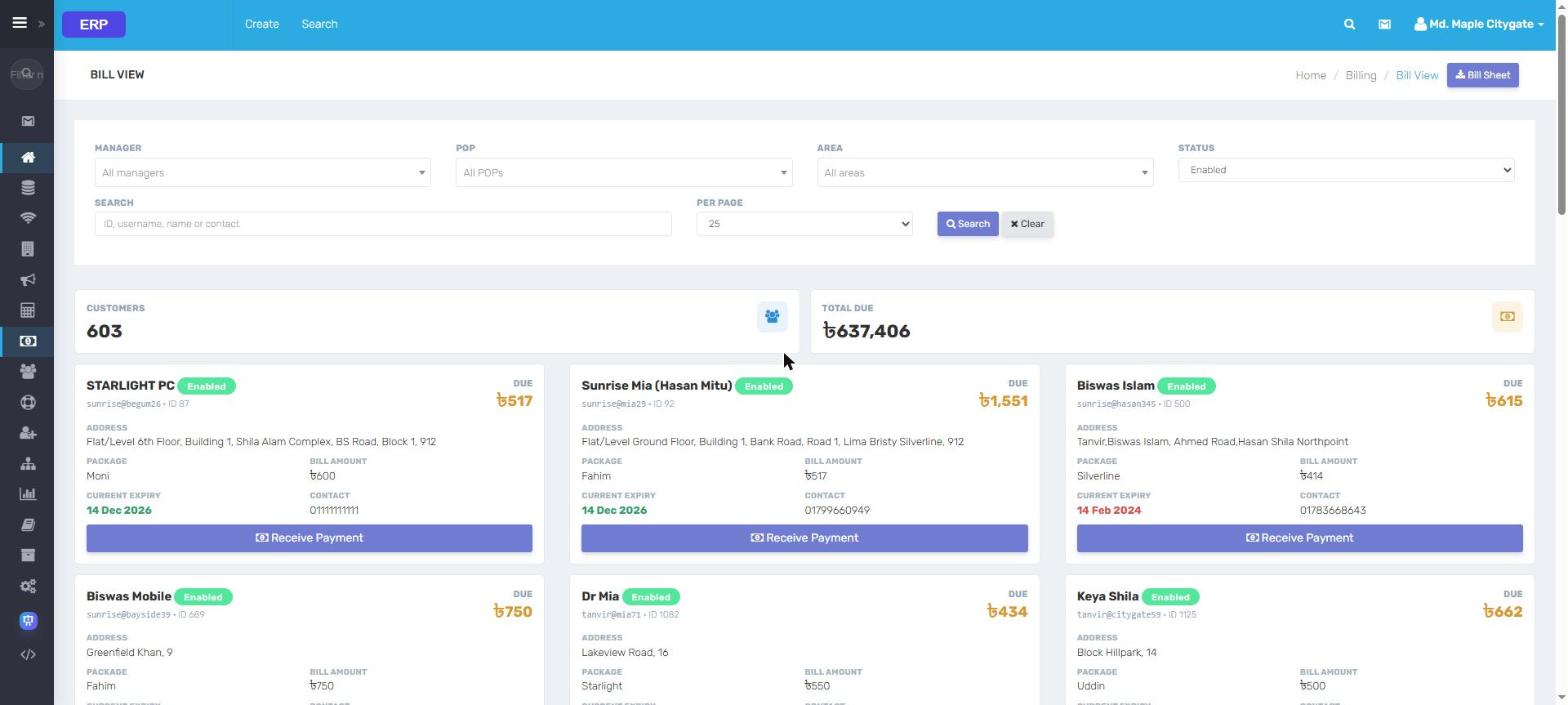
Bill viewDue customers as cards with address, package, expiry and Receive Payment
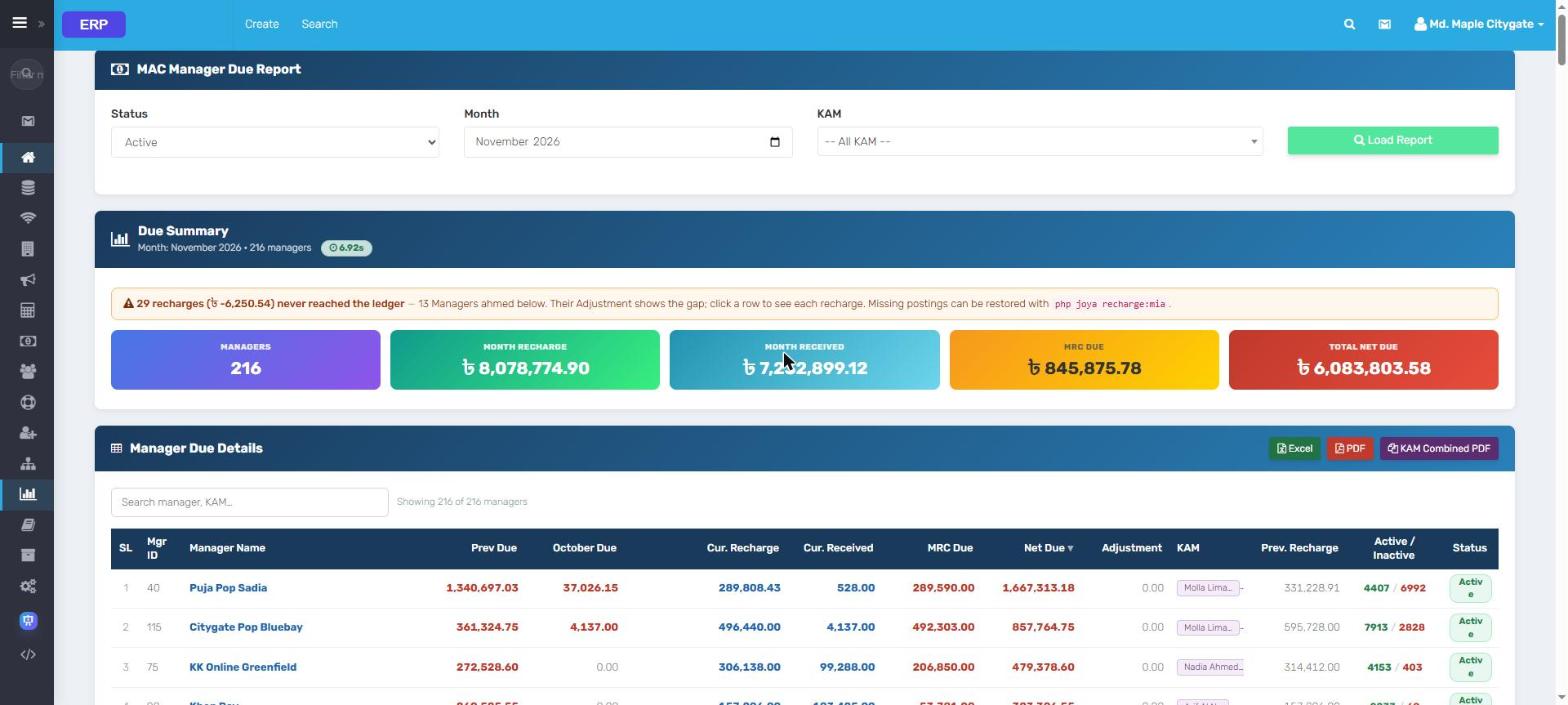
Manager due reportRecharge, received, MRC due and net due for every Manager, with ledger gaps flagged
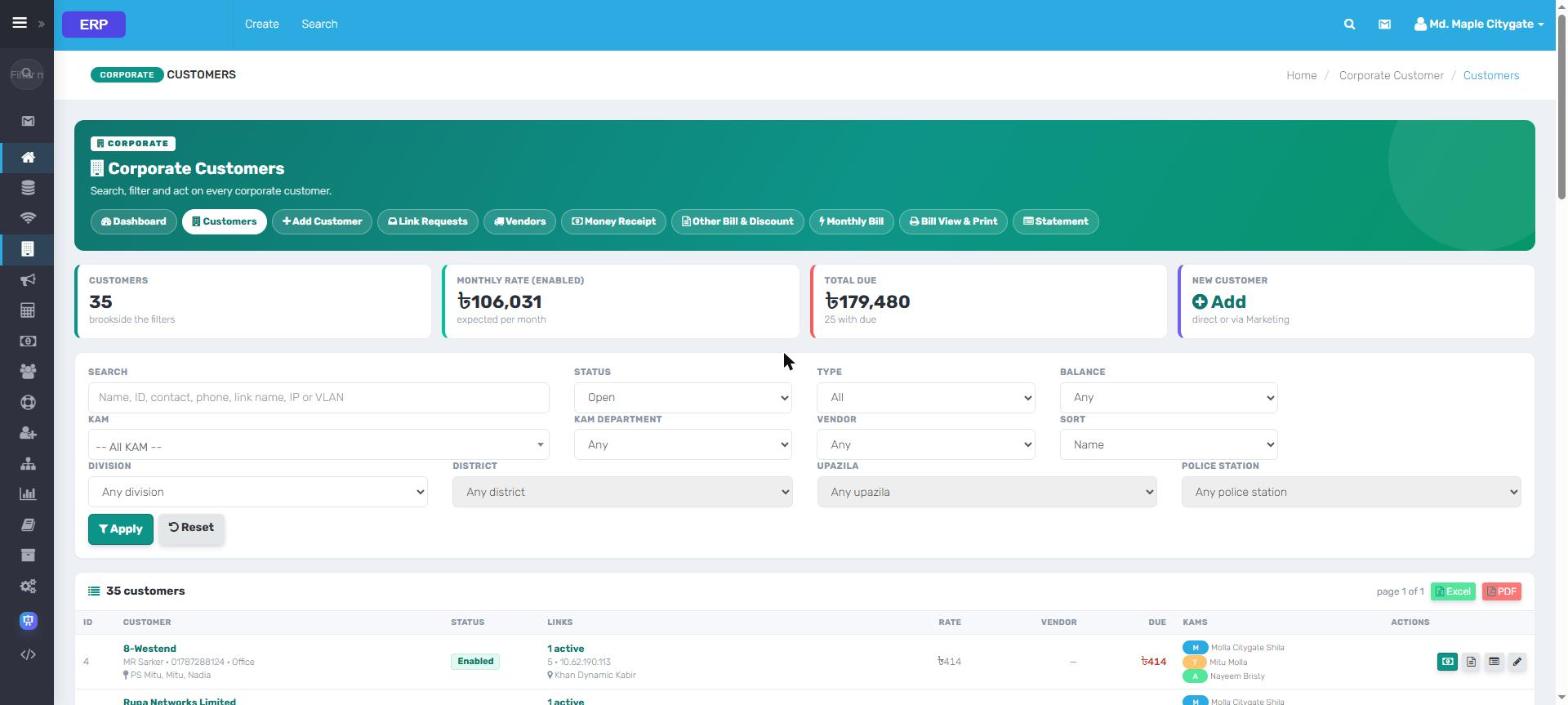
Corporate customersSearch by name, link, IP or VLAN; KAMs, vendor, rate and due per customer
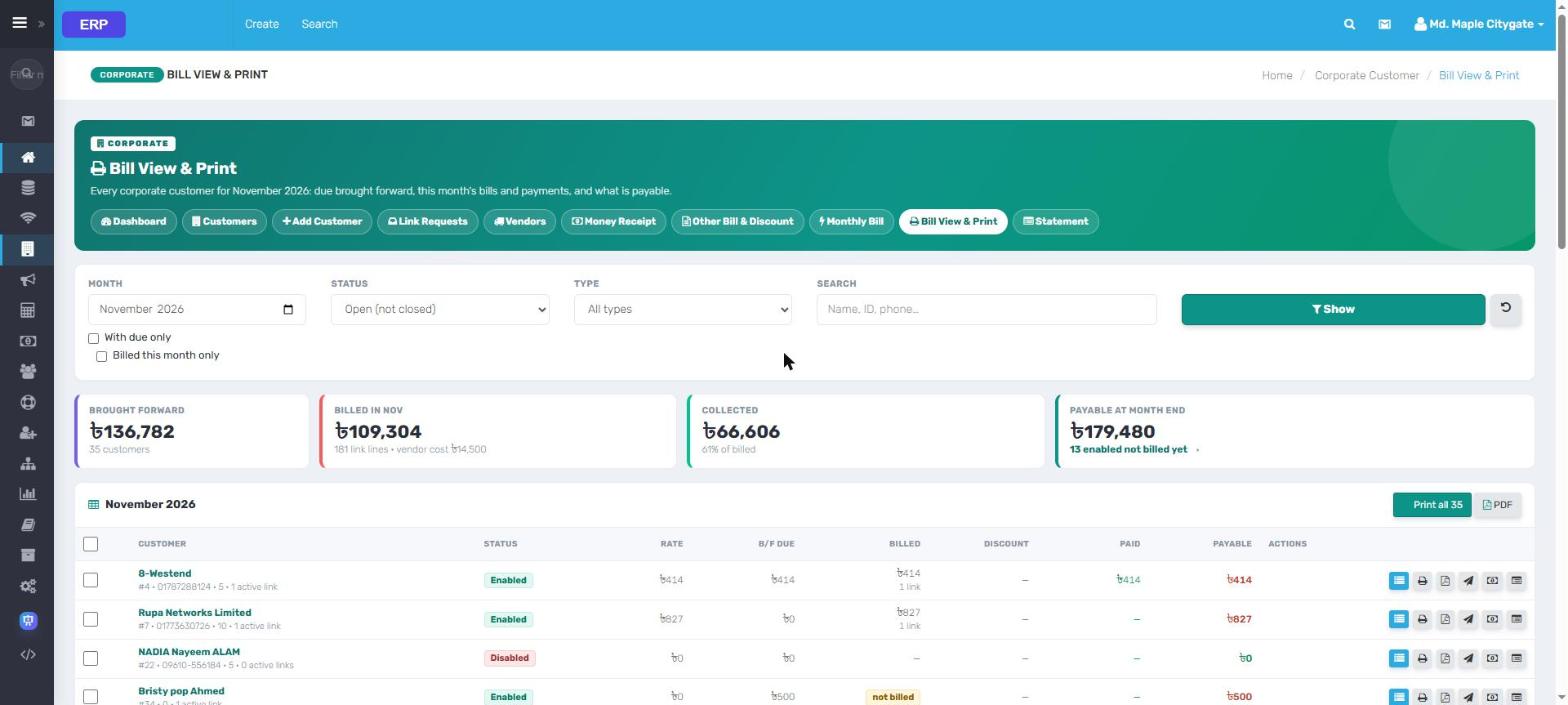
Corporate bill view & printBrought forward, billed, collected and payable; print all or one
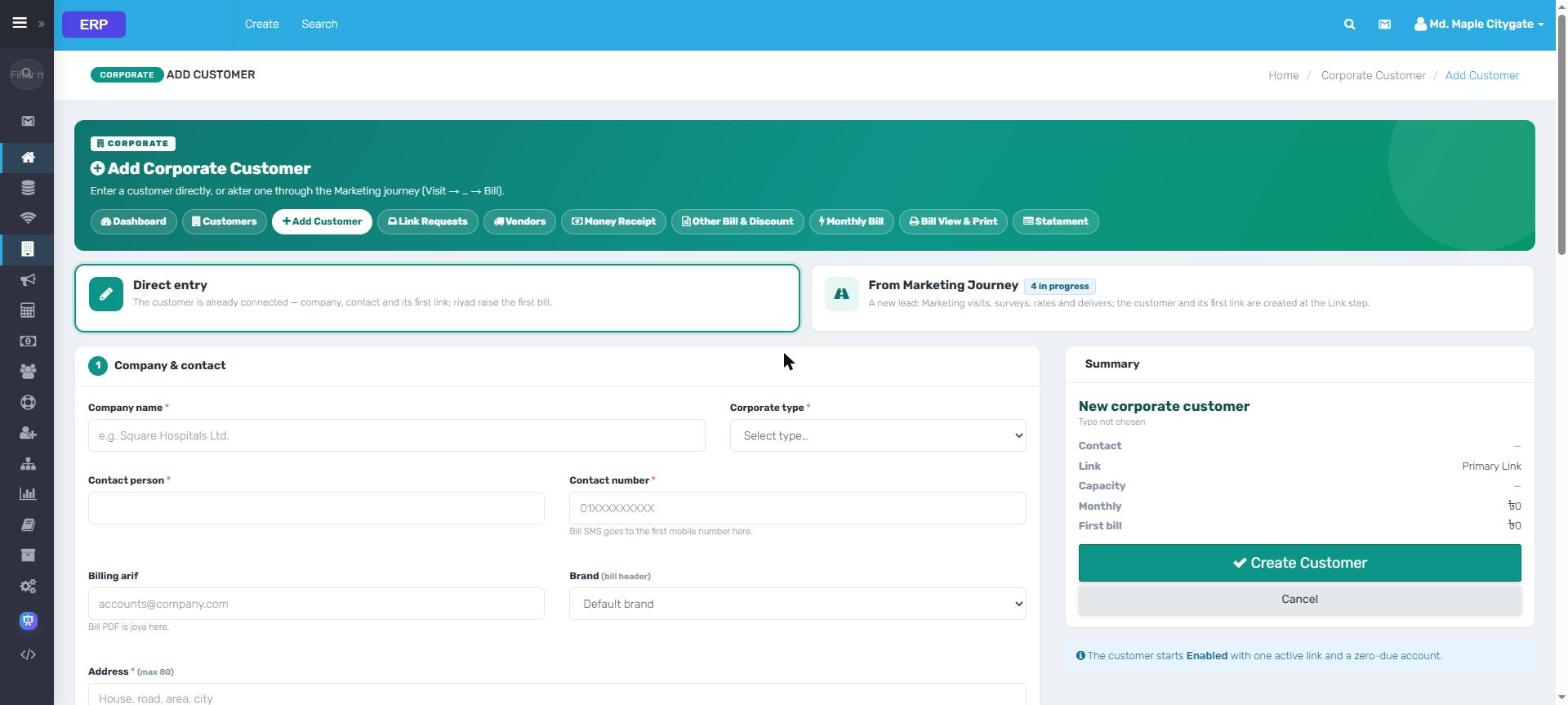
Add corporate customerDirect entry or from the marketing journey; first link and first bill
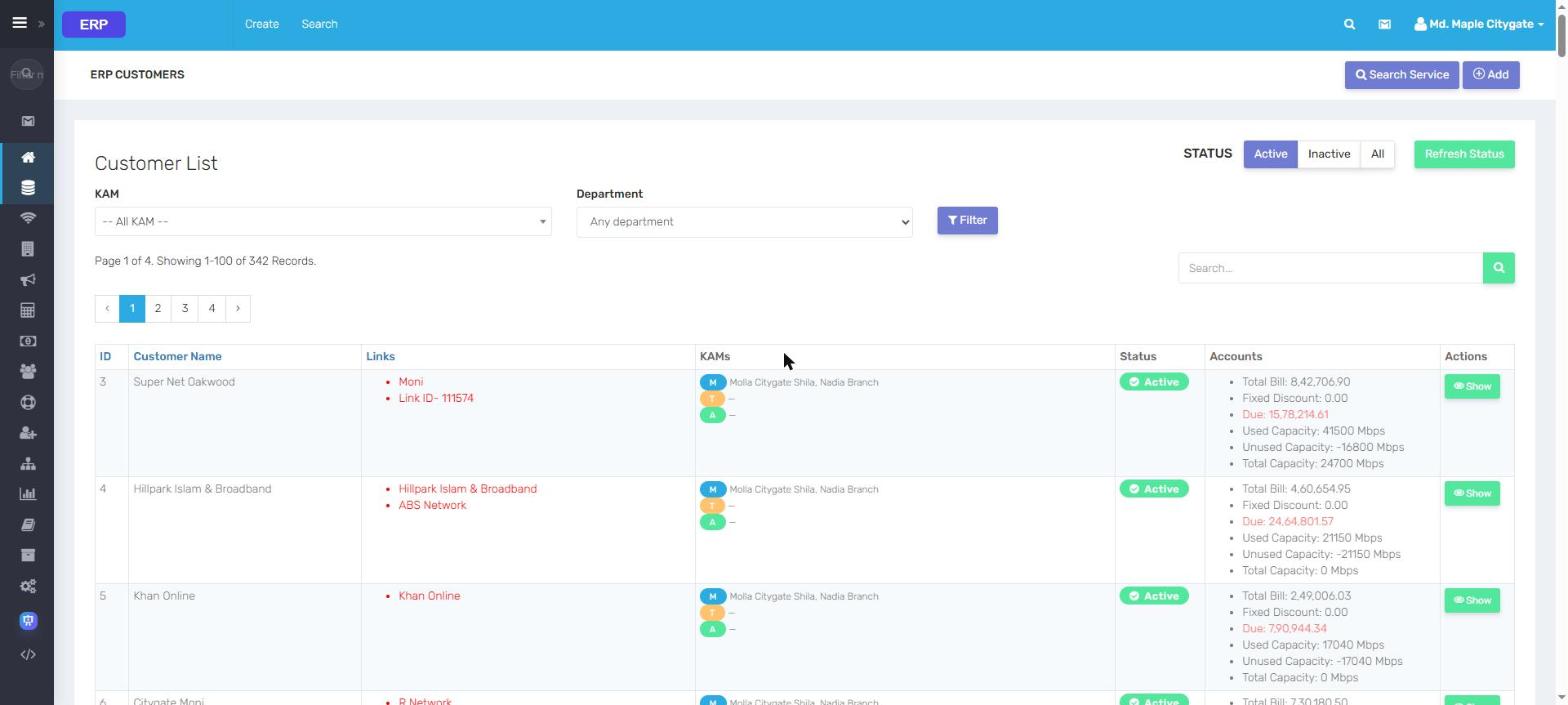
Data customersLinks, KAMs, bill, discount, due and used / unused capacity
NTTN requestsUpgrade, downgrade and close requests reviewed and approved in one place
NTTN by ManagerCapacity, consumption, utilisation, NTTN cost and monthly loss per link
Live data from an ISP running ERP. Every name, contact, address and IP is replaced;
amounts are scaled. Click a screen to zoom, then use the arrows.
ERP FTTX inside ERP
The fiber network, without leaving billing.
With FTTX connected, ERP lists every OLT and ONU by Manager, shows optical power and transceiver health, finds inactive ONUs and texts the customers behind a dead OLT.
FTTXOLT EMONU EMInactive ONUBulk SMS · By OLT
ONU EM
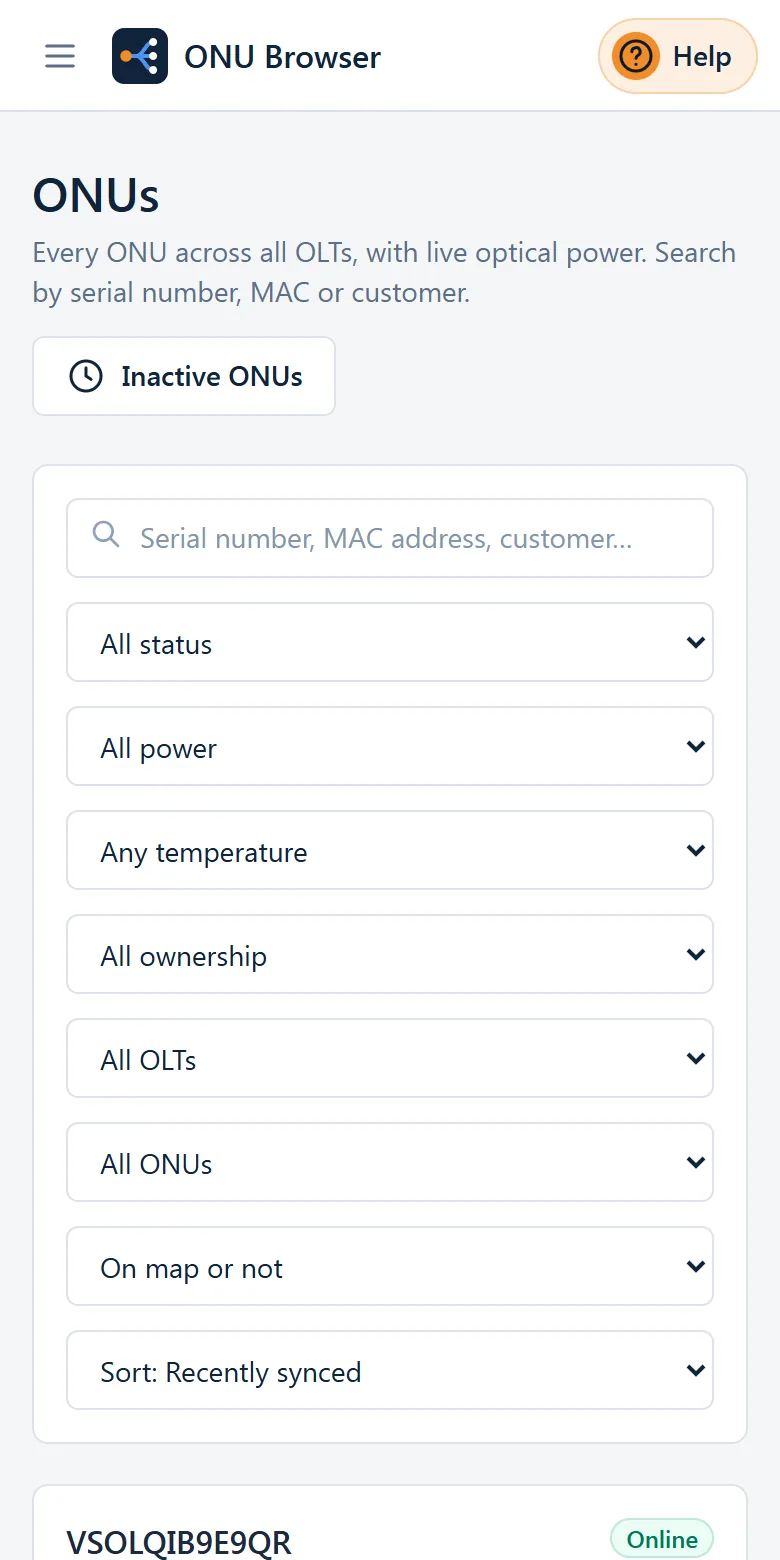
ONU EMEvery ONU with port, router MAC, customer, power, distance and live status; PDF / Excel
OLTs by ManagerOLTs, ONUs, online %, good / weak / critical signal per Manager
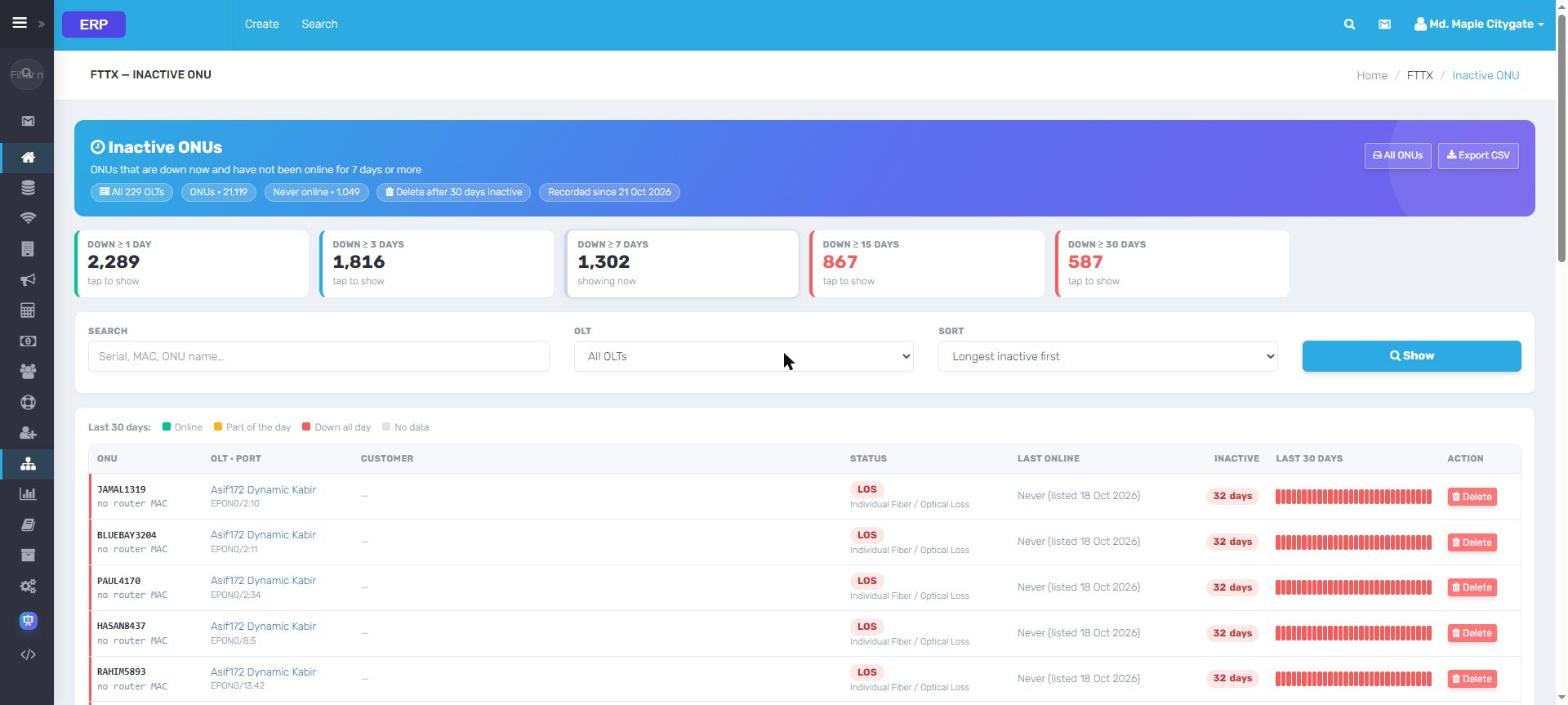
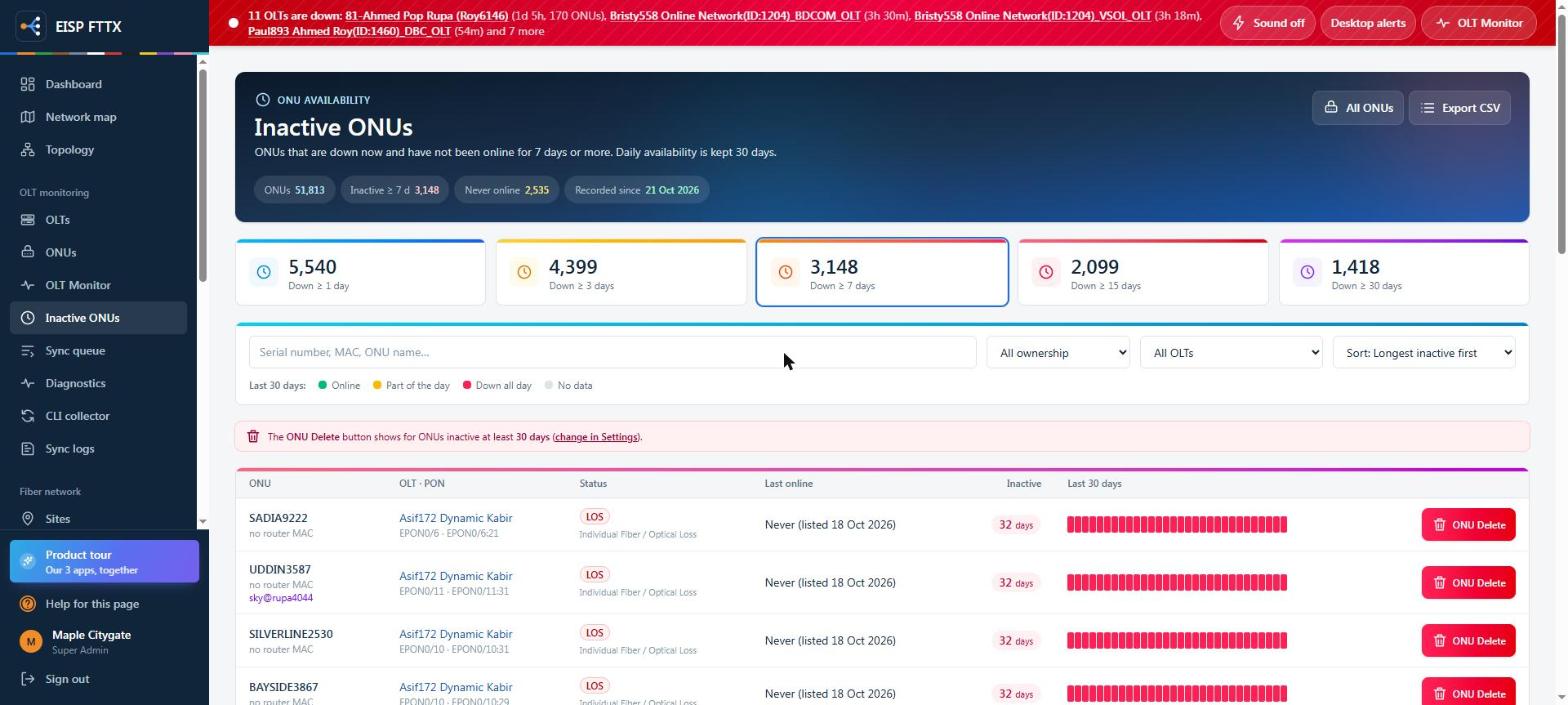
Inactive ONUsDown 1 to 30+ days with a 30-day strip; delete through the OLT
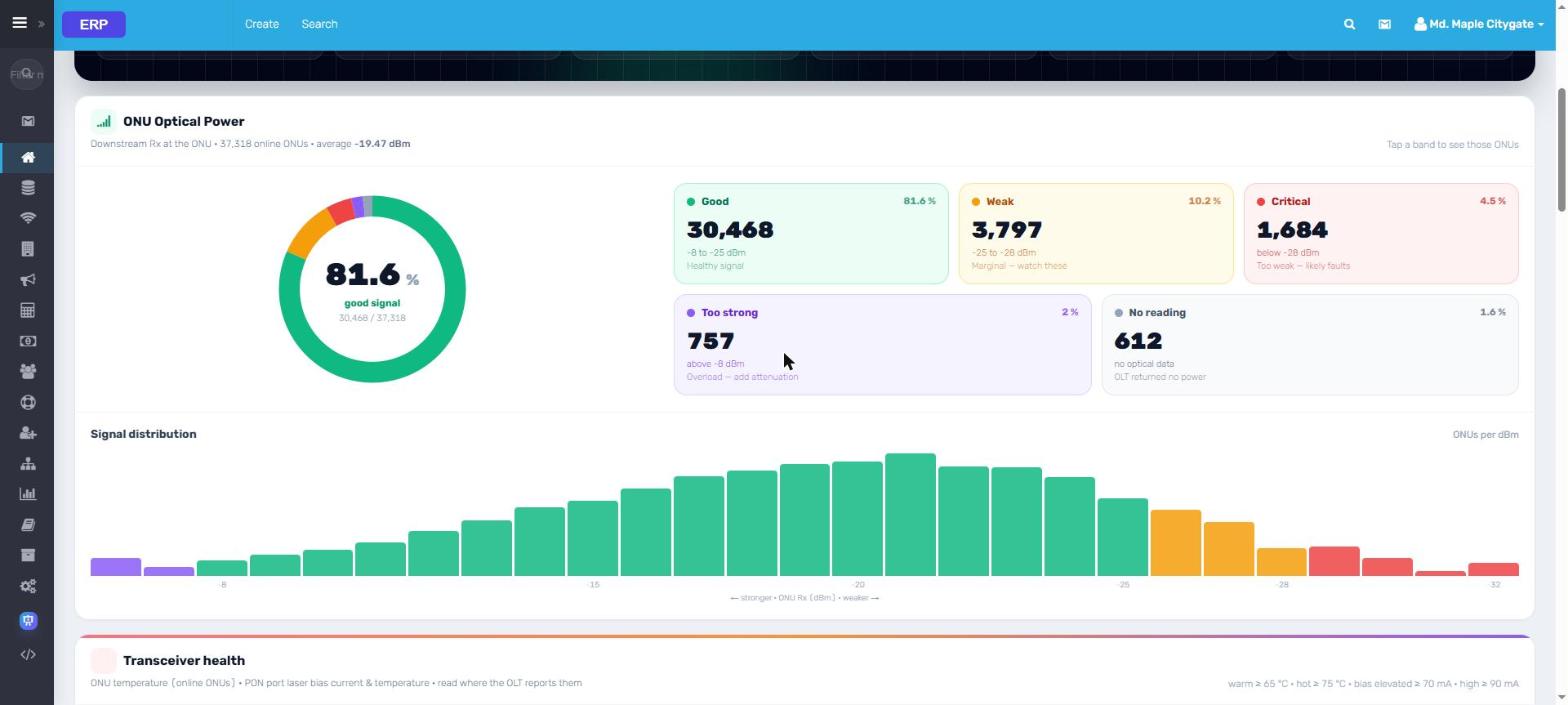
Optical powerGood, weak, critical, too strong and a signal distribution
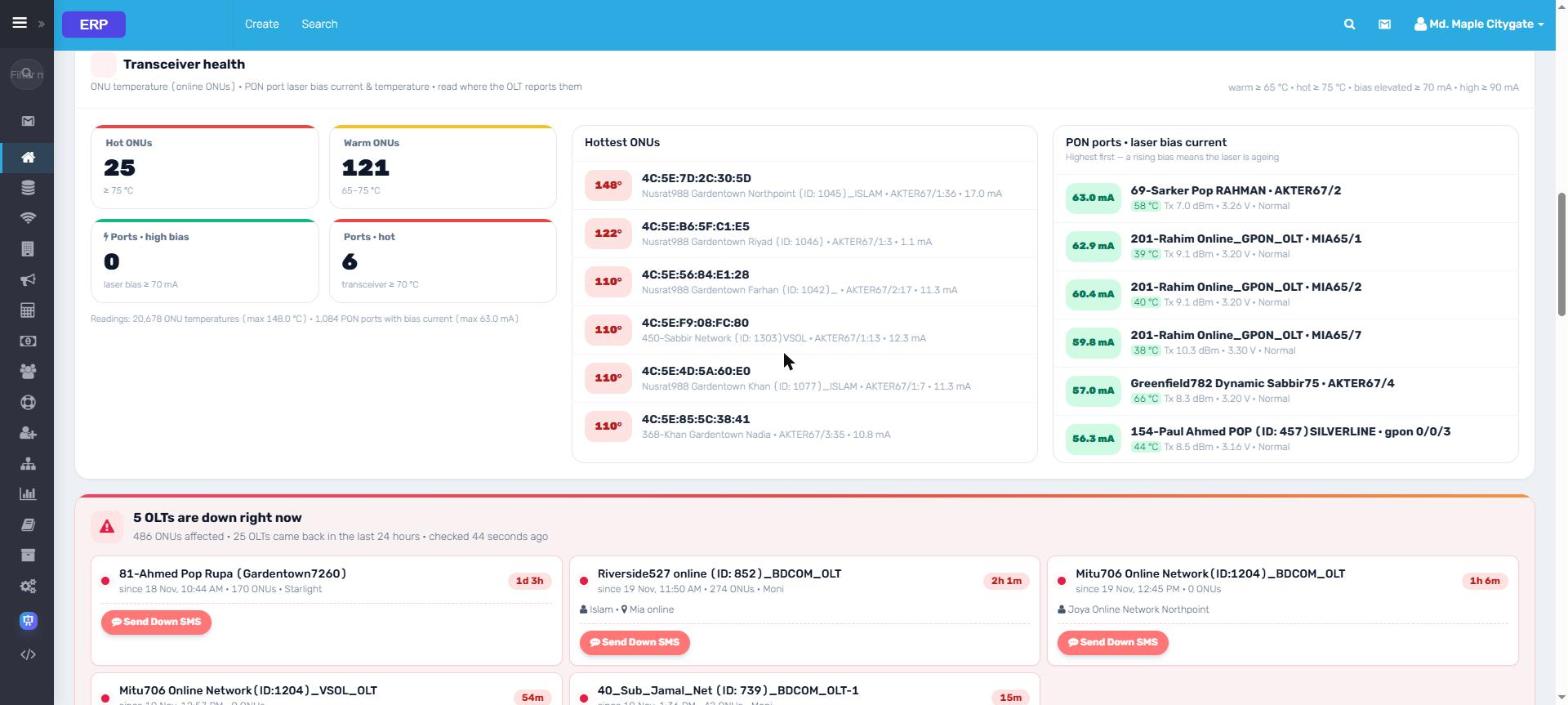
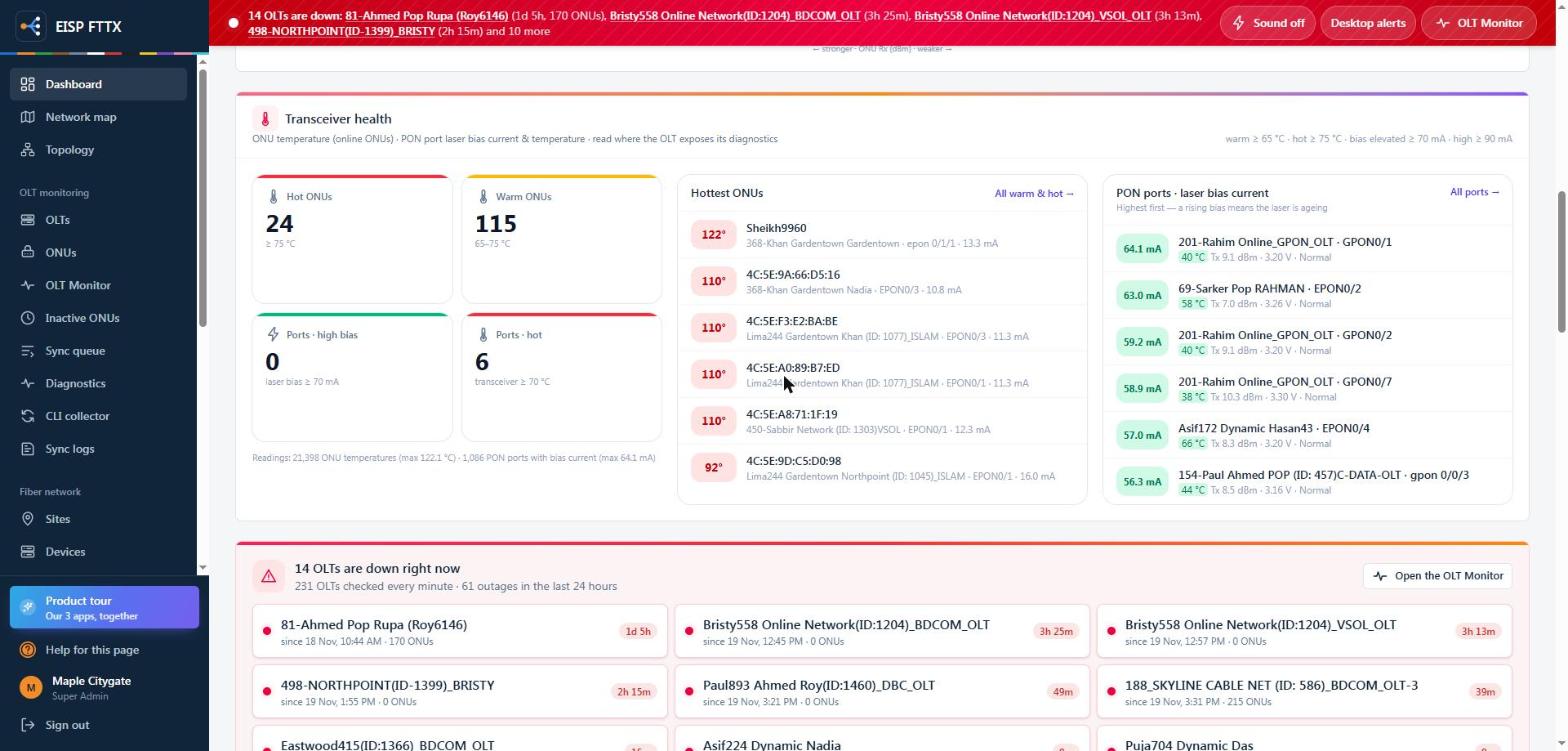
Transceiver healthHottest ONUs, PON laser bias and the OLTs down right now
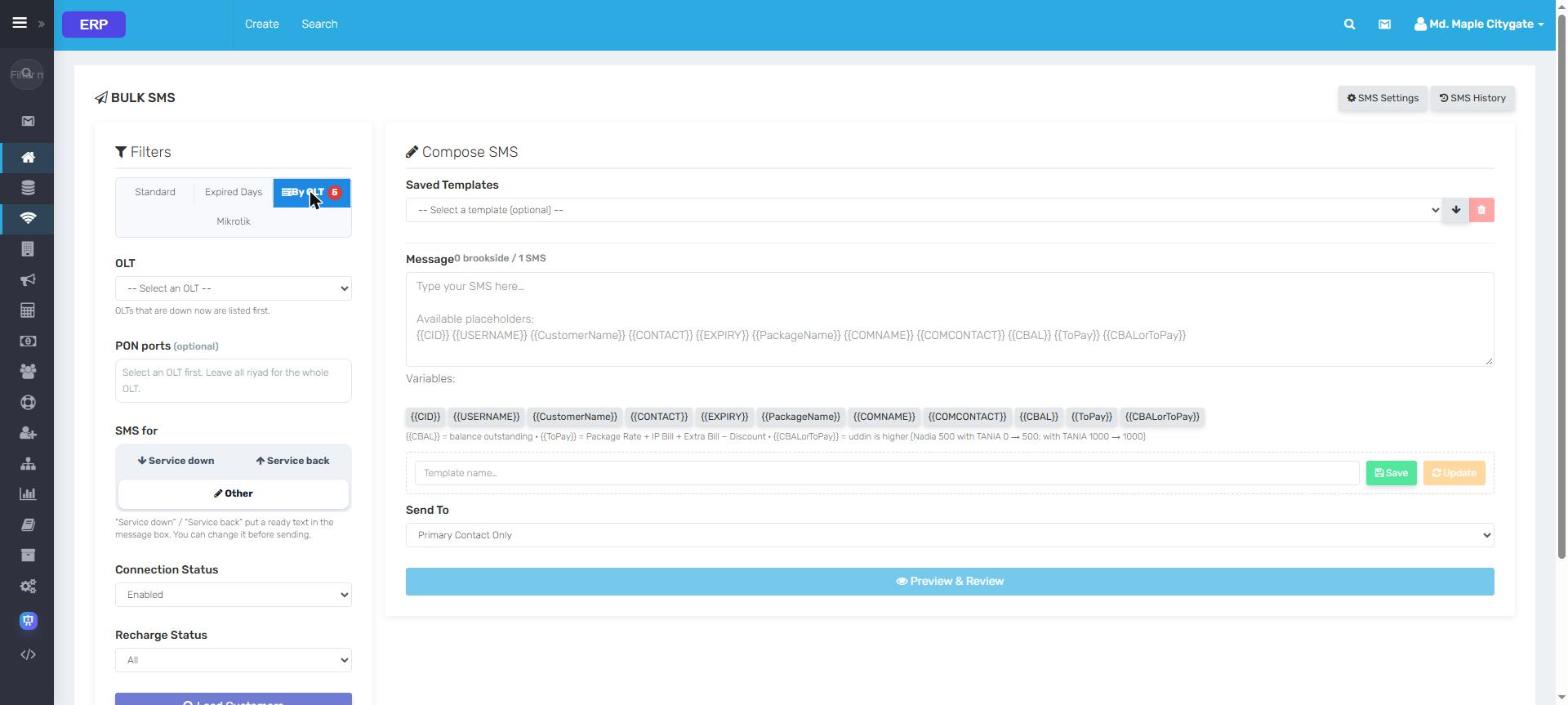
SMS by OLTPick the OLT or PON ports that went down; Service down / back text ready
Live data from an ISP running ERP. Every name, contact, address and IP is replaced;
amounts are scaled. Click a screen to zoom, then use the arrows.
ERP Support, SMS & sales
From the first call to the last token.
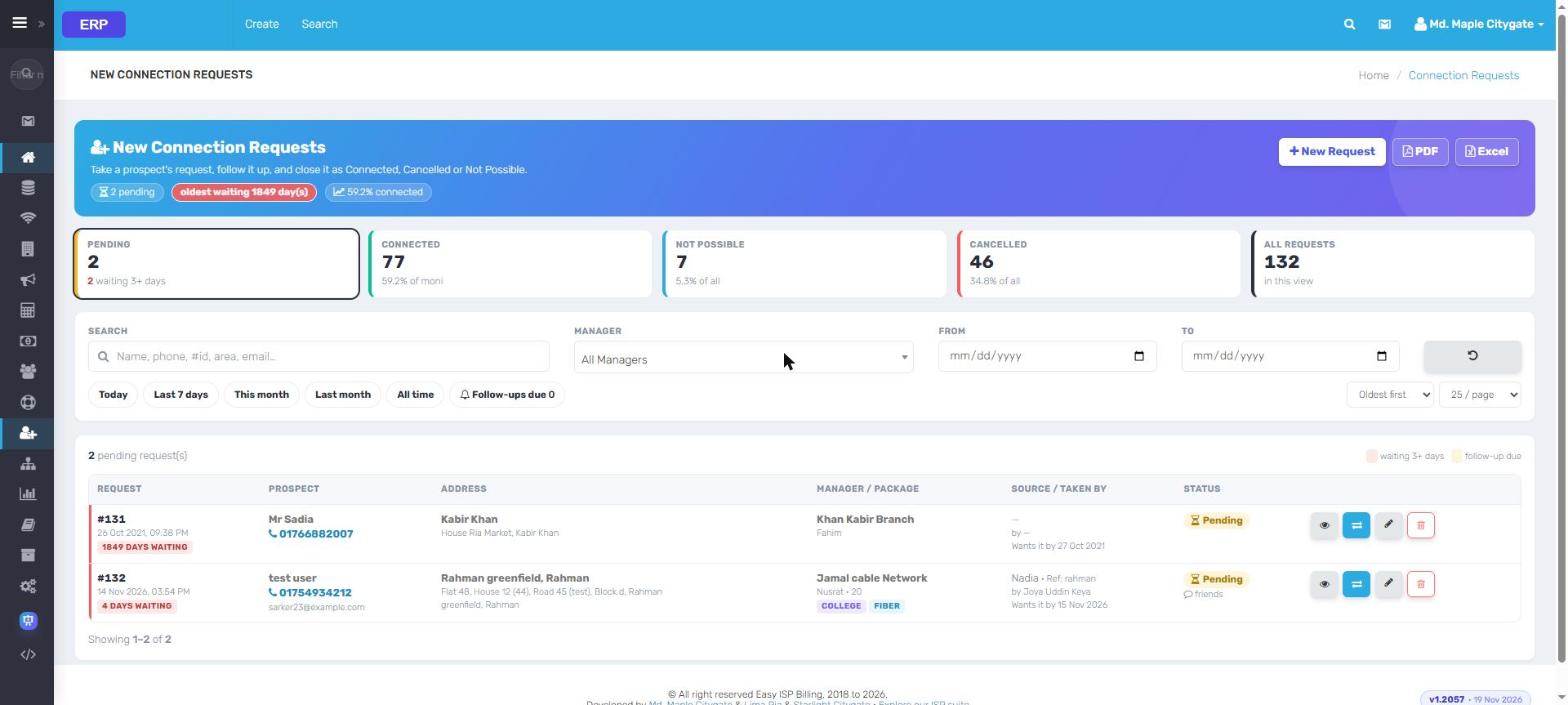
Tokens with ageing and owners, a summary per Manager and POP, bulk SMS with placeholders, new-connection requests and the marketing visit pipeline.
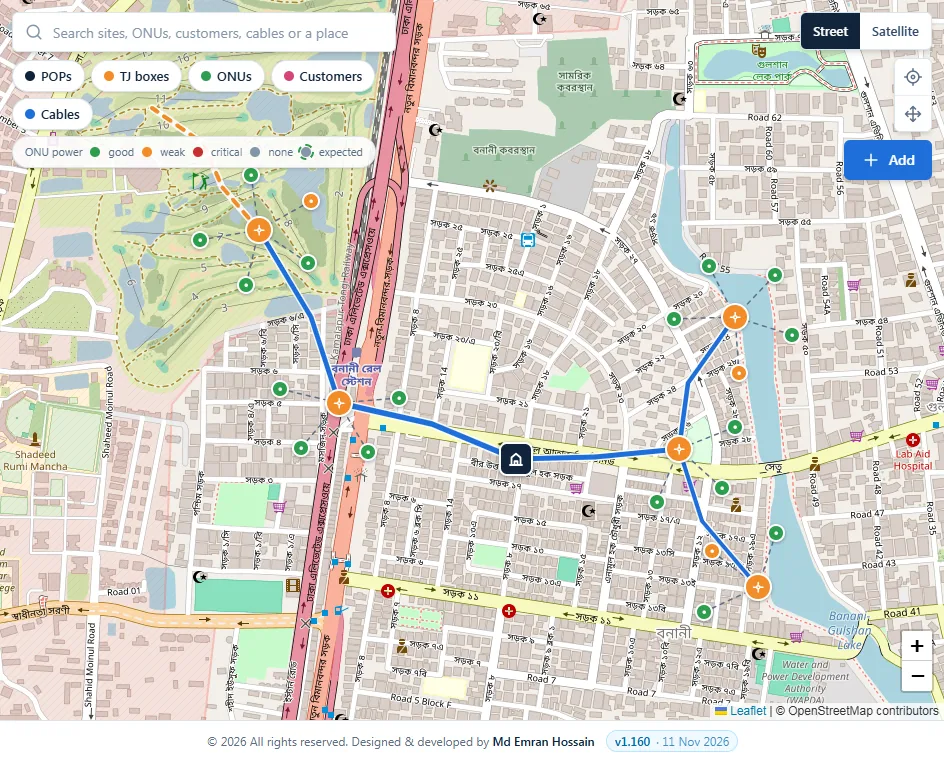
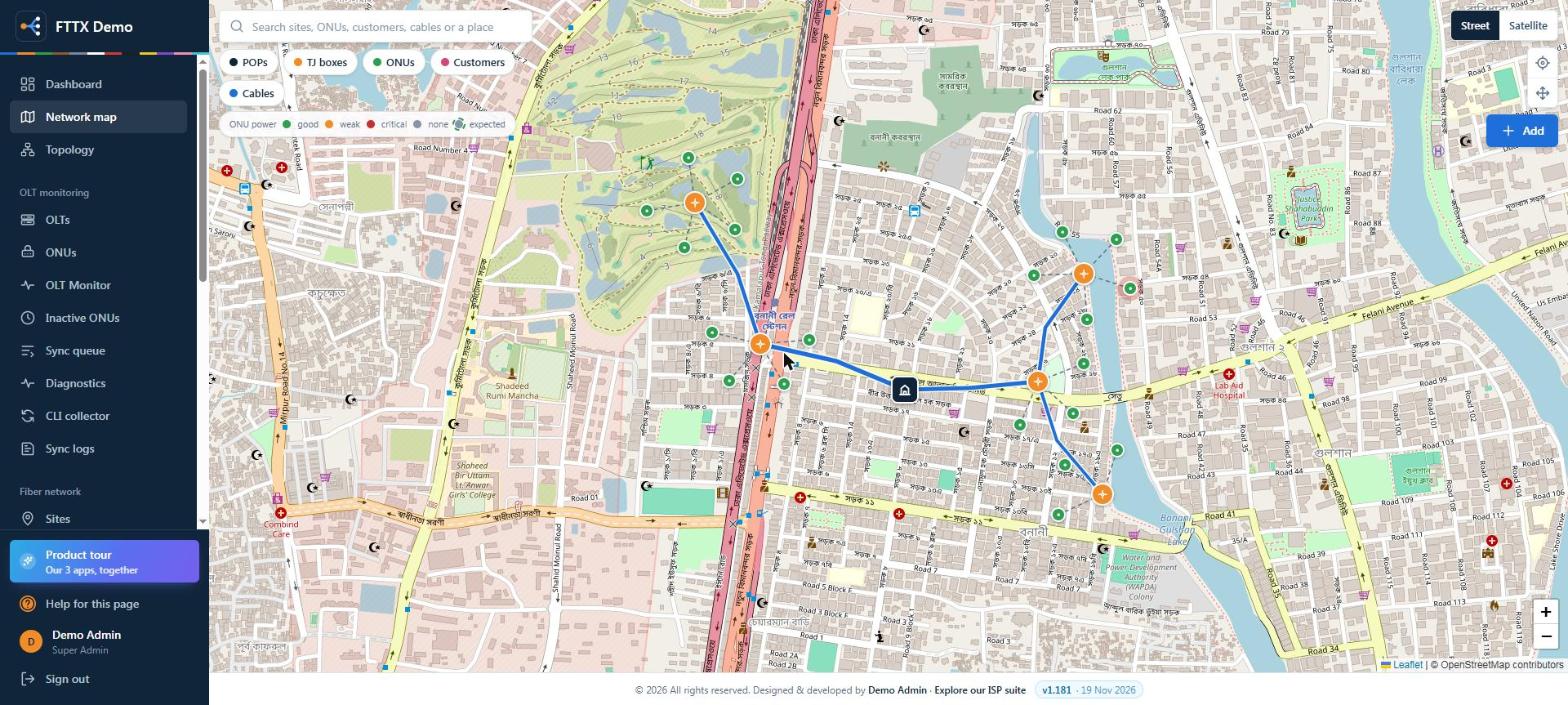
Expected powerLoss budget per splitter and ONU, compared with the real reading.
Network map
FTTX Dashboards & OLT Monitor
Know the moment an OLT goes quiet.
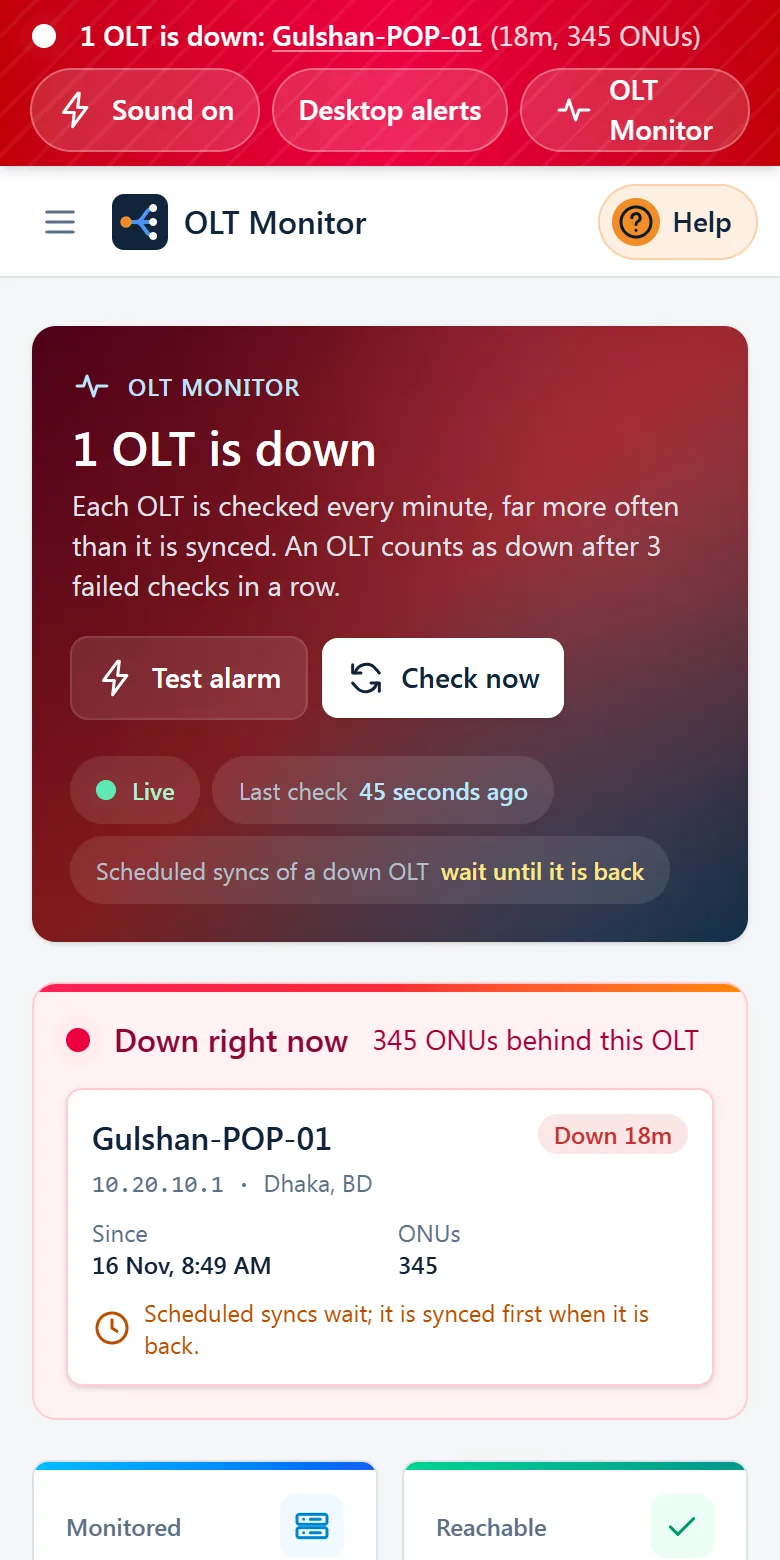
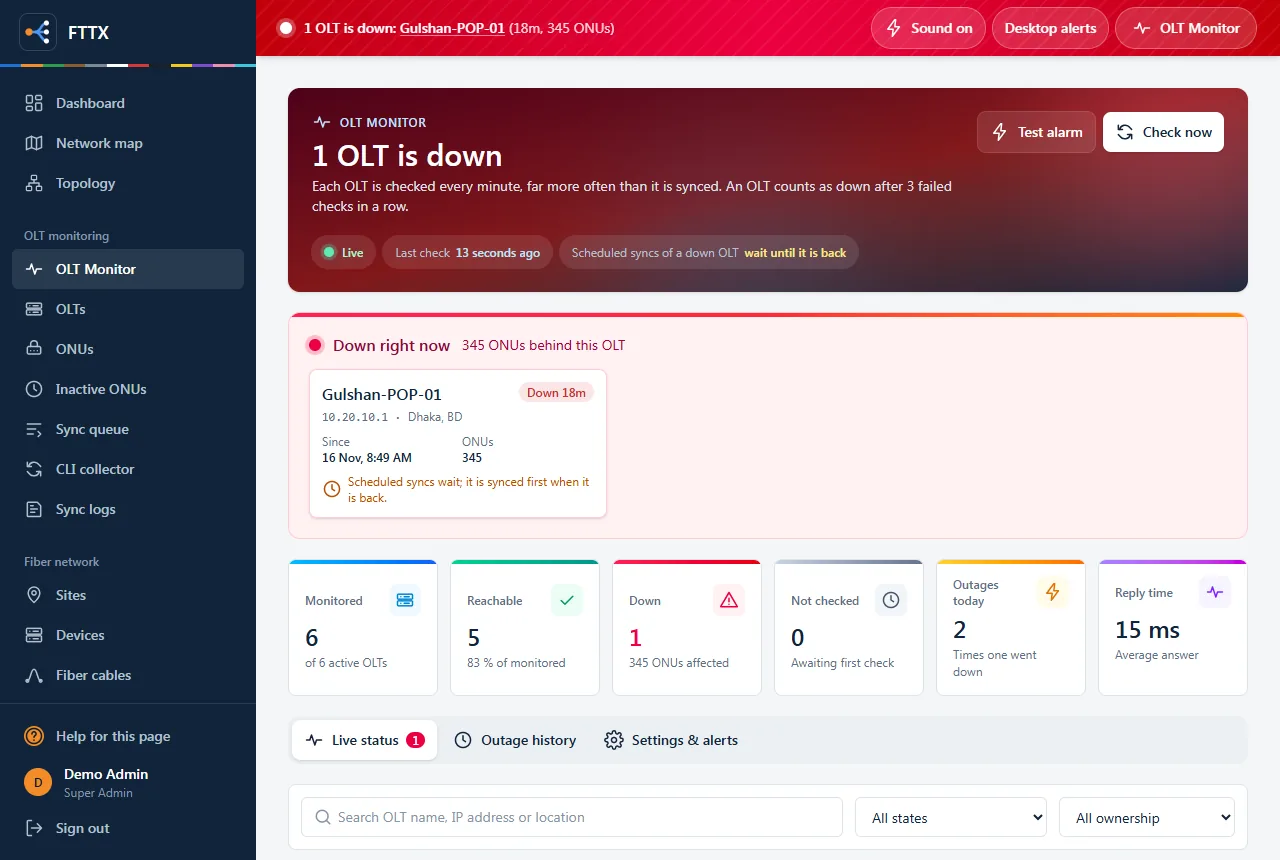
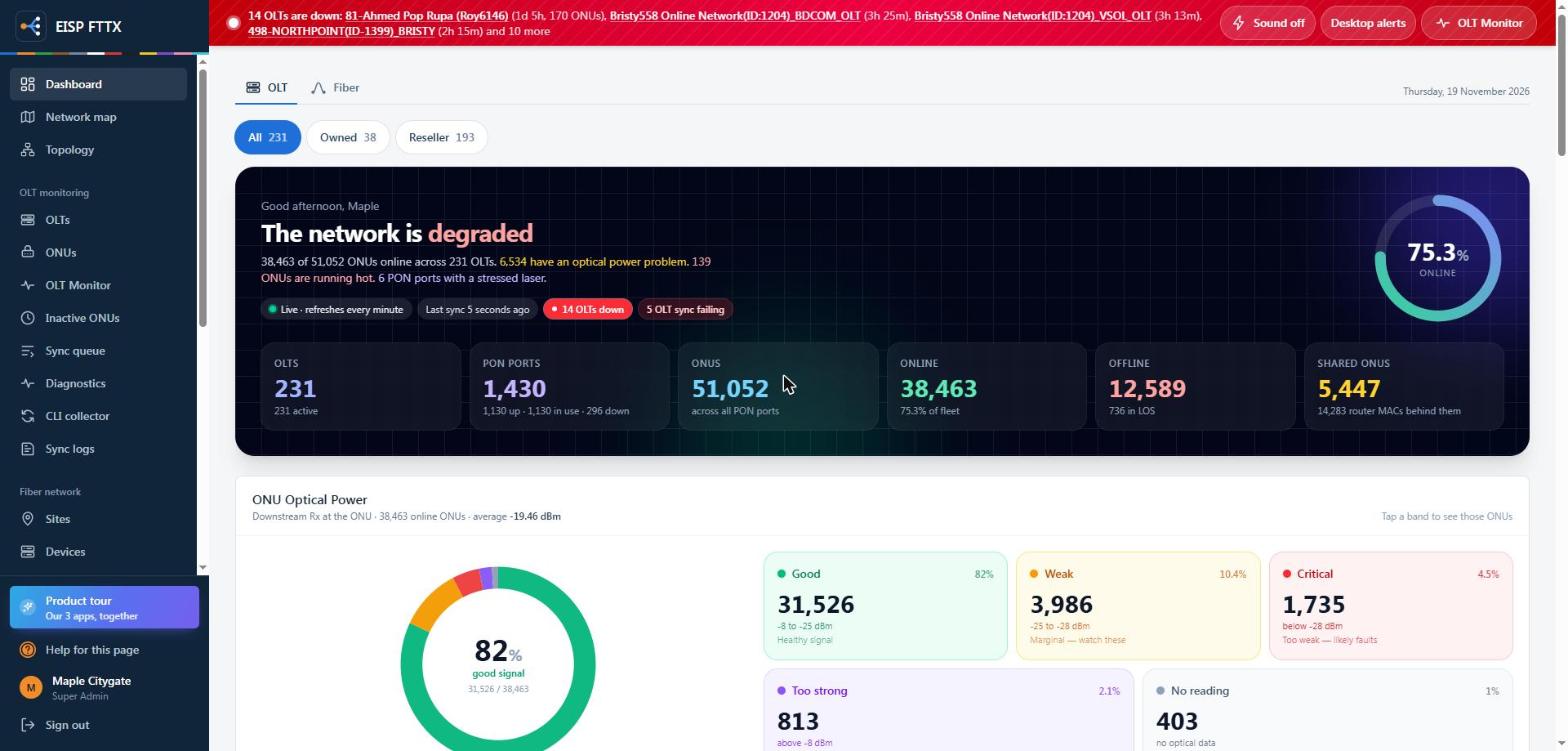
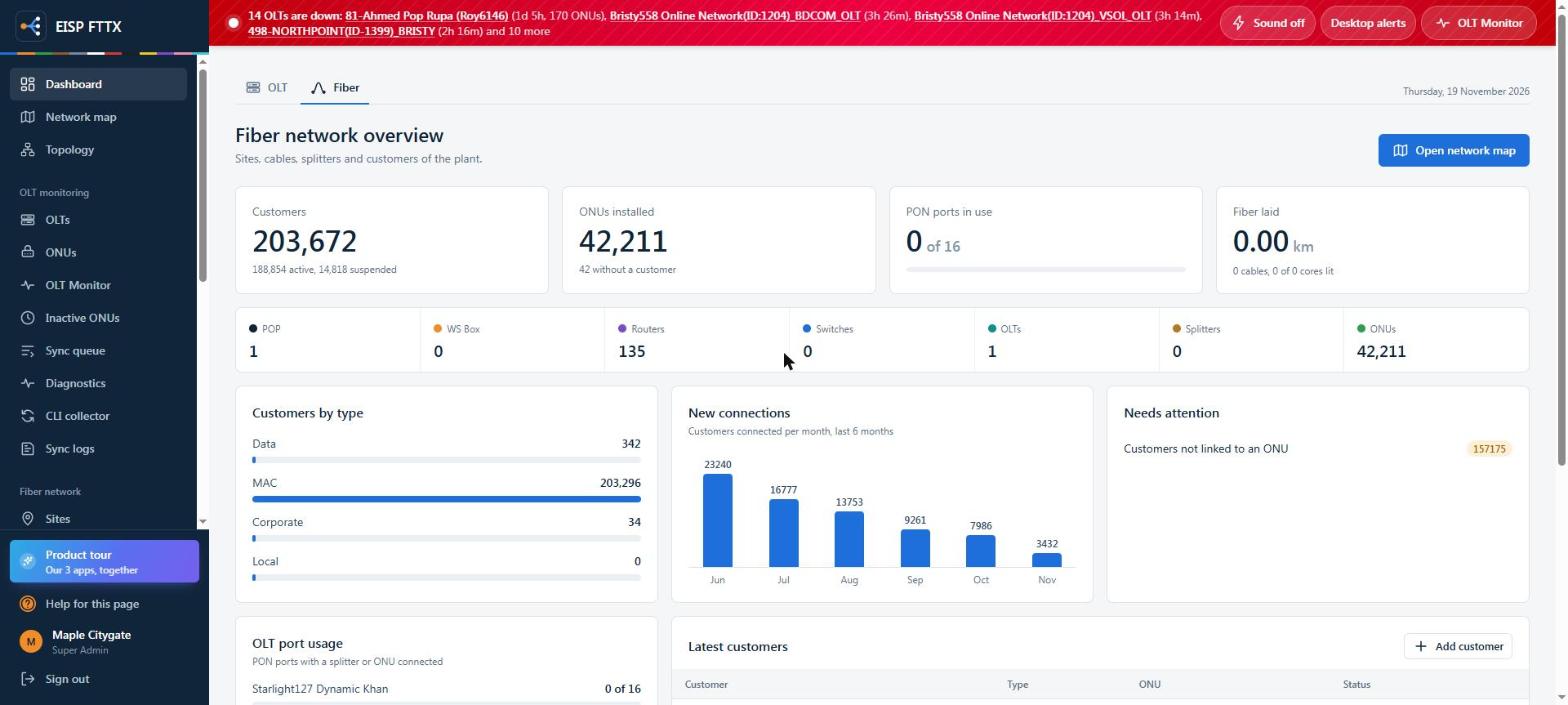
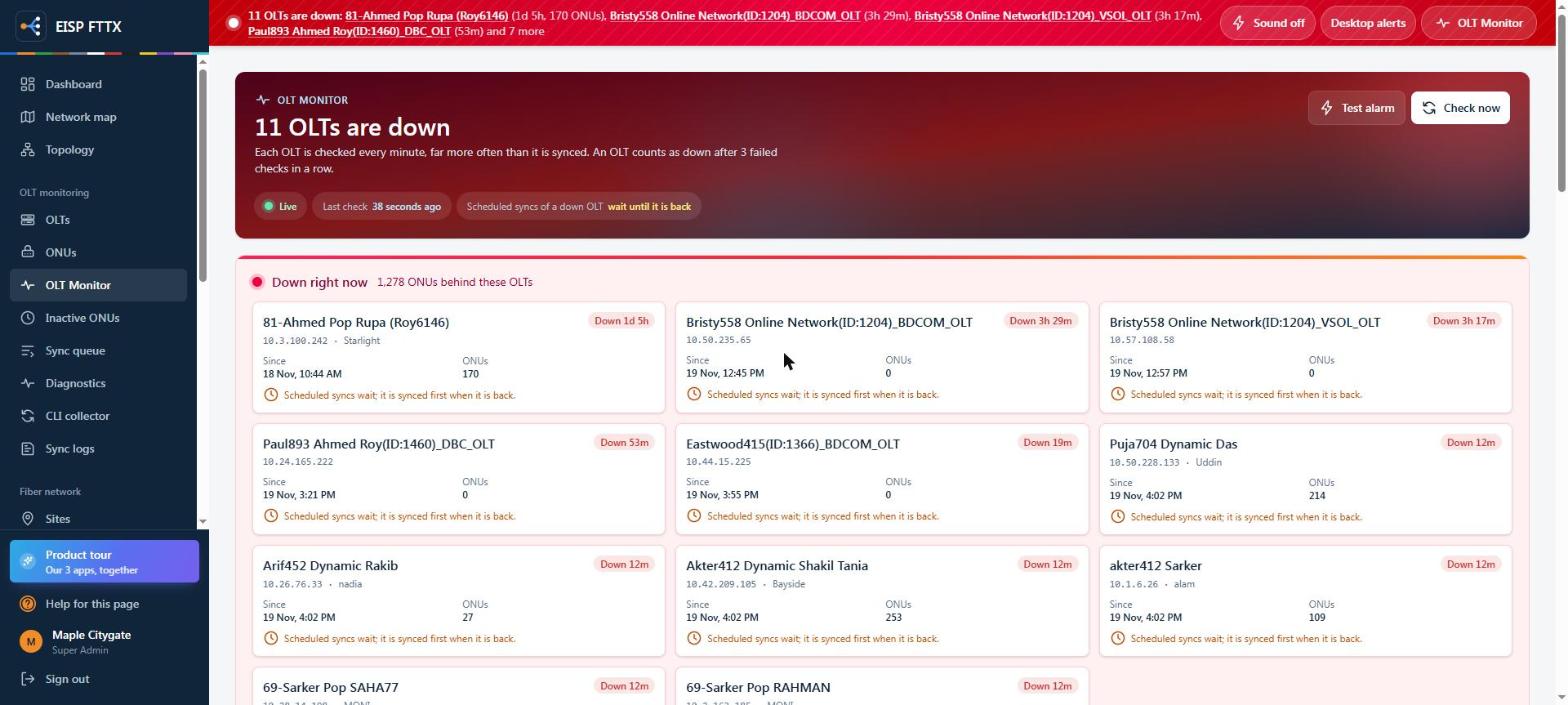
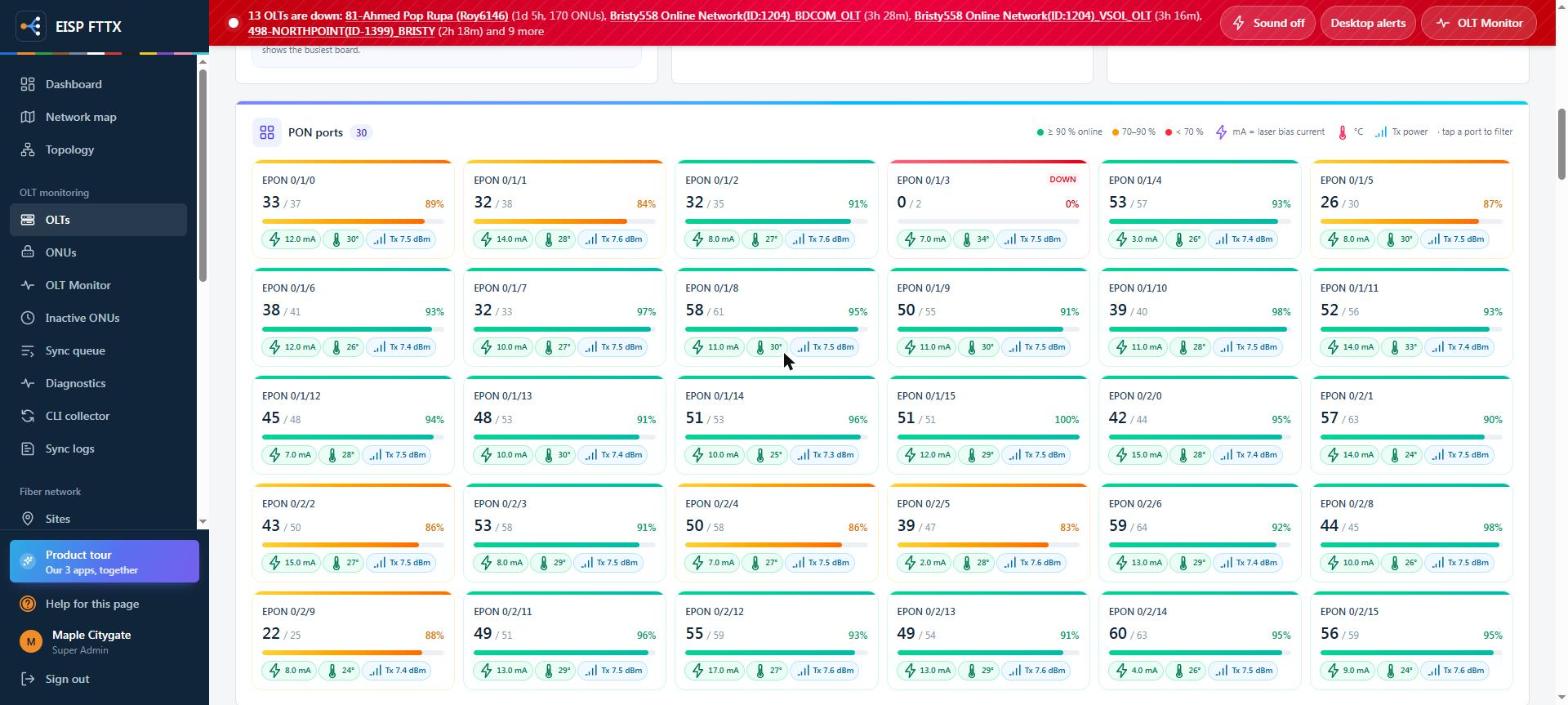
An OLT dashboard and a fiber dashboard, and a monitor that checks every OLT each minute: red banner, siren, desktop alert, and the ONUs and customers behind it.
DashboardOLTFiberOLT Monitor
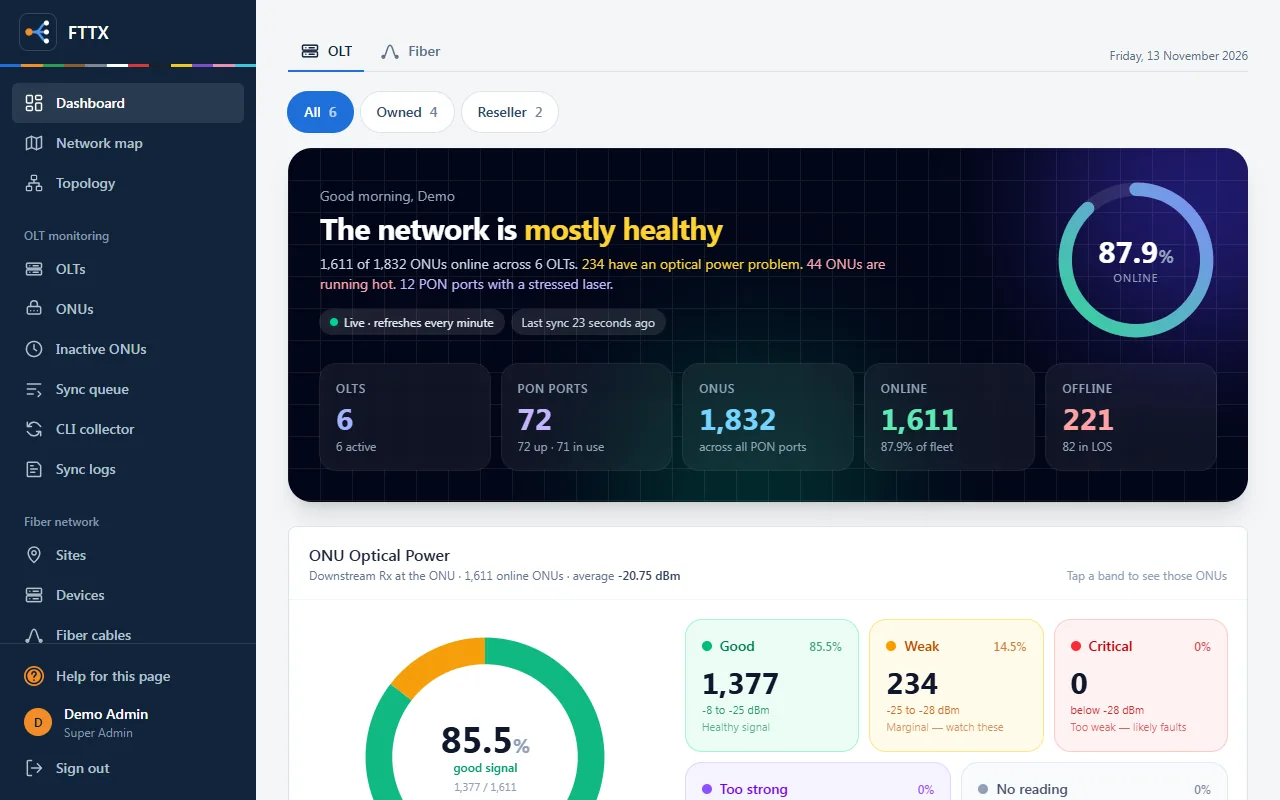
OLT dashboard
OLT dashboardNetwork state in one sentence: OLTs, PON ports, ONUs online, optical power problems
Transceiver healthHottest ONUs, PON laser bias and the OLTs down right now
Fiber dashboardCustomers by type, new connections per month, ONUs and ports in use
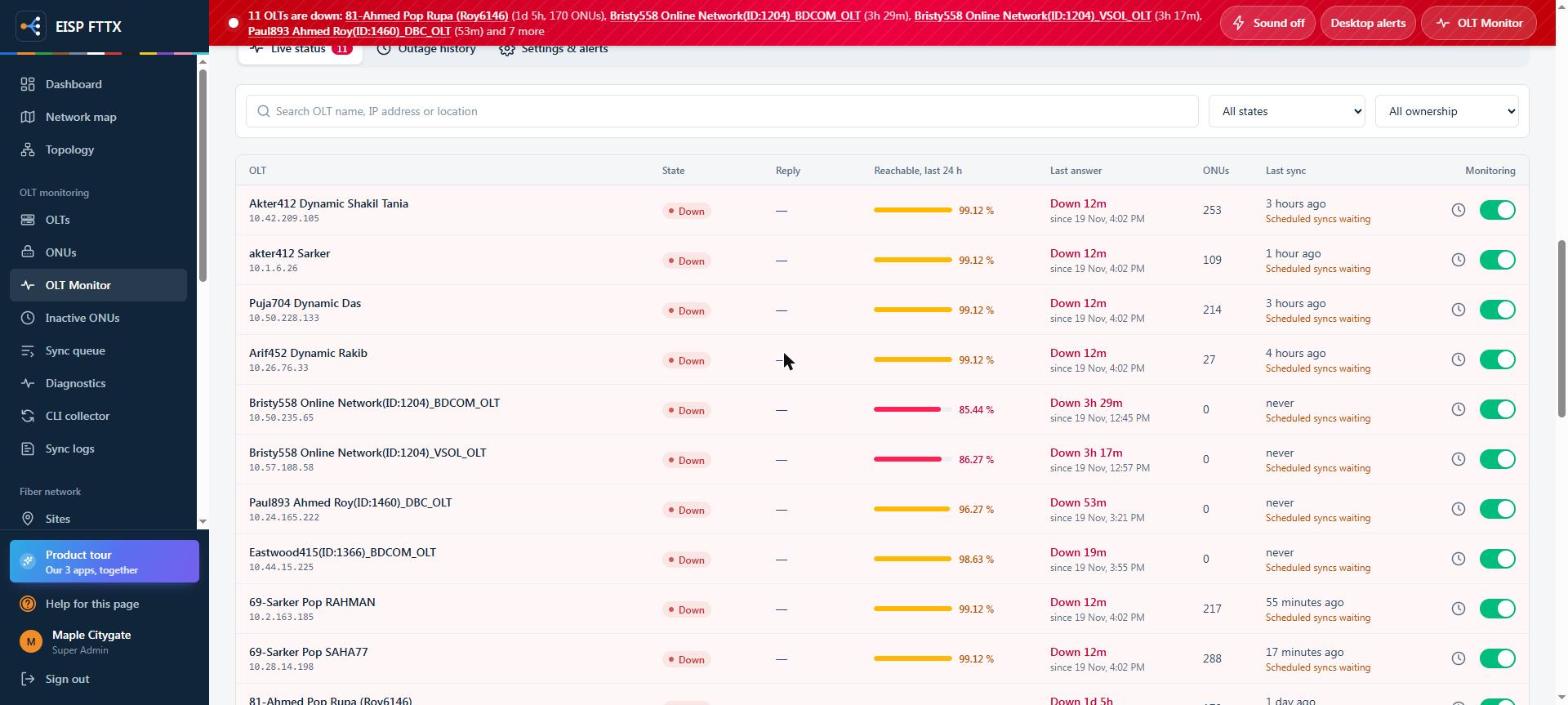
OLT MonitorEvery OLT checked each minute; down after three failed checks, with ONUs affected
Live status & history24-hour reachability, last answer and per-OLT monitoring switch
Live screens from an ISP running FTTX: every name, username, phone, IP, MAC and serial is replaced. Click a screen to zoom, then use the arrows.
FTTX OLTs
Every OLT brand, read the same way.
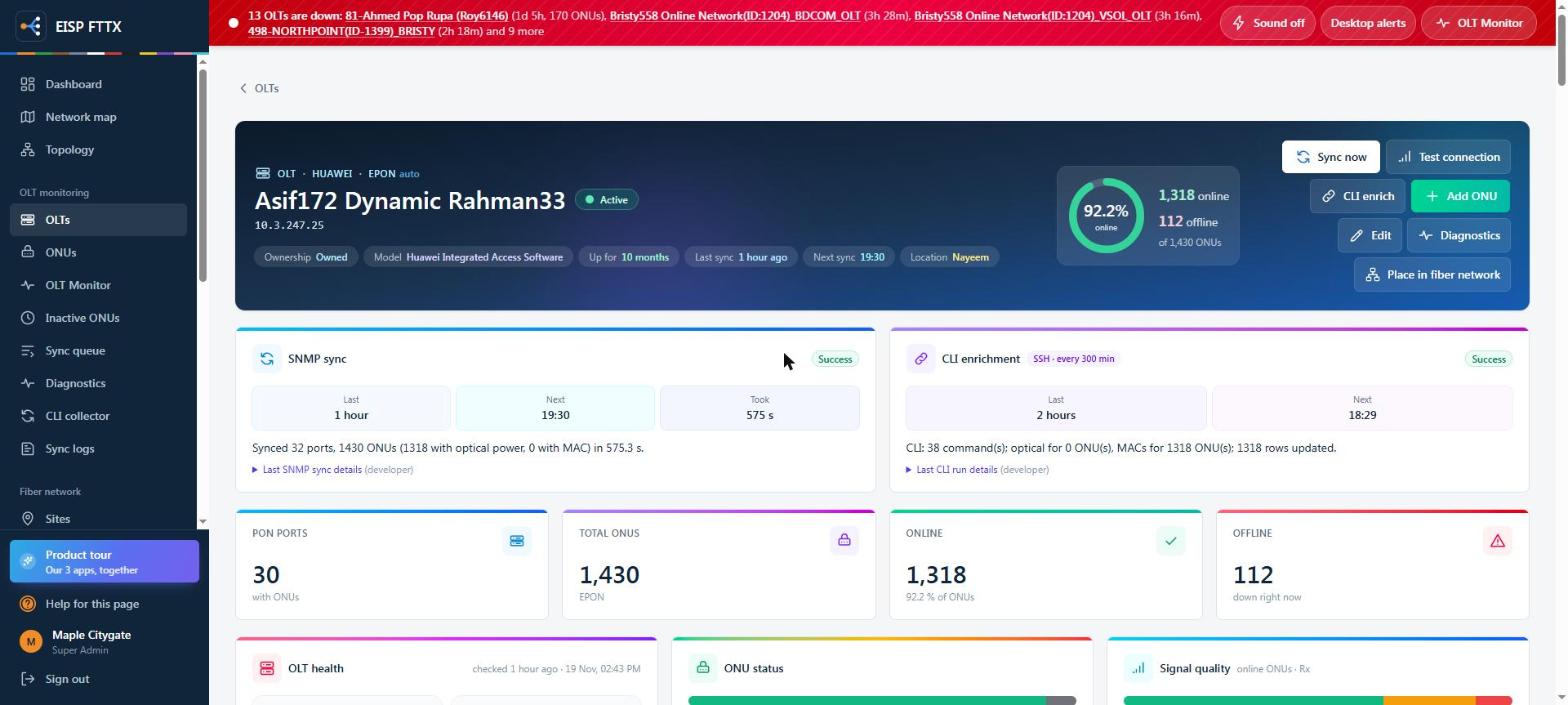
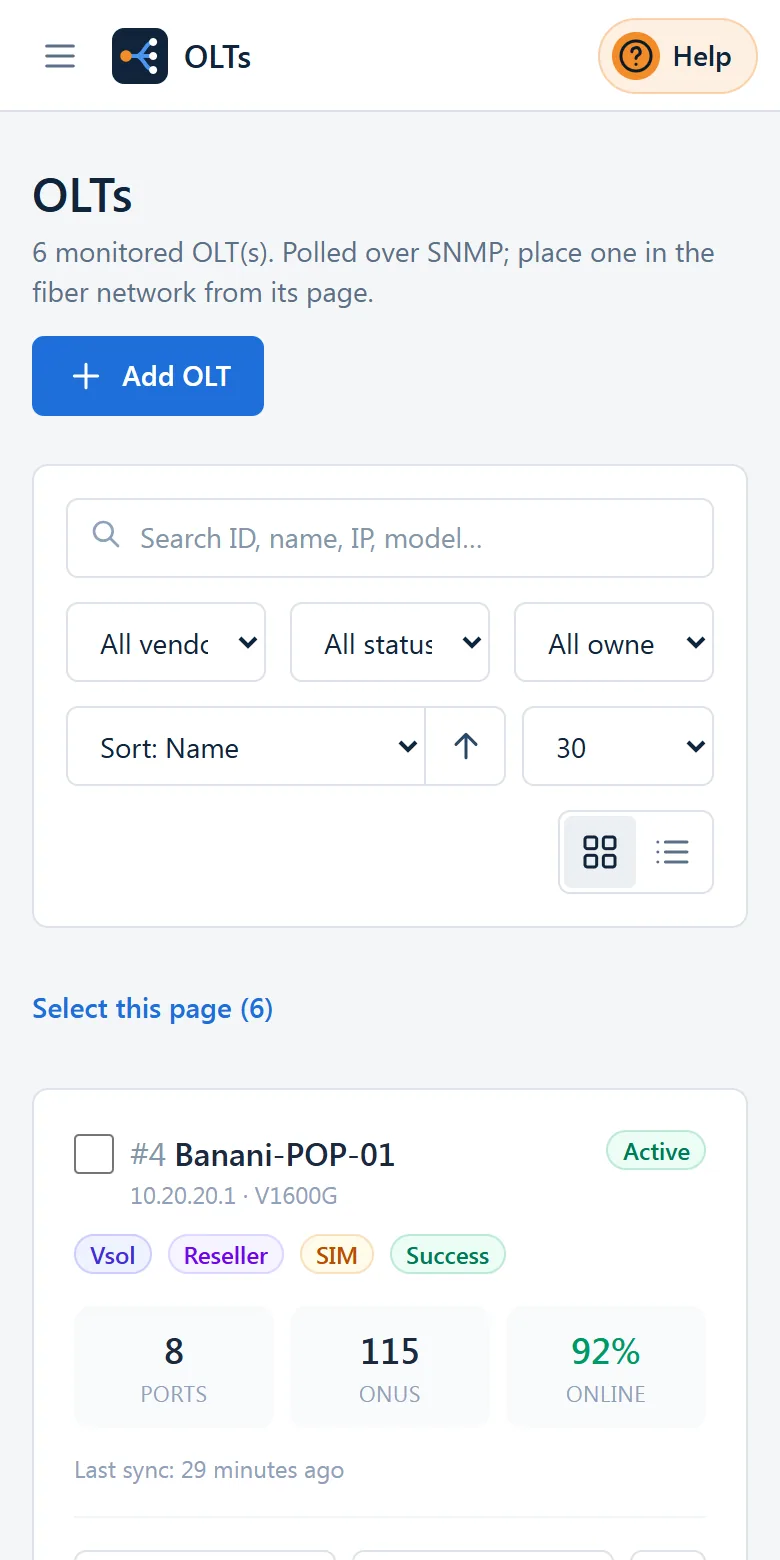
Huawei, ZTE, BDCOM, VSOL, C-Data, HSGQ and more over SNMP, enriched over SSH / Telnet. One page per OLT: health, every PON port, every ONU.
OLTsAdd OLTTest connectionCLI enrichSync now
OLT page
OLT pageVendor, PON type, model, uptime, SNMP sync and CLI enrichment with their last result
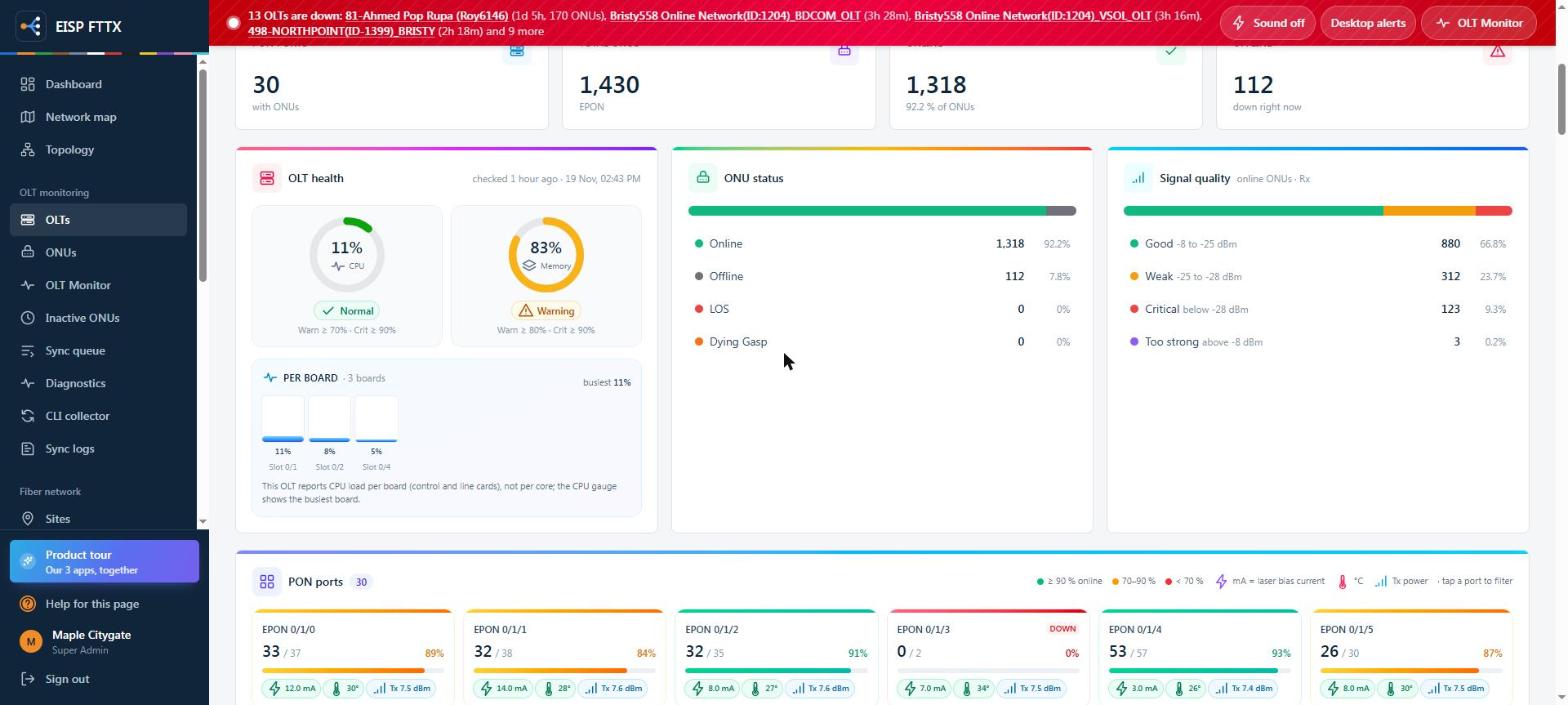
OLT healthCPU per board, memory, ONU status and signal quality of the online ONUs
PON portsOnline / total per port, laser bias, temperature and Tx power at a glance
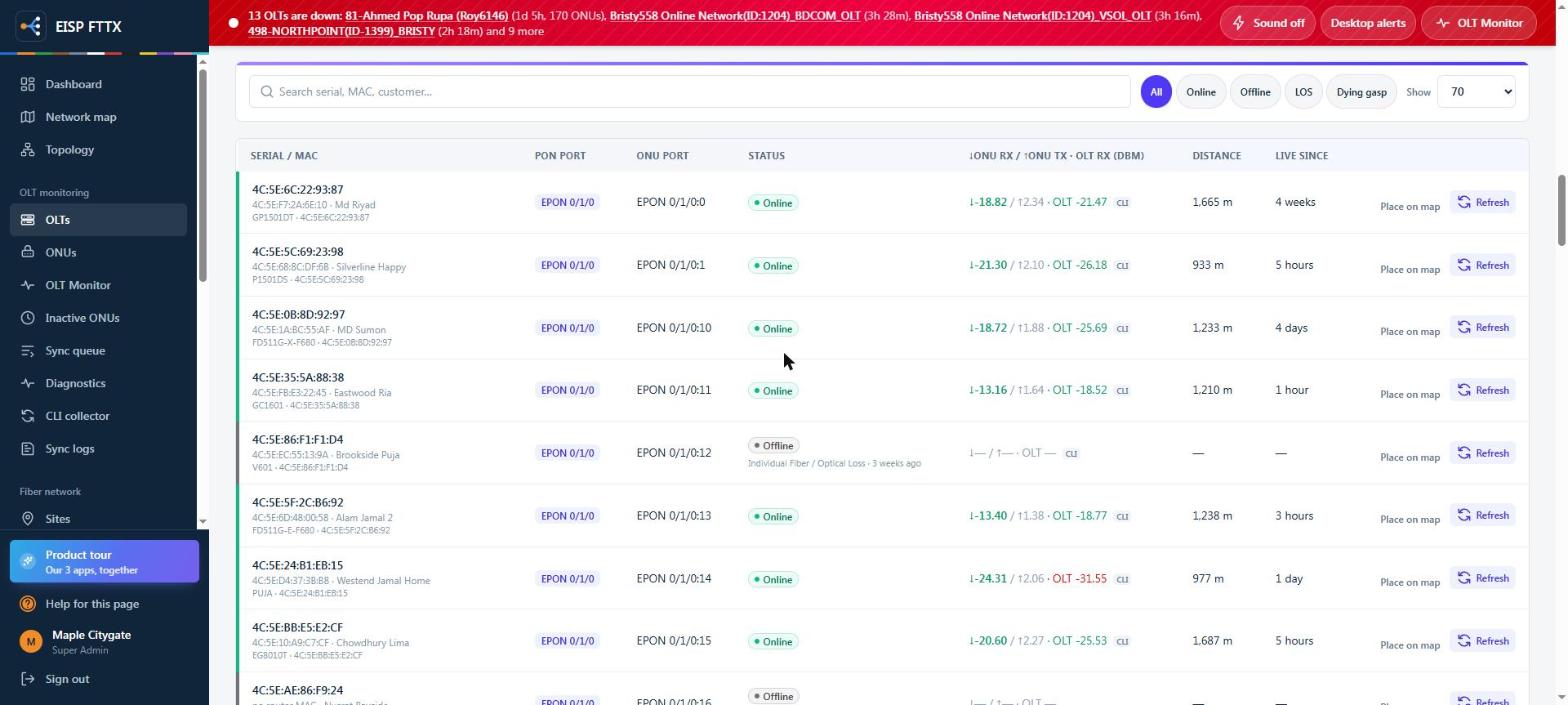
ONUs of the OLTSerial / MAC, port, live Rx / Tx / OLT Rx, distance, refresh one ONU
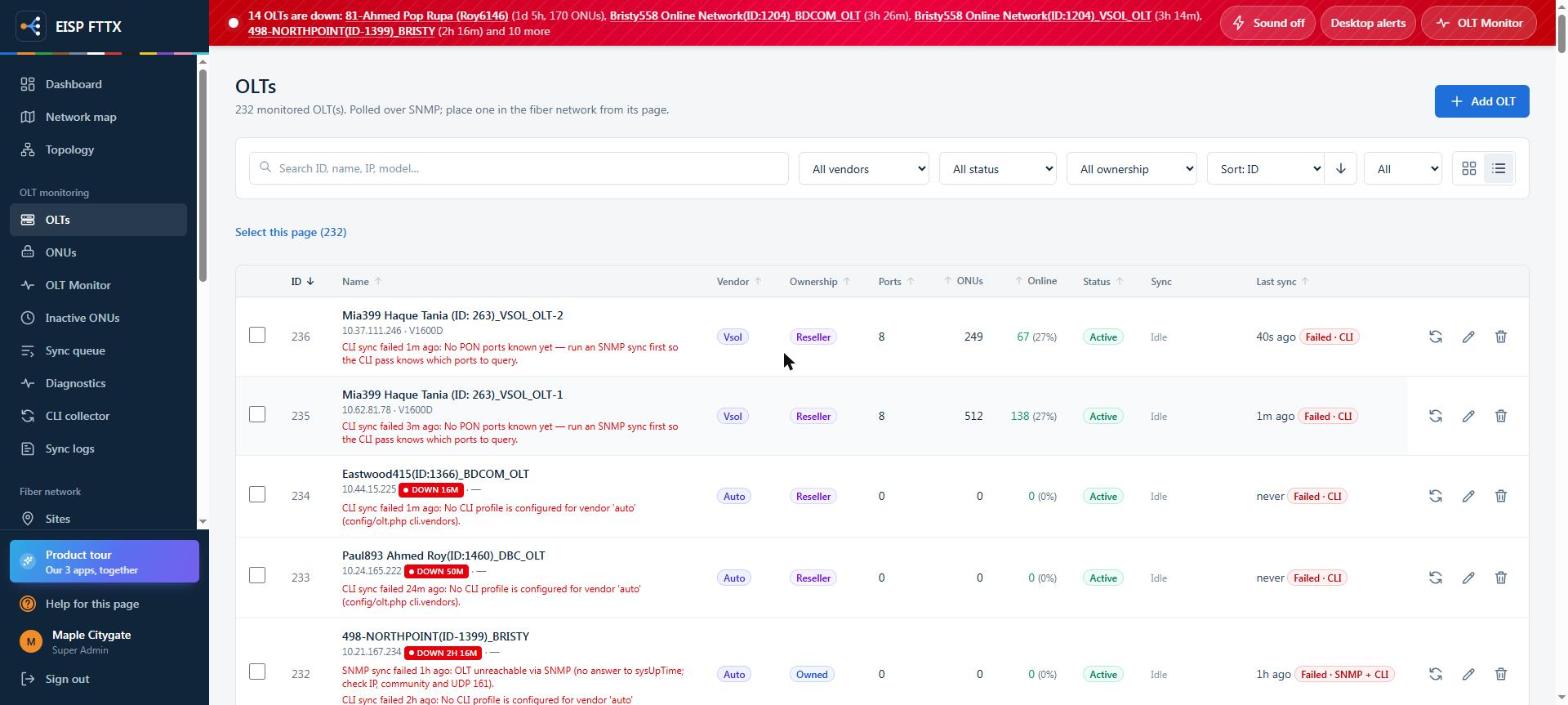
All OLTsVendor, ownership, ports, ONUs online and the last sync, with errors in plain words
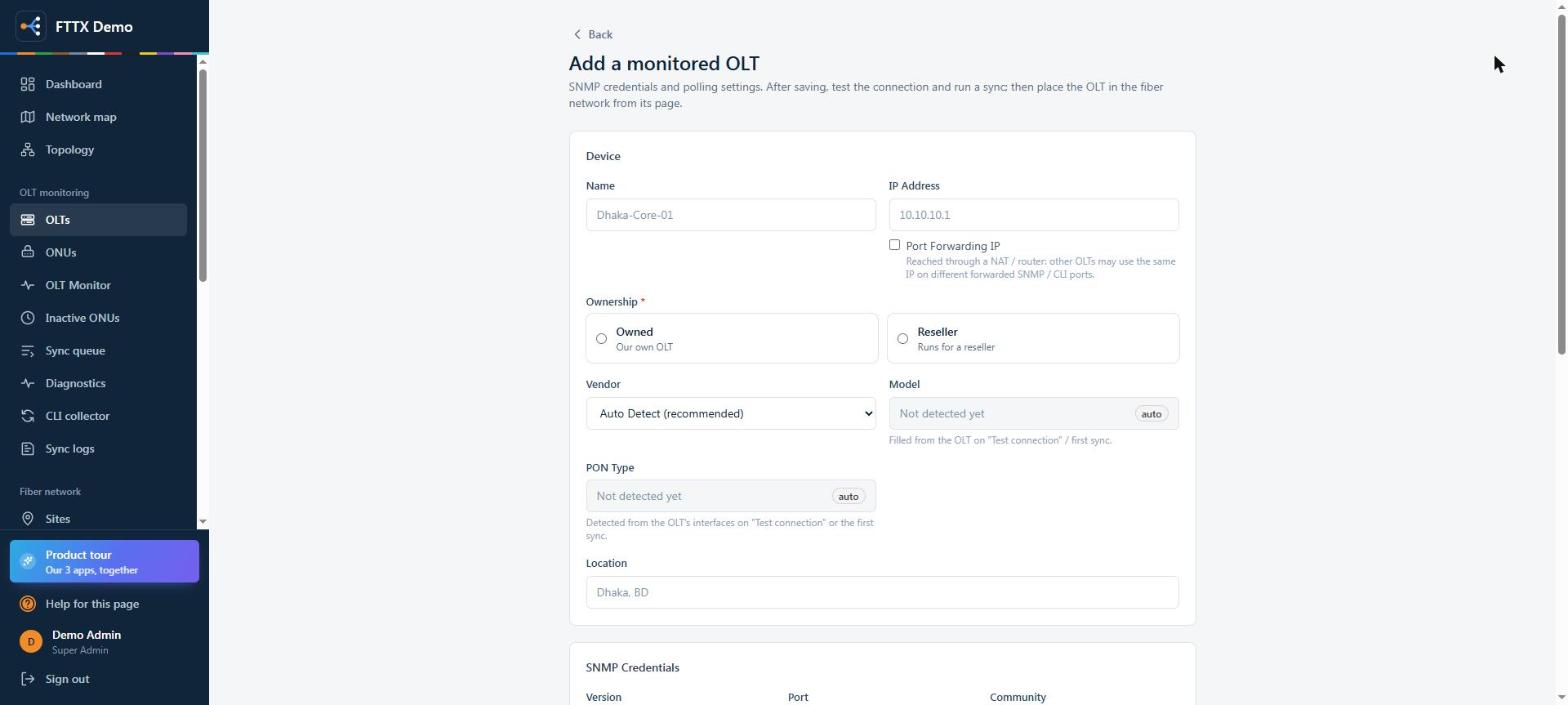
Add an OLTName, IP, ownership; vendor, model and PON type are detected automatically
Live screens from an ISP running FTTX: every name, username, phone, IP, MAC and serial is replaced. The Add OLT form is from the demo server. Click a screen to zoom, then use the arrows.
FTTX ONUs & customers
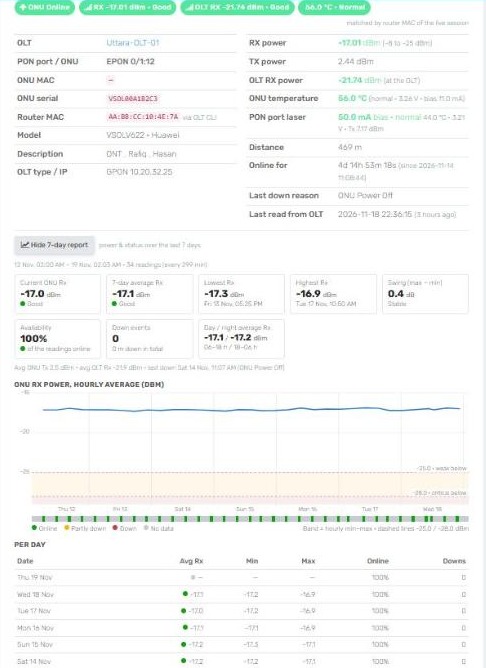
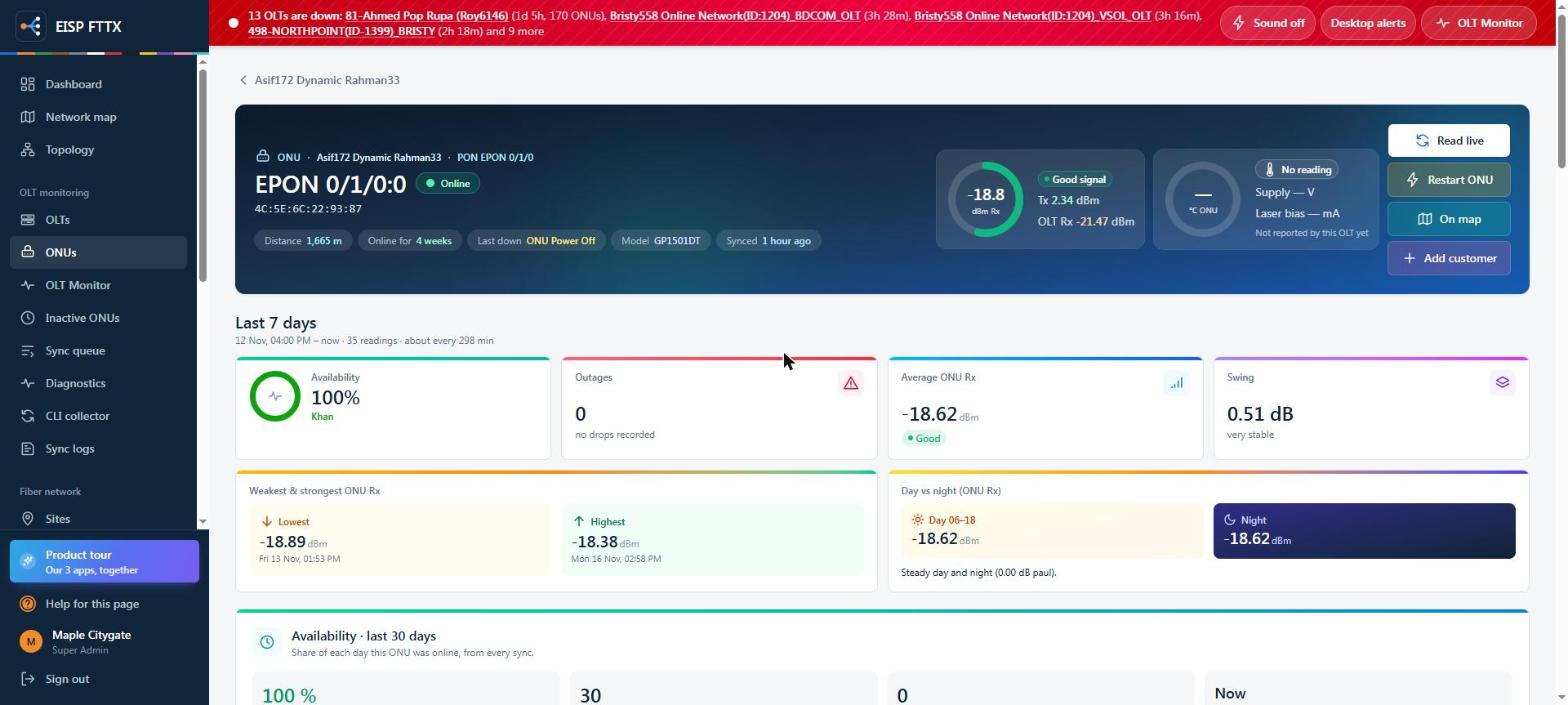
Every ONU, with seven days of history.
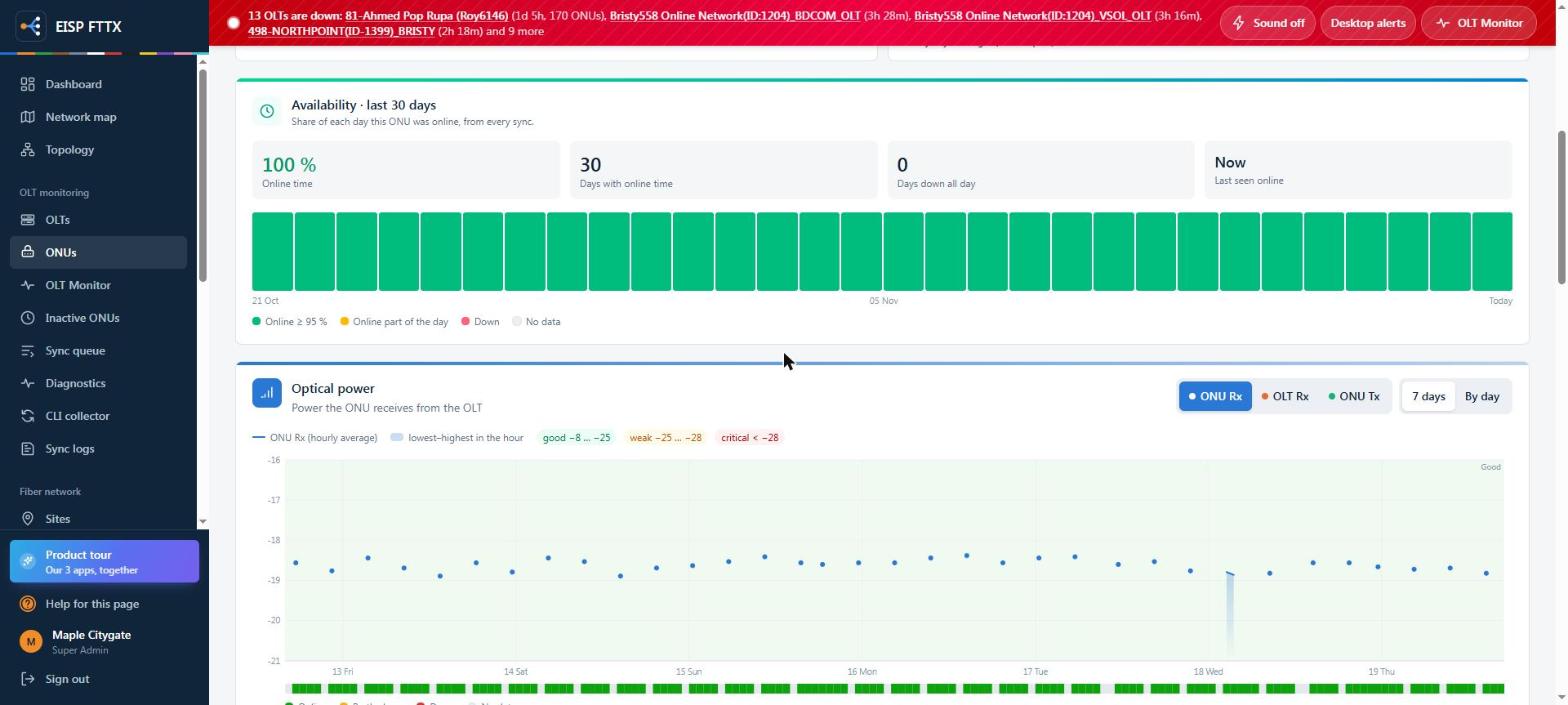
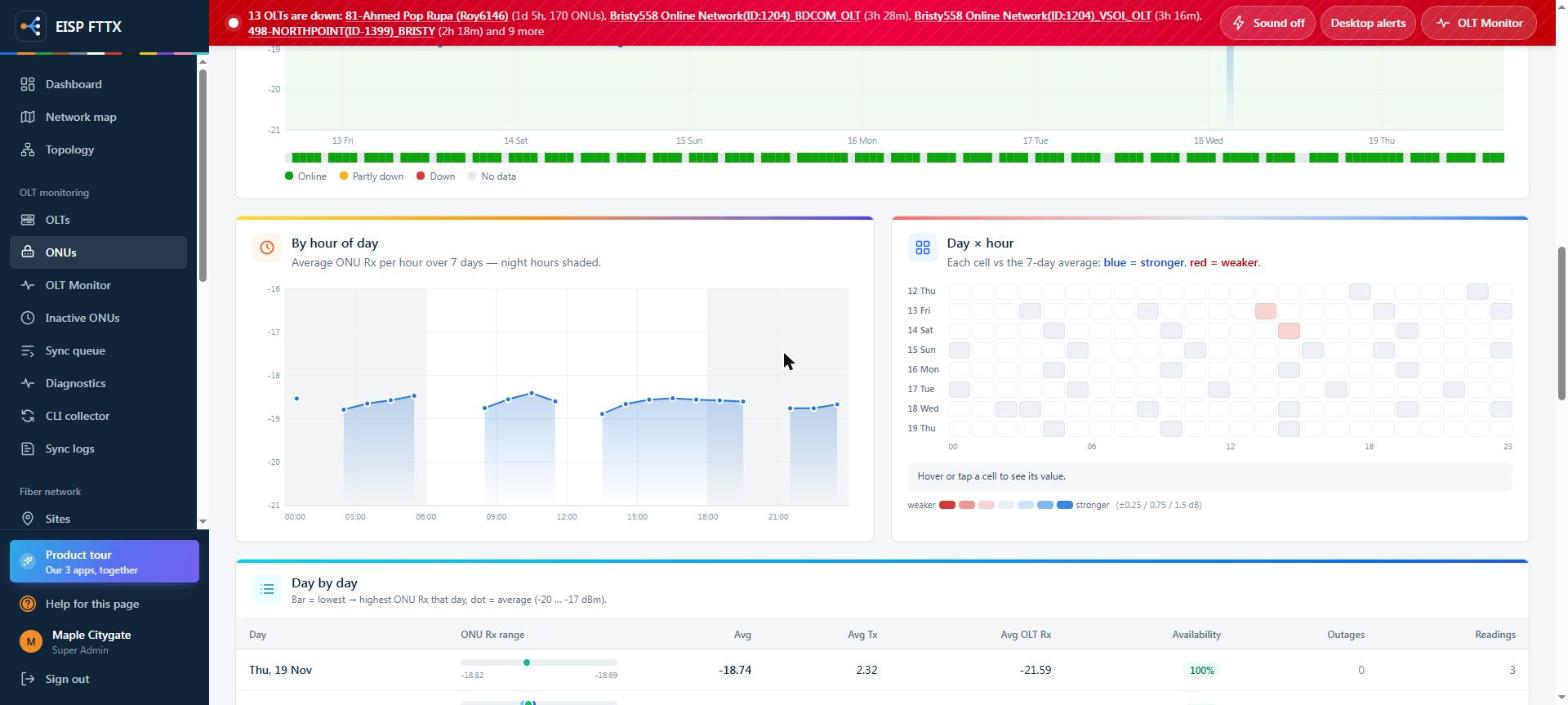
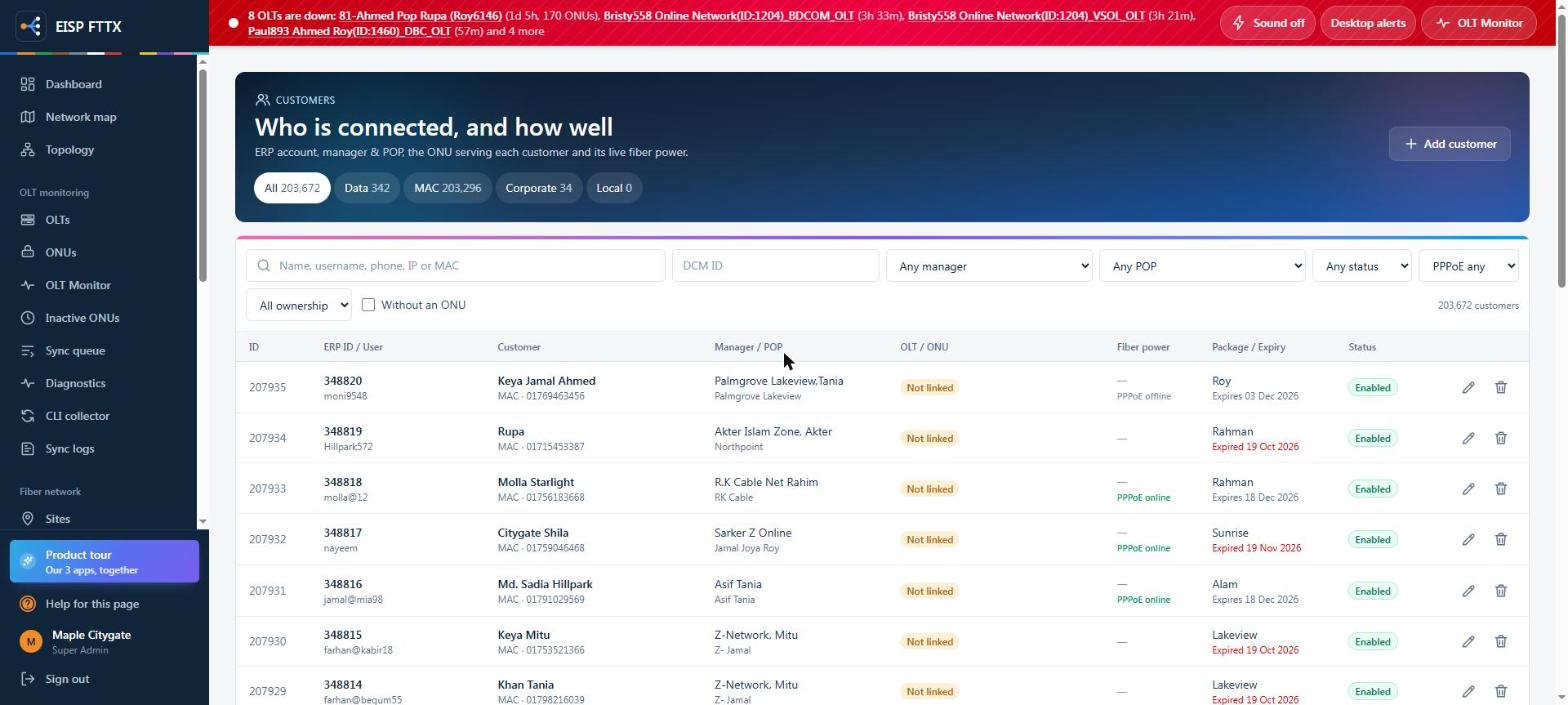
Live optical power, why it last went down, availability for 30 days, hourly power for 7 days and the customer it serves, matched from ERP automatically.
ONUsInactive ONUsCustomersRead liveRestart ONU
ONU page
ONU pageRx / Tx / OLT Rx, distance, online time, last down reason; read live or restart
30-day availabilityOne bar per day, plus the 7-day optical power chart
By hour of dayNight vs day power and a day × hour heat map that shows a failing link
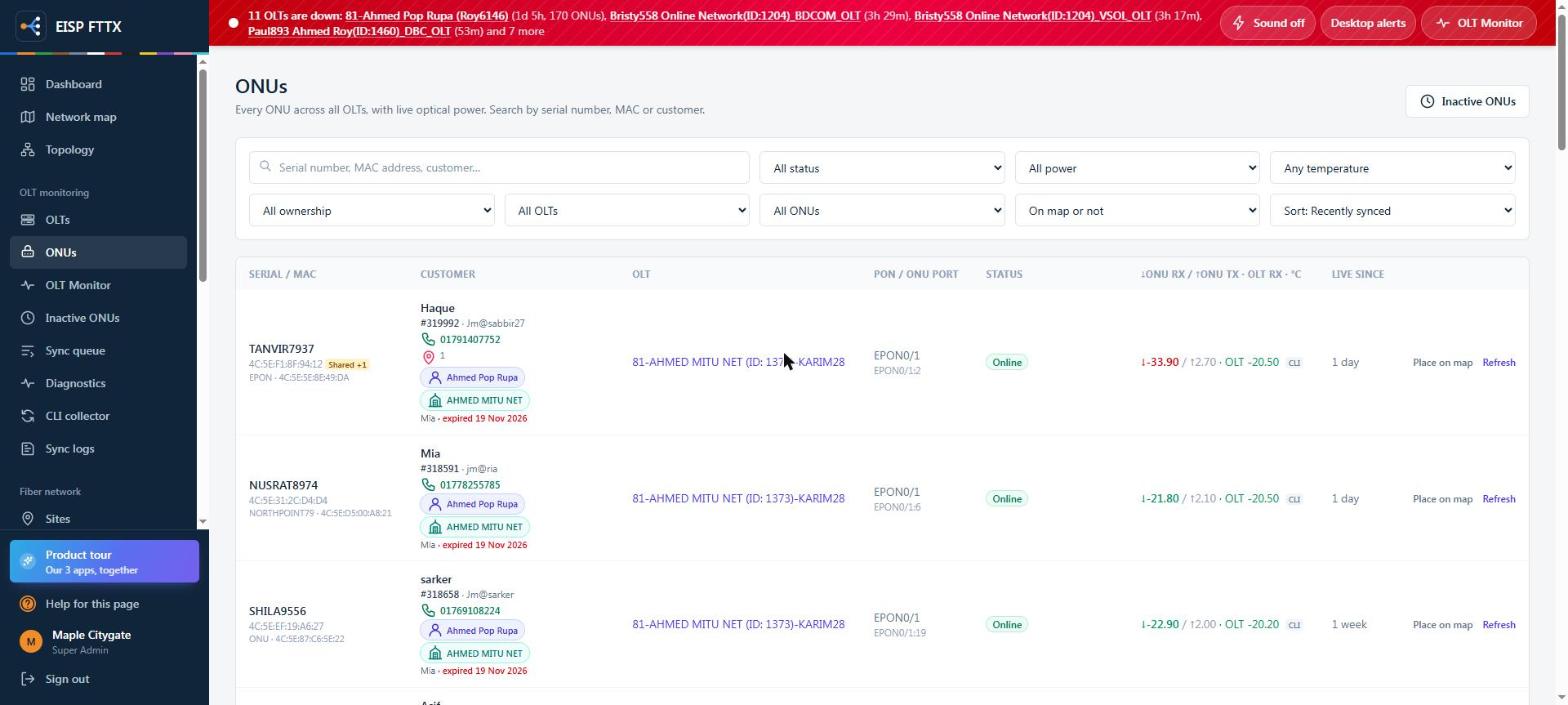
All ONUsCustomer, ERP id, manager and POP, OLT, port and live power in one row
Inactive ONUsDown 1 to 30+ days with a 30-day strip; delete the dead ones on the OLT
CustomersERP account, manager and POP, ONU and fiber power of every customer
Live screens from an ISP running FTTX: every name, username, phone, IP, MAC and serial is replaced. Click a screen to zoom, then use the arrows.
FTTX Fiber plant
Draw the network once. Trace any fault in seconds.
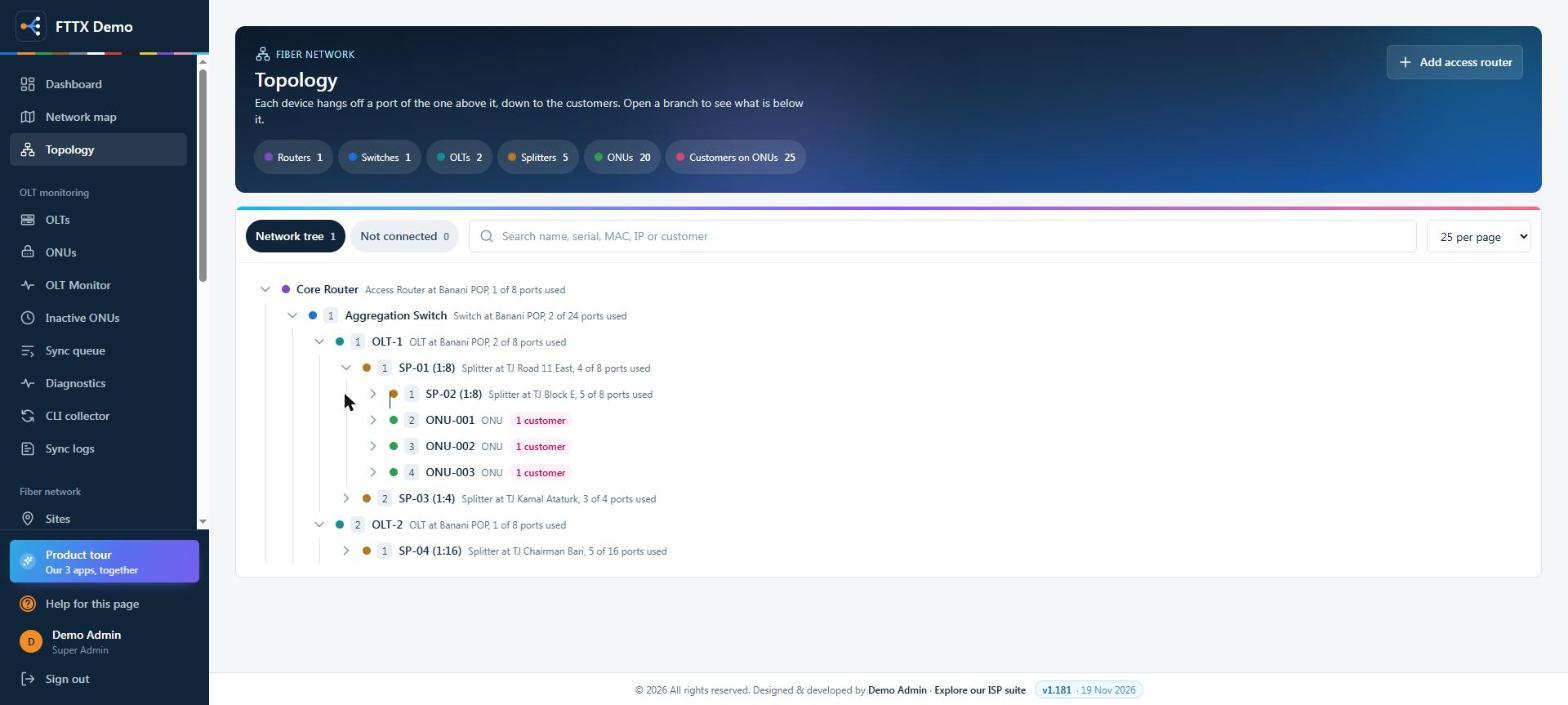
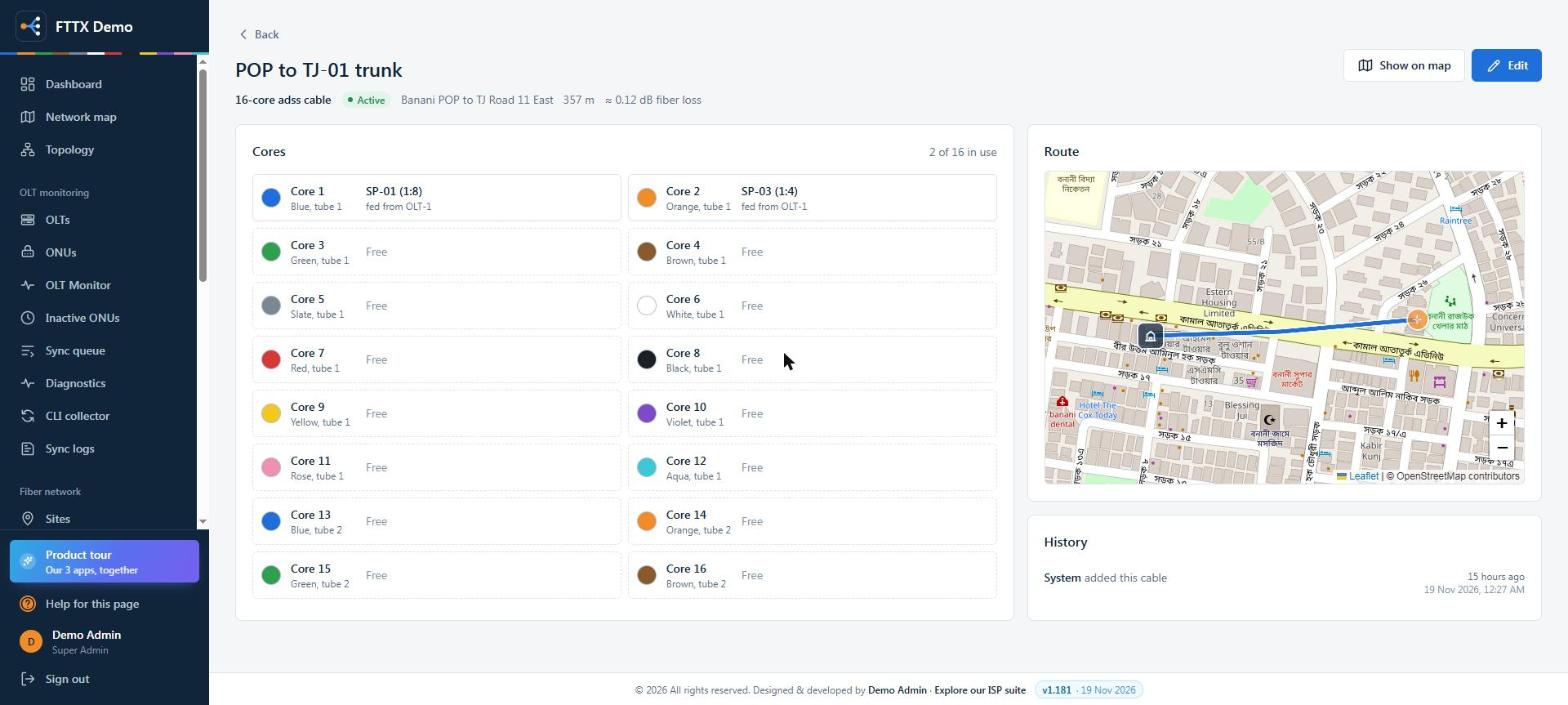
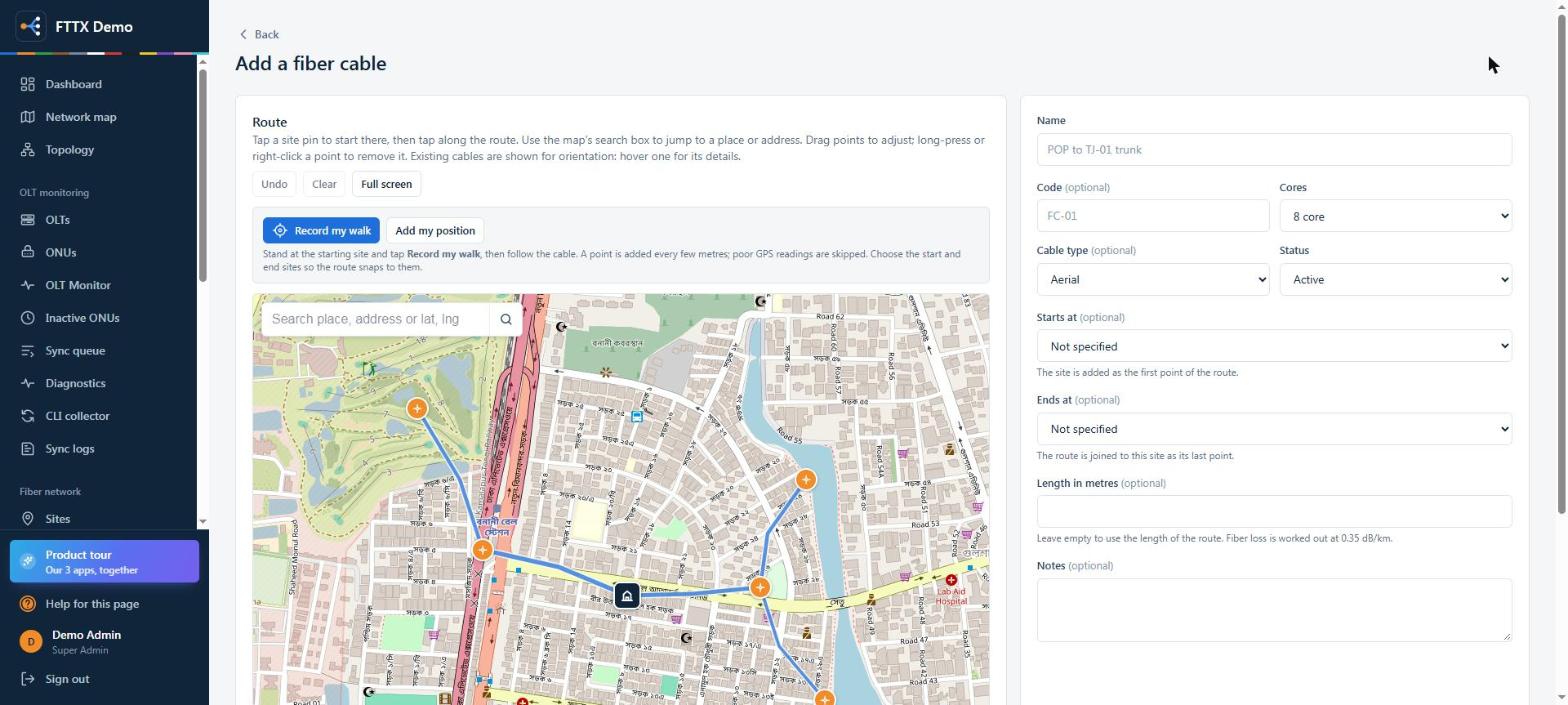
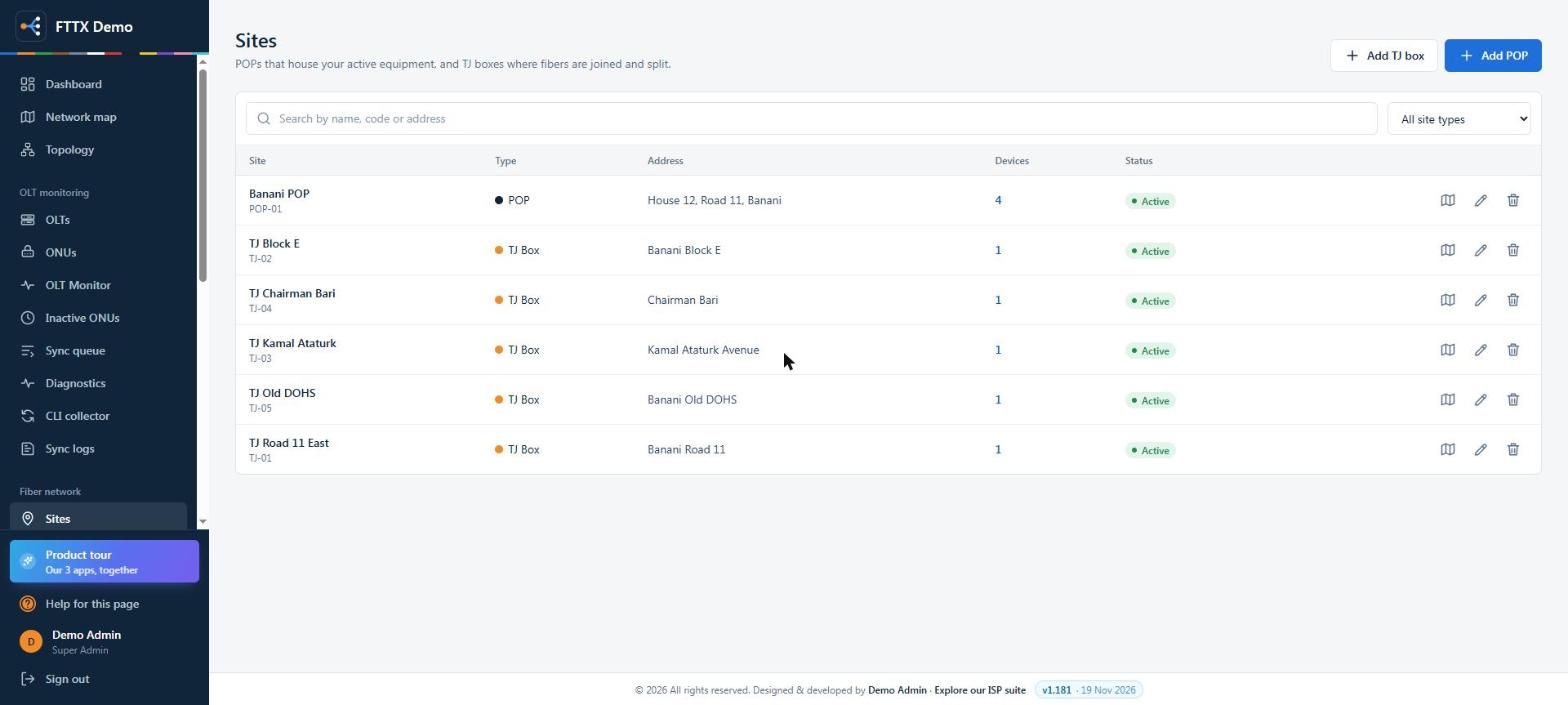
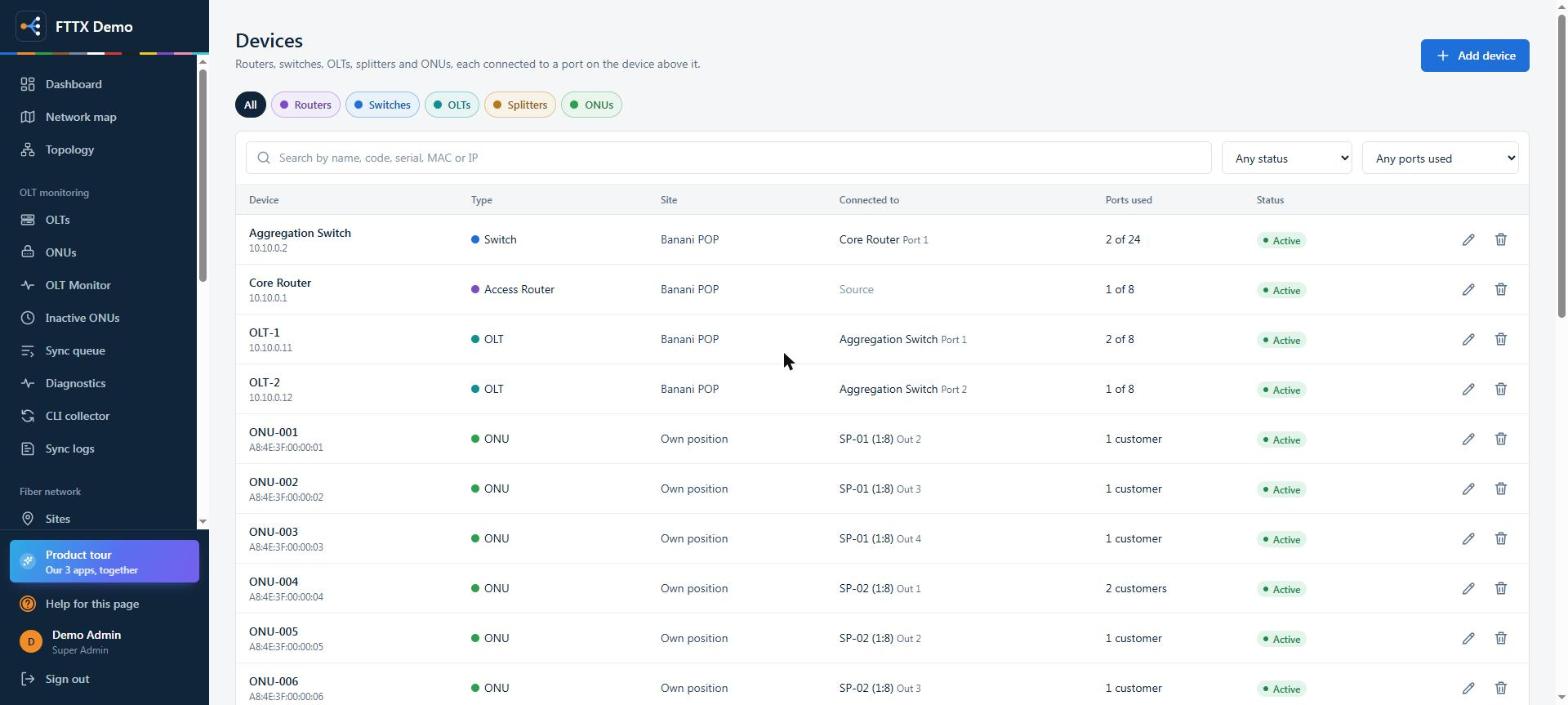
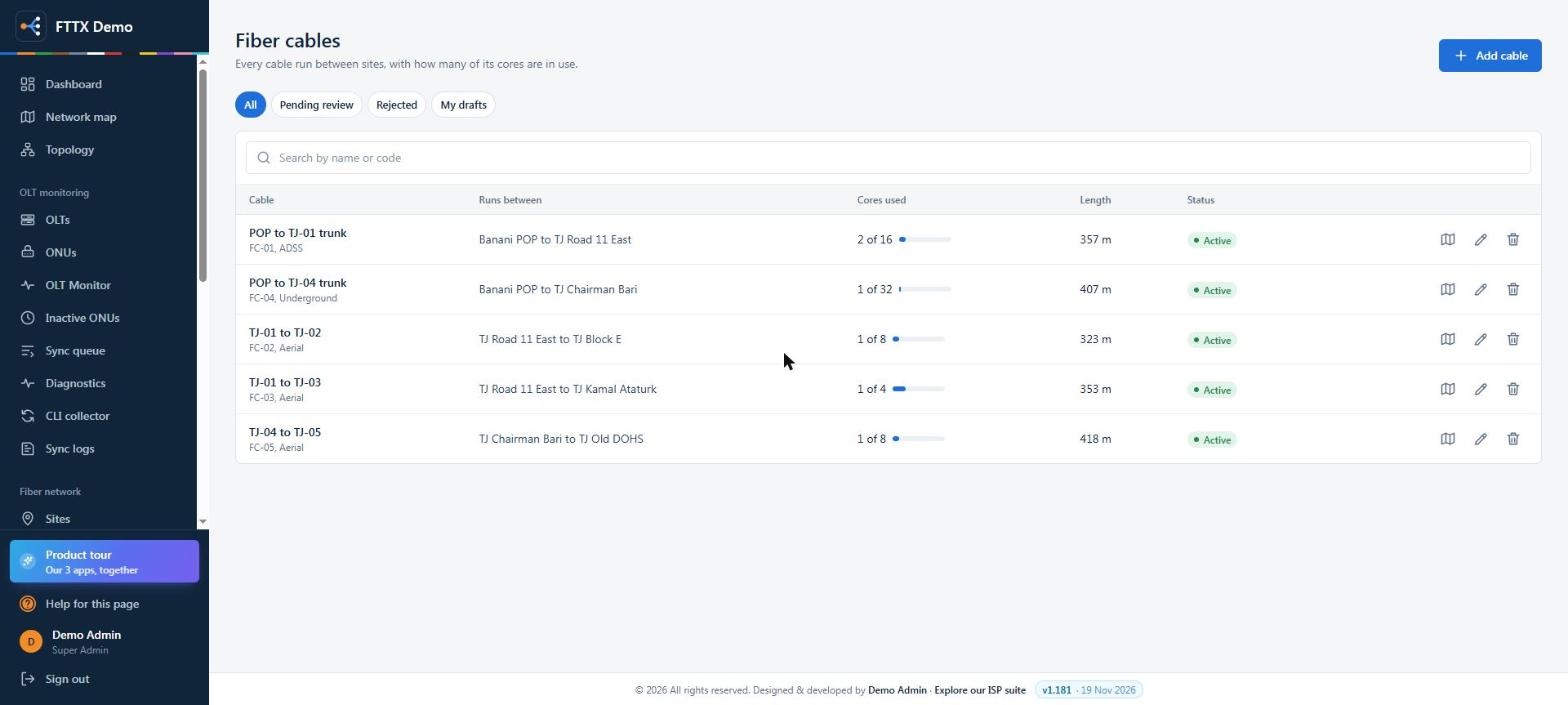
POPs, TJ boxes, cables with every core, splitters and ONUs on a live map, joined into one tree from the core router down to each customer.
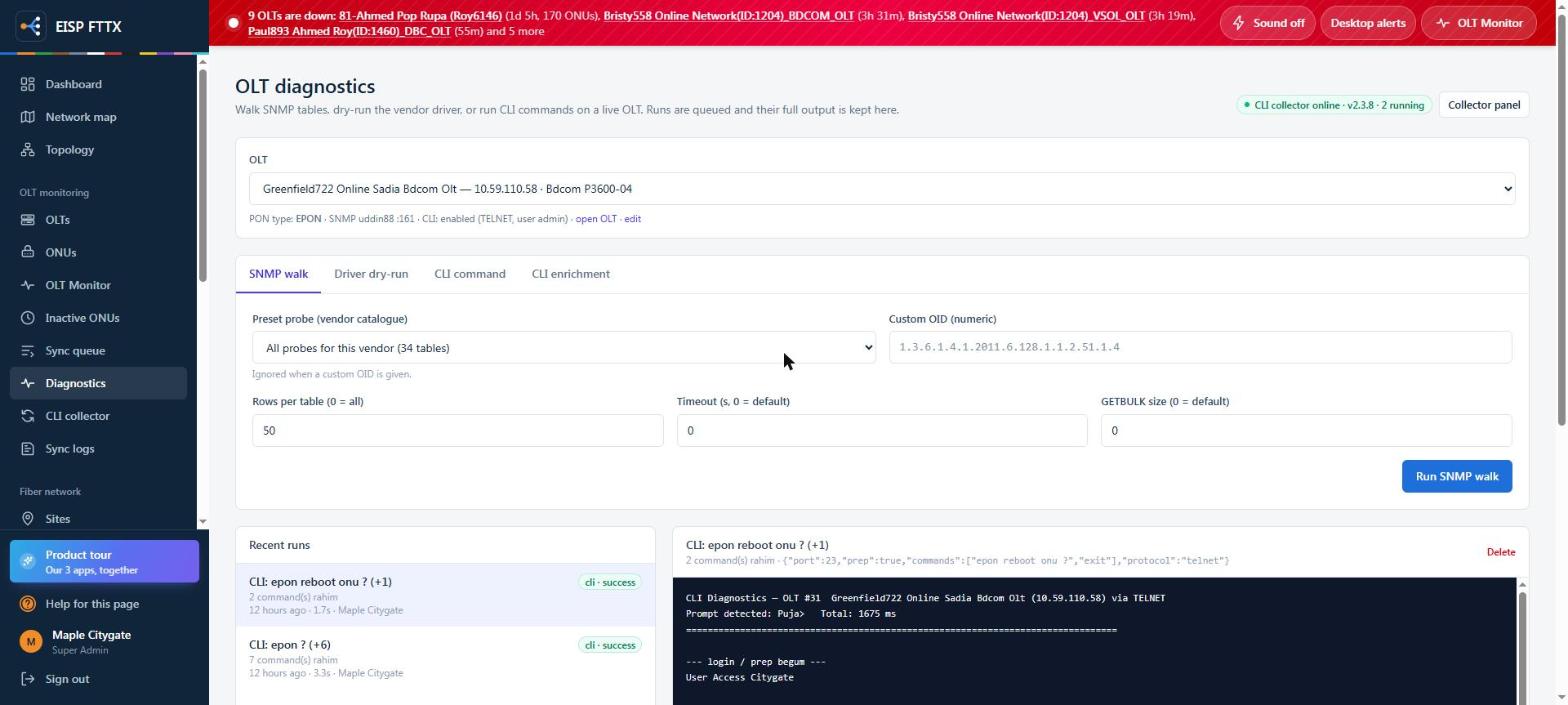
OLT diagnosticsSNMP walk, driver dry-run and CLI commands on a live OLT, with the full output kept
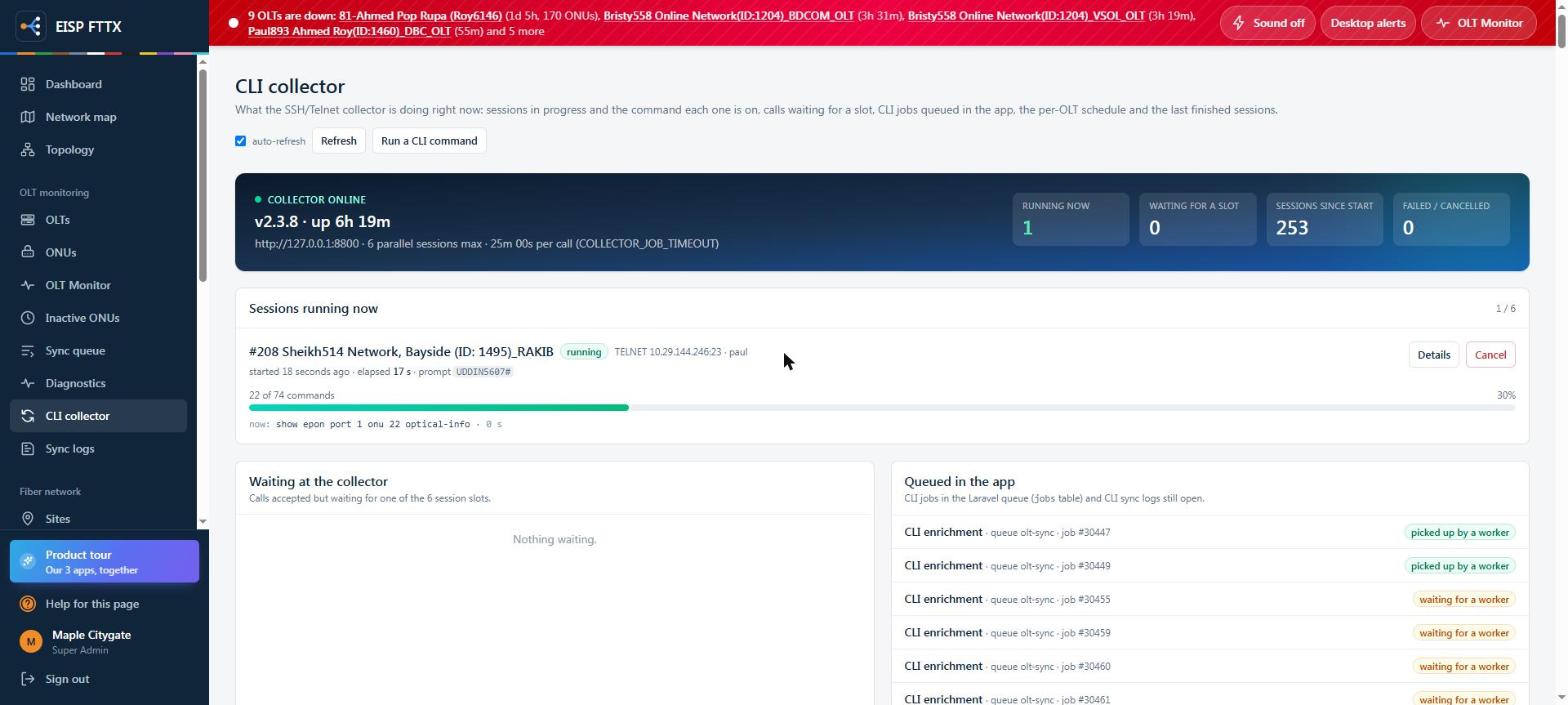
CLI collectorSessions running now and the command each one is on
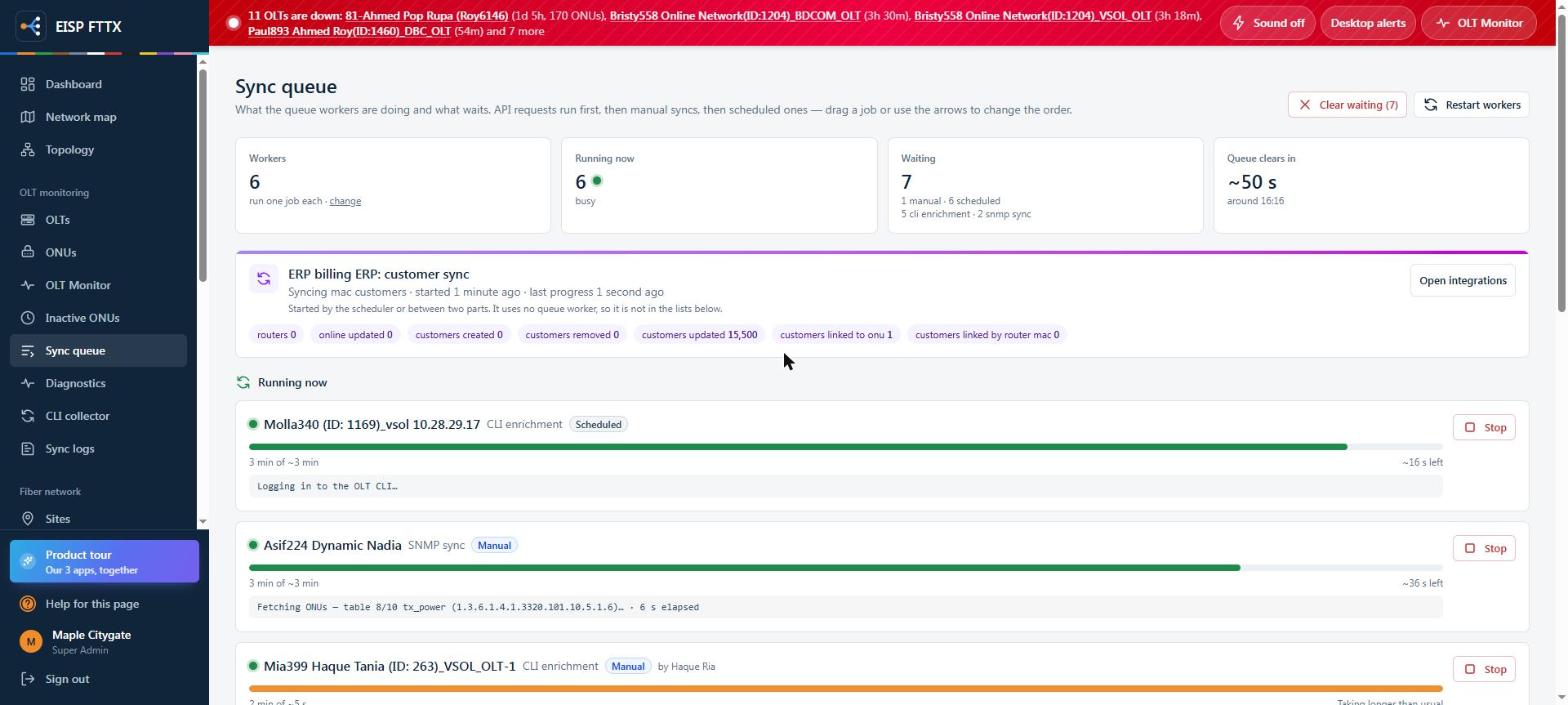
Sync queueWorkers, what runs, what waits, and the ERP customer sync
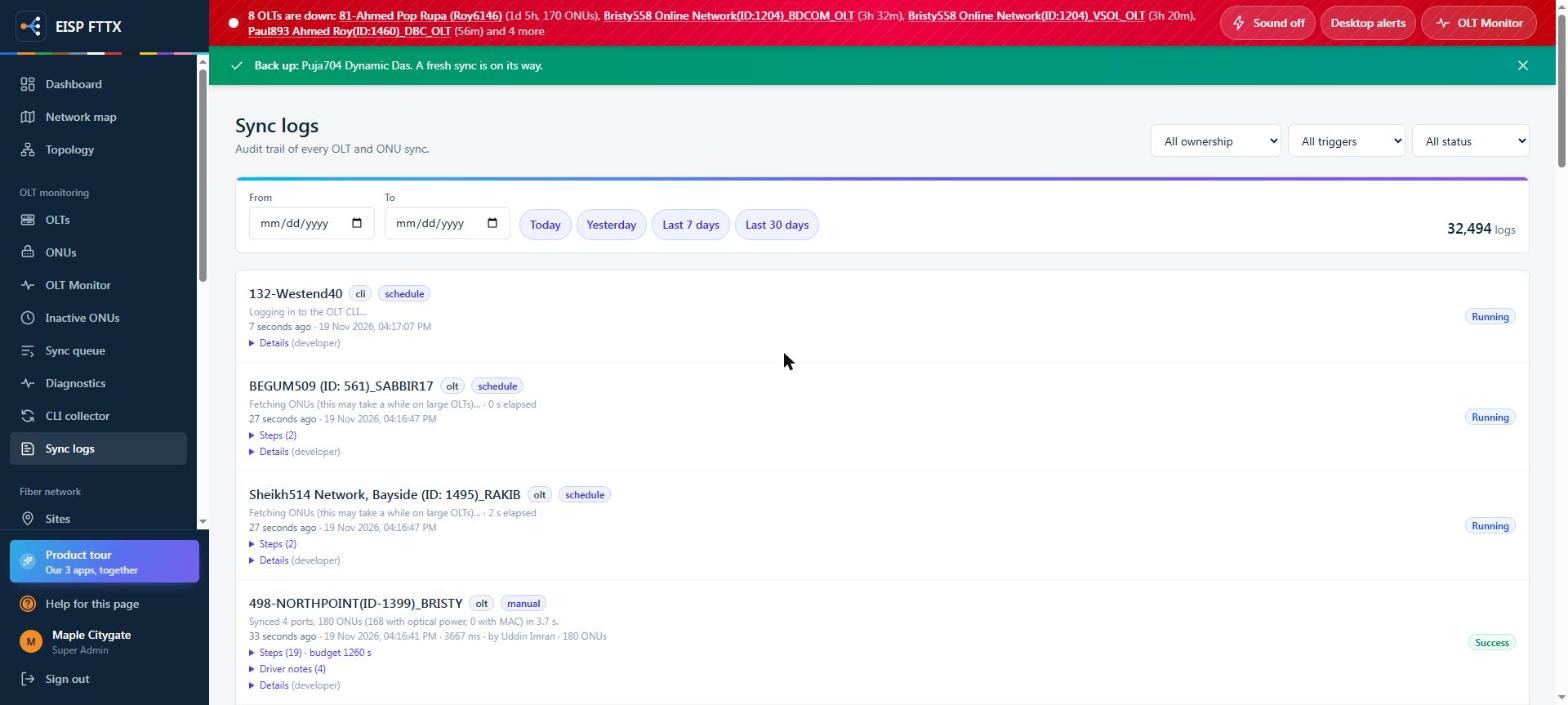
Sync logsAudit trail of every OLT and ONU sync with its steps
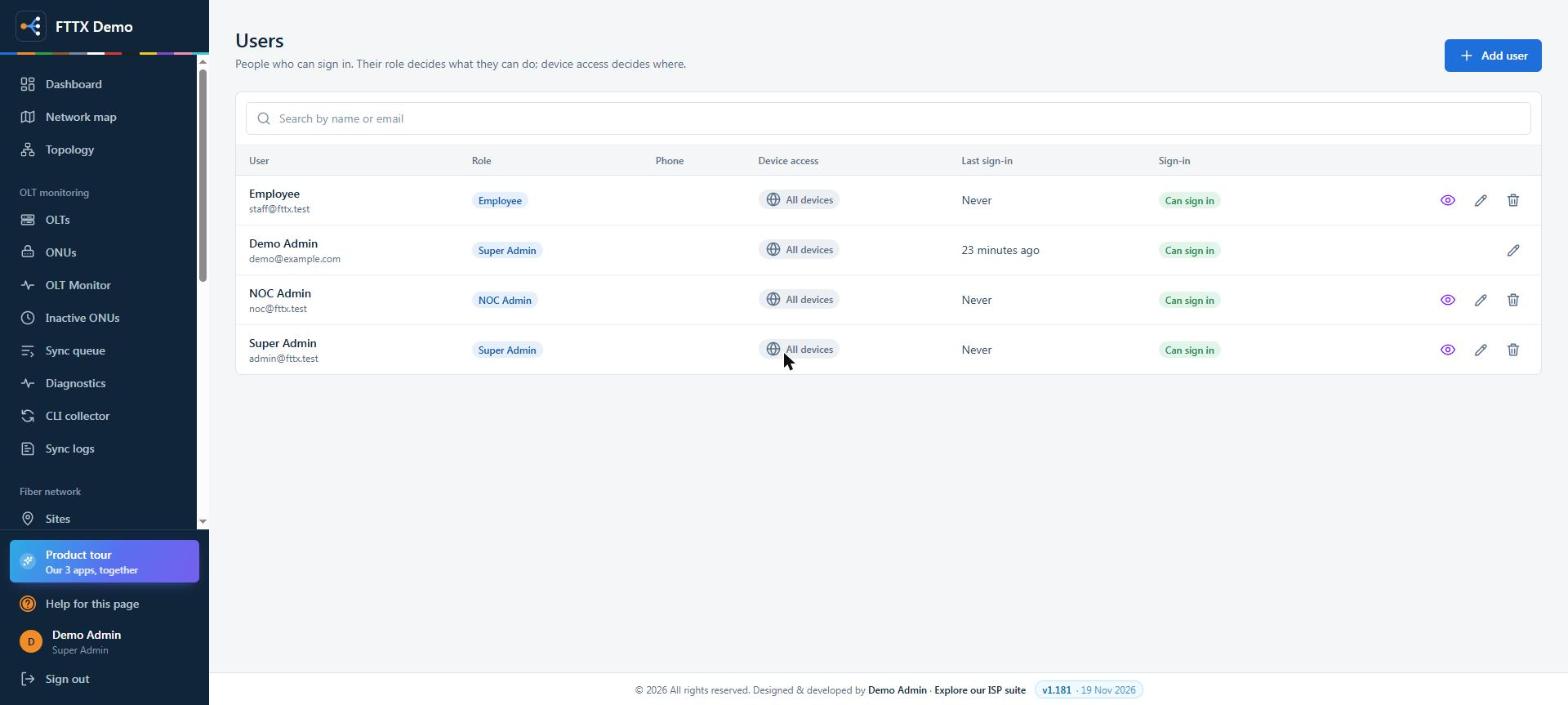
UsersRole and device access per person
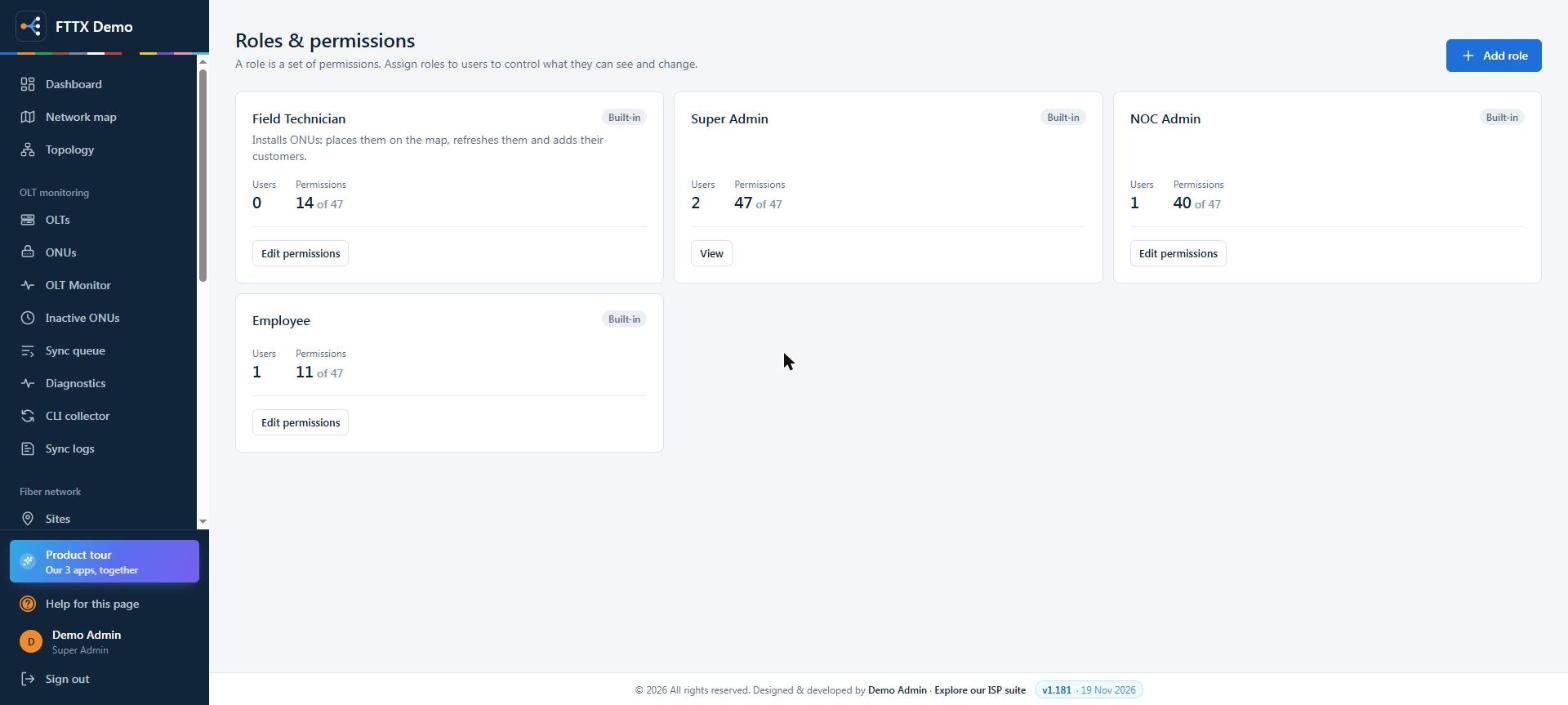
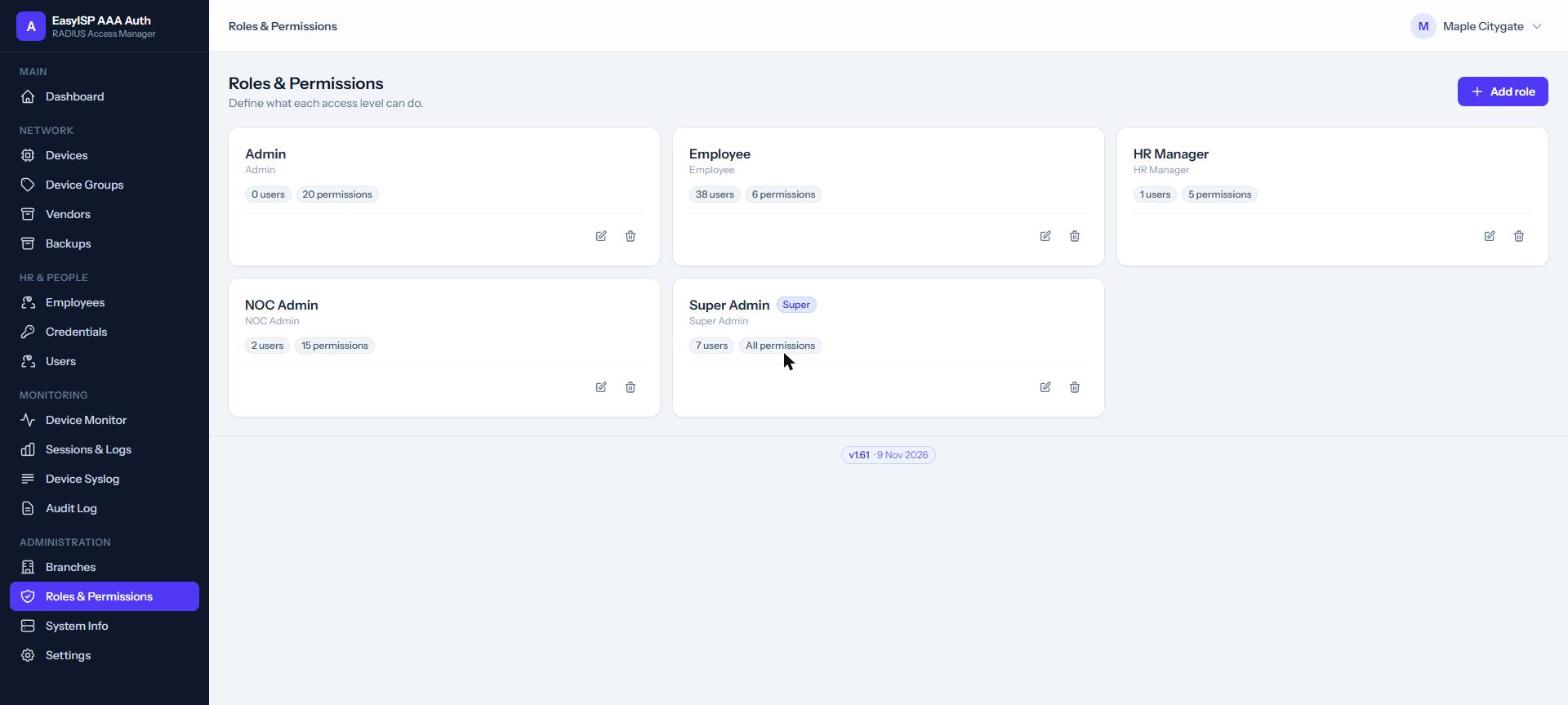
Roles & permissionsSuper Admin, NOC Admin, Field Technician, Employee or your own
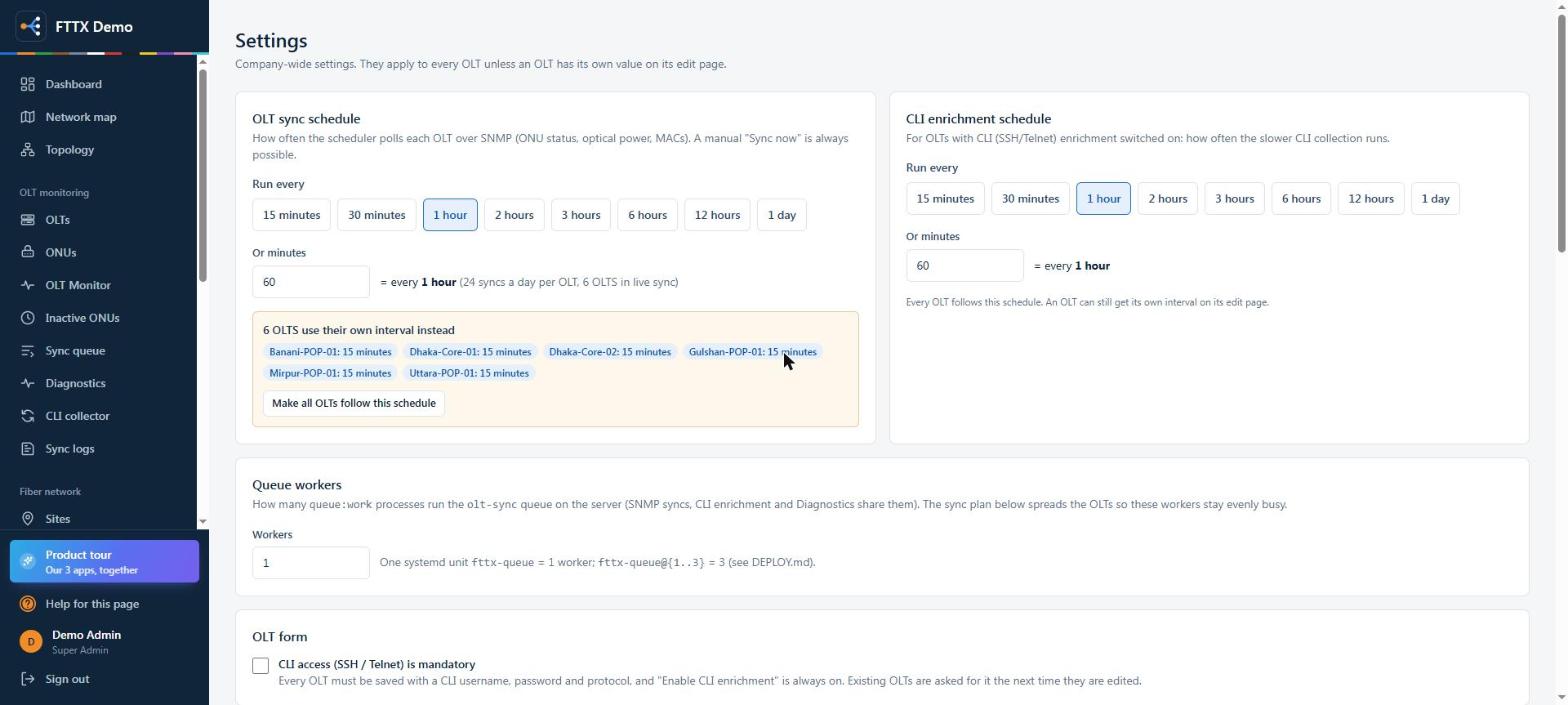
SettingsSync and CLI schedules, workers and OLT form rules
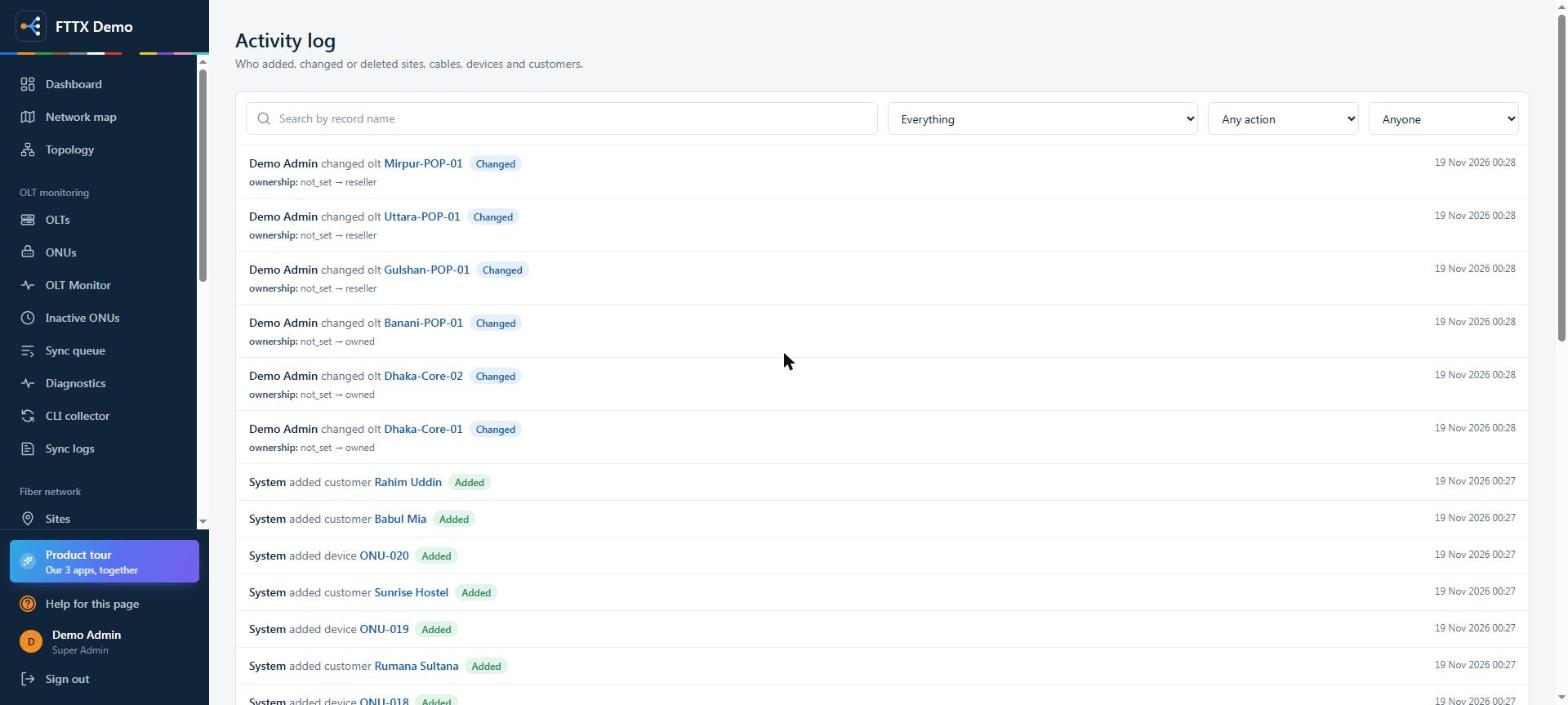
Activity logWho added, changed or deleted sites, cables, devices and customers
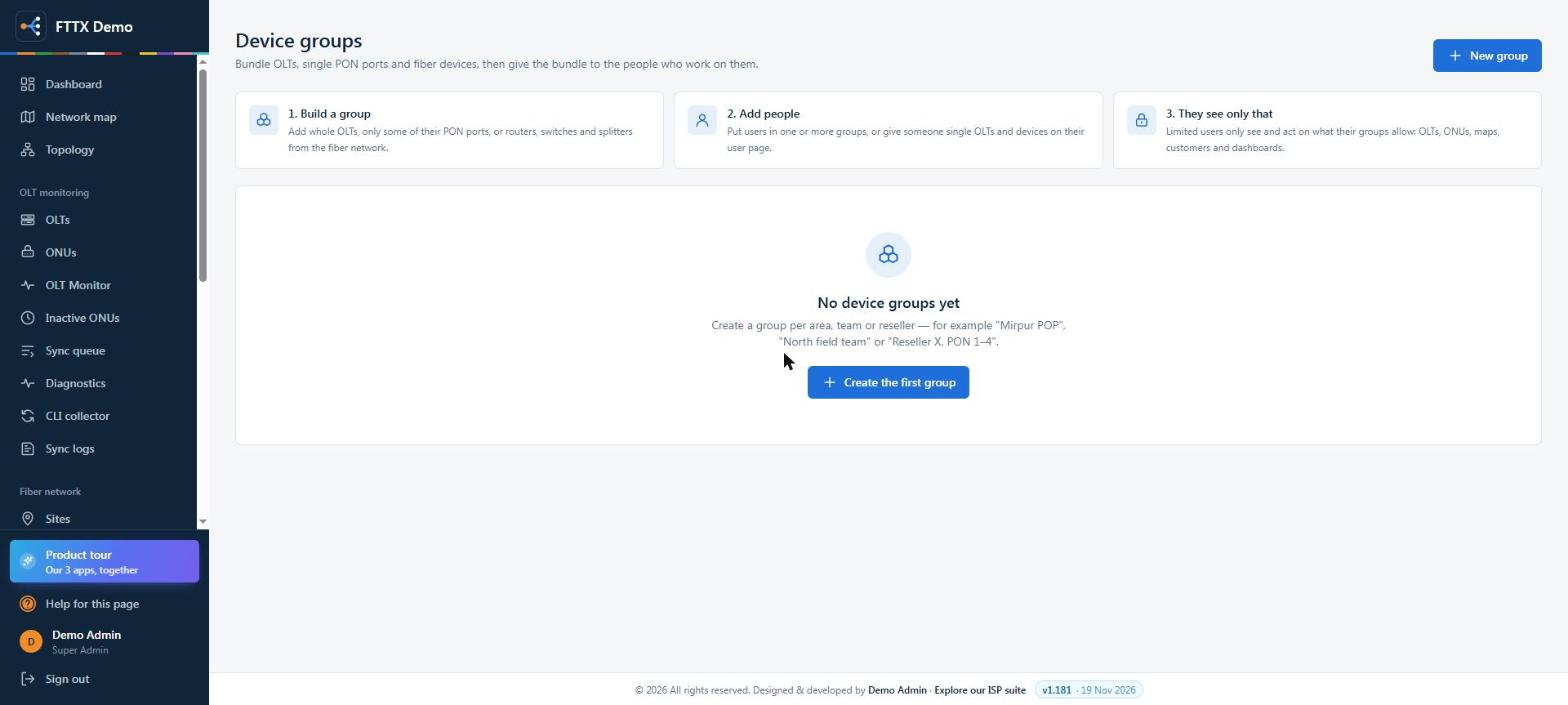
Device groupsGive a team or reseller only their OLTs, PON ports or fiber devices
Live screens from an ISP running FTTX: every name, username, phone, IP, MAC and serial is replaced. Users, roles, settings, activity and groups are from the demo server. Click a screen to zoom, then use the arrows.
App 3 of 3
AAA Access
Who can log in to which router, OLT or switch, at what level, until when. And a record of
everything they did.
Each employee gets their own login. You decide which devices or groups they reach and
whether they can read, change or fully control them.
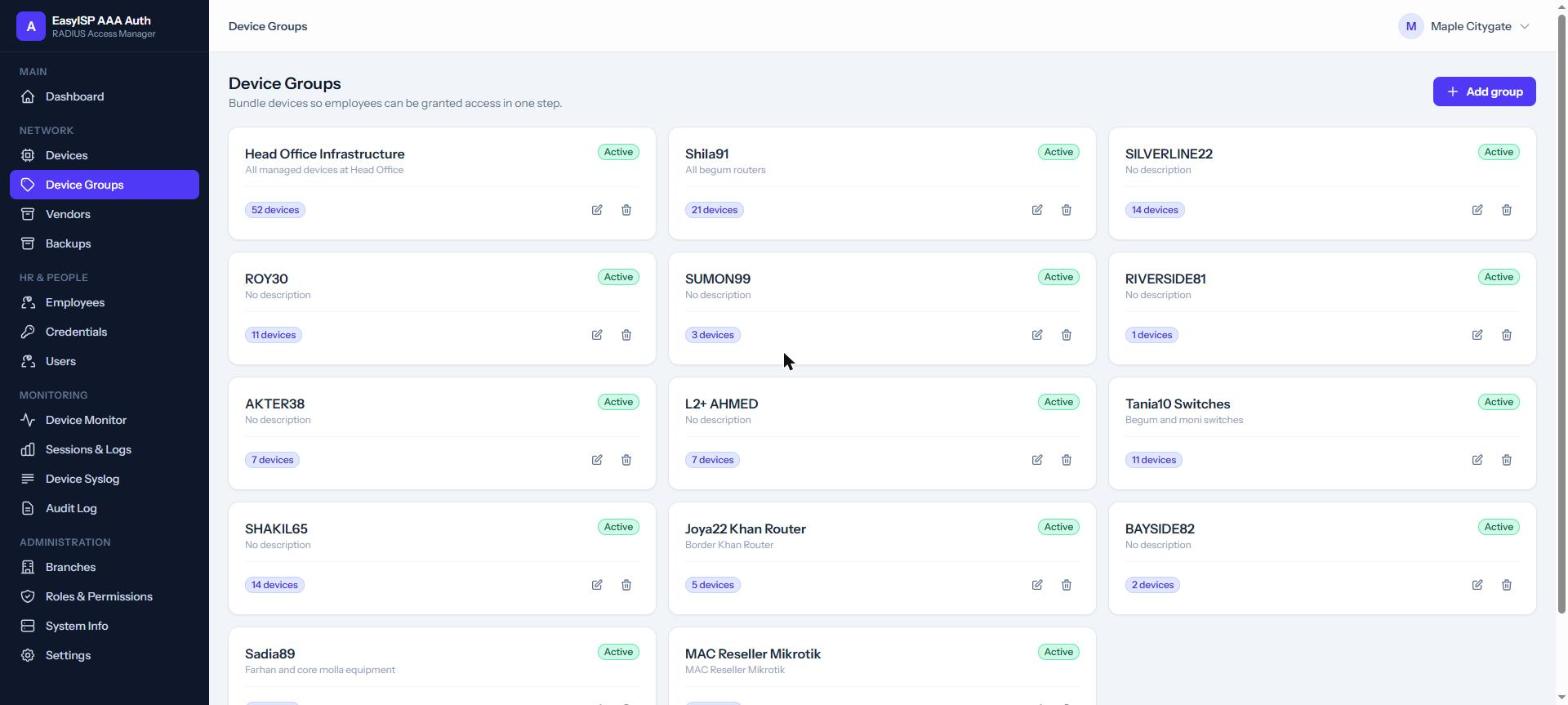
Read / write / fullOne simple level, translated to the right setting for MikroTik, Cisco, Juniper, Huawei.
Time-limited accessGive a contractor access for a weekend; it expires on its own.
Bulk
issueLogins for a whole team in one go, with strong one-time passwords.
Revoke instantlySomeone leaves: disable one account and every device is closed to them.
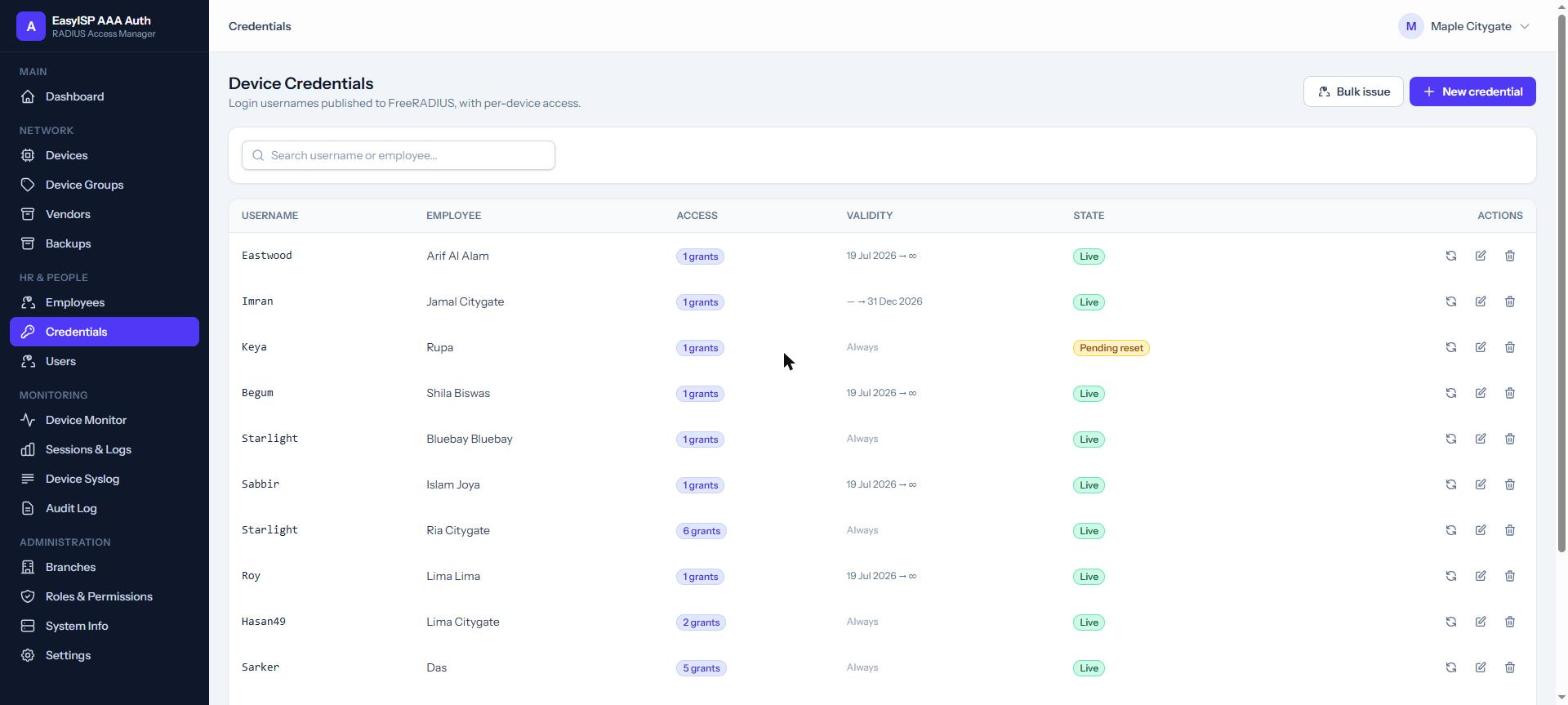
Credentials
AAA Access Daily operations
Console, backups and monitoring, built in.
The tools a NOC uses every day, in the browser, with every action recorded.
Web SSH consoleOpen a terminal to any device from the browser. Nothing to install, every session logged.
Automatic config backupsDaily or weekly for MikroTik, Cisco, Juniper and Huawei, or one click before a change.
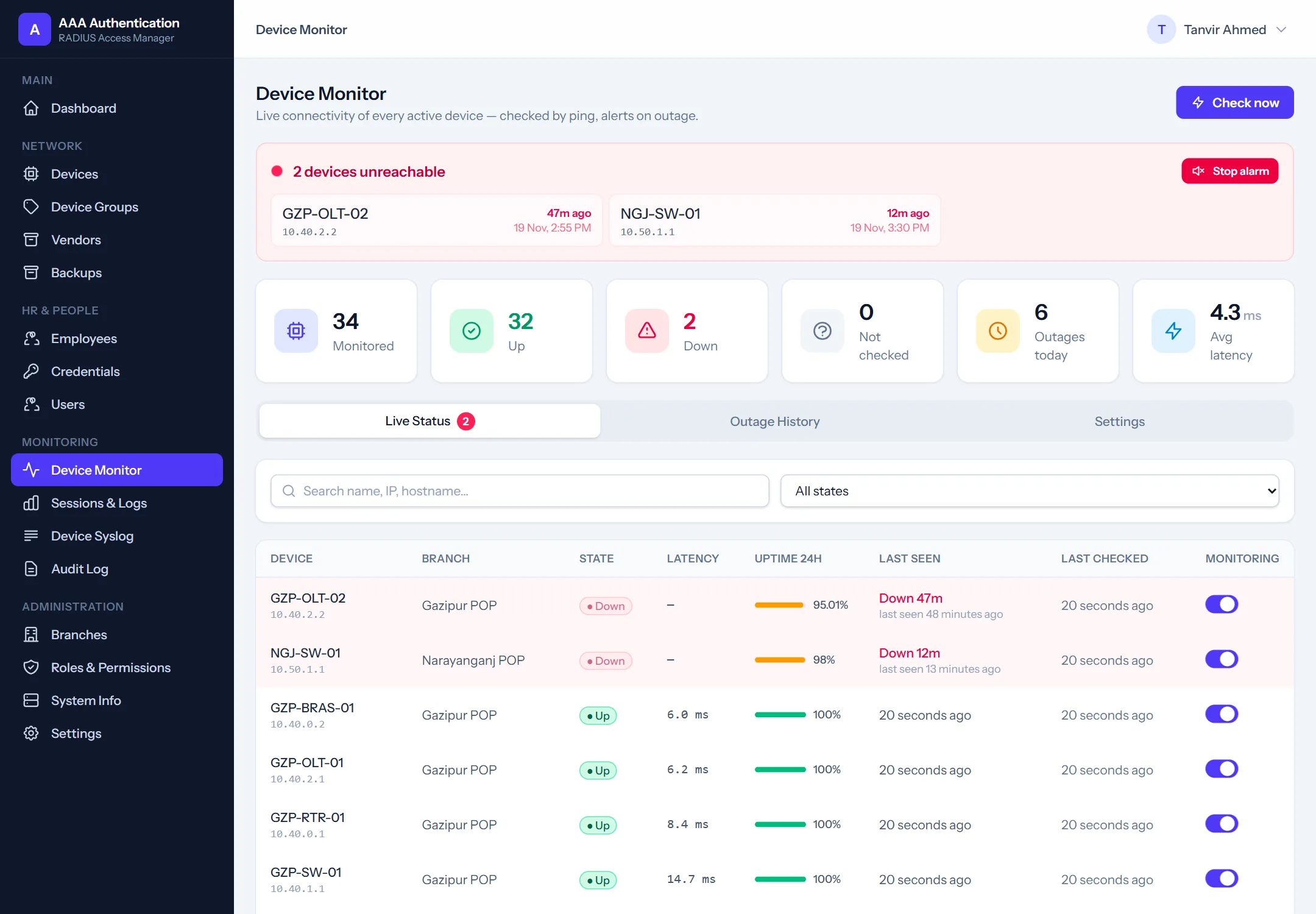
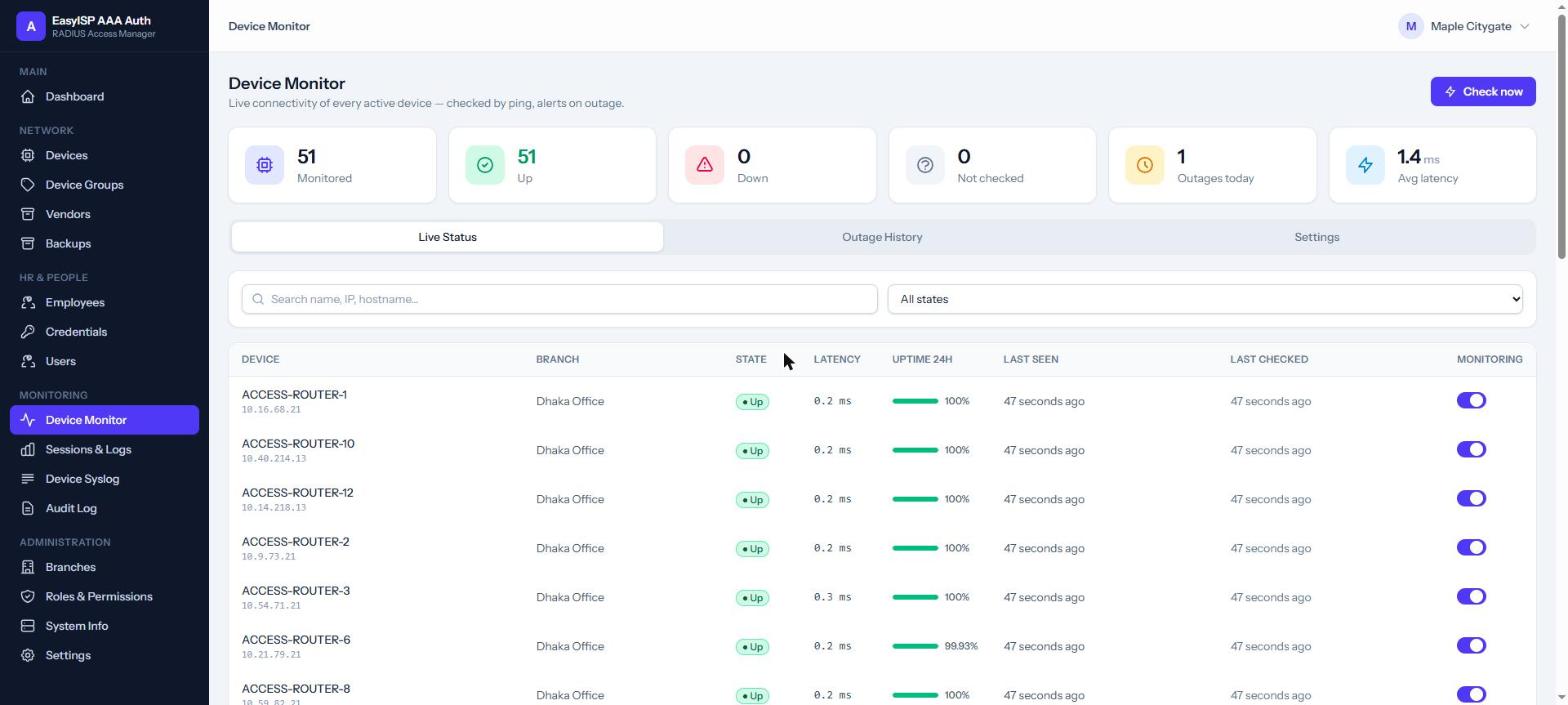
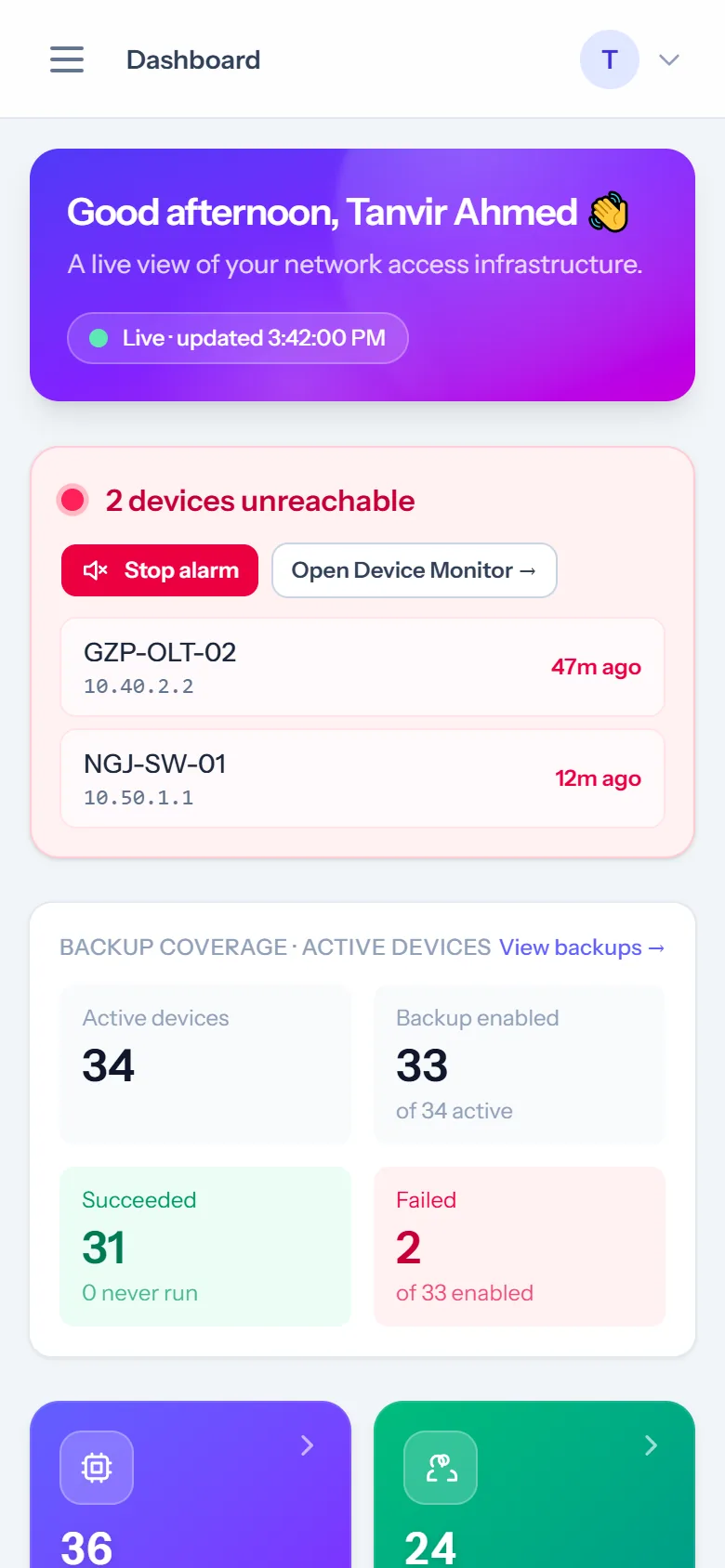
Device monitoringEvery device pinged; siren and e-mail when one goes down, with uptime history.
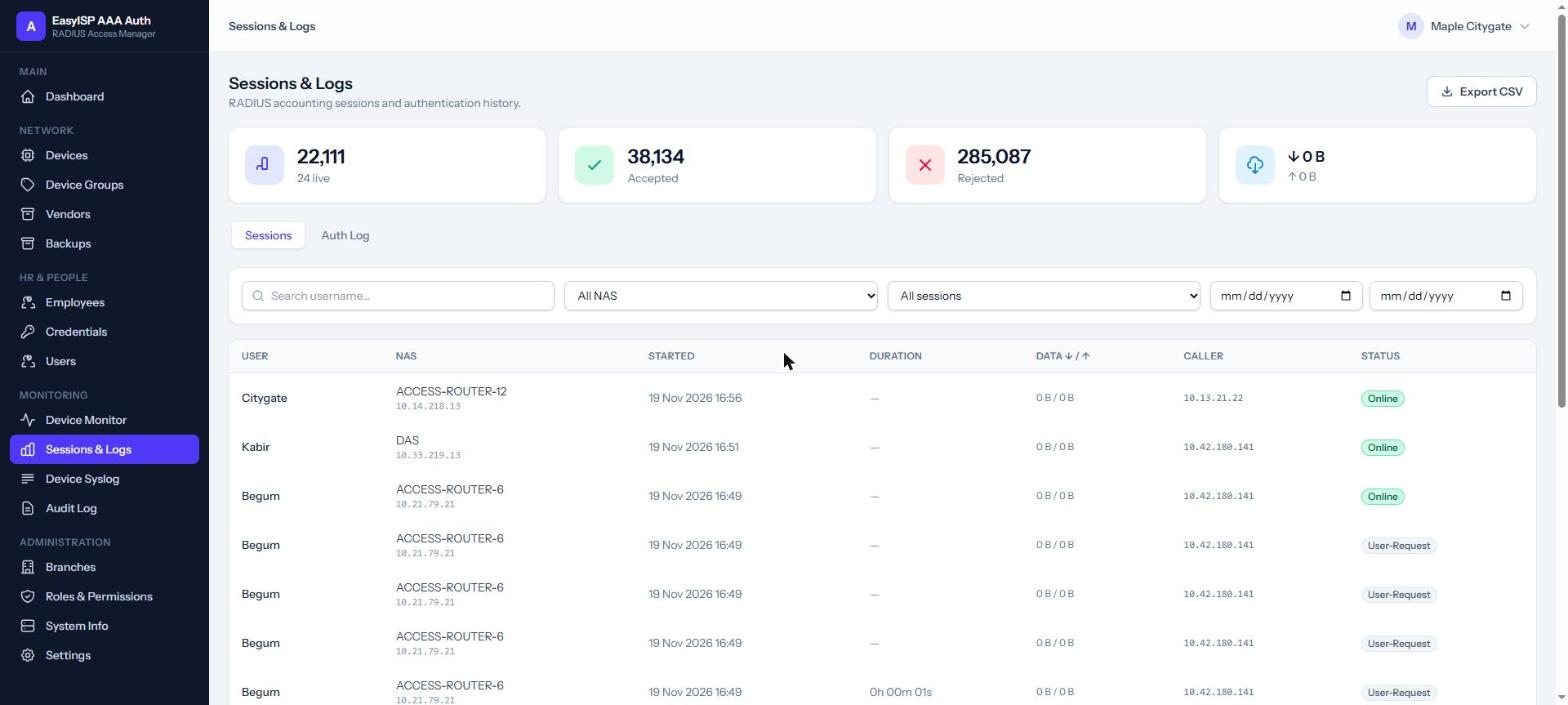
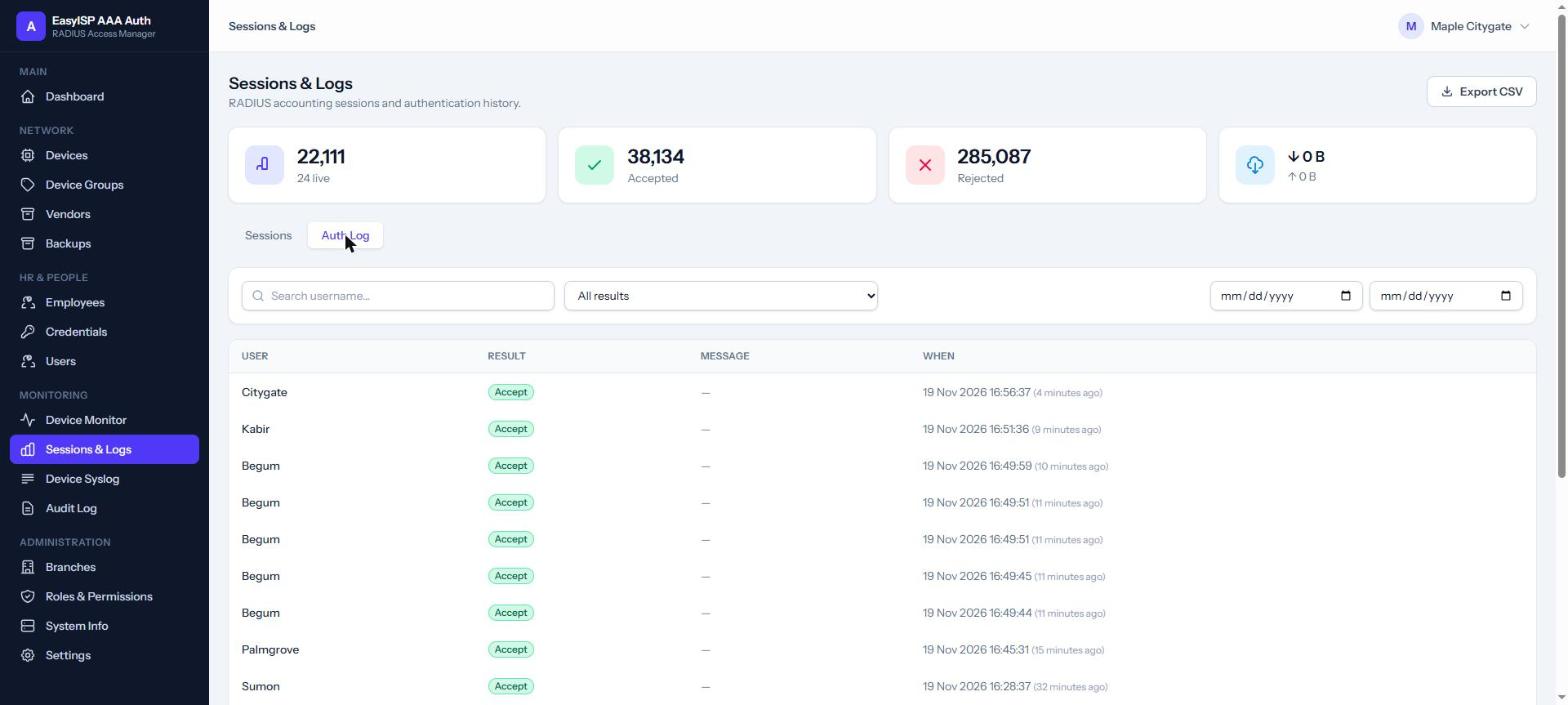
Sessions, auth log & auditWho logged in where, who was refused, and who changed what in the app.
Monitoring
AAA Personal device logins
One personal login per person. Never a shared admin password again.
Every engineer gets their own RADIUS credential, granted to exactly the routers, switches and OLTs they need, with a start and end date. Leave the company, lose access everywhere at once.
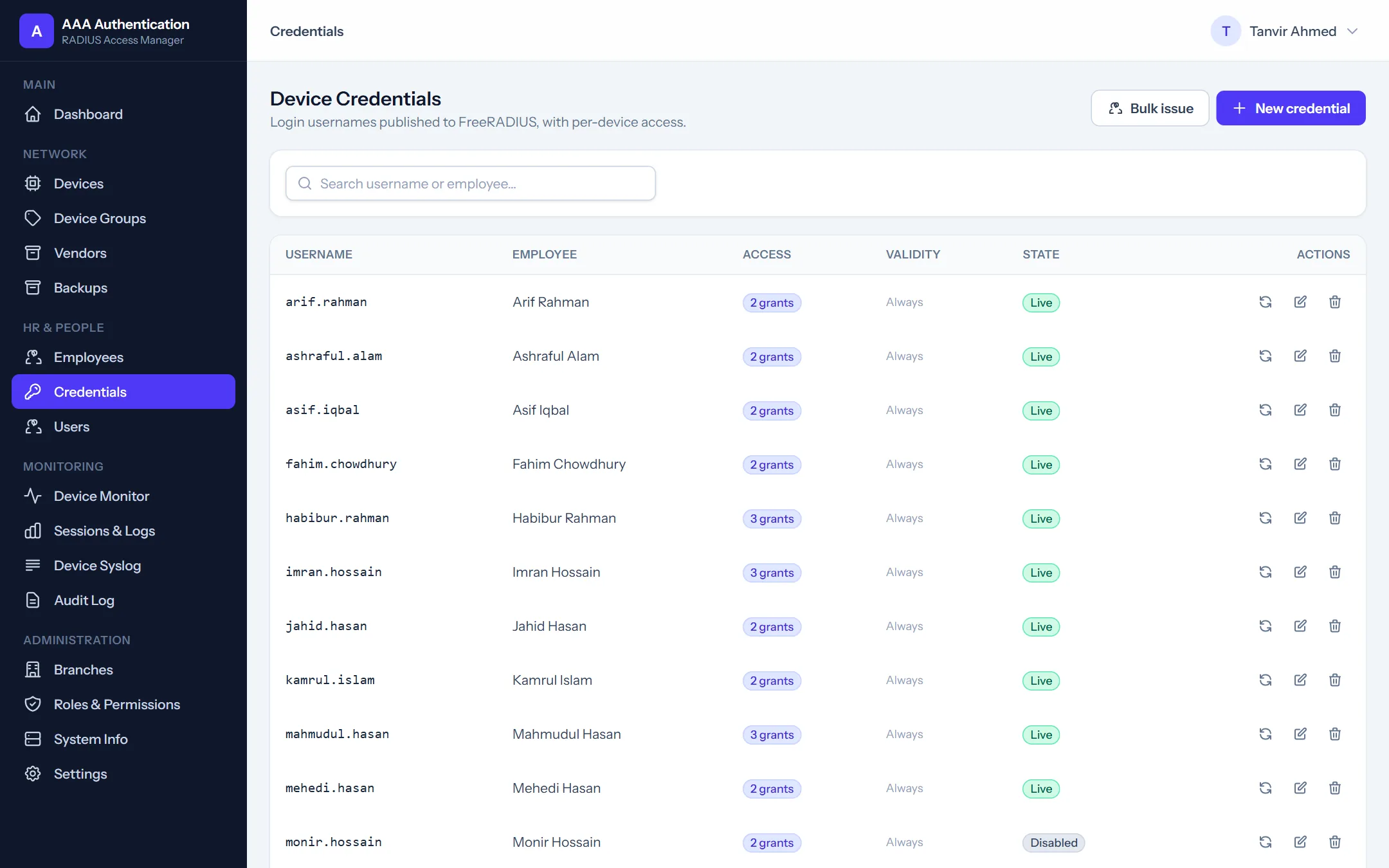
Device credentialsLogin usernames published to FreeRADIUS, with grants, validity and state
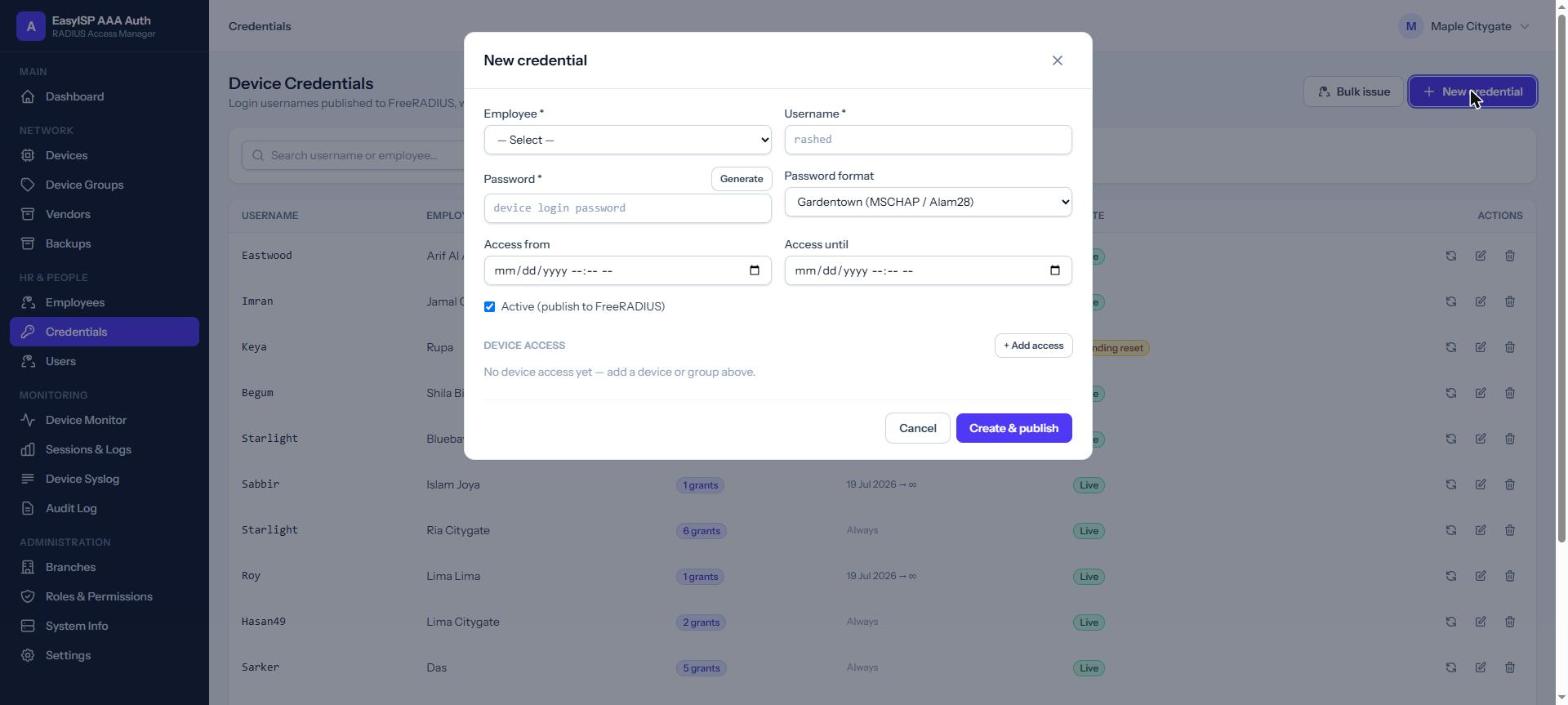
New credentialEmployee, username, generated password, access window and device access
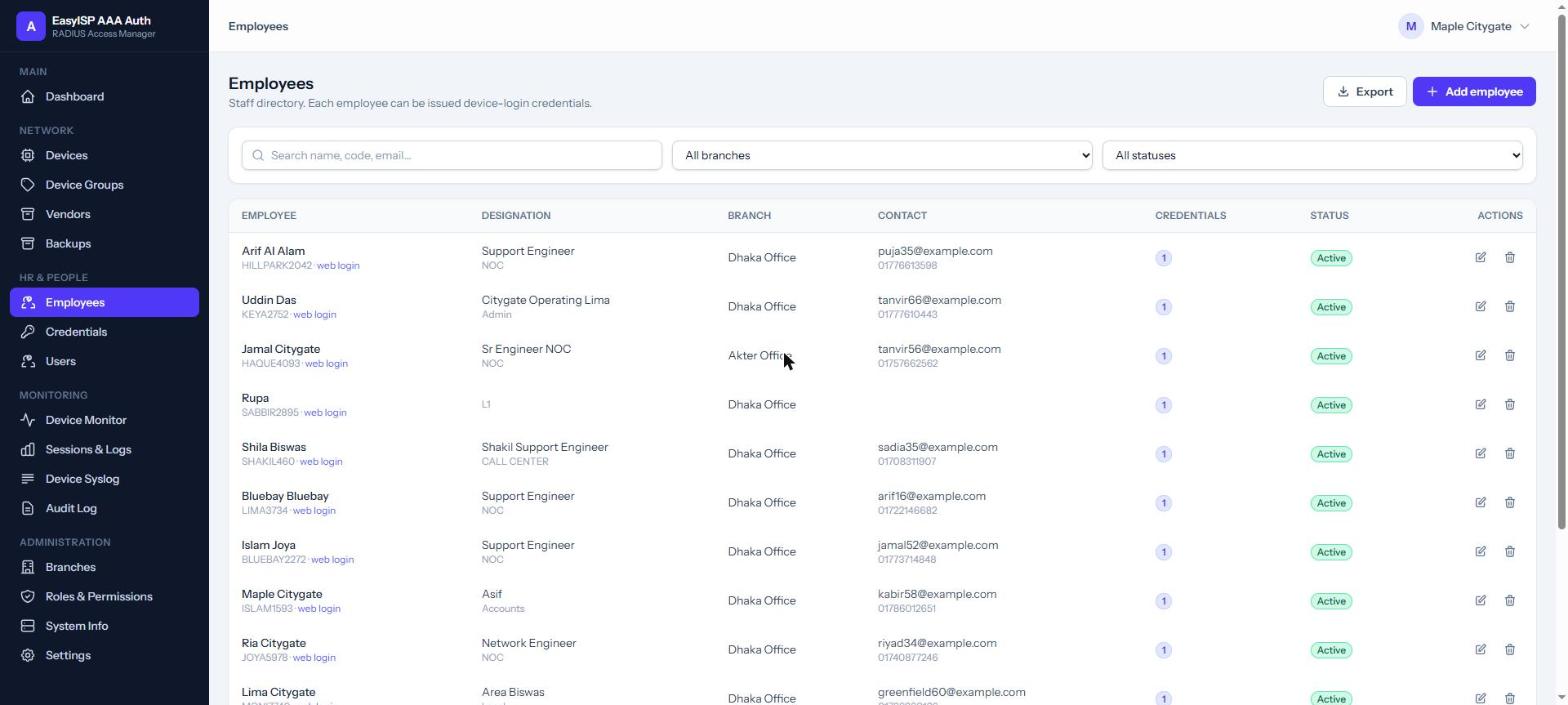
EmployeesStaff directory by branch and designation, each with device credentials
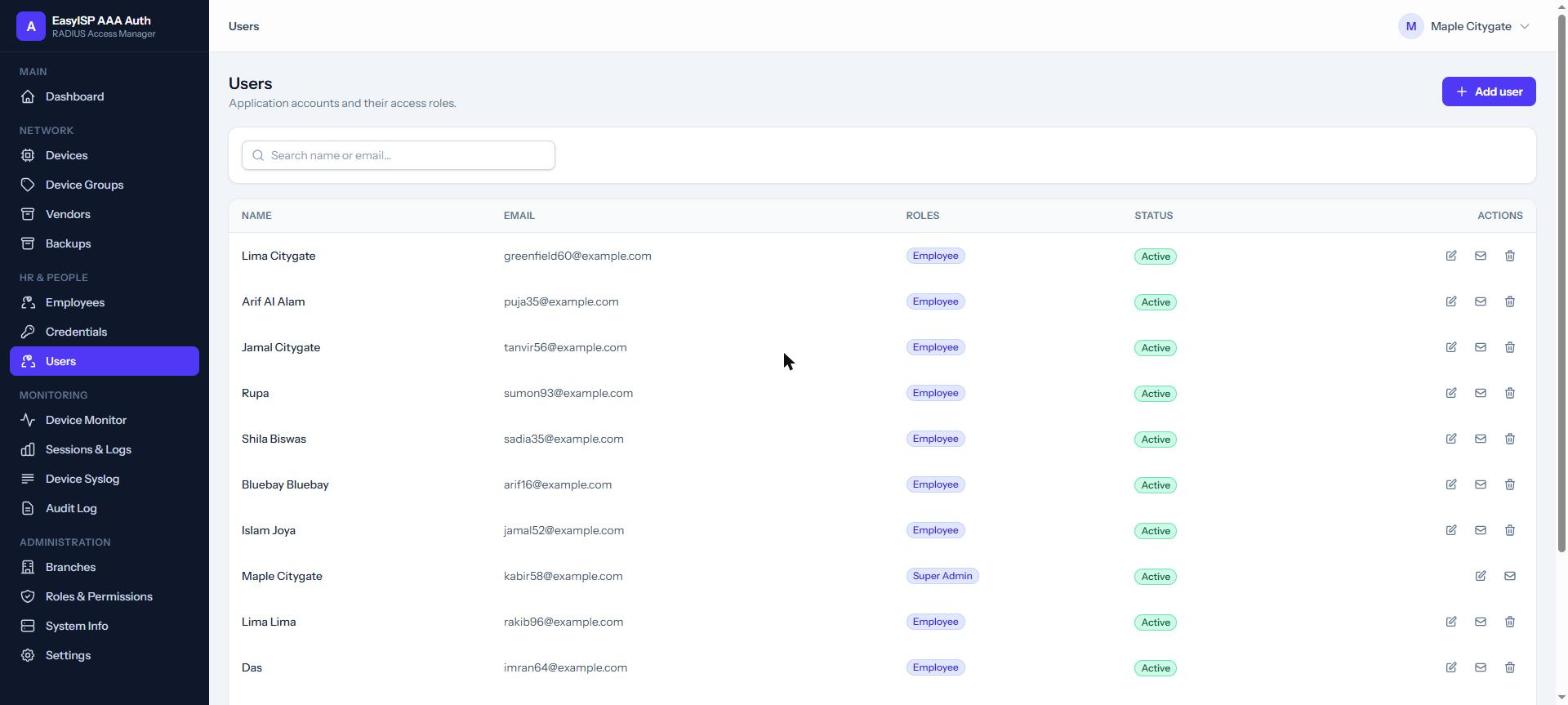
UsersApplication accounts and their roles
Device groupsBundle devices so a team is granted access in one step
Roles & permissionsAdmin, NOC Admin, HR Manager, Employee or your own
Live screens from an ISP running AAA Access: every person, username, e-mail, phone, device name and IP is replaced. The form was opened, not saved. Click a screen to zoom, then use the arrows.
AAA Monitoring & sessions
Every login, every outage, on the record.
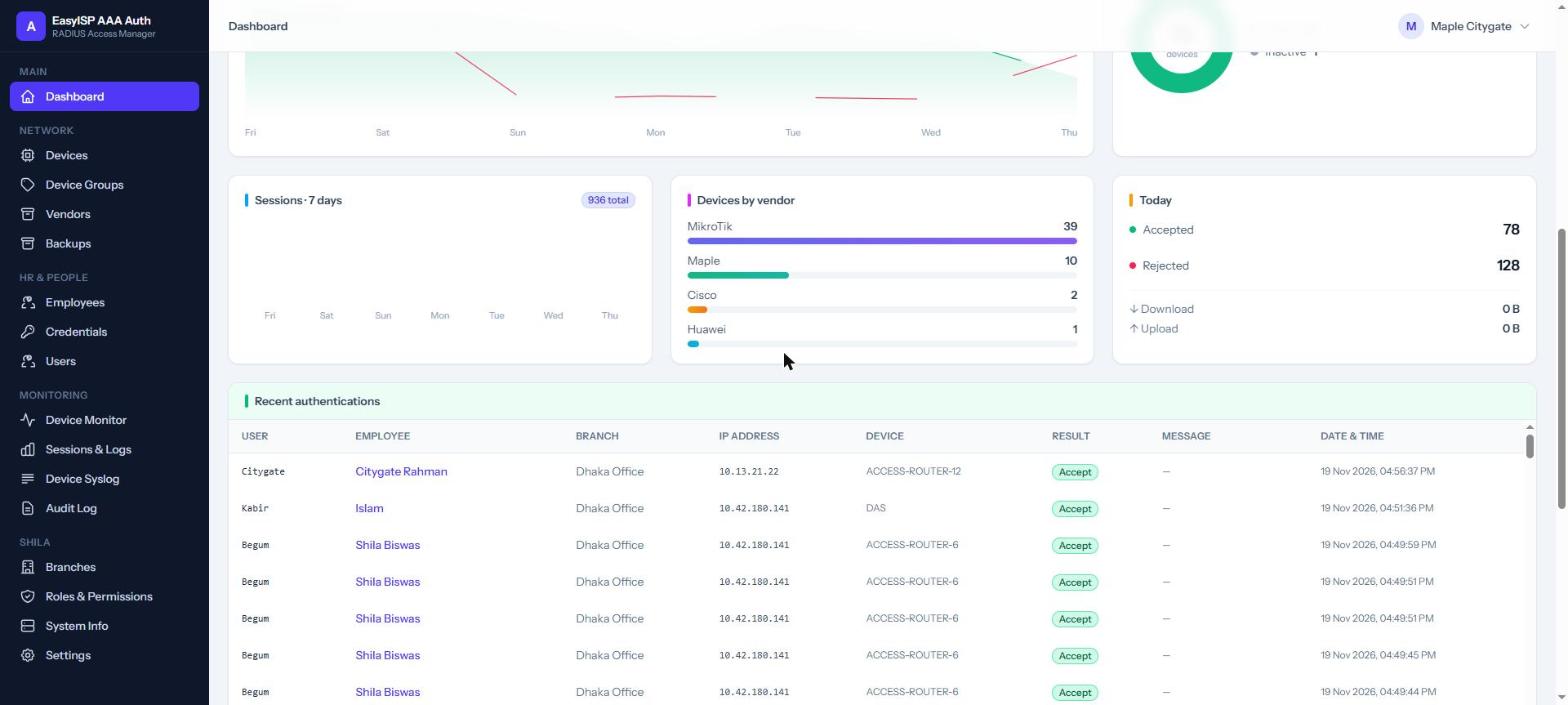
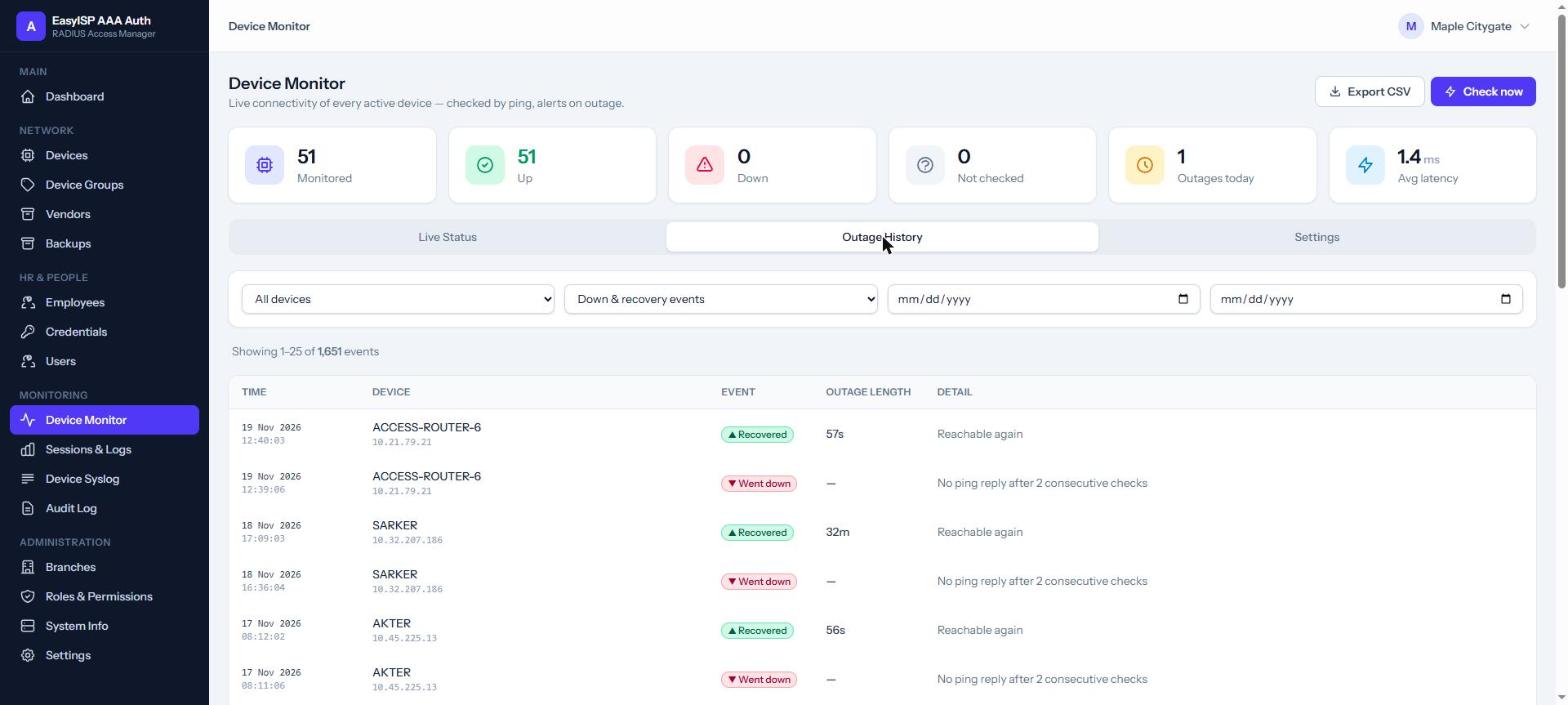
Live sessions and every accepted or rejected login per device and person, a ping monitor with outage history, and a dashboard that shows it all at a glance.
DashboardDevice MonitorSessions & LogsAuth Log
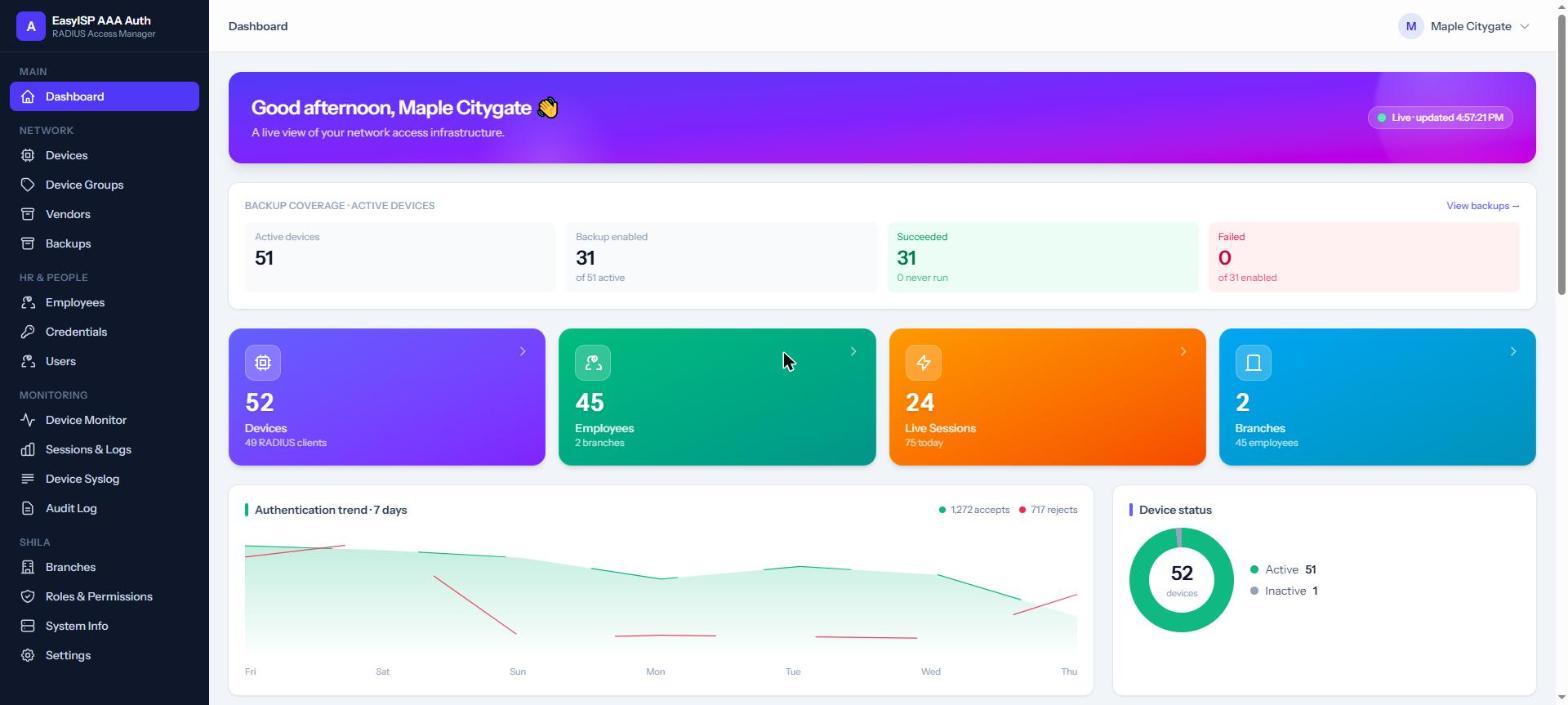
Dashboard
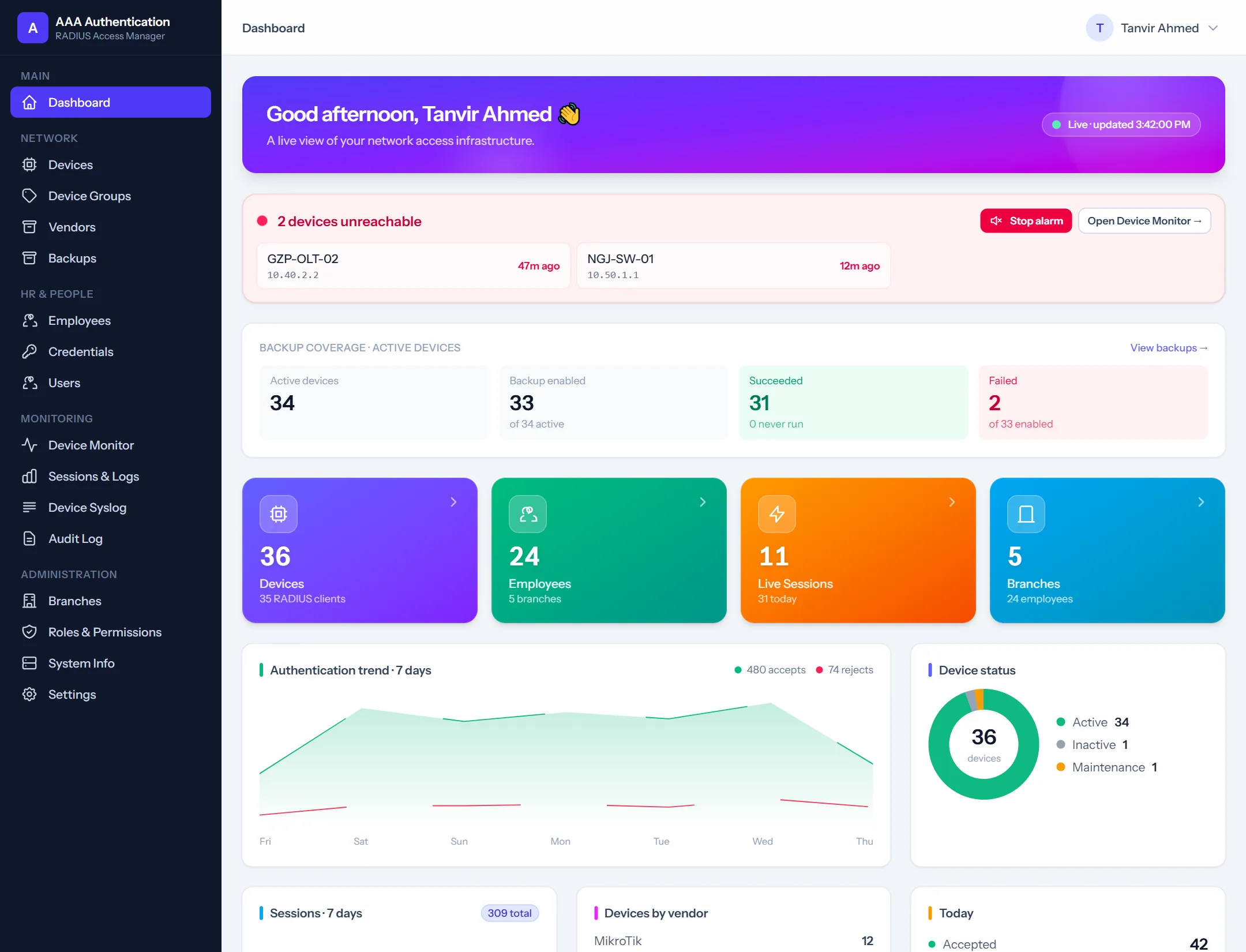
DashboardBackup coverage, devices, employees, live sessions and the 7-day login trend
Recent authenticationsWho logged in to which device, from where, accepted or rejected
Outage historyWent down / recovered events with how long each outage lasted
SessionsRADIUS accounting sessions: user, device, duration, data and caller
Auth logEvery authentication attempt with its result and reason
Live screens from an ISP running AAA Access: every person, username, e-mail, phone, device name and IP is replaced. Click a screen to zoom, then use the arrows.
AAA Devices, backups & audit
Every device, its configuration, and who changed what.
MikroTik, Cisco, Huawei, Juniper and more in one list, with scheduled configuration backups, the device syslog tied to the person who did it, and a full audit log.
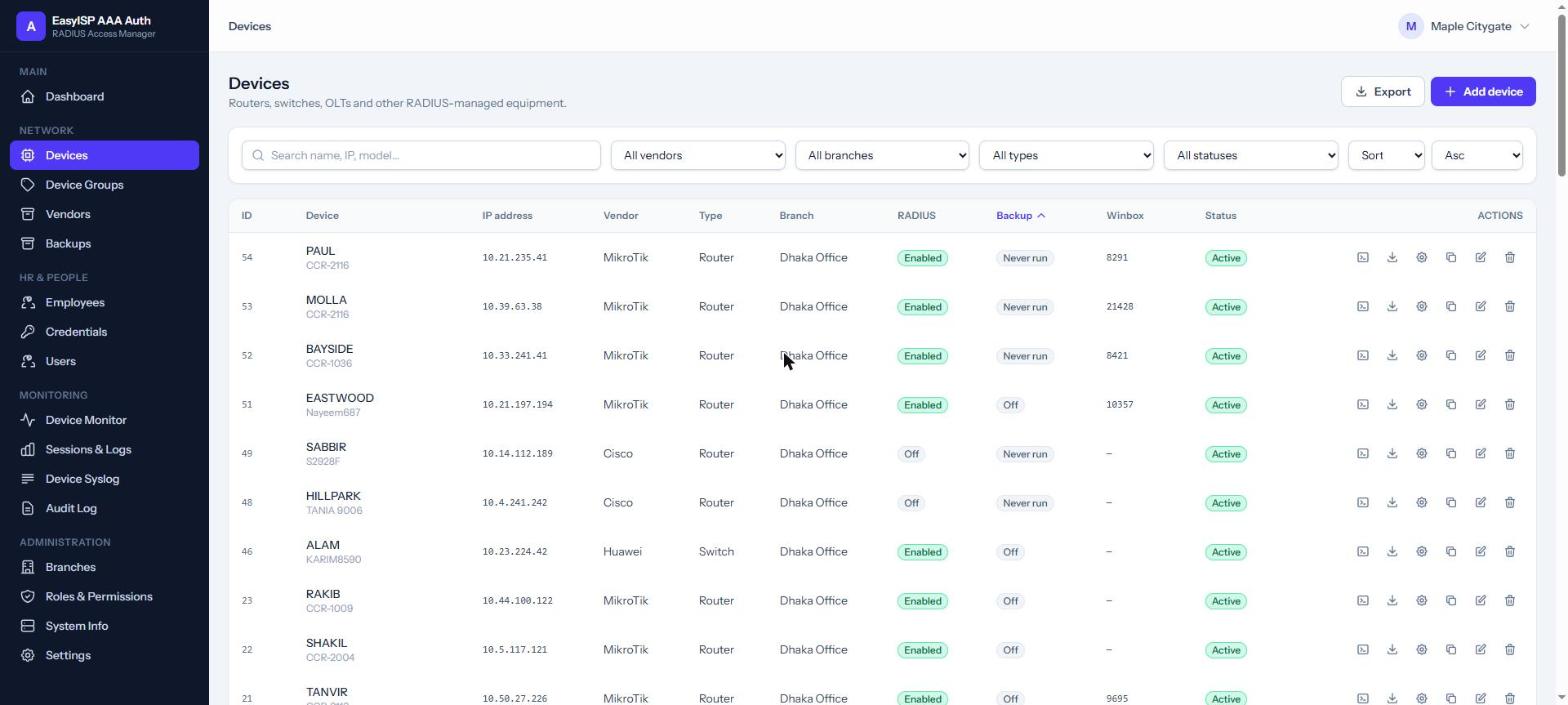
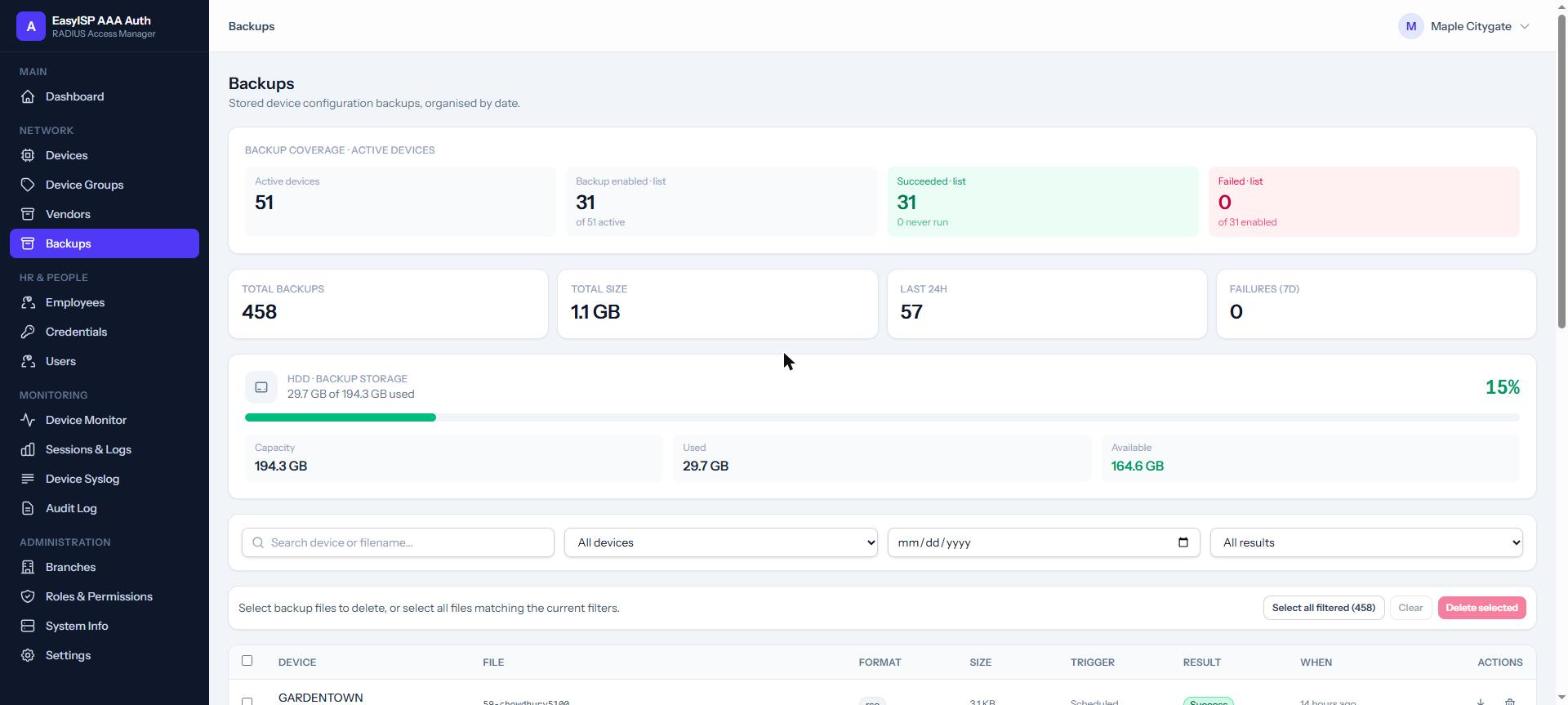
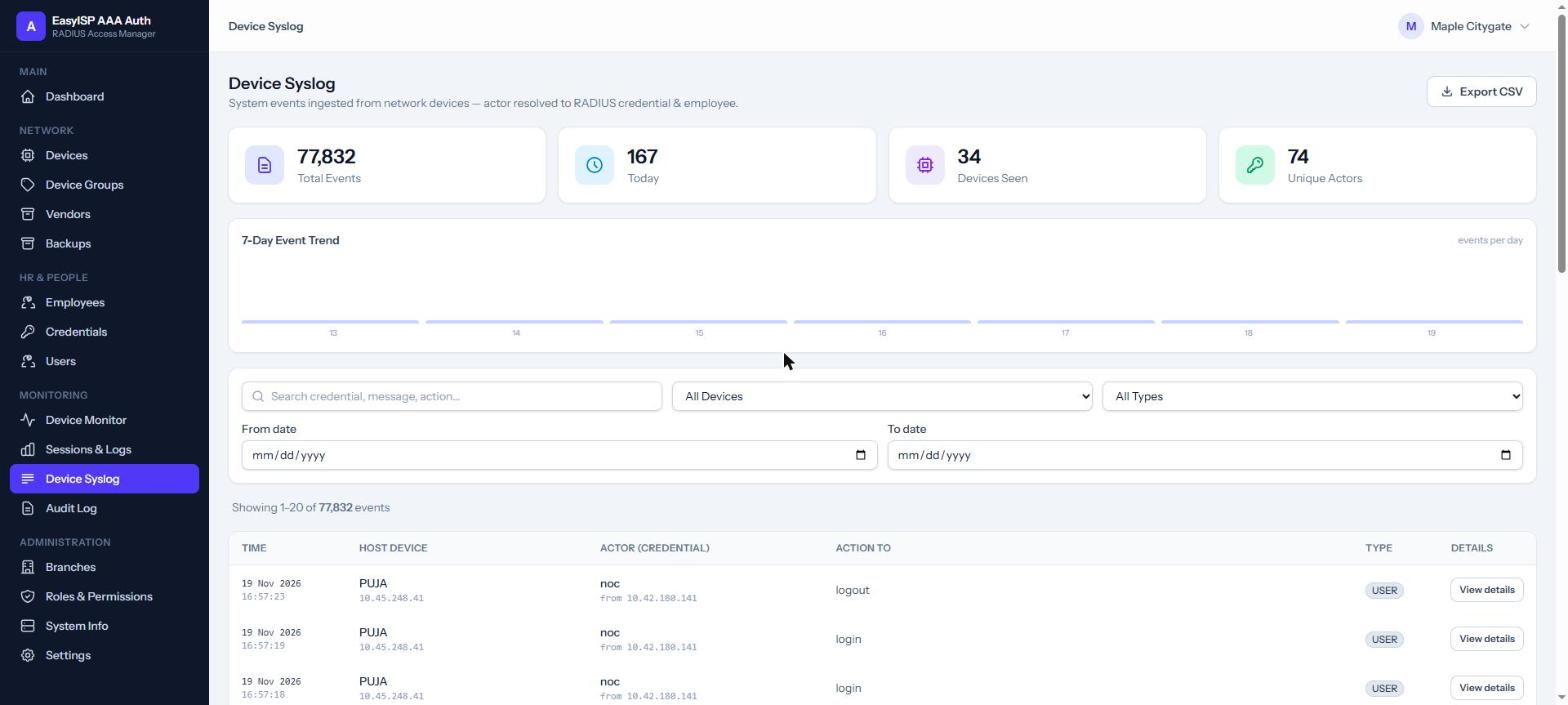
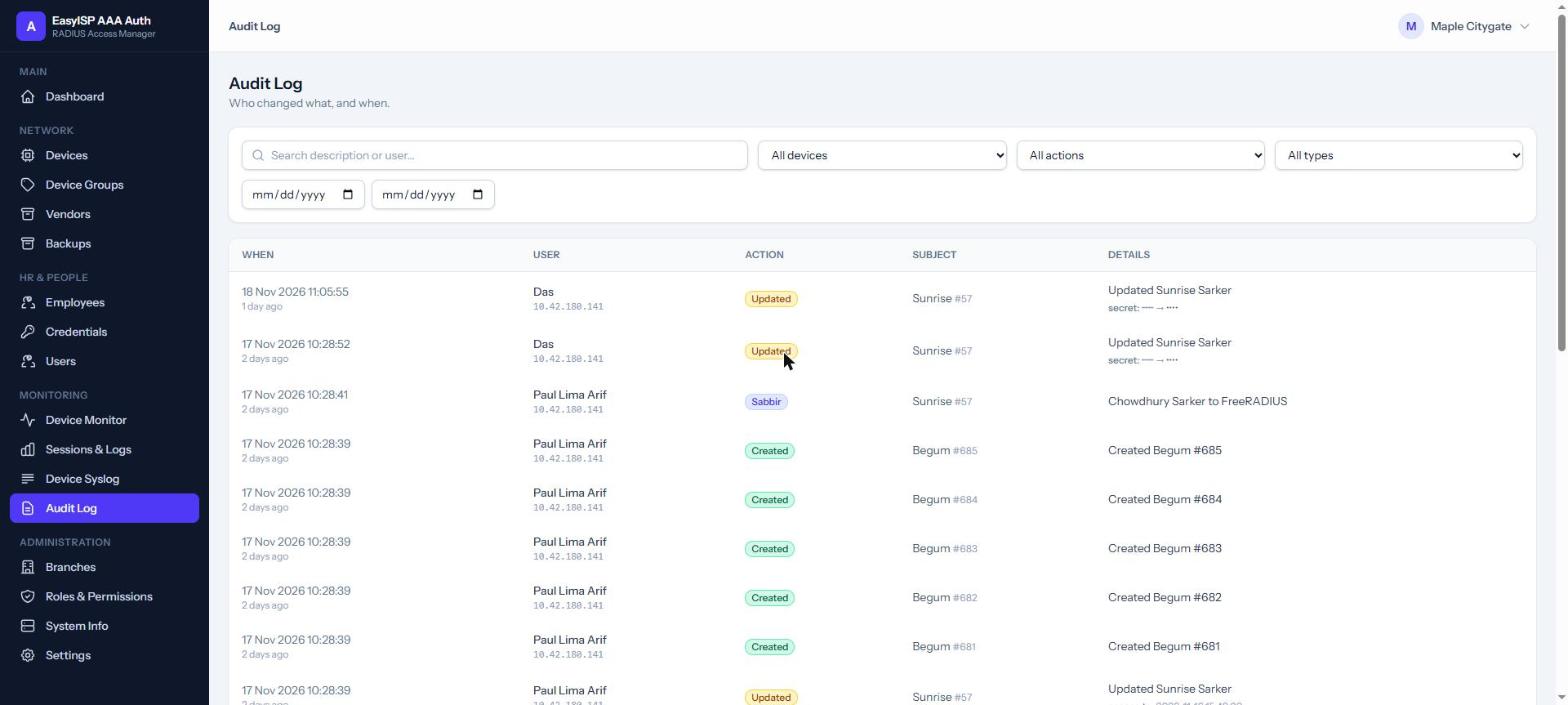
DevicesVendorsBackupsDevice SyslogAudit Log
Devices
DevicesRouters, switches and OLTs with IP, vendor, branch, RADIUS, backup and Winbox port
Configuration backupsCoverage of active devices, storage used and every stored backup
Device syslogEvents from the devices, the actor resolved to a credential and employee
Audit logWho created, updated or published what, and from which IP
Live screens from an ISP running AAA Access: every person, username, e-mail, phone, device name and IP is replaced. Click a screen to zoom, then use the arrows.
Better together a real
evening
9:02 PM, an OLT goes down. Here is what happens.
FTTX notices
The OLT misses its one-minute check. The outage is recorded.
FTTX
Everyone sees it
Red banner and siren on every ERP page; outage card on the dashboard.
ERP
Customers informed
Support sends the Down SMS to exactly the customers behind that OLT. Two clicks.
ERP + FTTX
Engineer logs in
Personal login, web console, latest config backup at hand. All audited.
AAA Access
Back up
"Up" SMS sent, outage closed, duration on record for management.
All three
ONU details inside Customer SupportThe agent sees the customer's live fiber signal without leaving ERP.
FTTX dashboard in the ERP, per ManagerEach Manager sees only the OLTs and PON ports assigned to them.
Customers matched to ONUs automaticallyBy ERP id, username or router MAC; no manual linking spreadsheet.
One secure door to every deviceThe OLTs FTTX watches and the routers ERP controls, reached only by personal logins.
Better together the
network inside the ERP
Billing staff see the network, too.
With FTTX connected, ERP shows OLTs going down and coming back on every page, and the
whole fiber network on its own dashboard.
Down / back-up bannerOn every page, with a siren and a Send Down SMS button per OLT.
FTTX dashboard in ERPOLTs, PON ports, ONUs online and optical power, refreshed every minute.
Scoped per
ManagerA Manager sees only the OLTs and PON ports assigned to them.
225OLTs on one live server
51kONUs watched
~300kcustomers in ERP
1 minto know an OLT is down
ERP · FTTX dashboard
Live data from an ISP running the suite. OLT names are replaced.
Roles everyone sees just
their part
Same software, the right view for each person.
O
Owner / Admin
Sees the whole company
All dashboards, profit and dues
Every Manager's books and commission
Roles and permissions for everyone
ERPFTTXAAA
M
Manager (reseller)
Own POPs and customers
Add, recharge and support own customers
Live balance, commission and payouts
Own OLTs, PON ports and outages
ERPFTTX view
A
Asst. Manager / POP
One area, done well
Customers, recharge and due list of the POP
Own wallet and collection
Tokens raised in the area
ERP
S
Support / call centre
Solve it on the first call
Customer Support screen and diagnostics
Tokens, SMS and WhatsApp
ONU signal of the caller
ERPFTTX view
$
Accounts
Books that close themselves
Vouchers, ledgers, trial balance
Collection and disbursement
Balance sheet, P&L, cash flow
ERP
N
NOC / field engineer
The network, on the move
OLT monitor, ONUs, map and cables
Personal device logins and console
Config backups before every change
FTTXAAA
For Managers and Asst. Managers: everything in this tour can be opened to you,
scoped to your own POPs, customers and OLTs. Your Admin turns on each permission; you run your business from
the same screens the company uses.
Anywhere, securely
Made for the phone in your pocket, and locked down.
Every screen works on a phone or tablet. FTTX installs like an app. Security is part of
the design, not an add-on.
Role-based permissionsEvery page and button has its own permission.
Reseller scopingA Manager can never see another Manager's data.
Audit trailWho changed what, when, before and after.
Encrypted secretsDevice and SNMP passwords encrypted at rest.
Getting started from first meeting to go-live
Live in weeks, not months.
We move your data, train your team and stay with you after go-live.
Discover
We map your packages, POPs, Managers, NAS and OLTs, and how money flows today.
Set up & migrate
Customers imported in bulk from your current system; RADIUS and OLTs connected.
Train
Hands-on training per role, plus a built-in step-by-step tutorial anyone can open.
Go live & grow
Ongoing support and regular updates. Add FTTX or AAA whenever you're ready.
Thank you Easy ISP Billing
Let's run your ISP on one suite.
Ask us for a live demo with your own packages and POPs, or a pilot on one area of your
network.